

Make Jean Phil on NOLGIA, then your own AI influencer
Build Jean Phil from four reference photos and check his sheet against them, then use the same steps to make an AI influencer nobody has seen before. With the exact prompts, the settings and the live prices.
- 8 min read
- Updated
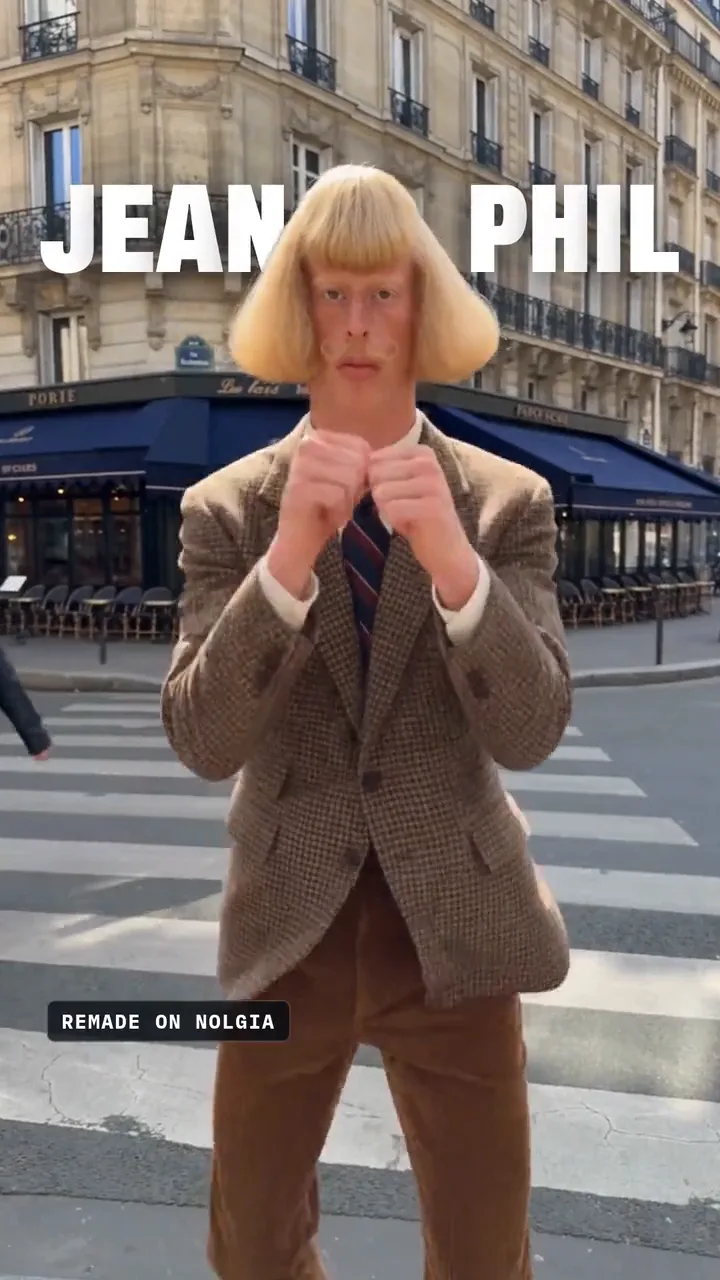
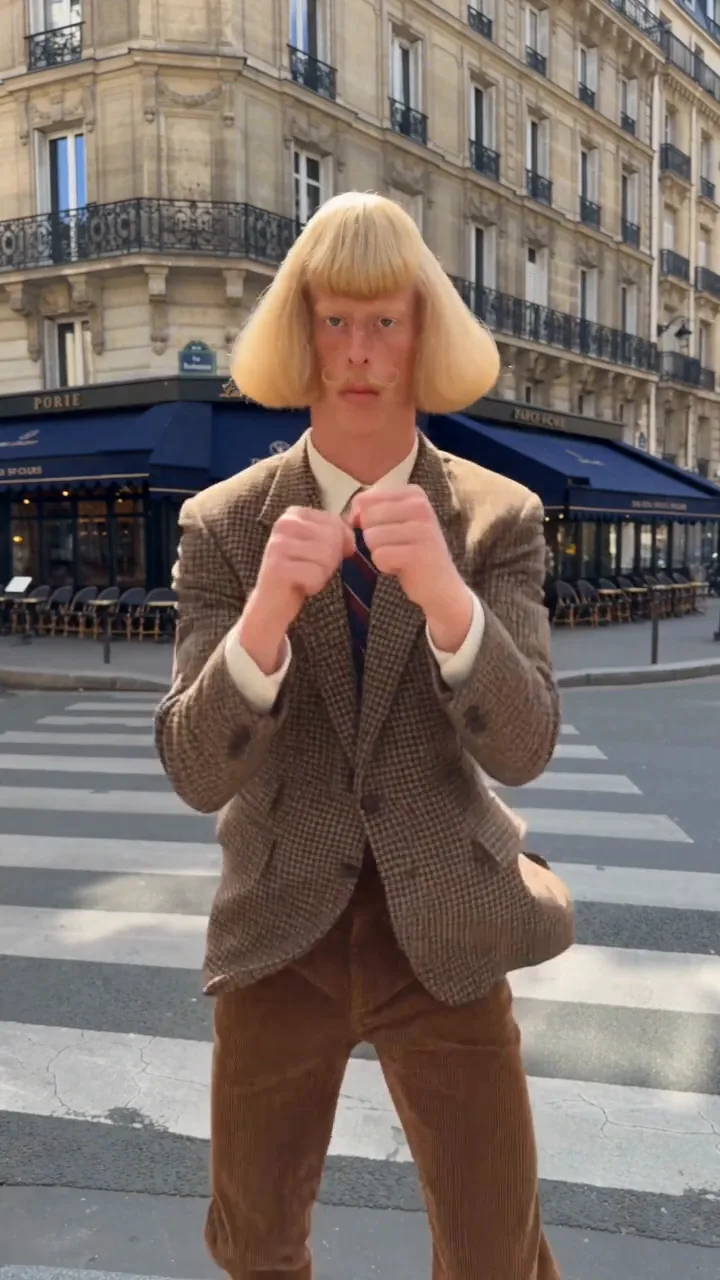
Jean Phil, or Jean Philanthrope, is the AI influencer everyone is talking about: a pale, freckled man with a thick blond bob, a curled mustache and a brown houndstooth suit, shadowboxing with a straight face in Paris. He first appeared on Instagram on September 17, 2026, and eight of his videos pulled more than 77 million Instagram views, according to Kapwing's breakdown of the account. His creator has not been named.
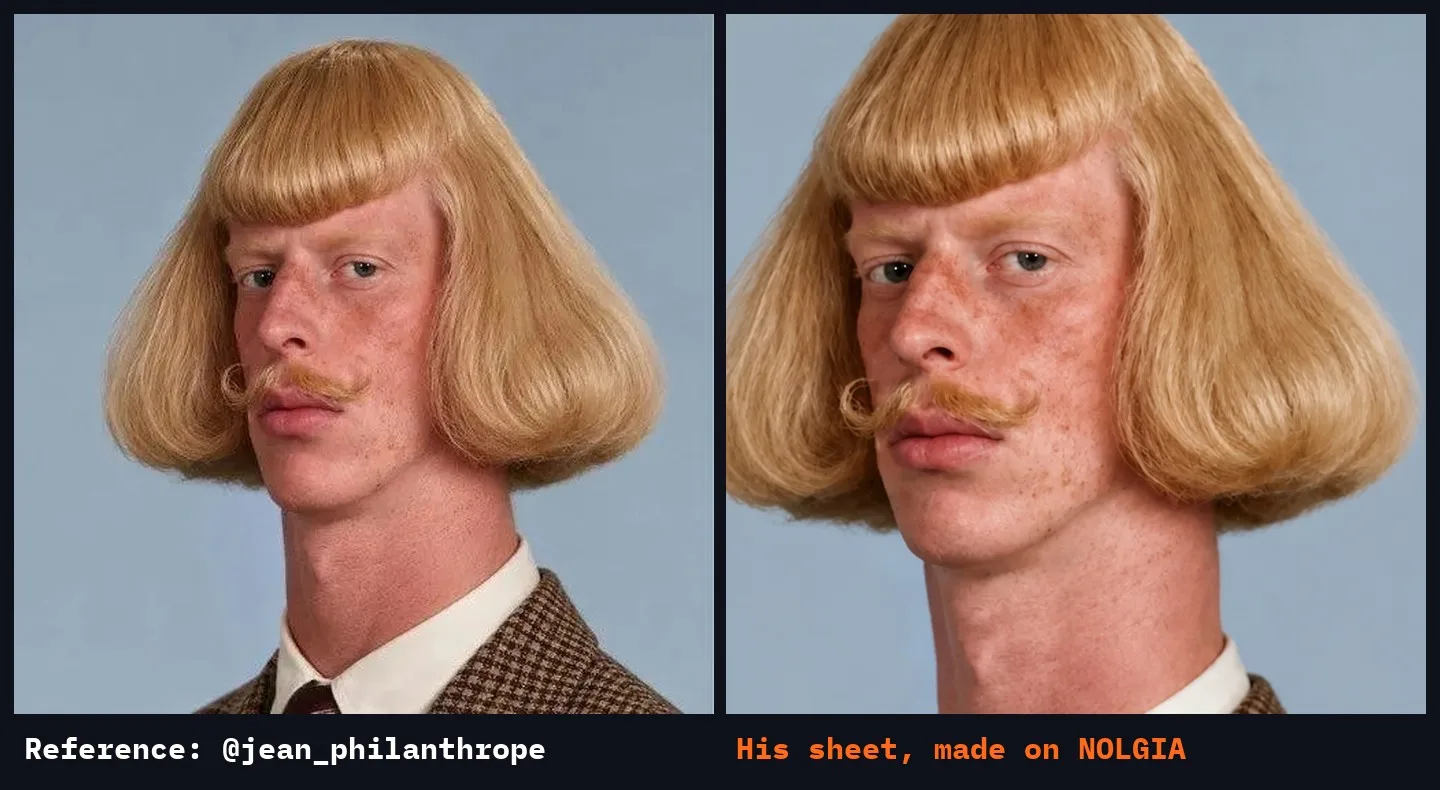
We rebuilt him on NOLGIA from four of his photos, credited to @jean_philanthrope, and NOLGIA is not connected to his account. Then we used the same steps to make Juno, an original influencer of our own. Every video in this guide is NOLGIA output or a capture of the app making it.
The reel
This is the reel the guide is built from, in three parts. Part two recreates Jean Phil from his reference photos; part three makes Juno, an original influencer. Each step below shows the same moments with the prompts and settings.
Why Jean Phil works
Kapwing's breakdown of the account names the formula, and it is the whole plan for this guide:
- A fixed look. The same face, hair and suit in every video.
- One repeated bit. His is shadowboxing.
- Only the place changes. A street, a park, the Eiffel Tower.
- The same music, pacing and framing, so every post reads as one series.
NOLGIA has a tool for each part: Characters to hold the look, a turnaround sheet to check it against, and Create video for each new place. The first three steps make Jean Phil; the last three make an influencer of your own.
Start a character from his reference photos
Open Characters. Under New character, name him and paste a description of his look. Then press Add reference images, then Upload images, and add his photos. Lead with a clear close-up: the first photo becomes his primary reference.
Jean Phil, deadpan French AI influencer. Very tall and thin young man with a long neck, pale ruddy skin with freckles, small pale eyes, a thick glossy honey-blond helmet bob with a blunt straight fringe that flares out at the jaw, a thin ginger handlebar mustache with curled tips. Brown houndstooth wool blazer, white shirt, navy and burgundy striped tie. Never smiles. Shadowboxes everywhere he goes.
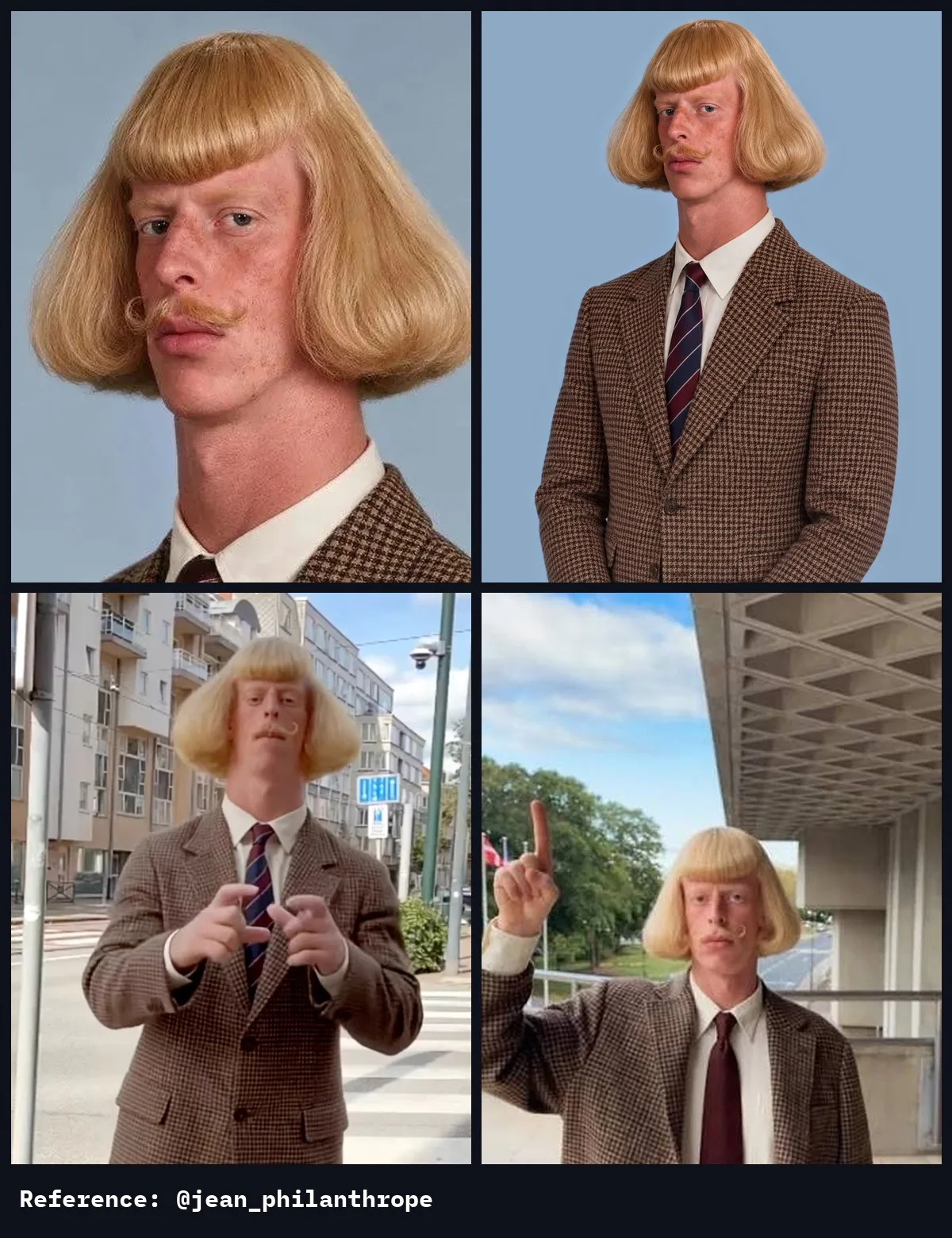
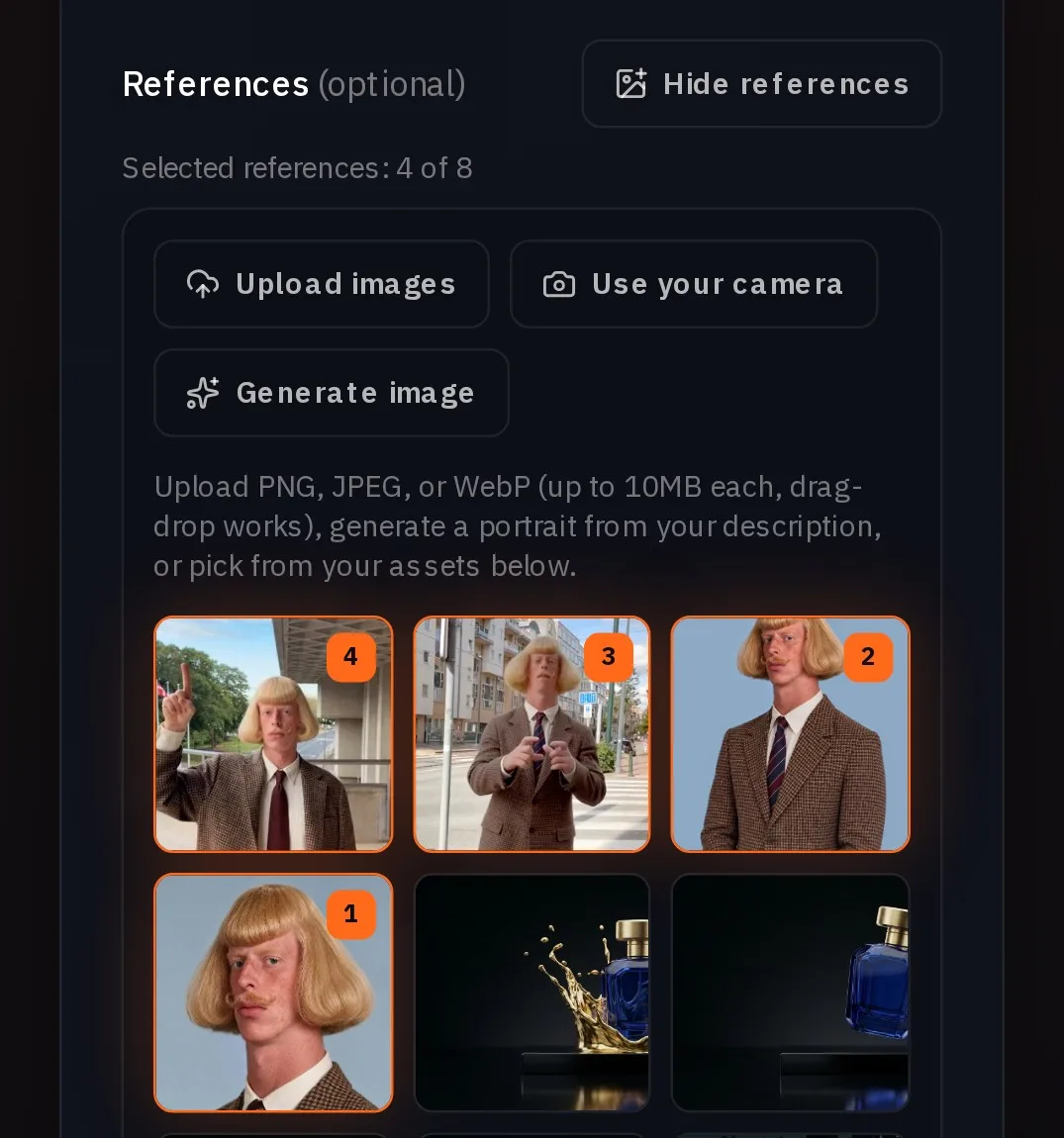
Press Create character. Leave the face check off: it is for photos of yourself or of someone who agreed to it.
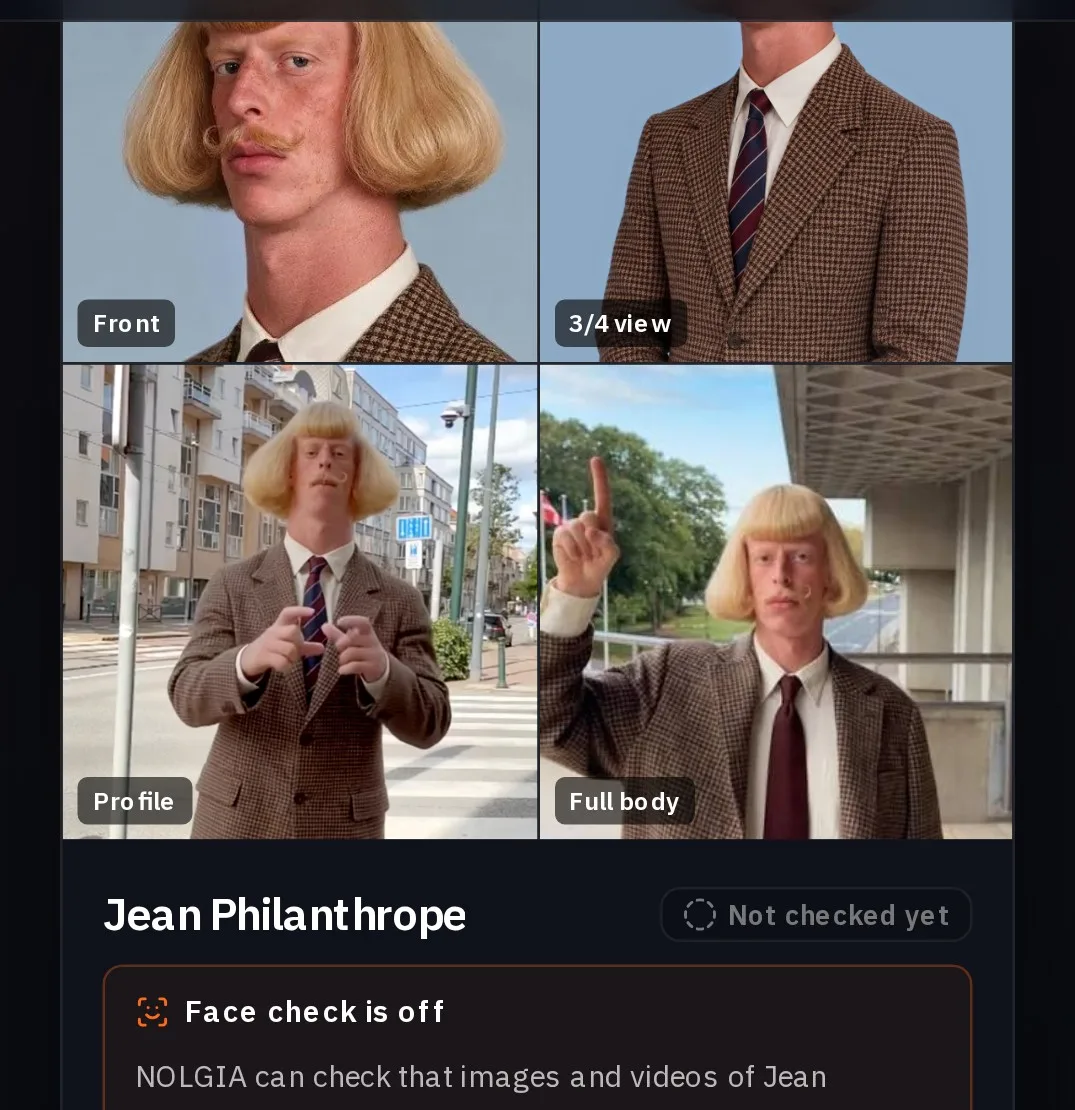
Make his sheet and check it against the photos
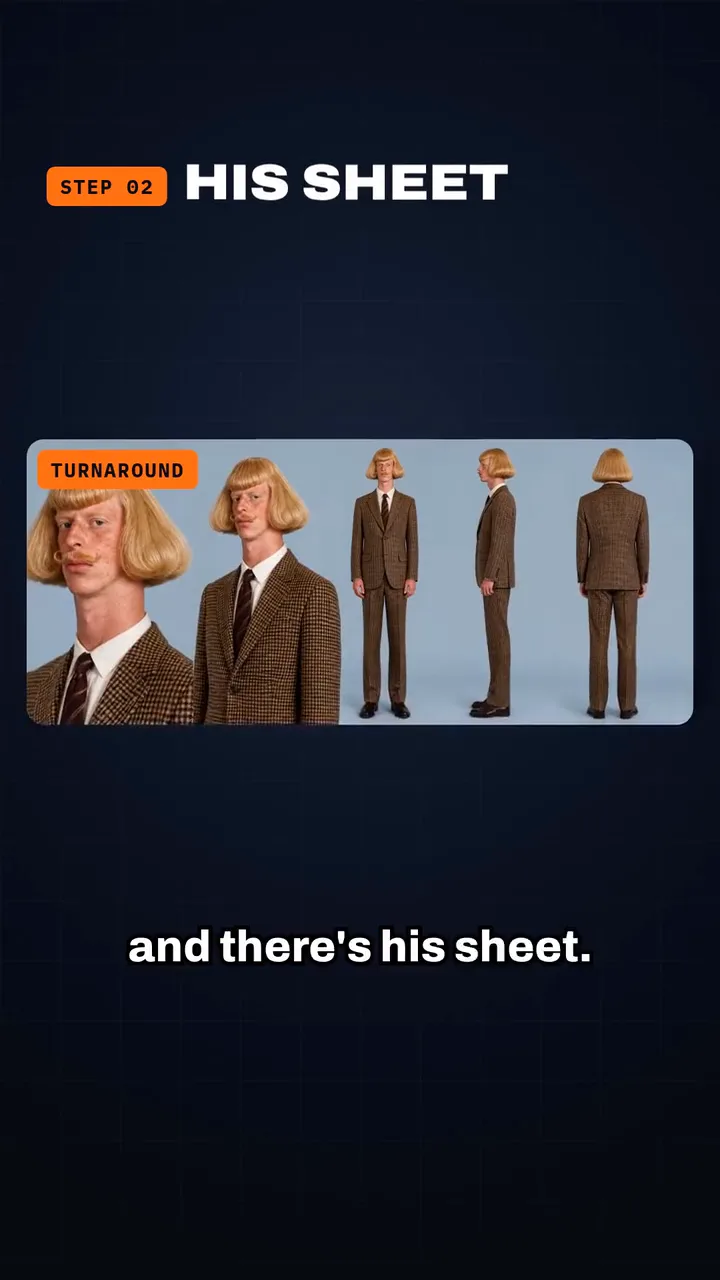
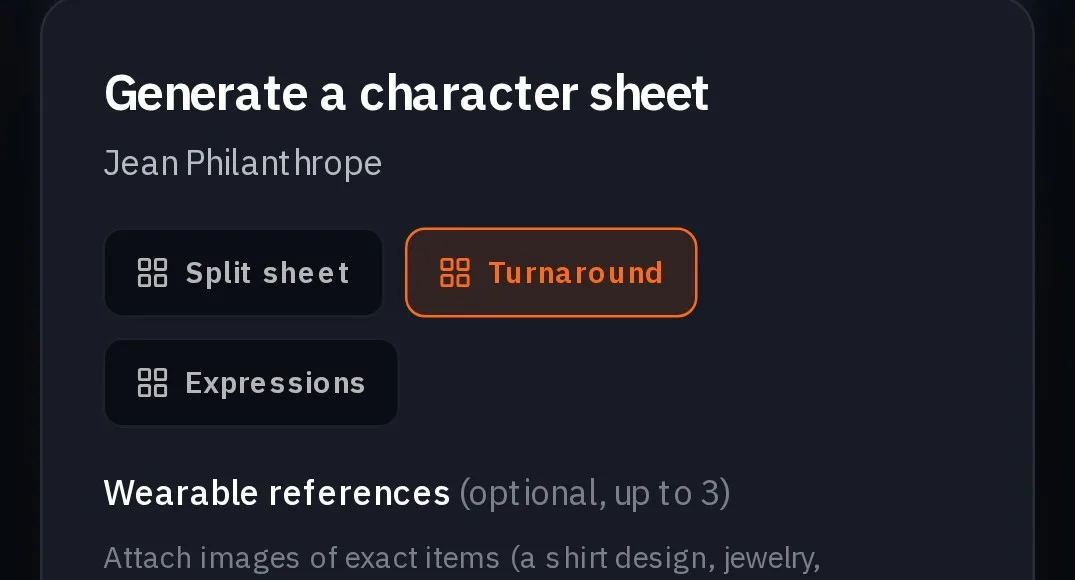
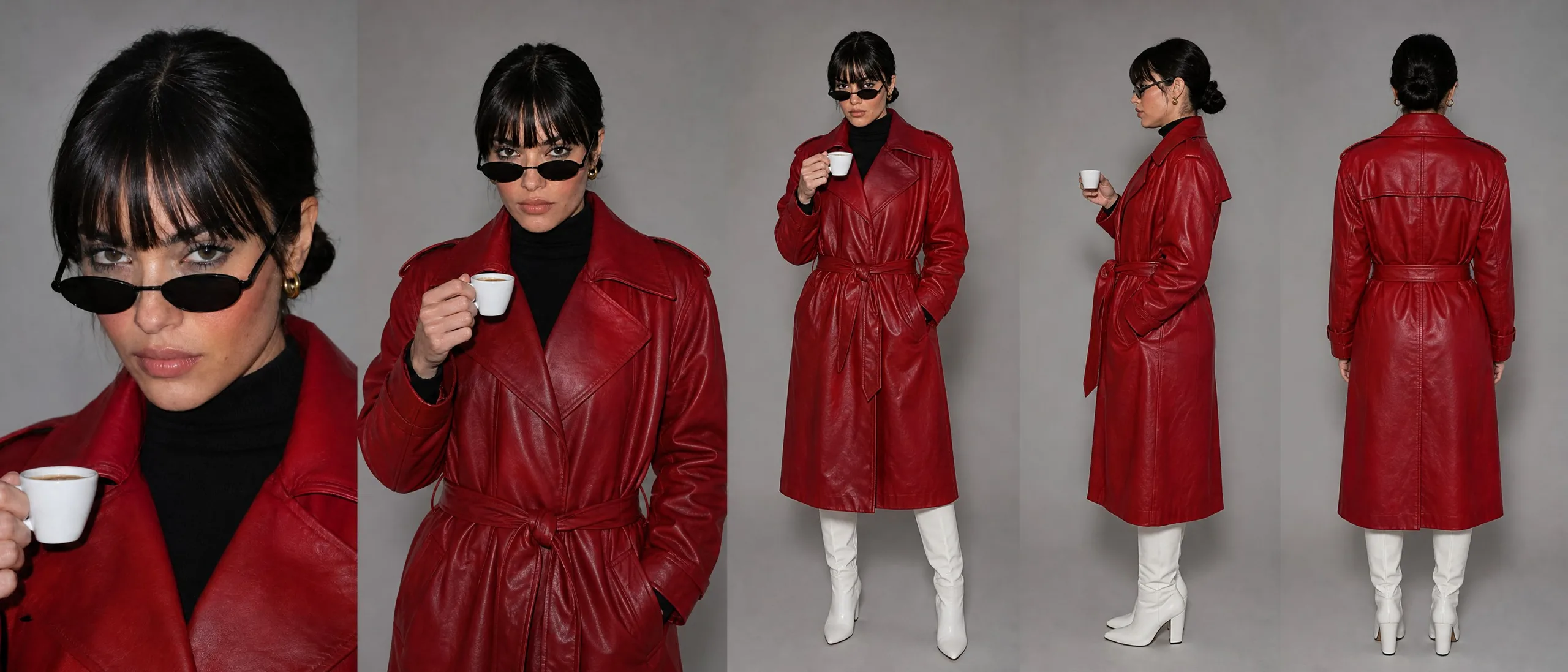
On his card, press Turnaround, then Generate sheet. One render gives five views of him: a close-up, a three-quarter bust, a full front view, his profile and his back.
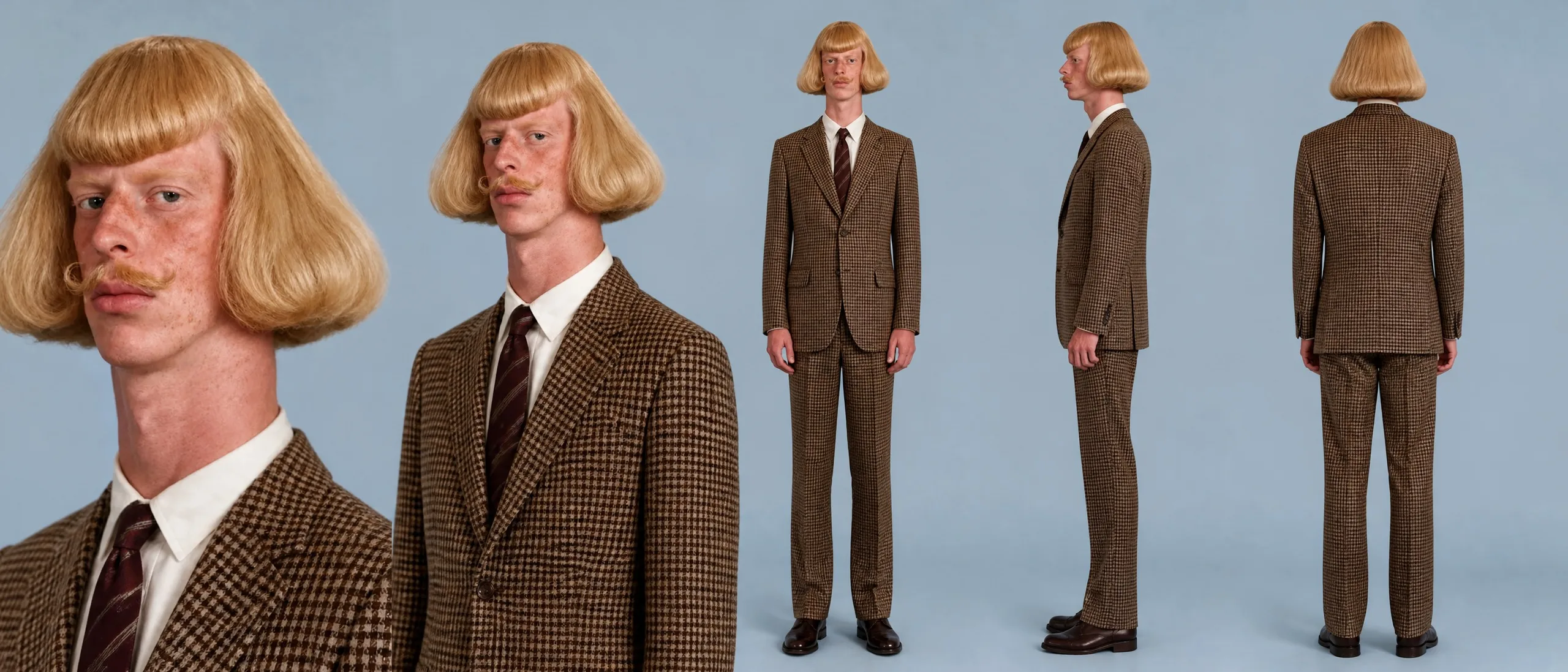
Put the sheet next to the photos and check the face, the bob, the mustache and the suit. If one is off, generate the sheet again. Ours matched on the first run.
Tip:Add the sheet to his references. Open his card's menu, press Add references and pick the sheet. When you cast him in a full-body shot, attach the sheet too so the suit and trousers come through.
Cast him in a new place
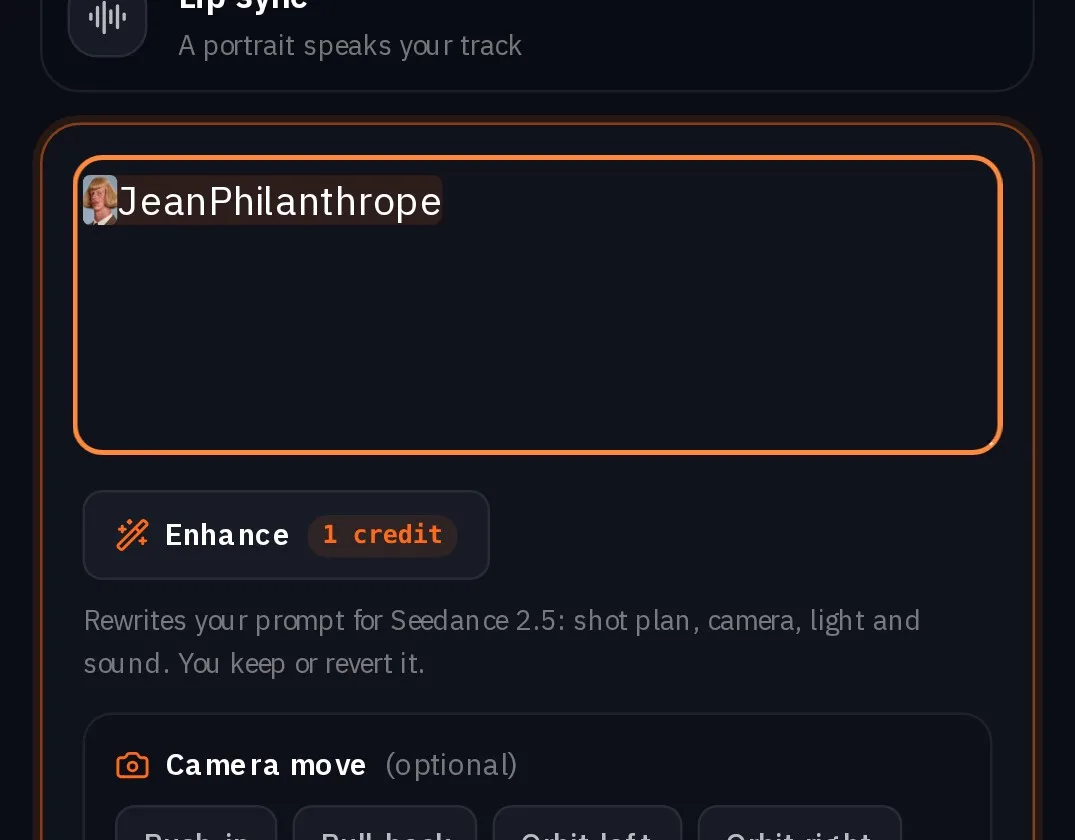
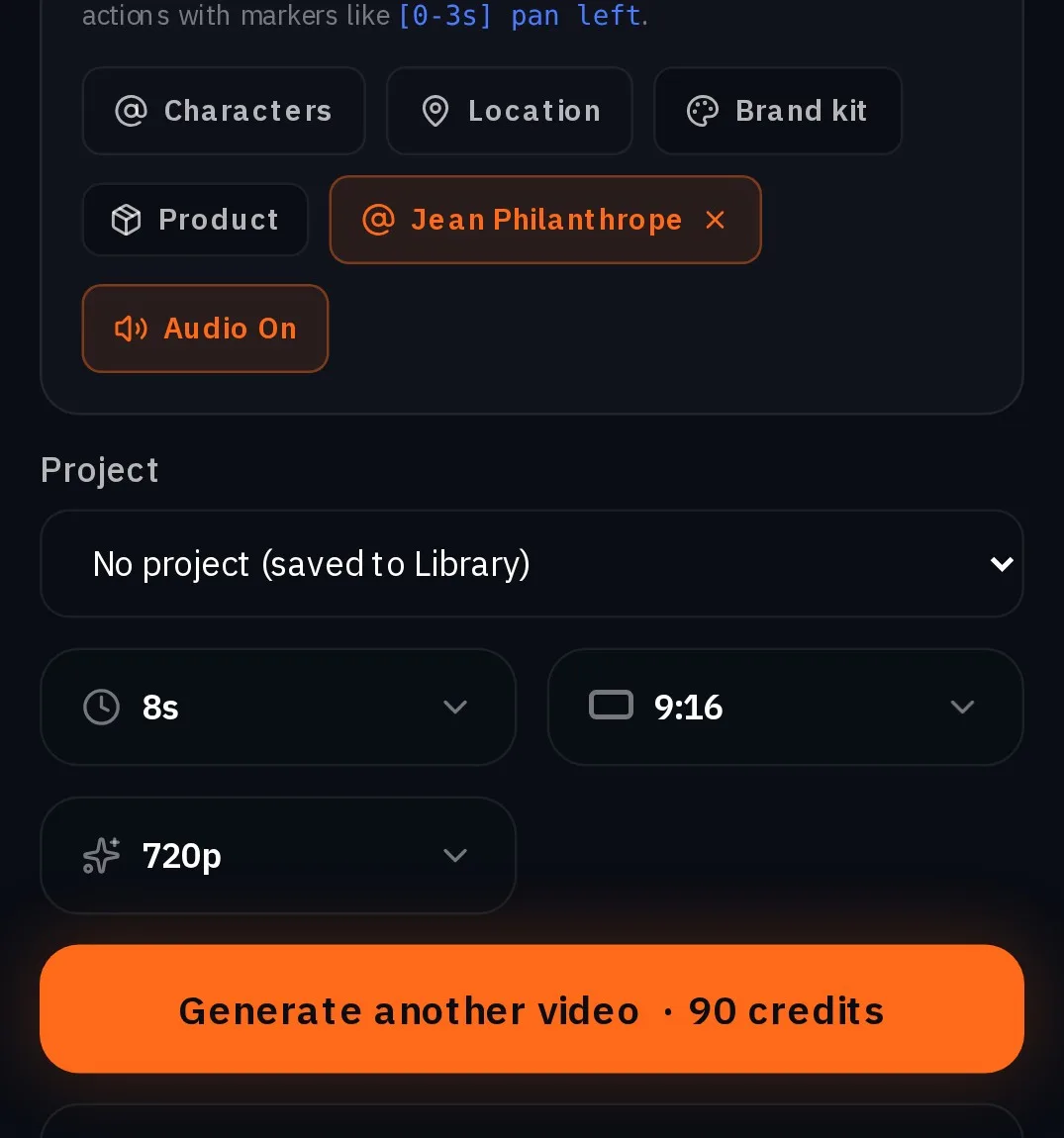
Open Create video, press Change and pick Seedance 2.5, keep Text to video, then type @Jean in the prompt and pick him. Set 8s, 9:16 and 720p: eight seconds leaves room for the move to finish. The Generate button shows the exact price before you render.
@Jean Philanthrope shadowboxes at a pedestrian crossing on a Paris street in bright daylight, completely deadpan: a double jab, a straight right, a left hook, light bouncing footwork. Then he stops, straightens his tie and stares straight into the lens. Haussmann buildings, a cafe awning and people walking past behind him. Phone video, natural daylight, static camera at chest height, framed from the knees up.
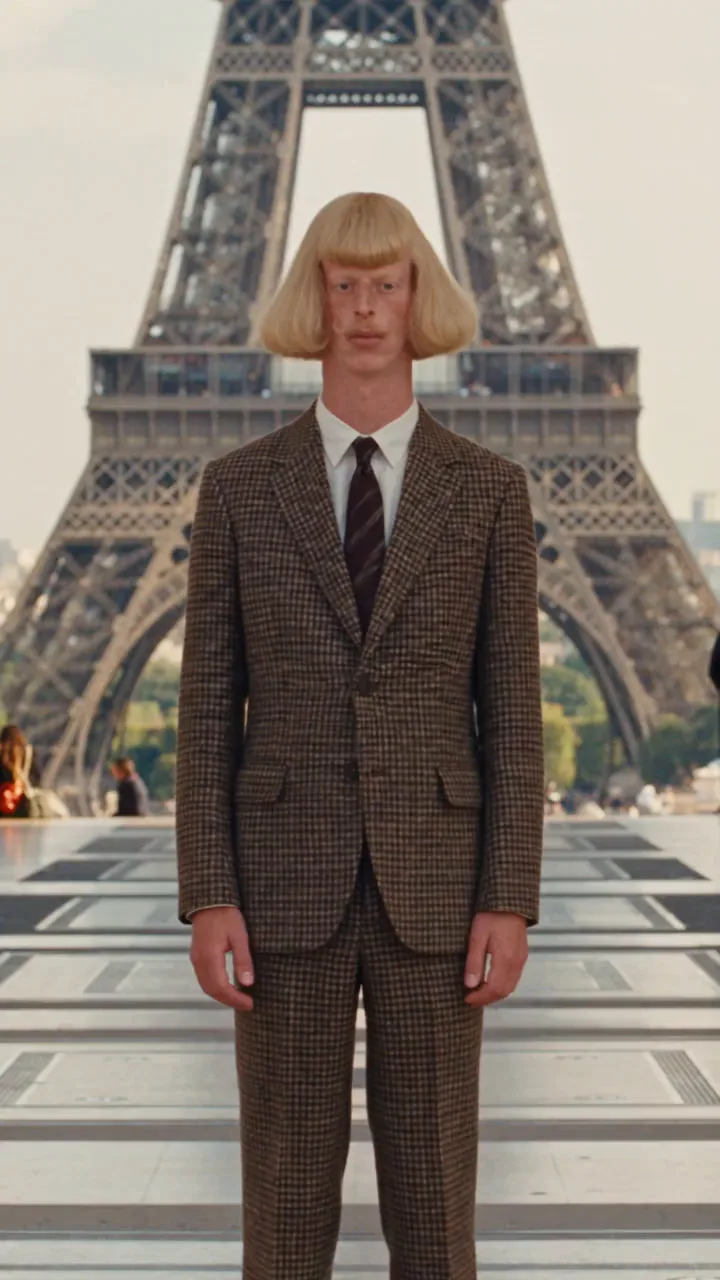
Jean Philanthrope shadowboxes on the Trocadero esplanade in Paris with the Eiffel Tower behind him, completely deadpan: a double jab, a straight right, a left hook, light bouncing footwork. Then he stops, smooths his blond bob with one hand and stares into the lens. His look matches @Image1: brown houndstooth suit, white shirt, striped tie, blond bob, curled mustache. Tourists walking past. Phone video, natural daylight, static camera at chest height, framed from the knees up.
Now make your own
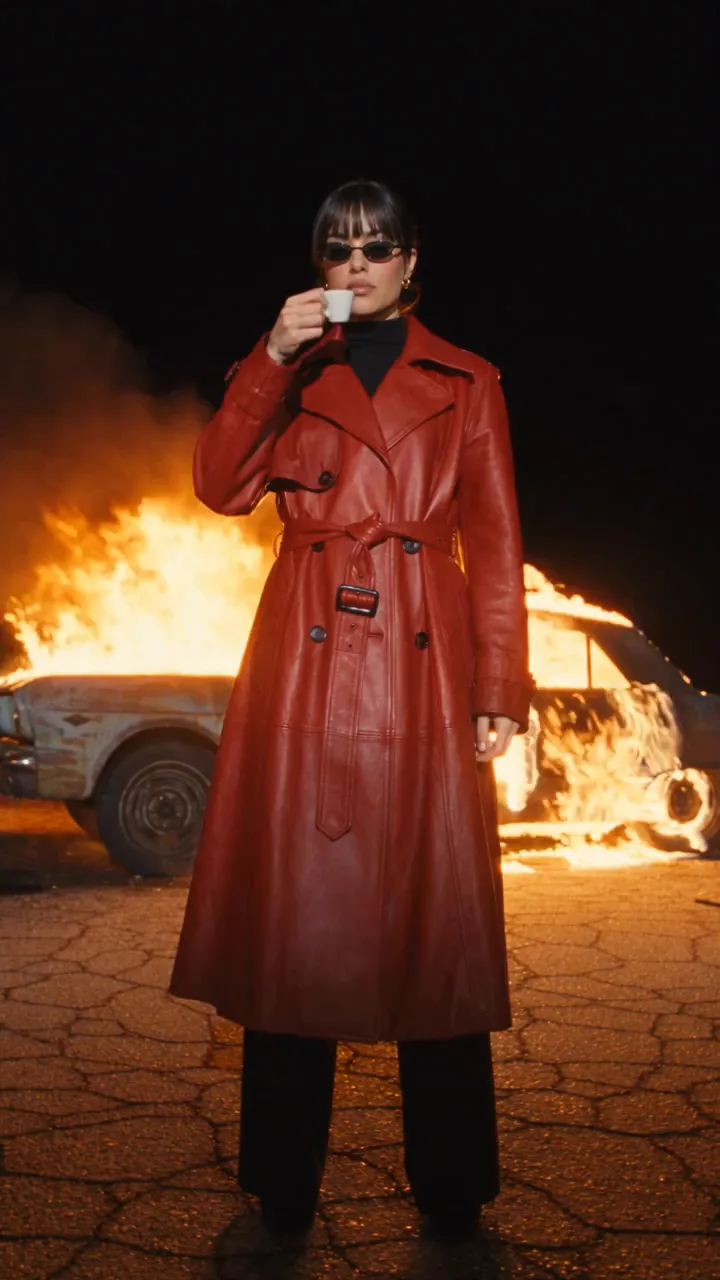
Jean Phil works because nobody else looks like him. An influencer of your own works the same way, and the look and the bit are yours. The next three steps make Juno: a calm woman in a red leather trench coat who sips an espresso while something wild happens behind her. Swap in your own idea at every step.
Make a new face in Create images
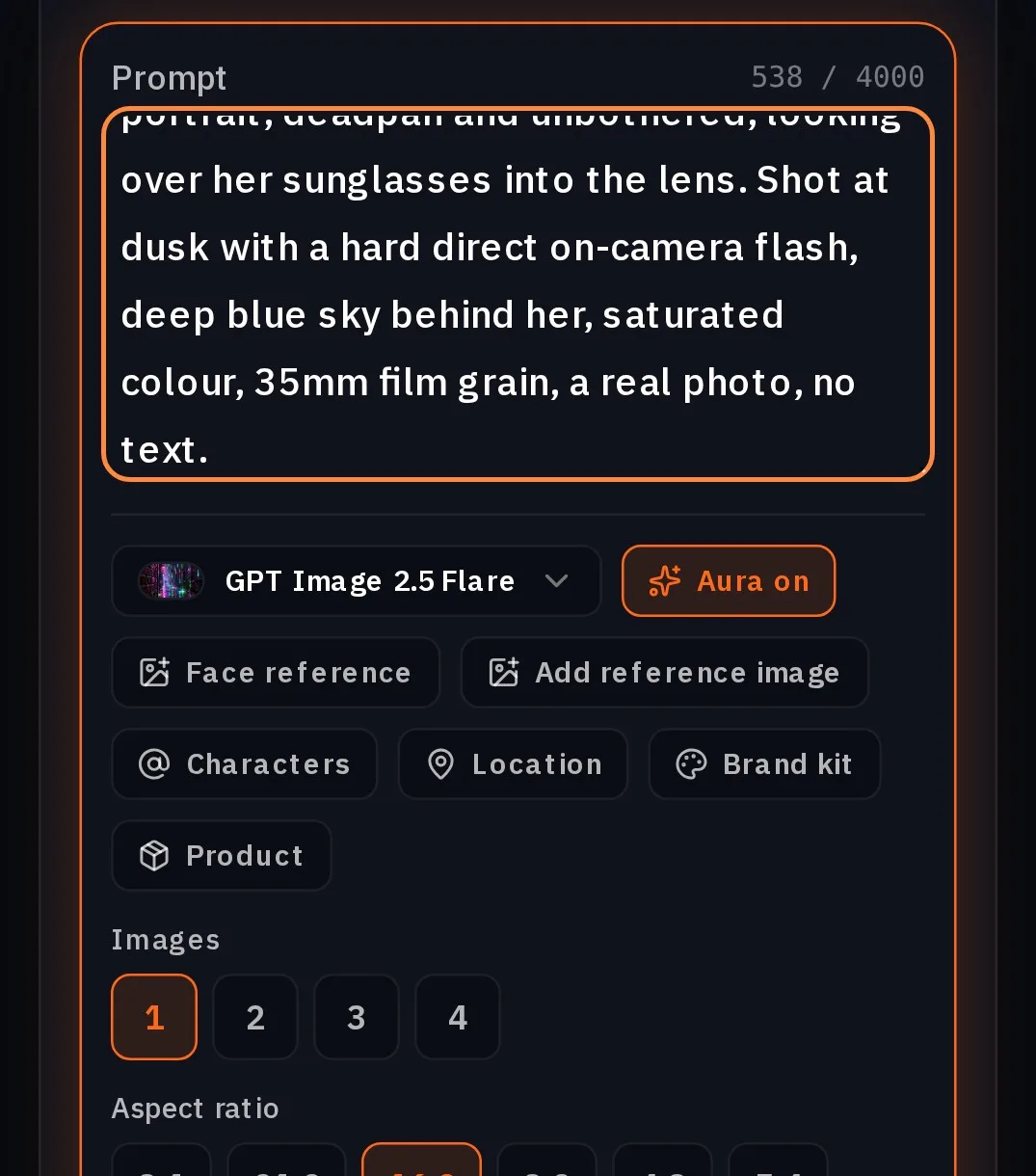
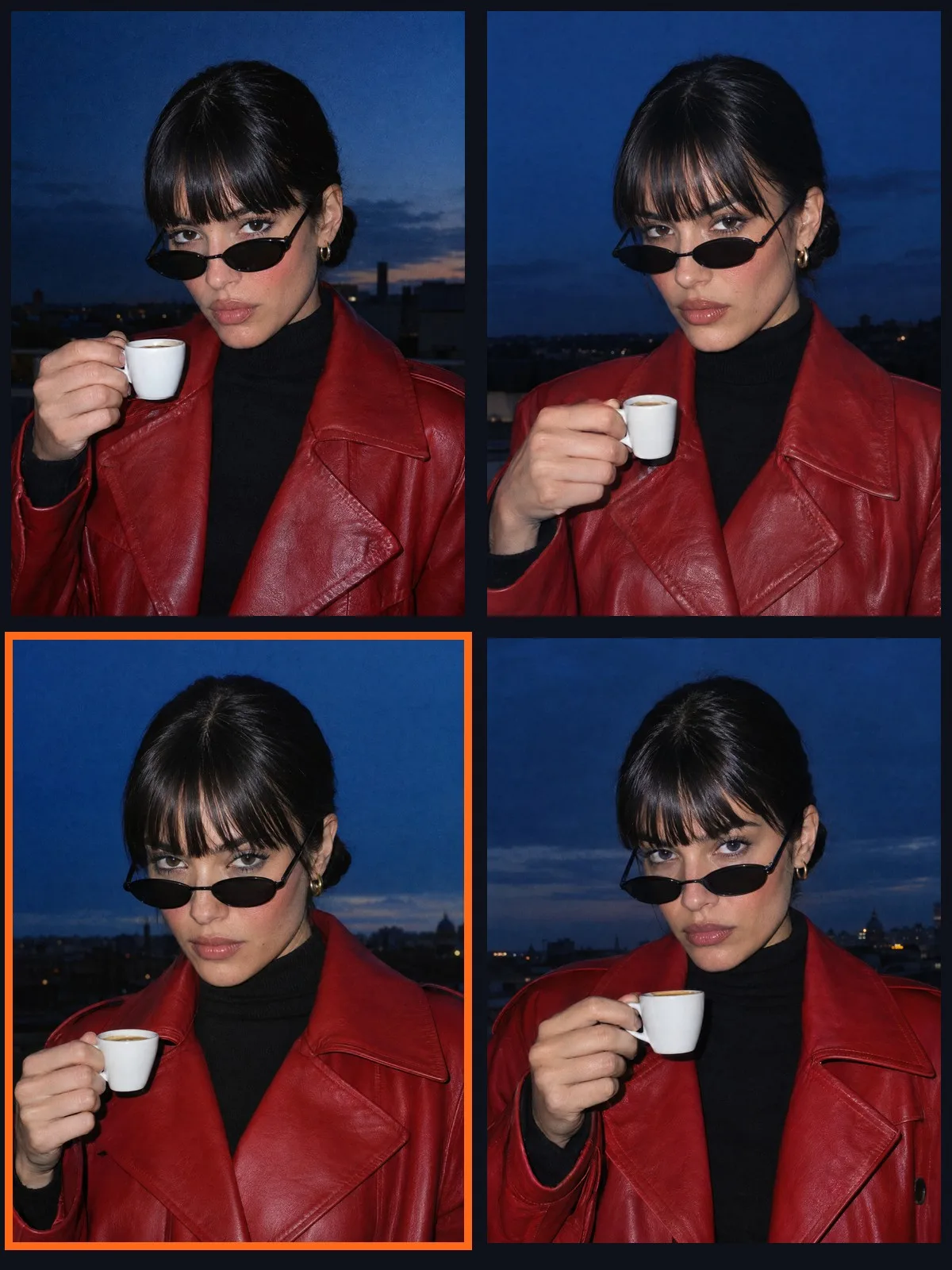
Open Create images, keep GPT Image 2.5 Flare, set Images to 4 and Aspect ratio to 3:4, and describe someone new: the face, the hair, one signature outfit and one prop. Put the light and the camera in the prompt too, so the face comes with a look.
Juno, an original AI influencer: a woman in her mid twenties with sleek jet-black hair in a low slicked bun and long blunt bangs, tiny black oval sunglasses pushed down her nose, glossy nude lips, small gold hoop earrings. She wears a red leather trench coat over a black turtleneck and holds a tiny white espresso cup. Chest-up portrait, deadpan and unbothered, looking over her sunglasses into the lens. Shot at dusk with a hard direct on-camera flash, deep blue sky behind her, saturated colour, 35mm film grain, a real photo, no text.
Save her as a character and make her sheet
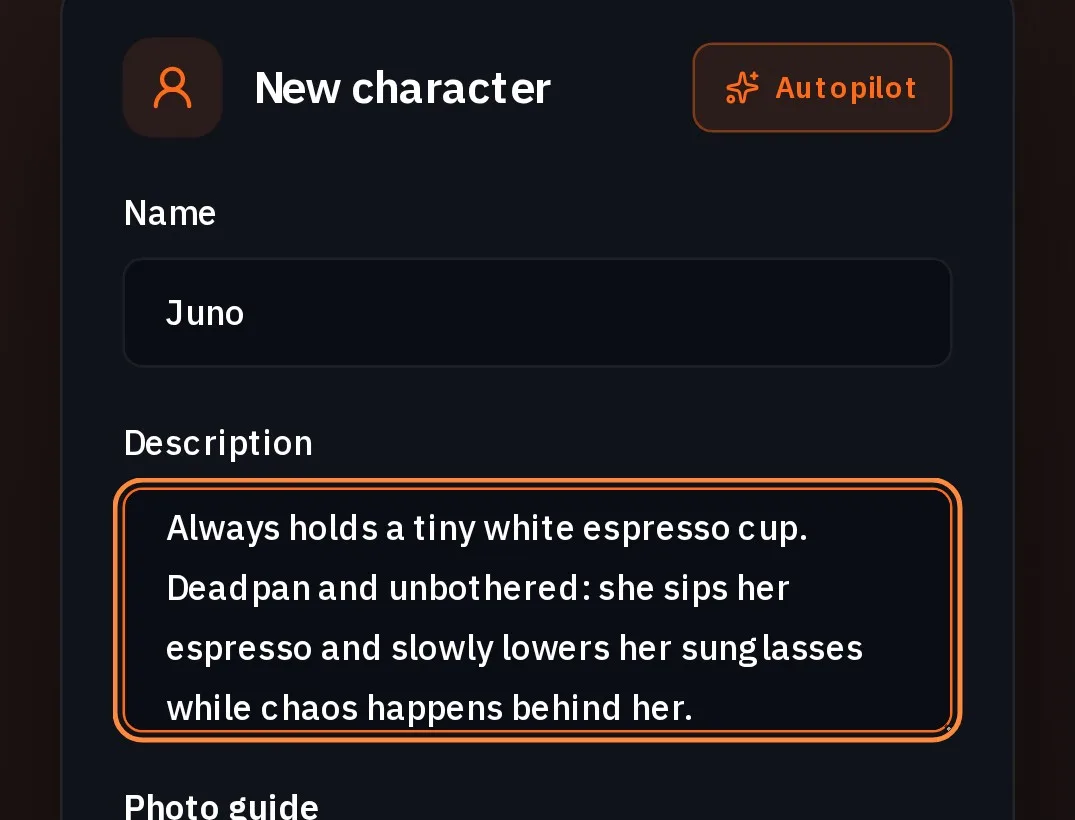
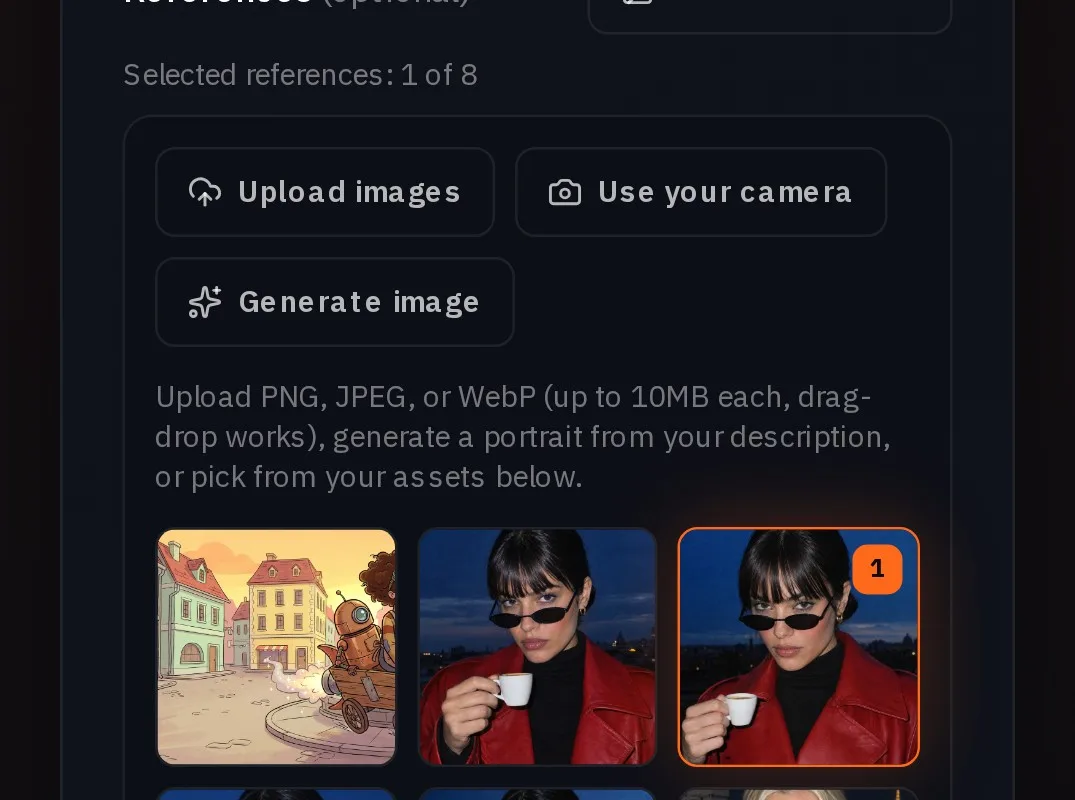
In Characters, name her, paste her description, press Add reference images and pick the portrait from your assets. Write her bit into the description, so every video starts from it. Press Create character, then Turnaround on her card.
Juno, an original AI influencer. Mid twenties, sleek jet-black hair in a low slicked bun with long blunt bangs, tiny black oval sunglasses worn low on her nose, glossy nude lips, small gold hoop earrings. Red leather trench coat, black turtleneck, white knee-high boots. Always holds a tiny white espresso cup. Deadpan and unbothered: she sips her espresso and slowly lowers her sunglasses while chaos happens behind her.
Give her one bit, then change only the place
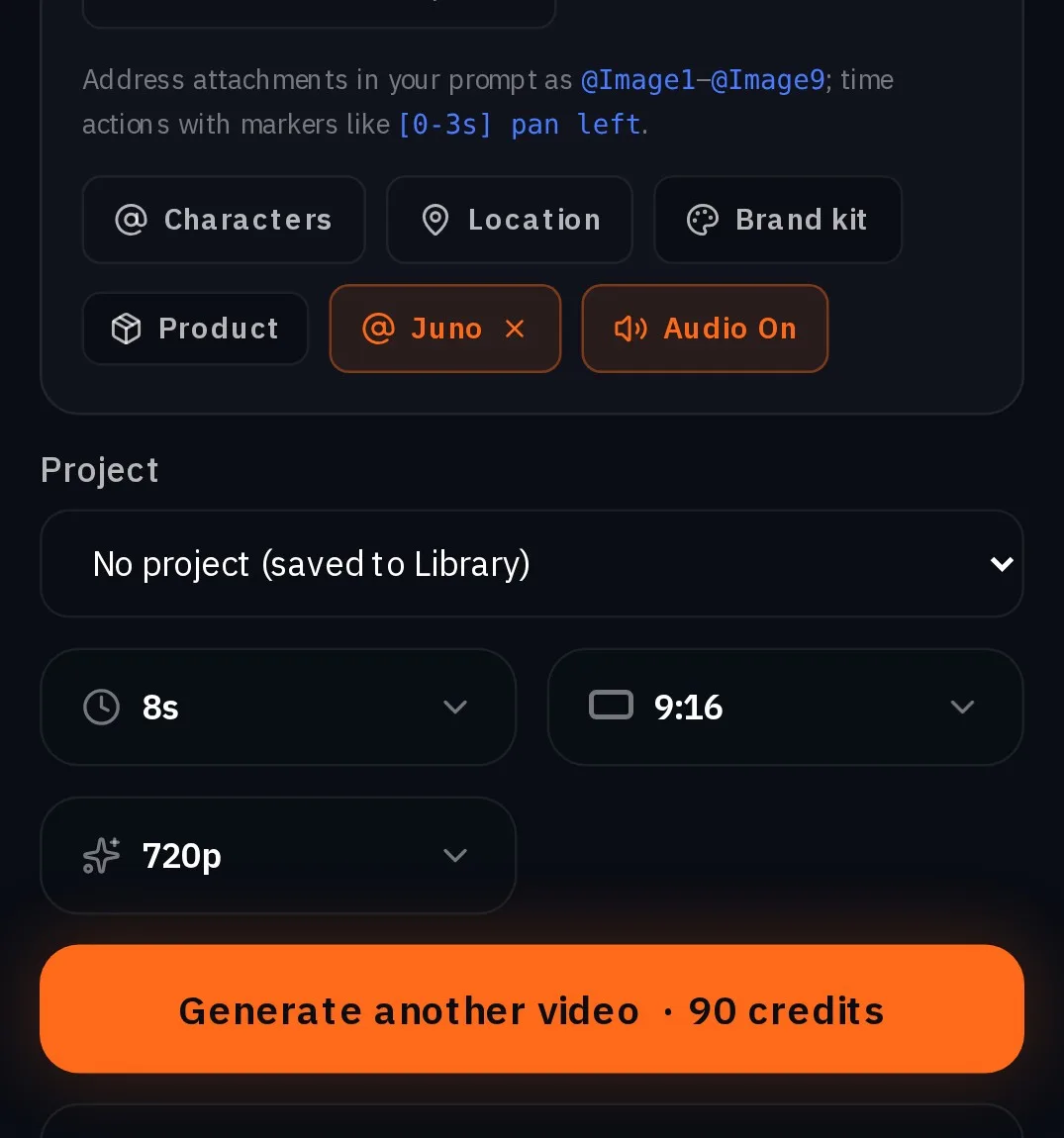
Cast her the same way: Create video, Seedance 2.5, type @Juno, 8s, 9:16, 720p. Keep her signature in every prompt (the tiny espresso, the oval sunglasses, the deadpan) and change the place and the one thing she does, so each episode has its own joke. For a full-body shot, attach her sheet as @Image1: it keeps the white boots.
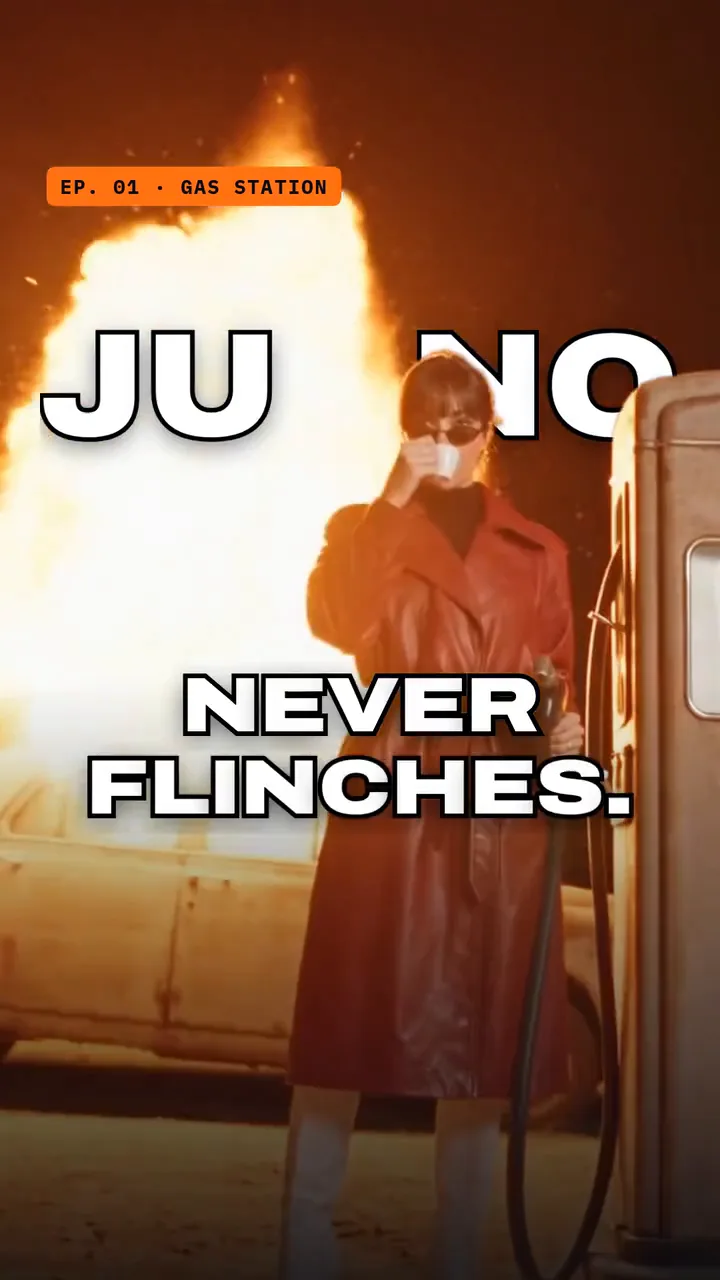
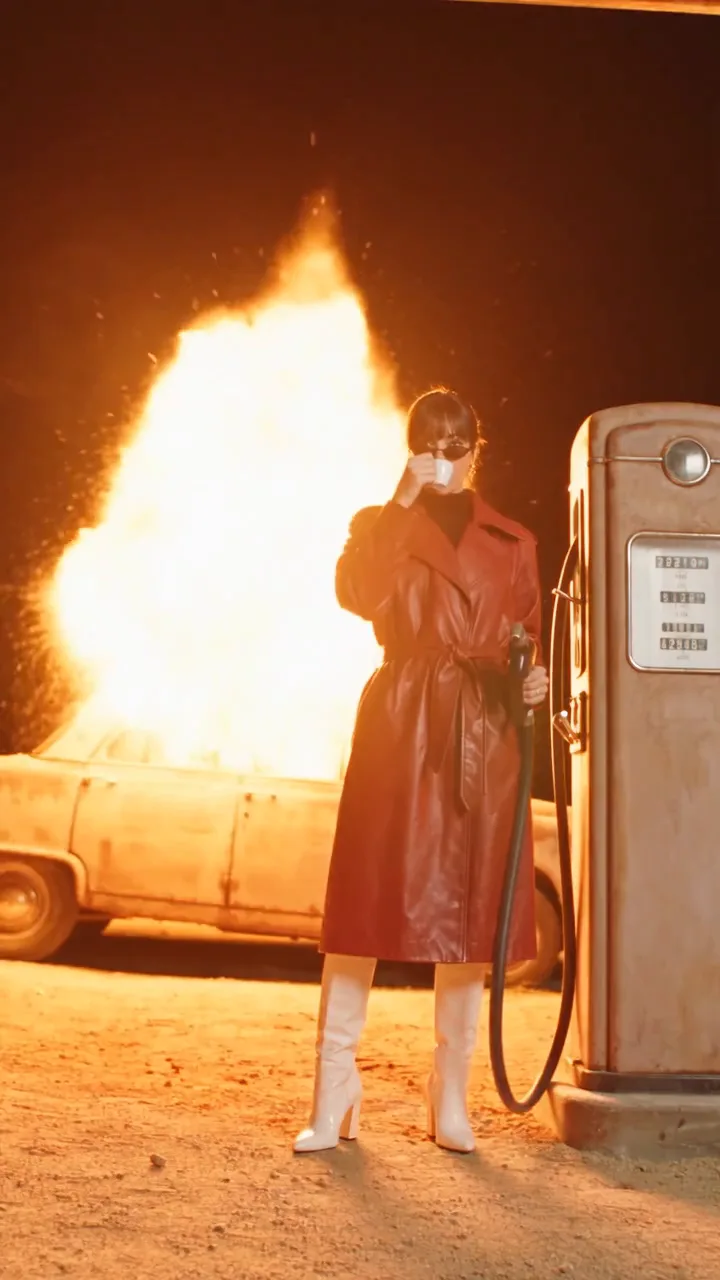
Juno stands at a desert gas station at night beside a vintage petrol pump, an old car burning behind her, lit by a hard direct on-camera flash. Completely unbothered, she holds the fuel nozzle in one hand and takes one slow sip of her tiny espresso with the other; as the car behind her bursts into a bigger fireball she hangs the nozzle back on the pump without looking, then turns to the lens with a deadpan stare. Her look matches @Image1: red leather trench coat, black turtleneck, white knee-high boots, black bangs, tiny black oval sunglasses. Wide low angle, her whole body from head to white boots in frame, static camera, 35mm film grain, saturated colour.
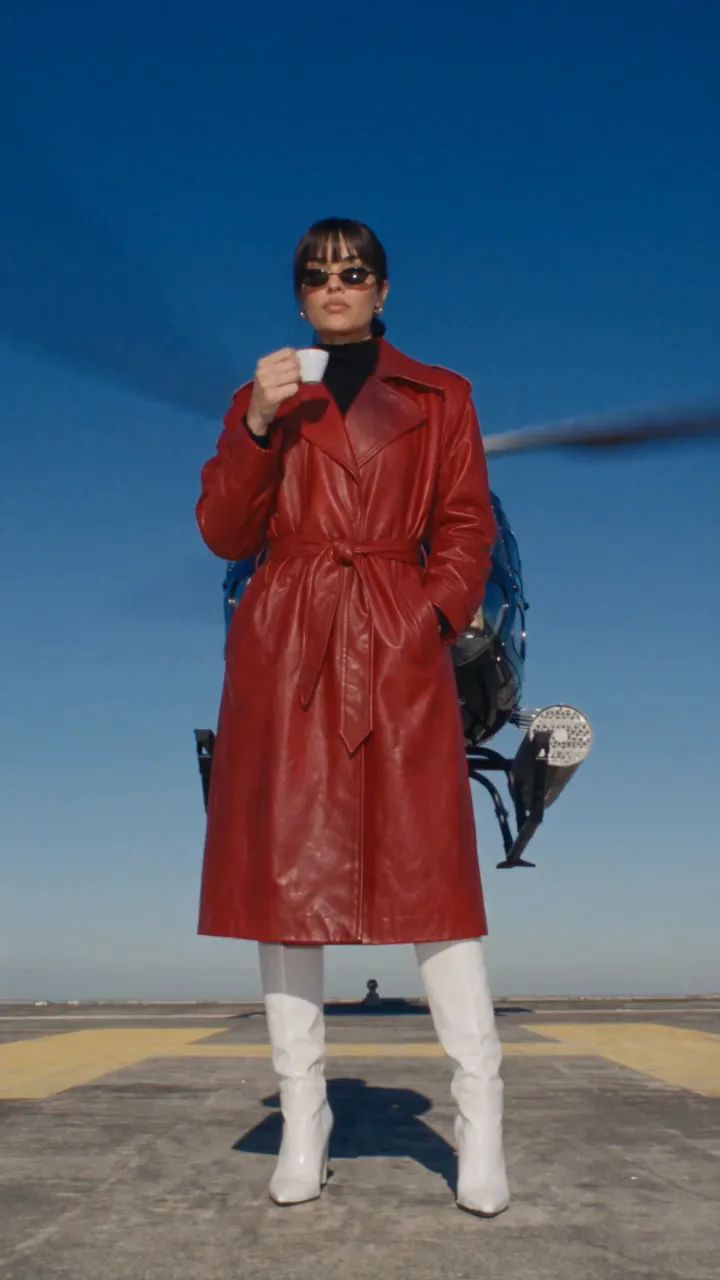
Juno stands on a rooftop helipad in hard midday sun, a black helicopter touching down right behind her, its rotor wash whipping her red leather trench coat while her slicked bun stays perfect. Completely unbothered, she takes one slow sip of her tiny espresso, then slowly lowers her black oval sunglasses with one finger and holds a deadpan stare into the lens. Her look matches @Image1: red leather trench, black turtleneck, white knee-high boots, black bangs, oval sunglasses. Wide low angle, framed from the knees up, static camera, 35mm film grain, saturated colour, deep blue sky.
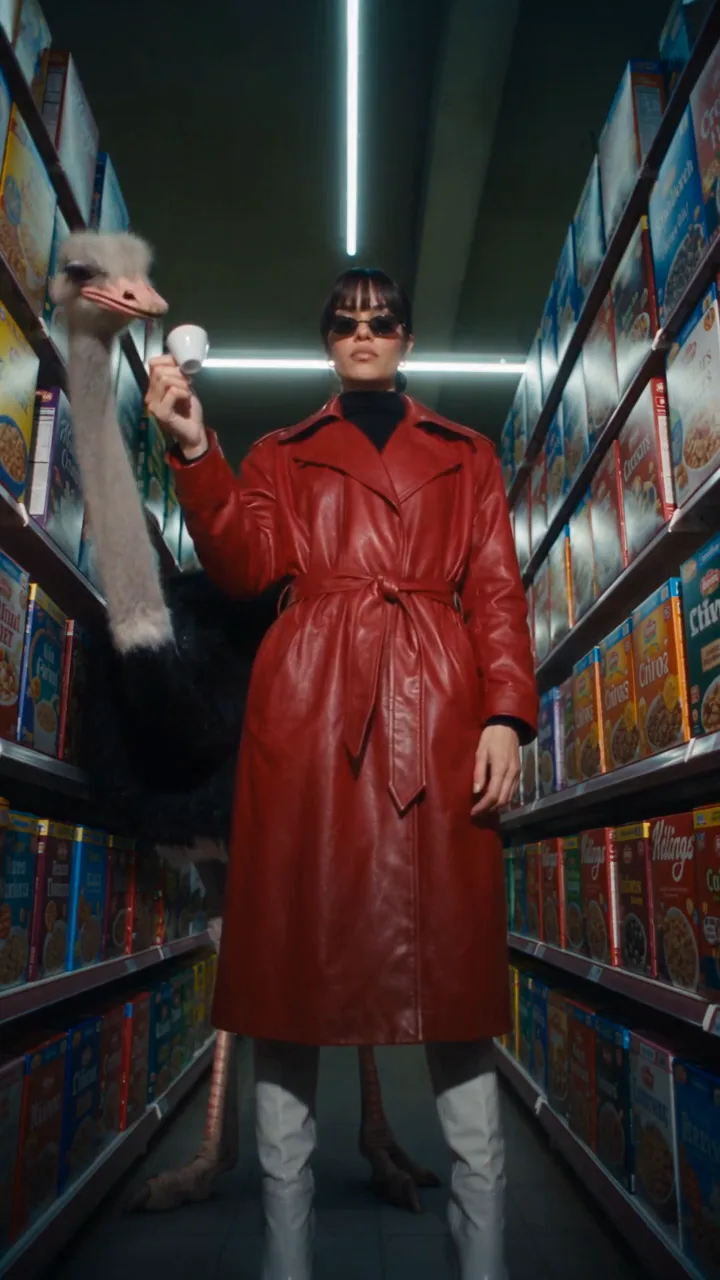
Juno stands in a supermarket aisle at night under fluorescent light plus a hard direct on-camera flash, an ostrich standing right beside her among the cereal boxes. Completely unbothered, she offers the ostrich her tiny espresso cup; it dips its beak in and takes a sip; she takes the cup back, pushes her black oval sunglasses up her nose with one finger and stares deadpan into the lens. Her look matches @Image1: red leather trench coat, black turtleneck, white knee-high boots, black bangs, tiny black oval sunglasses. Wide low angle, framed from the knees up, static camera, 35mm film grain, saturated colour.
Post it as a series
- Keep the same music, the same framing and the same length in every post, so they read as one character's series.
- Post vertical, 9:16, one place per post.
- TikTok's Creator Rewards Program only counts videos longer than one minute, so a payout post strings several episodes together past the minute.
- Use each platform's AI label where it asks for one.
What it costs
One character from your own photos costs nothing to set up. A new face is one Create images run of four portraits, the sheet is one GPT Image 2 render, and each episode is one Seedance 2.5 render of 8 seconds. The live prices are below, and the Generate button always shows the exact price first. Create images works on Starter and above; Seedance 2.5 needs Pro or above.
GPT Image 2.5 FlareEvery plan
Per image
Native 8 credits · 2K 21 credits · 4K 58 credits
GPT Image 2Every plan
Per image
Native 22 credits · 2K 35 credits · 4K 72 credits
Seedance 2.5Pro and up
Per 5s clip
480p 26 credits · 720p 56 credits · 1080p 137 credits
1080p renders at 16:9 and 9:16
Read live from the catalog when this page loads. Every price is shown before you generate. See every rate.
Questions and answers
- Is Jean Phil a real person?
- No. Jean Phil is an AI generated character that first appeared on Instagram on September 17, 2026. His creator has not been named. We rebuilt him on NOLGIA from four of his photos for this guide, credited to @jean_philanthrope, and NOLGIA is not connected to his account.
- Can I post his photos or videos?
- No. Use his photos only as references, as we did, and post only what you make. His own photos and videos belong to his creator.
- Do I need a famous character to start?
- No. Juno, the second half of this guide, is original: a new face from Create images, saved as a character with one repeated bit. An original look is one nobody else can post.
- Can an AI influencer make money?
- Views are what creators get paid for, but nothing is guaranteed. TikTok's Creator Rewards Program pays for qualified views on original videos longer than one minute, once an account is 18 or older, has at least 10,000 followers and 100,000 views in the last 30 days, and is in a supported country (TikTok's program terms). Brand deals follow reach: in a Billion Dollar Boy survey reported by eMarketer, 79% of senior marketers said they are increasing investment in AI creator content.
- Which plan do I need?
- Create images works on Starter and above. Seedance 2.5, the video model in the episodes, needs Pro or above.
Make your own AI influencer
Open CharactersRelated guides
Filmmaking
Keep characters and locations consistent across shots
A saved character, a saved location and one repeated sentence per prop: what actually held across five shots of one film, measured object by object and by color, and the two gaps that did not.
· 11 min read
Video editing
Put your own character and your dog into any video
Pick a video, add a photo of a person and one of a dog, and Miroge recasts the clip with them: the same moves, the same set, the same camera. Every step, on a computer and a phone.
· 10 min read
Channels
A faceless narrated channel: the tools, the workflow, the next episode
Script, one saved narrator voice, b-roll in a locked look from the video composer, the cut in Studio, and the NOLGIA Agent for the next episode. Two short episodes made for real.
· 12 min read