

Characters
One face, checked in every shot.
Save a person once from a few photos, then cast them in any image or video. Every render is scored against their main photo, and close and medium shots keep the face best.
Start free with 36 credits, no card needed. Add a card, no charge, for 10 more every day.
One character. Every Output.
Nora Vale is an invented character made from 3 photos. Every Output was scored against her front photo.
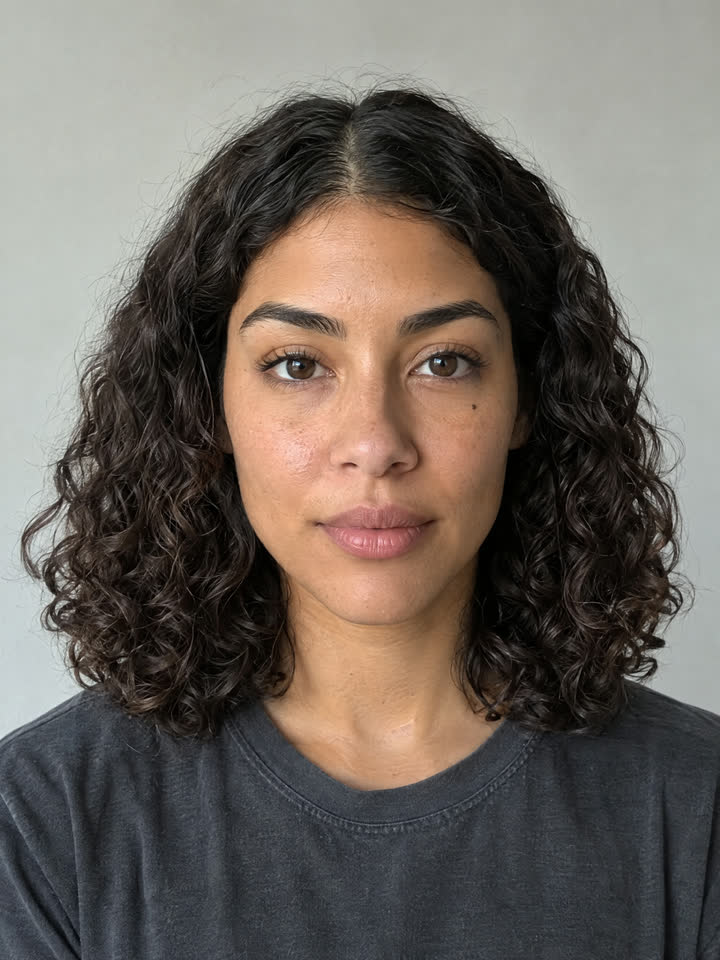
Reference photo
Front
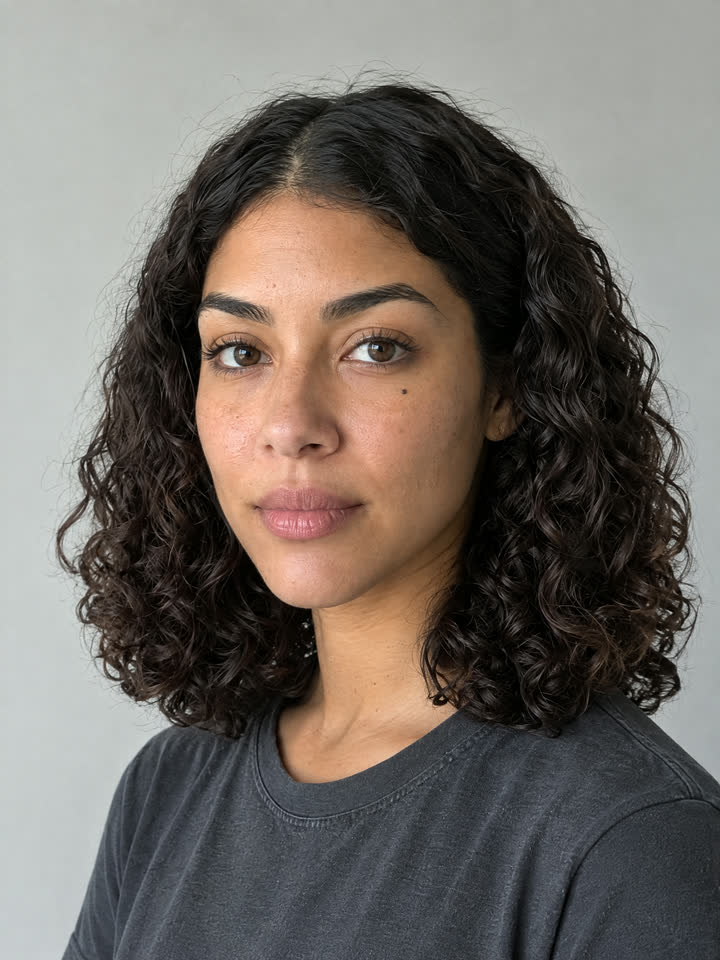
Reference photo
Three quarter
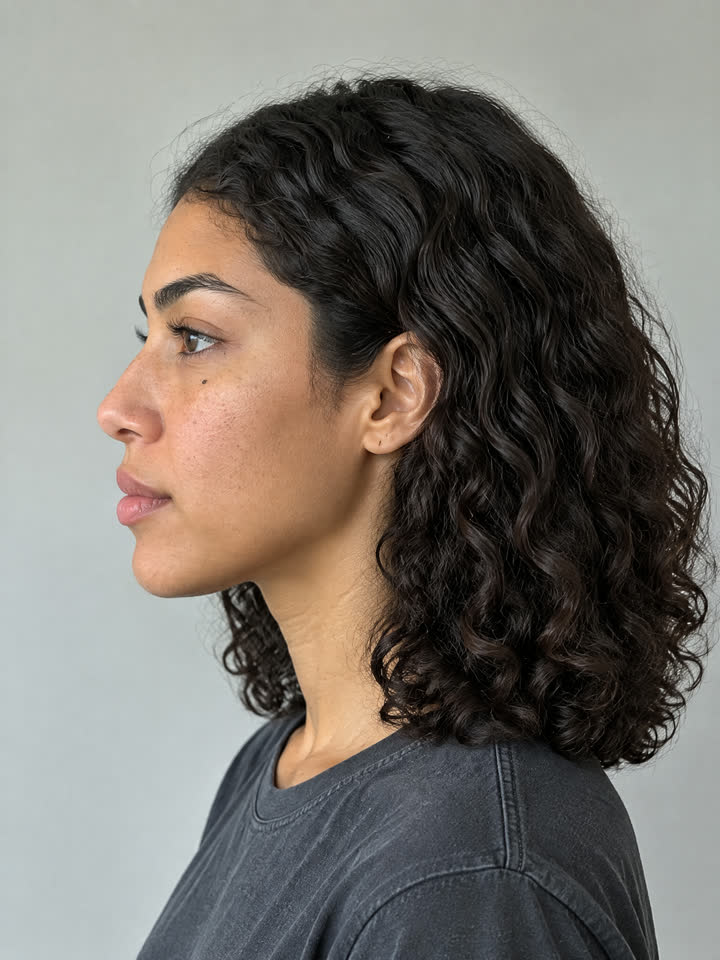
Reference photo
Profile
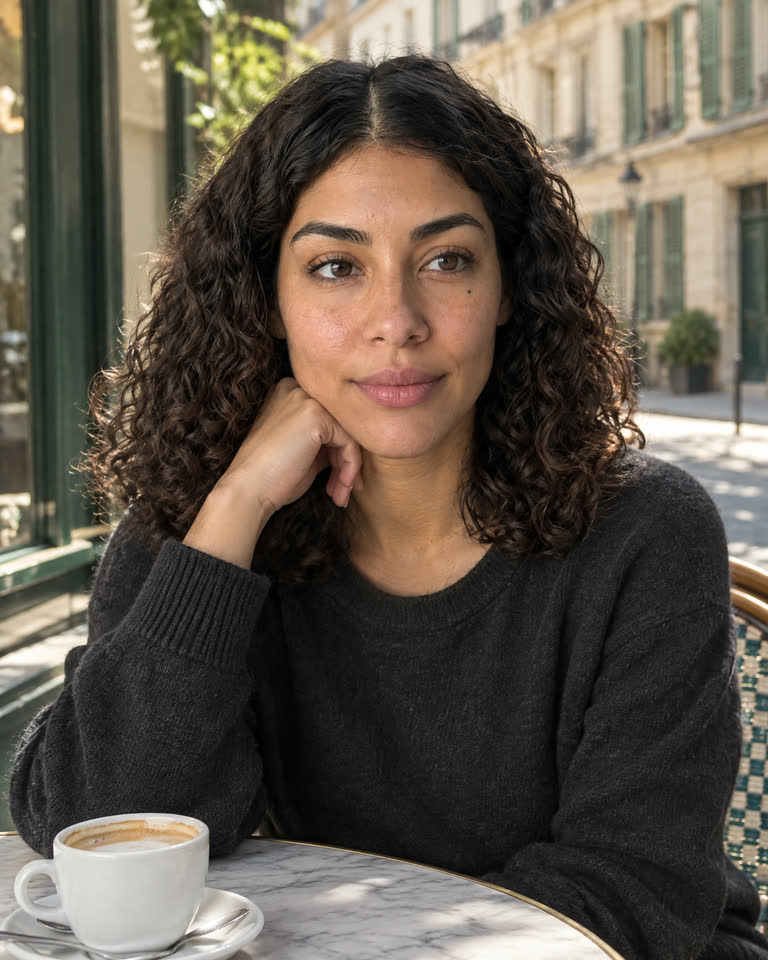
GPT Image 2.5 Flare
Paris cafe terrace
86% match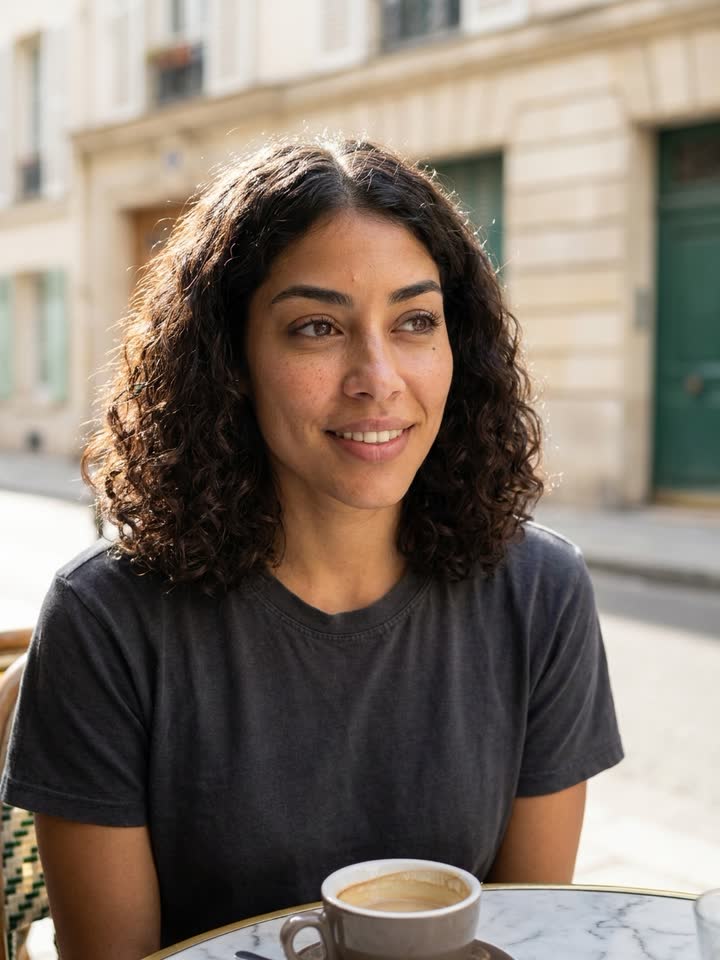
Nano Banana Pro
Another cafe shot
77% matchMiniMax H3
Rooftop at sunset, a 5 second video
87% matchMore than a familiar face.
Start with reference photos
Six to eight photos. More angles hold the face better. One clear front photo works, with more drift. Front, three quarters, profiles and full body. One straight on from the front (the main photo), one turned halfway to each side, one from each side, and one head to toe. Each photo is checked for one clear face, and the main photo must face the camera.
Keep the way they move
Add short walking or gesture footage in MP4 or MOV, 2 to 15 seconds in total. Video models that take reference clips carry how the character moves, not only the face.
Give them a wardrobe
Save outfits by name, each with up to 3 garment photos and notes on fabric and fit. Pick one by name when you make a character sheet.
See the face match
Images and videos cast with a character are scored against its main photo, and the match shows on the Output. A render under 60% is made again once automatically, and you get the closer of the two.
Build a cast
Add characters to a project's cast. The composers attach the cast whenever that project is open, and the NOLGIA Agent gets it as context. Reorder the cast to pick the lead.
Remember their models
Each character can remember a preferred image model and video model. The composers open on them when you attach it.
Works everywhere.
@name in chat and composers
Type @ and the name in the NOLGIA Agent chat or any composer prompt to attach your character.
CLI flags
The --character-id flag works on nolgia gen image and nolgia gen video.
nolgia characters create --name "Nora Vale" --reference-asset-id <photo-id>
nolgia gen video --model seedance-2.5 --character-id <character-id> --prompt "walks into a sunlit cafe"MCP tools
The generate tools take character_ids to cast up to 4 characters.
nolgia_create_character
nolgia_list_characters
nolgia_get_character
nolgia_update_character
nolgia_delete_character
FAQ
Questions about characters.
- Do I have to train a model on my face?
- No. NOLGIA does not train a model on your face. A character is a set of reference photos and a written description that ride along with every render, so it is ready the moment you save it.
- How many photos do I need?
- Six to eight photos. More angles hold the face better. One clear front photo works, with more drift. Front, three quarters, profiles and full body. One straight on from the front (the main photo), one turned halfway to each side, one from each side, and one head to toe.
- Can I put more than one character in a shot?
- Yes. Cast up to 4 characters in one shot, and reorder the cast to choose the lead.
- What does the match score mean?
- It measures how closely the face in an Output matches the character's main photo. 60% is the bar: a render under it is made again once automatically, and you get the closer of the two.
- Which models can render a character?
- Image and video models that accept reference images can render a character. Each character can remember a preferred image model and video model.
- What does it cost?
- Saving a character is free. Renders that use it cost the model's usual credits. A new account starts with 36 free credits, no card needed, and a card on file (no charge) adds 10 free credits every day for images, audio and Seedance 2.0 Mini video.