

Studio
AI video editor with a multitrack timeline
Your cut. Less busywork.
AI video editor for the whole job: generate, review, cut, grade and ship in one place, so your time goes into the edit, not the file shuffling.
What ships today
From the first frame to the final cut.
Multitrack cut
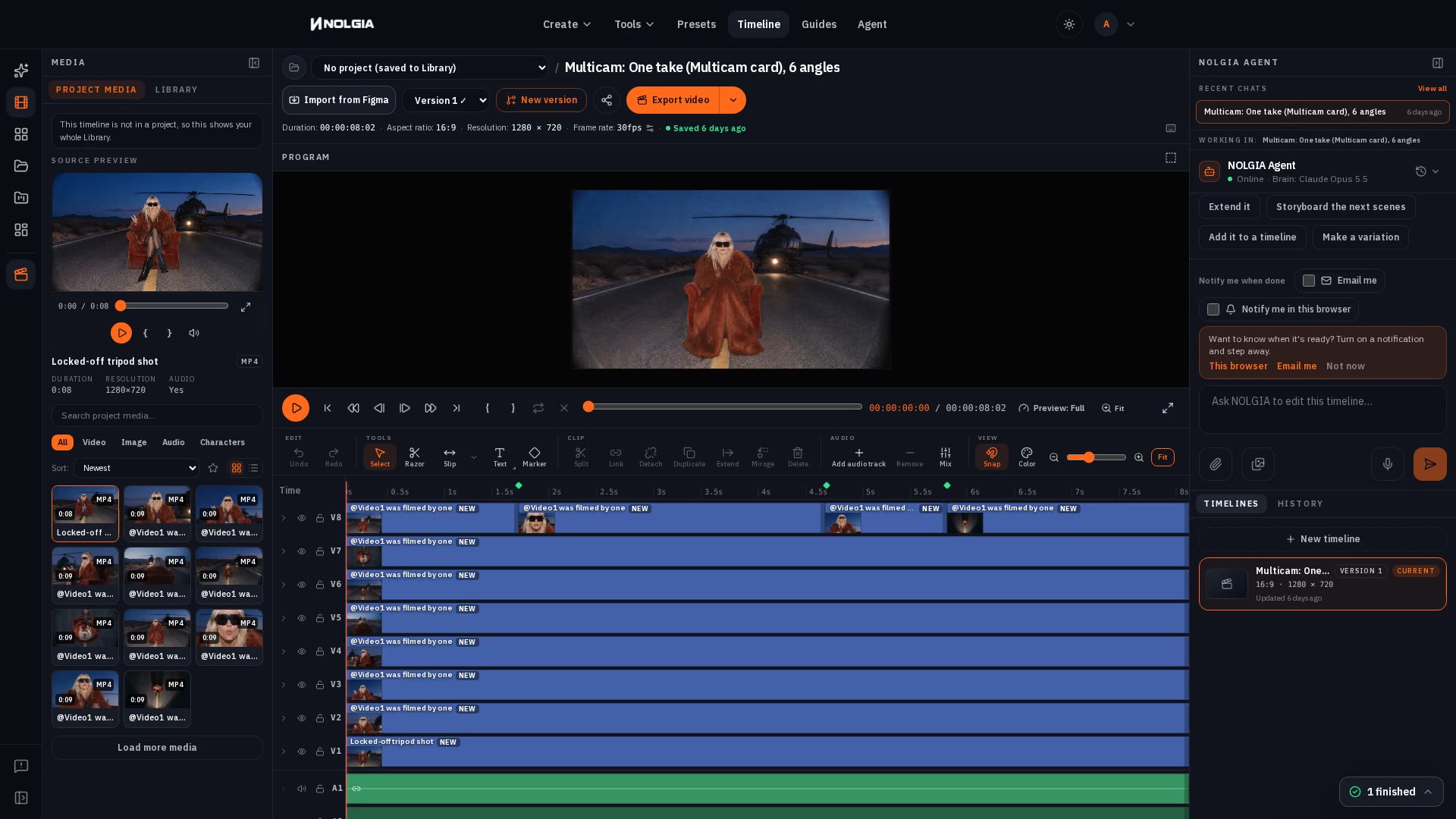
Video, audio and title tracks on one timeline. Select, razor and slip tools, split, link and detach, ruler markers, snapping and J K L shuttle, with NOLGIA, Premiere Pro, and CapCut shortcut maps. Keyframe position, scale, rotation and opacity.
Extend clip
Continue a clip after its last frame or lead into its first, from the Library or the clip toolbar. Started from the timeline, the new clip lands next to its source on the same track.
Enhance prompt
One click rewrites your video prompt for the model you picked: shot plan, camera, light and sound. You keep the rewrite or revert it.
Color looks
Grade any clip with 20 film stock emulations or 14 stylized looks, then fine tune exposure, contrast, saturation, temperature, tint, highlights, and shadows. Exports use the same grade.
Titles
Add titles in 58 fonts across sans, serif, display, script, and mono faces, served from NOLGIA itself. Add bars, pills and circles, or a background box behind any title.
Reframe
Turn a still into 9:16, 1:1, or 4:5 without regenerating it: new content is painted into the added margins.
Video models
Choose the model for the shot.
The flagship video models, each with the highest resolution it renders. Generate in the composer or brief the NOLGIA Agent, then cut the results together here.
- Seedance 2.5 · up to 4K
- MiniMax H3 · up to 2K
- Wan 3.0 · up to 1080p
- Seedance 2.0 Pro · up to 4K
- H3 Max · up to 768p
- FLUX 3 Video · up to 1080p
- Gemini Omni 1.1 Flash · up to 1080p
- Kling v3 Pro · up to 4K
Every model publishes its credit rate on the pricing page.
Pricing
The editor comes with your account.
The Studio timeline editor, the Library and projects come with every plan, Free included. Free accounts start with 36 free credits, no card needed, and a card on file (no charge) adds 10 free credits every day; generations spend credits at each model's published rate, video starts on Seedance 2.0 Mini on the free plan, the starter video models come with Starter or the free trial, and premium video comes with Pro and needs paid credits. Plans from $15 a month.
Compare plansFAQ
Questions about Studio.
- What is Studio?
- The timeline editor inside NOLGIA. Generate, review, cut, grade and ship in one workspace, next to your Library and projects.
- Which plans include it?
- Every plan, Free included. The editor, the Library and projects come with every account; generations spend credits at each model's published rate, video starts on Starter with the starter video models, and premium video on Pro.
- Can I use my own footage?
- Yes. Upload video, images and audio into a project, or import from Google Drive on Studio plans, and cut them together with what you generate.
- How do I extend a clip?
- Select a video clip and choose Extend. NOLGIA continues it after its last frame or leads into its first, and the new clip lands next to the source on the same track. The extension bills like any other video generation.
- Do grades and motion carry into the export?
- Yes. The exporter reads the same color presets and the same motion keyframes as the editor.
- Can the NOLGIA Agent edit my timeline?
- On Studio plans, yes. The agent sits beside the timeline, scoped to the cut you have open; ask it to swap a shot or tighten a section and its edits arrive as proposals you apply or discard.
- Can I keep my editing shortcuts?
- Yes. Pick the NOLGIA, Premiere Pro, or CapCut shortcut map, or change any key in Settings.
Bring your next cut to Studio.
Open a timeline, bring in your footage and make it yours.