

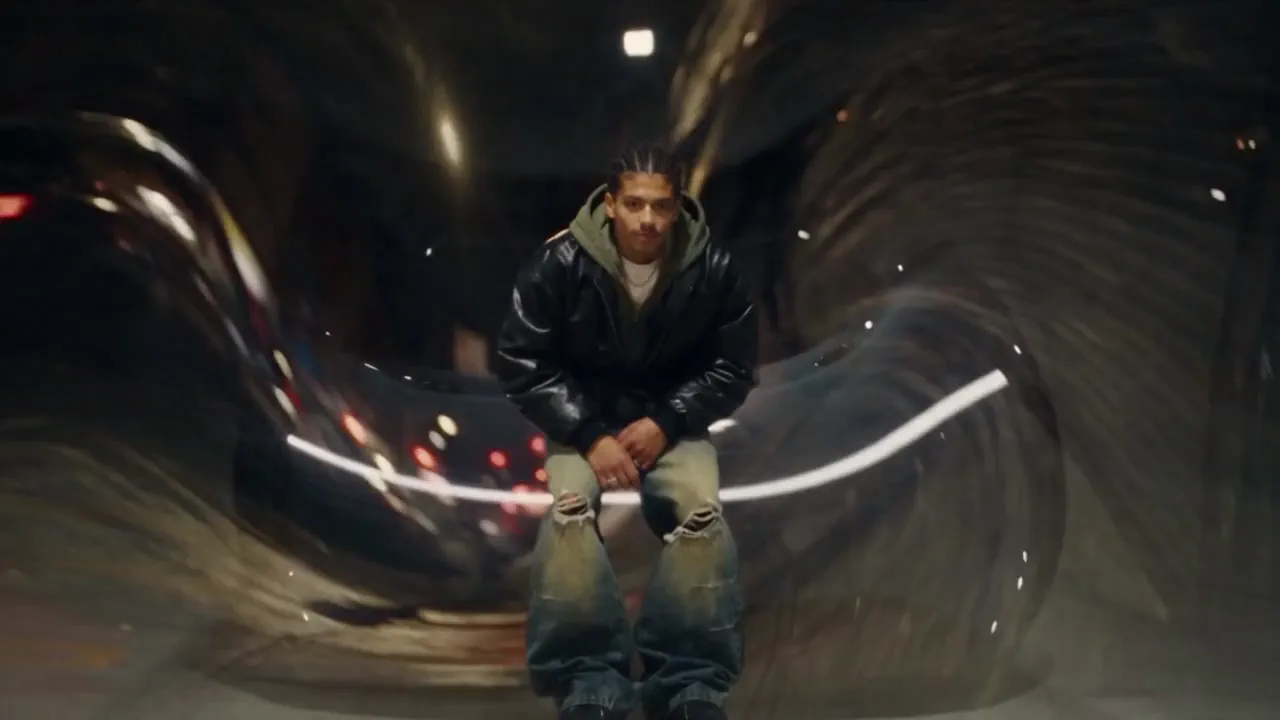
Encore Morph preset
AI morph transitions
AI morph transitions between your own shots, for music video directors, editors and artists. Your own shots in order, with an AI morph at every cut that melts one shot into the next. Each morph is pressed into its cut, so the edit keeps its length and stays on your song. 45 credits a morph, with a 9:16 copy on your face.
- Best for
- Rap and music video directors, editors and artists who want morph transitions between their own shots
- Output
- Video
- Time
- About 7 minutes for 3 shots
- Credits
- 45 credits a morph, one at each cut between your shots: 2 shots cost 45, 3 cost 90, 8 cost 315. Your shots are used as they are; only the morphs are generated. est.
Already have an account? Sign in
350 free credits when you create an account, no card required. You land right in the Encore composer, ready to run.
How to use it
In the Agent, these are the questions NOLGIA asks, one at a time. The Encore composer puts it all on one screen.
Say what you want
Describe it in a sentence, or pick a sample prompt. Add your own photos or clips to the chat if you have them.
Get your video
NOLGIA Agent makes it in the chat and saves it to your Library. Nothing runs until you say go. It takes about 7 minutes for 3 shots.
About this preset
Encore Morph cuts your shots together in the order you give them and puts an AI morph at every cut.
How a morph is made. At each cut, Encore takes the last frame shown of one shot and the first frame shown of the next, both from your own footage. An AI video model makes a 4 second morph from one to the other. Encore then presses it into about a second on the cut, half from each side, so your edit keeps its length and every shot stays on your song.
What you get. The edit at your first shot's shape, plus a 9:16 copy whose crop sits on your face in each shot and slides across each morph, for Reels and TikTok. You also get a compare file, AS SHOT above MORPHED.
Your footage and your song only. Only the morphs are generated, and Encore checks each one keeps the person in your shots. The edit is flash safe, checked on every render.
Use cases
- Morph transitions between the scenes of a rap video
- One take melting into the next location on the beat
- A 9:16 teaser with morphs for Reels and TikTok
- Outfit or location changes that flow instead of cut
Suggest directions for me
Say what you are making it for and NOLGIA suggests a few directions for Encore Morph, each with a prompt and the options it sets. Nothing is generated until you use one.
Options
Named starting points this preset knows. Pick one after signing in and the chat opens with it in the composer.
- Your shots2 to 8 of your own clips in the order they play, each 1 to 20 seconds and 60 seconds in all. One artist in frame reads best. Only footage you shot or hold the rights to.
- Your songOptional: your song as an audio file you hold the rights to, from the second you pick, long enough to cover your shots. Left empty, your shots' own sound plays back to back.
- MorphShort (0.6 seconds on each cut), medium (1 second) or long (1.5 seconds, never more than about half your shortest shot).
Models it uses
The model NOLGIA Agent reaches for on this preset. Sign in to see live credit costs and capabilities from the model catalog.
Seedance 2.5
video- Credits per generation
- 56 credits per 5s clip
Runs inside the Encore composer.
Ready to make an Encore Morph?
Create an account and you land in the Encore composer.