

NOLGIA 上的 Nano Banana 2.1:原生 4K、四張參考圖、精準文字與 8:1
Google 於 2026 年 10 月 6 日發布了 Nano Banana 2.1,現在已可在「建立影像」中使用。以下是變更內容與來源,並針對每個新功能提供一次實際操作:確切的提示詞、設定與即時價格。
- 閱讀時間 7 分鐘
本文由英文自動翻譯。閱讀原文
Nano Banana 2.1 是 Google 最新的圖片模型,為 Nano Banana 2 的更新版本。Google 於 2026 年 10 月 6 日發布並全面開放。在 NOLGIA 上,它現在已於 建立圖片 中提供,從 Starter 方案即可使用。
我們在 建立圖片 中,於手機上針對每個新功能各執行一次,並使用三個 AI 角色:Theo、Juno 和 Jean Phil。下方的每張圖片都是該次執行的結果,而頂部的短片也是由相同的執行內容剪輯而成。
短片
本指南所依據的短片,分為三個部分。下方的每個步驟都展示了相同的執行內容,包含其提示詞和設定。
Google 做了哪些改變
Google 在其 Gemini API 模型頁面列出了 Nano Banana 2.1(模型 ID gemini-nano-banana-2.1)的这些更新,日期為 2026 年 10 月 6 日:
- 1K、2K 和 4K 的品質與真實感更佳。
- 更乾淨的寬幅與直幅畫面。 Google 修復了 2K 和 4K 下 1:4、4:1、1:8 和 8:1 長寬比的拼貼瑕疵。
- 文字更佳。 增強文字渲染效果,資訊圖表排版更準確。
- 更多參考圖。 透過 Google API,單張圖片最多可使用 14 張參考圖。
- Grounding 與思考。 支援 Google Web 和 Image Search 的 Grounding,以及從 minimal 到 high 的思考等級。
Google 稱它是 Nano Banana Pro 更高效的對應版本。發布日期詳見 Google Cloud 發布說明,而 Google DeepMind 的模型頁面則指出其在視覺設計、主題一致性以及圖片中清晰可讀的文字方面有所改進。
這在 NOLGIA 上的意義, 於 2026 年 10 月 9 日確認。即時價格請見本指南末尾的成本區塊。
| Nano Banana 2.1 | Nano Banana 2 | Nano Banana Pro | |
|---|---|---|---|
| 2K 和 4K | 由模型直接渲染 | 透過 NOLGIA 的放大器 | 透過 NOLGIA 的放大器 |
| 2K 和 4K 的價格 | 三者中最低 | 較高 | 最高 |
| 參考圖片 | 最多 4 張 | 1 | 1 |
| 最寬和最長的畫面 | 8:1 和 1:8 | 4:1 和 1:4 | 21:9 和 9:16 |
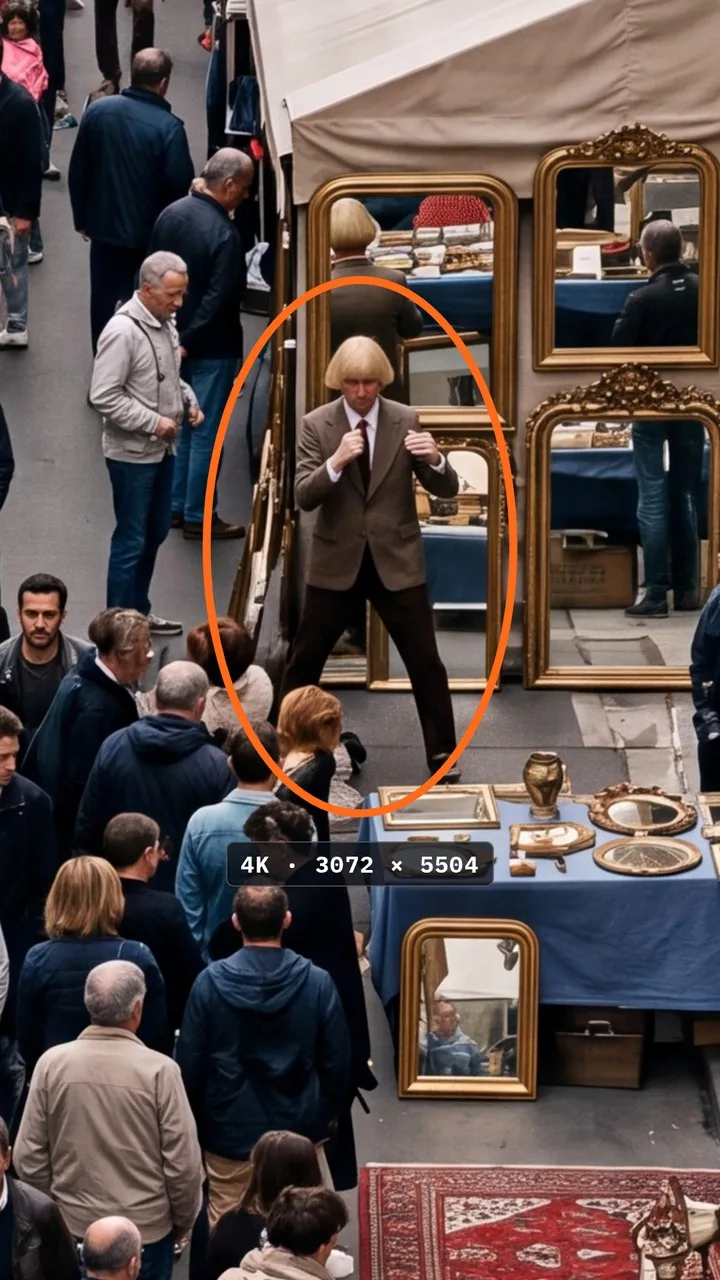
選擇 Nano Banana 2.1 並設定為 4K
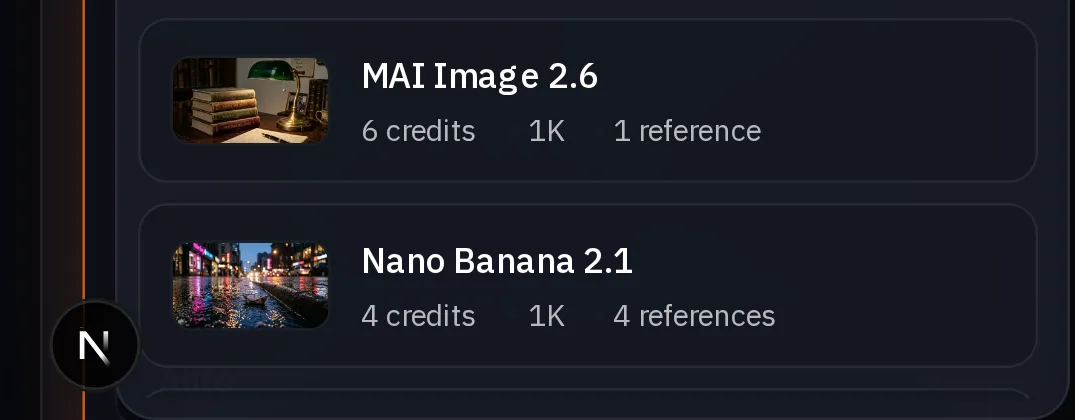
開啟 建立圖片,點擊模型並選擇 Nano Banana 2.1。在 品質 下選擇 4K。在渲染前,Generate 按鈕會顯示價格。


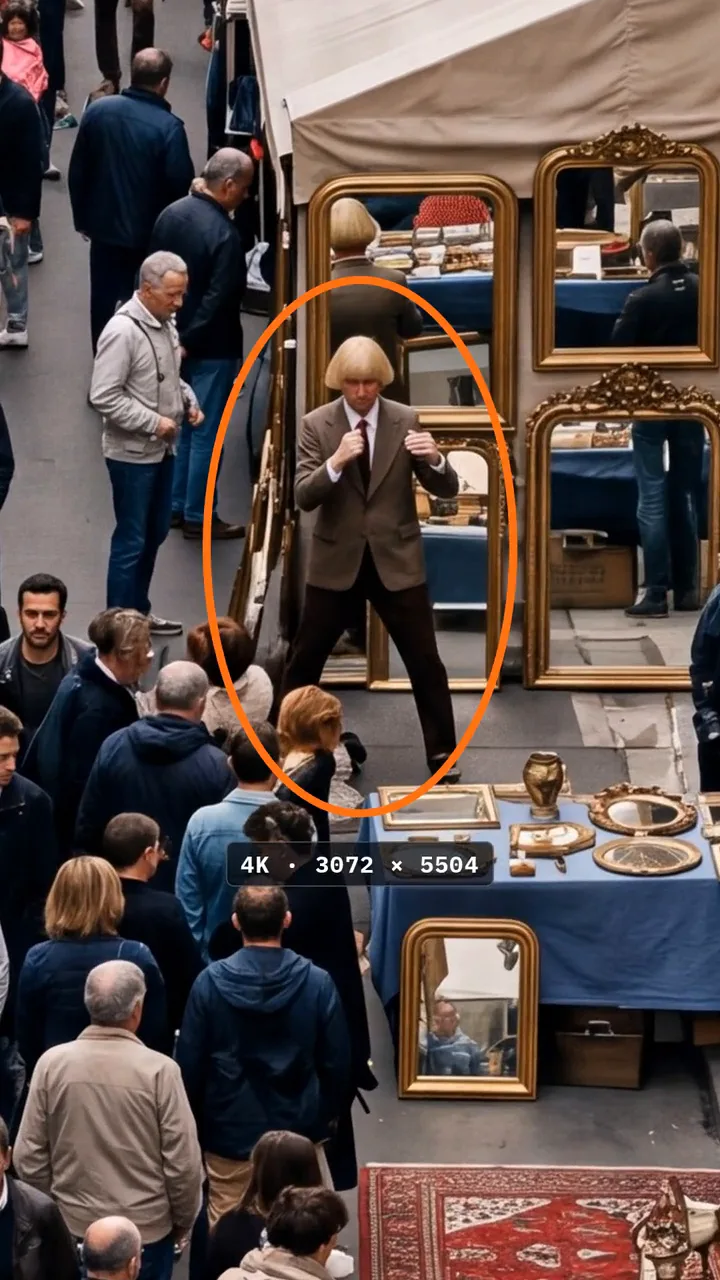
A 4K photograph of a packed Sunday flea market on a narrow Paris street, shot from a high balcony with a long lens: hundreds of shoppers between antique stalls, rugs, gilded mirrors, old cameras, crates of records, striped awnings, cafe tables and a brass band in one corner. Hidden very small in the crowd near the top of the frame, Jean Philanthrope in his brown houndstooth suit shadowboxing completely deadpan in front of a mirror stall, easy to miss. Natural afternoon light, crisp detail everywhere, every face and sign sharp, 35mm film colour. No text overlays.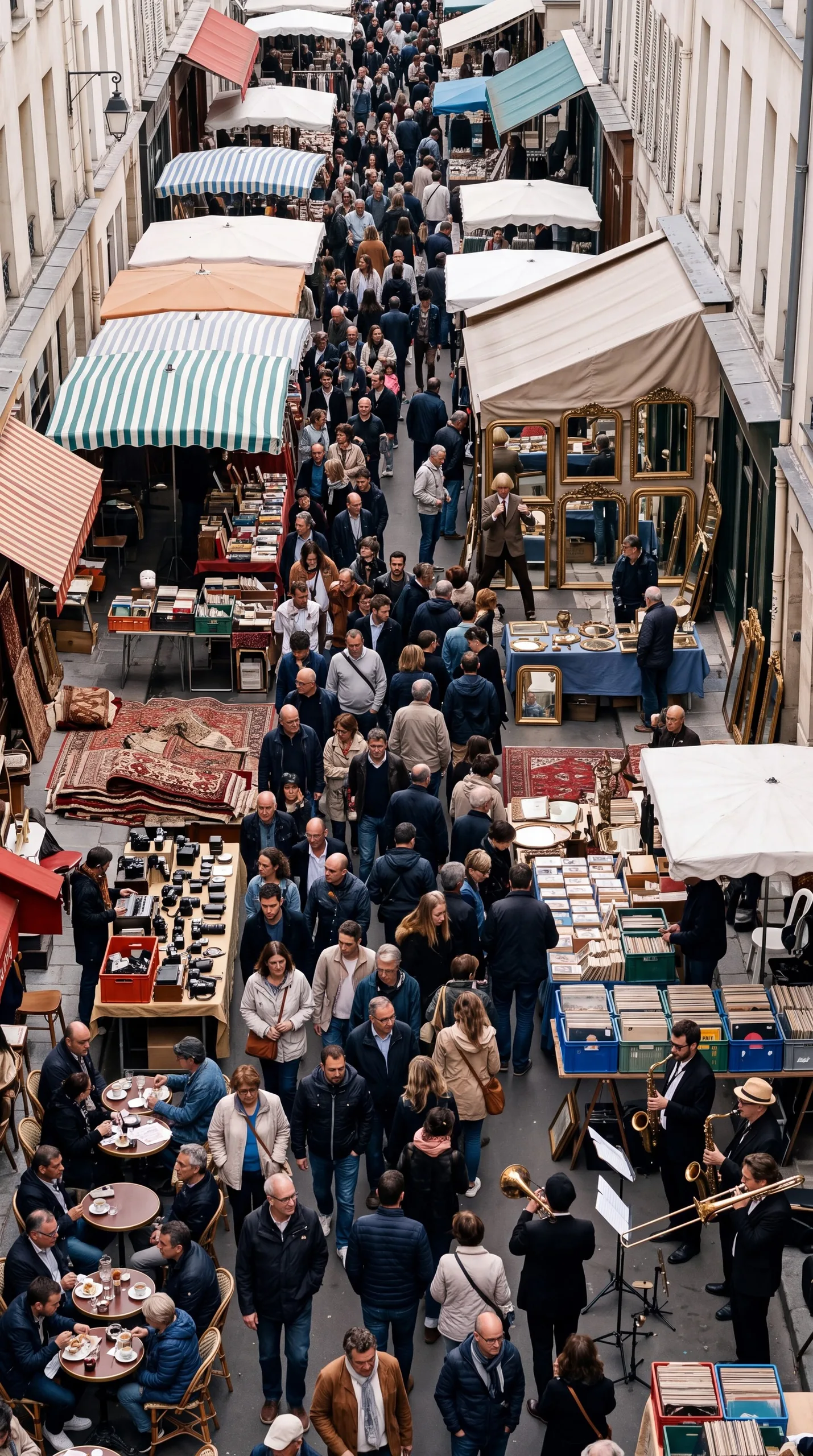
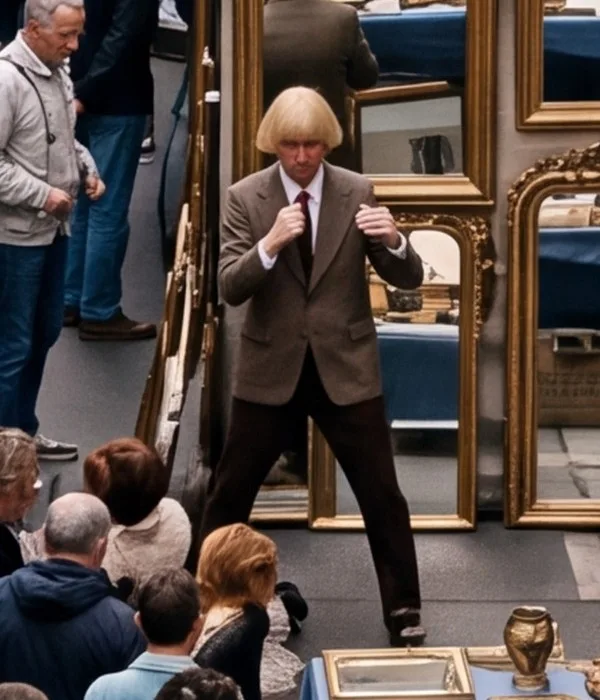
提示:以 1K 草稿. 1K 是最便宜的尺寸。先用 1K 測試提示詞,然後將你滿意的結果以 4K 渲染。
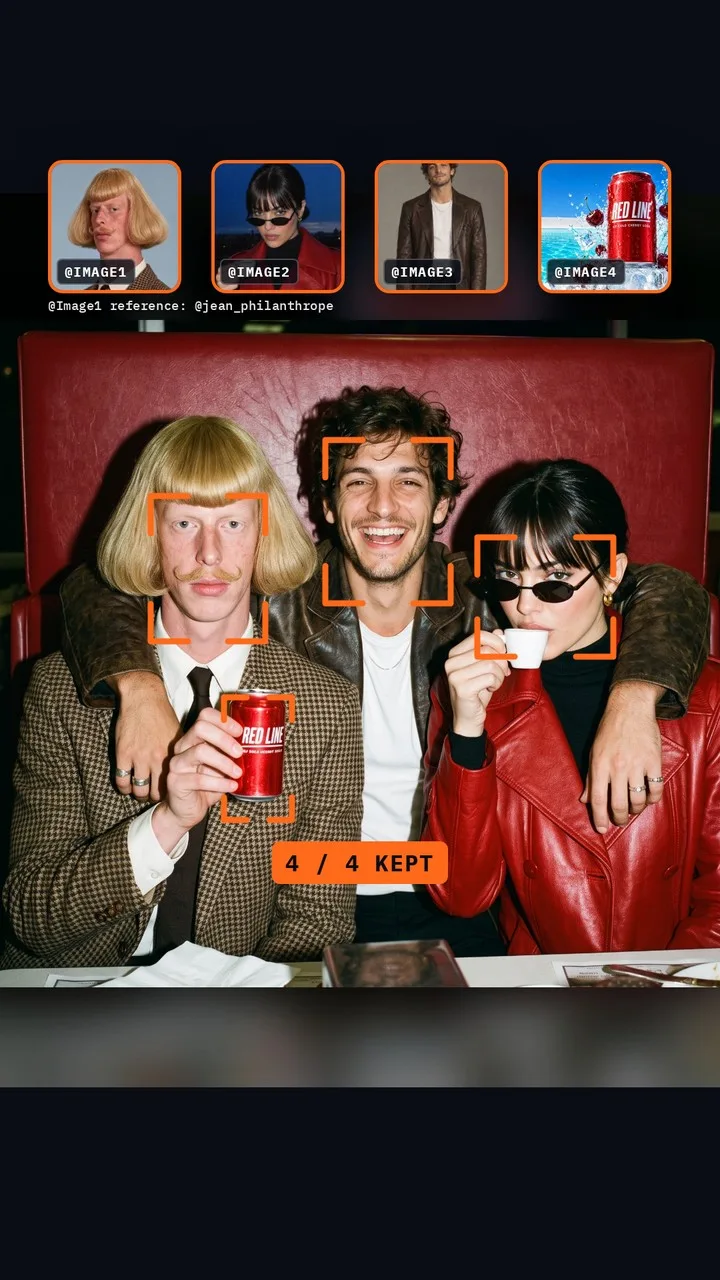
新增最多四張參考照片
在提示詞下方,按下 加入參考圖片 並上傳最多四張照片:臉部、產品、地點。每張照片都會獲得一個編號,提示詞會以 @Image1 到 @Image4 指向它。說明哪張照片是哪个人或物,以及每個人的動作。
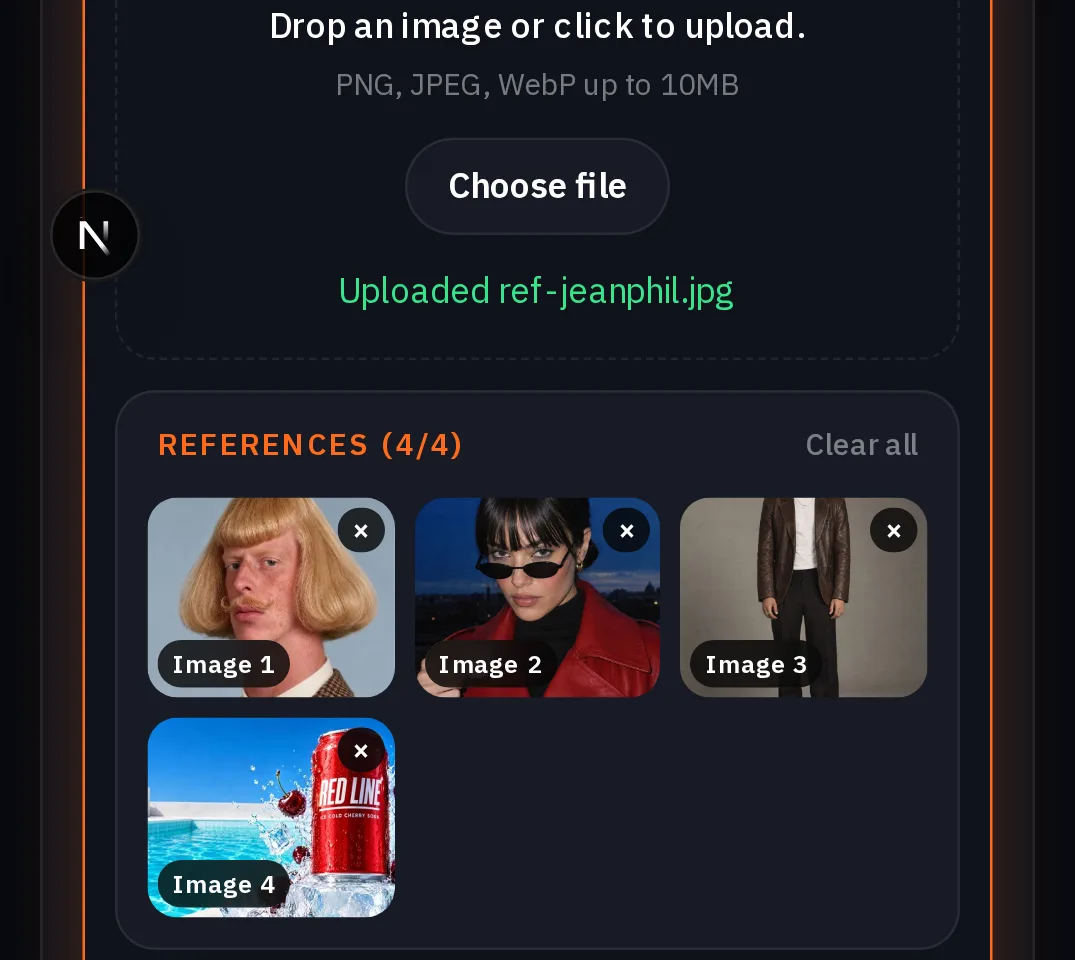
A flash photo of three friends squeezed into one red vinyl diner booth at night, like a photo booth portrait. @Image1 is Jean Phil: he sits completely deadpan in his brown houndstooth suit, holding a can of RED LINE cherry soda up like a trophy. @Image2 is Juno: in her red leather trench coat and oval sunglasses, she ignores the soda and sips a tiny white espresso. @Image3 is Theo: he laughs with his arms around both of them. The can is exactly the RED LINE can in @Image4, its wordmark sharp. Keep each face exactly like its photo. Hard direct on-camera flash, glossy skin, 35mm film grain, a neon sign glowing behind them. No other text.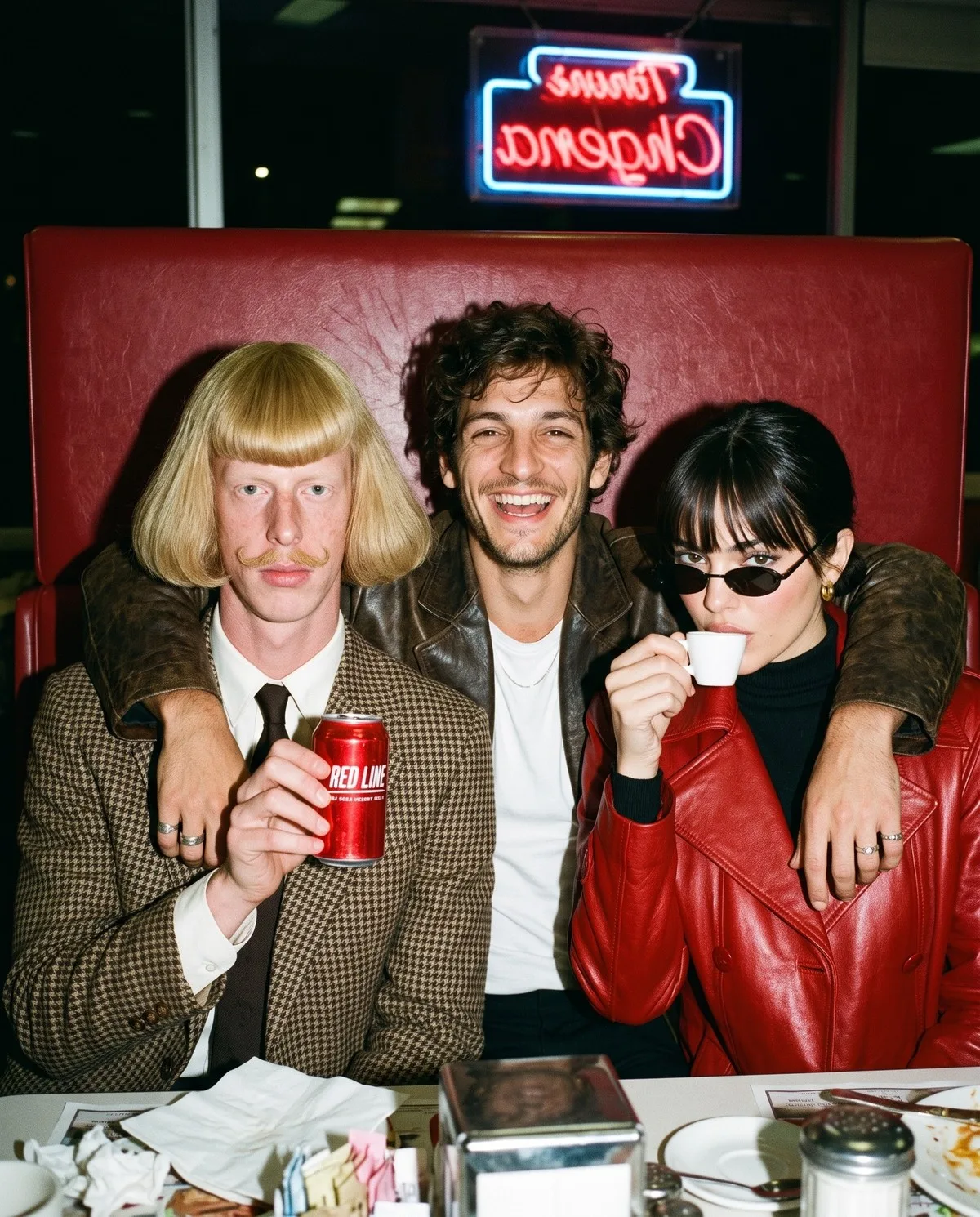
提示:將四張照片的總大小控制在 10 MB 以內. 單一工作的參考圖片總大小最多為 10 MB,較大的檔案集在渲染前就會失敗(點數會退還)。請將手機照片和 PNG 儲存為長邊約 1,000 px 的 JPEG。角色也算在內:他們儲存的圖片會原樣發送。「從資產中選擇」一次只能選取一張圖片,因此請將其他圖片作為上傳新增。
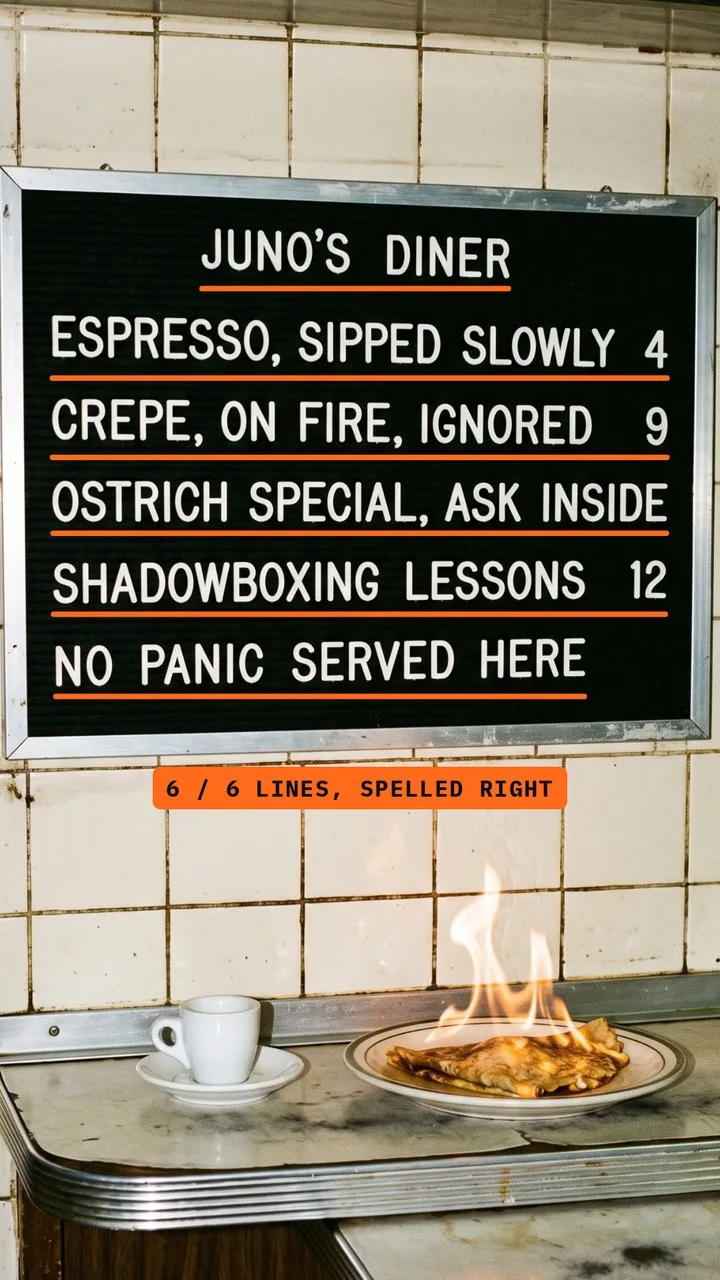
在提示詞中放入確切文字
請按照應出現的順序確切寫出文字,並明確說明:*exactly these six lines in this order*。用斜線分隔各行。這個例子不需要參考圖。
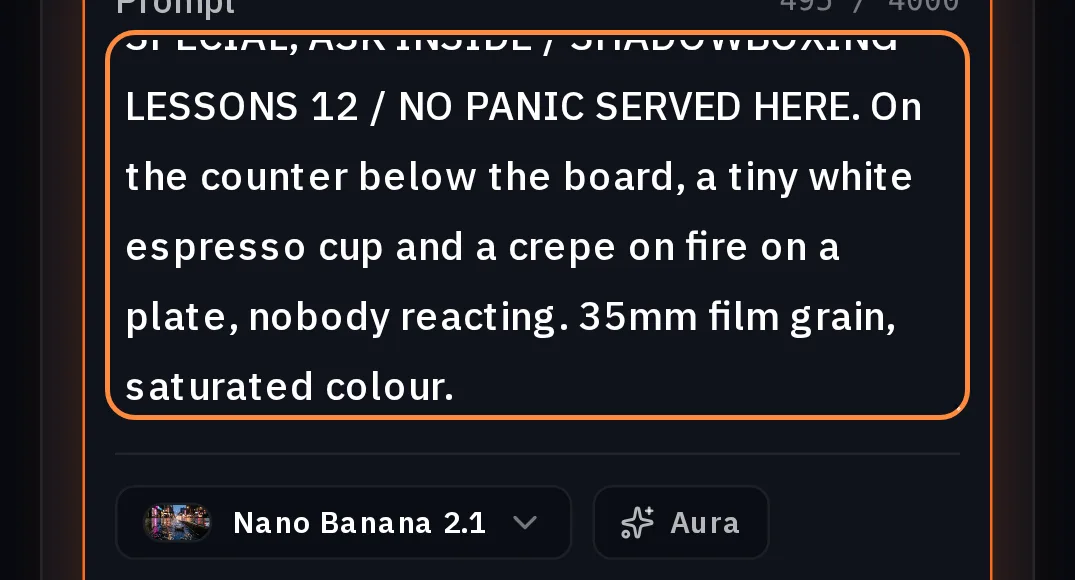
A photograph of an old diner's black felt letter board menu hanging on a tiled wall, lit by a hard direct flash, white plastic letters, every word perfectly spelled, exactly these six lines in this order: JUNO'S DINER / ESPRESSO, SIPPED SLOWLY 4 / CREPE, ON FIRE, IGNORED 9 / OSTRICH SPECIAL, ASK INSIDE / SHADOWBOXING LESSONS 12 / NO PANIC SERVED HERE. On the counter below the board, a tiny white espresso cup and a crepe on fire on a plate, nobody reacting. 35mm film grain, saturated colour.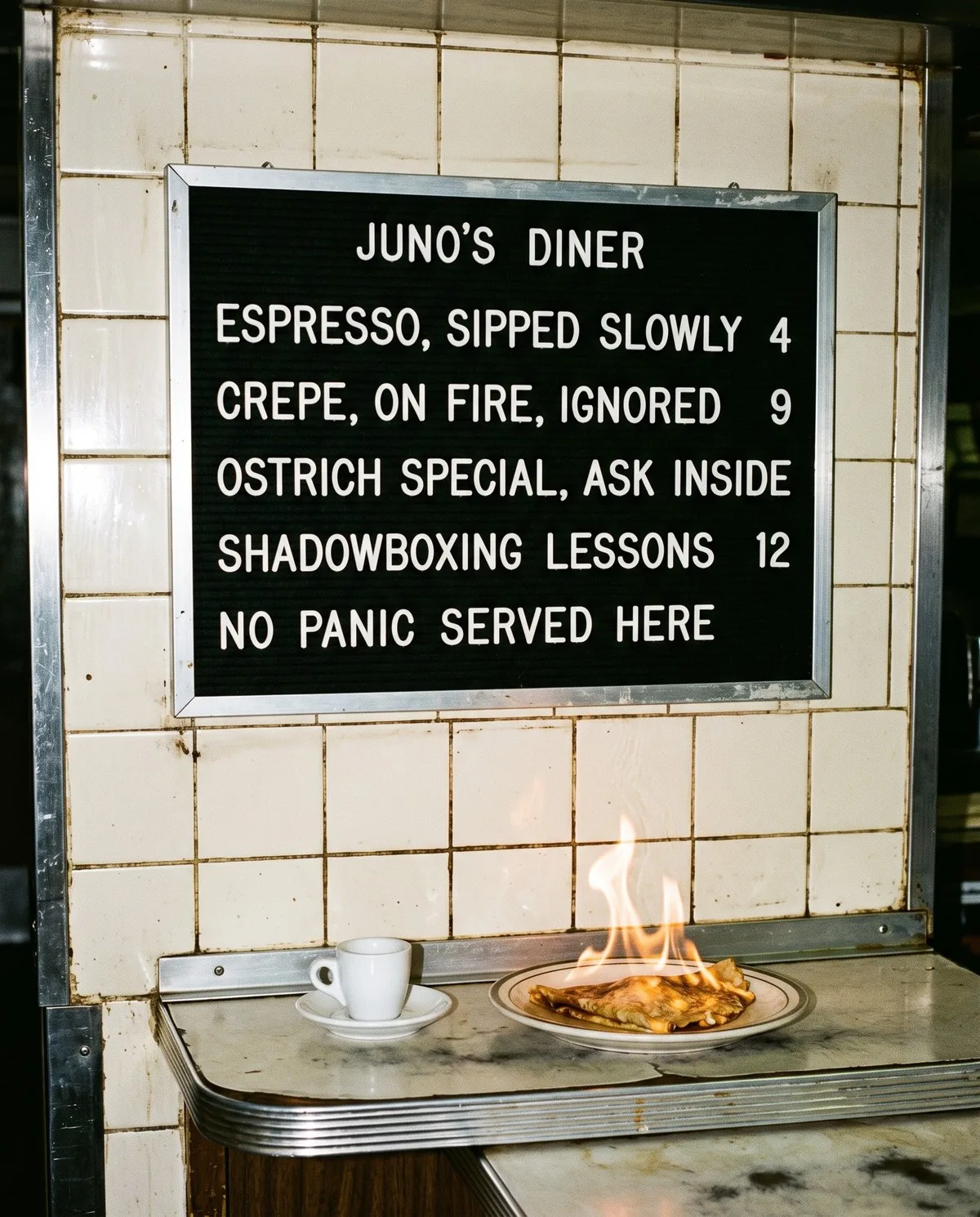
- 每行保持簡短:招牌、菜單或標籤比段落更易讀。
- 輸入你想要的字母大小寫。
- 發布前仔細檢查每個字。Google 表示文字渲染有所改進,但不保證完全不出錯。
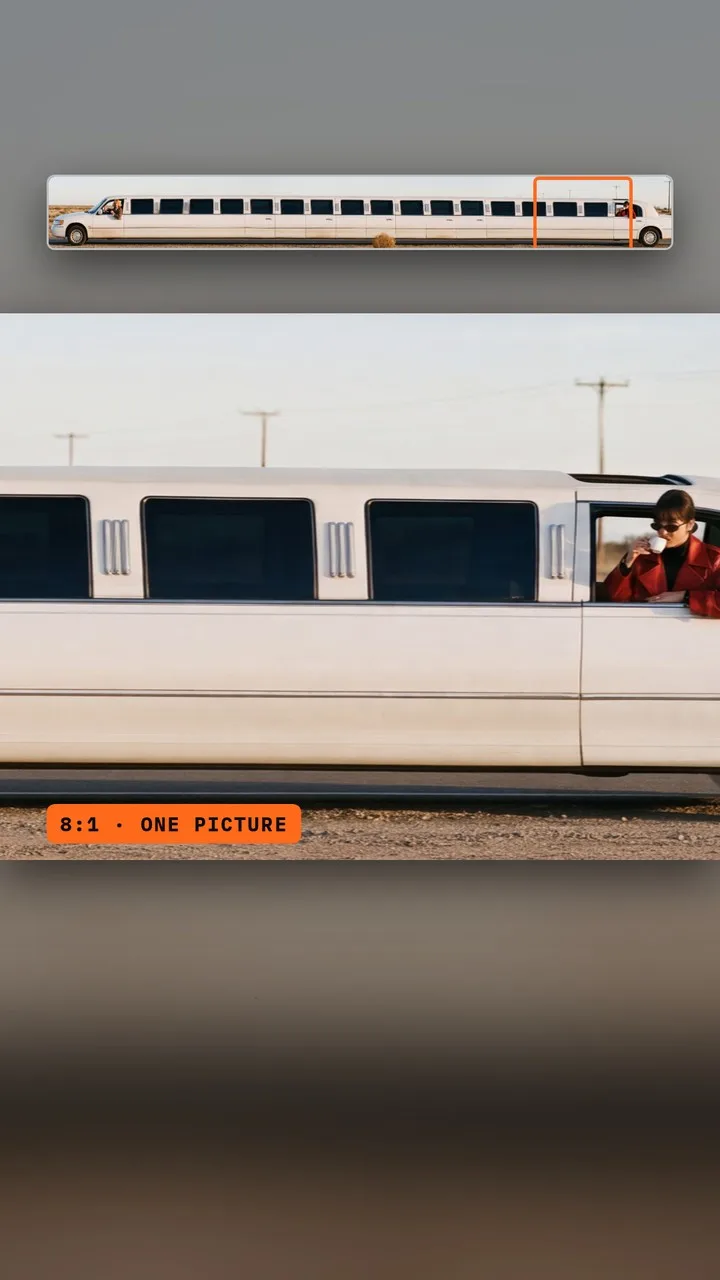
使用 8:1 寬幅或 1:8 直幅
在 長寬比 下,Nano Banana 2.1 新增了 8:1 和 1:8,這是 NOLGIA 上任何 Nano Banana 模型中最寬和最長的畫框。說明什麼填滿長度:兩端是什麼,中間重複什麼。
One continuous ultra-wide 8:1 photograph: the longest white stretch limousine in the world fills the whole width of the frame, parked on an empty desert highway at golden hour. At the far left end, Jean Philanthrope sits deadpan behind the wheel in his brown houndstooth suit, shadowboxing through the open driver's window. At the far right end, Juno leans out of the very last sunroof in her red leather trench coat and oval sunglasses, sipping a tiny white espresso. Dozens of identical tinted windows in between, a single tumbleweed rolling past the middle. Hard sun, long shadows, saturated colour, 35mm film grain. No text.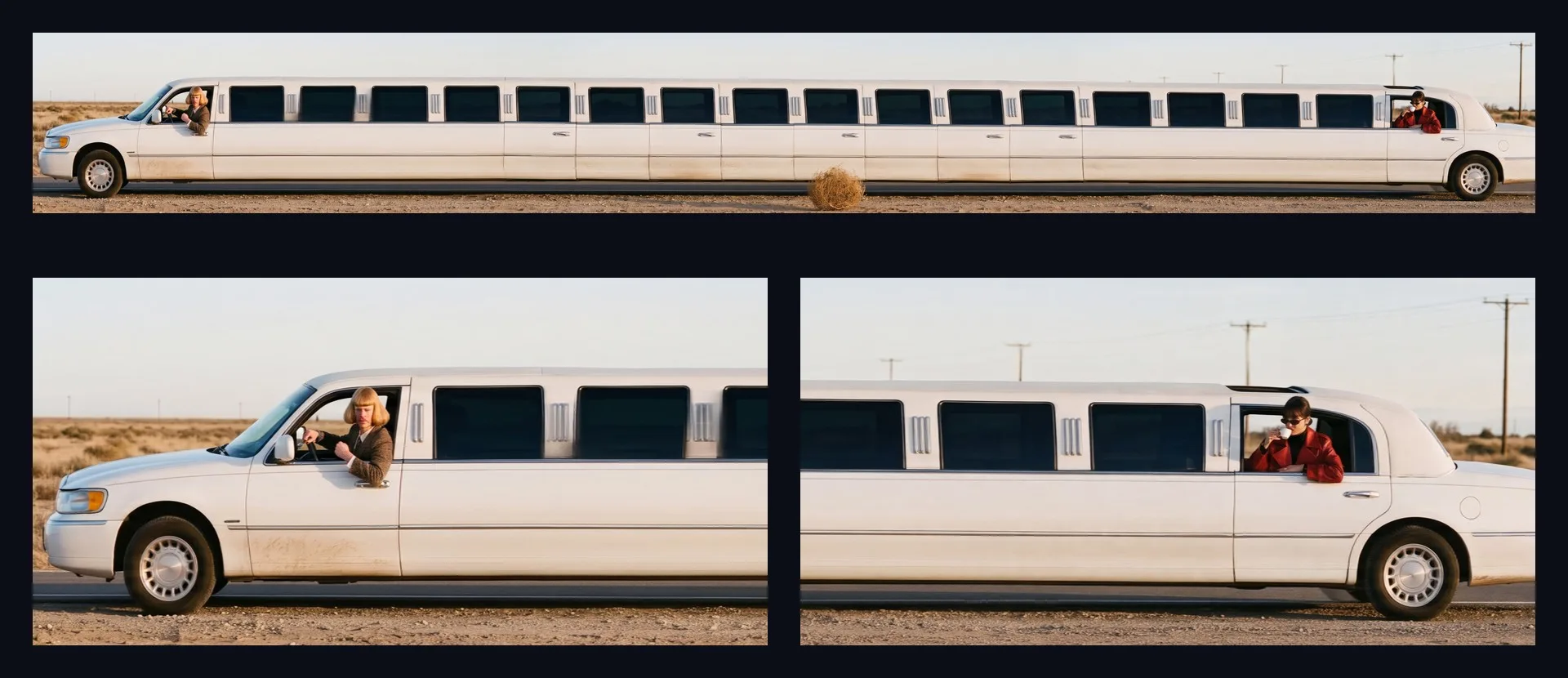
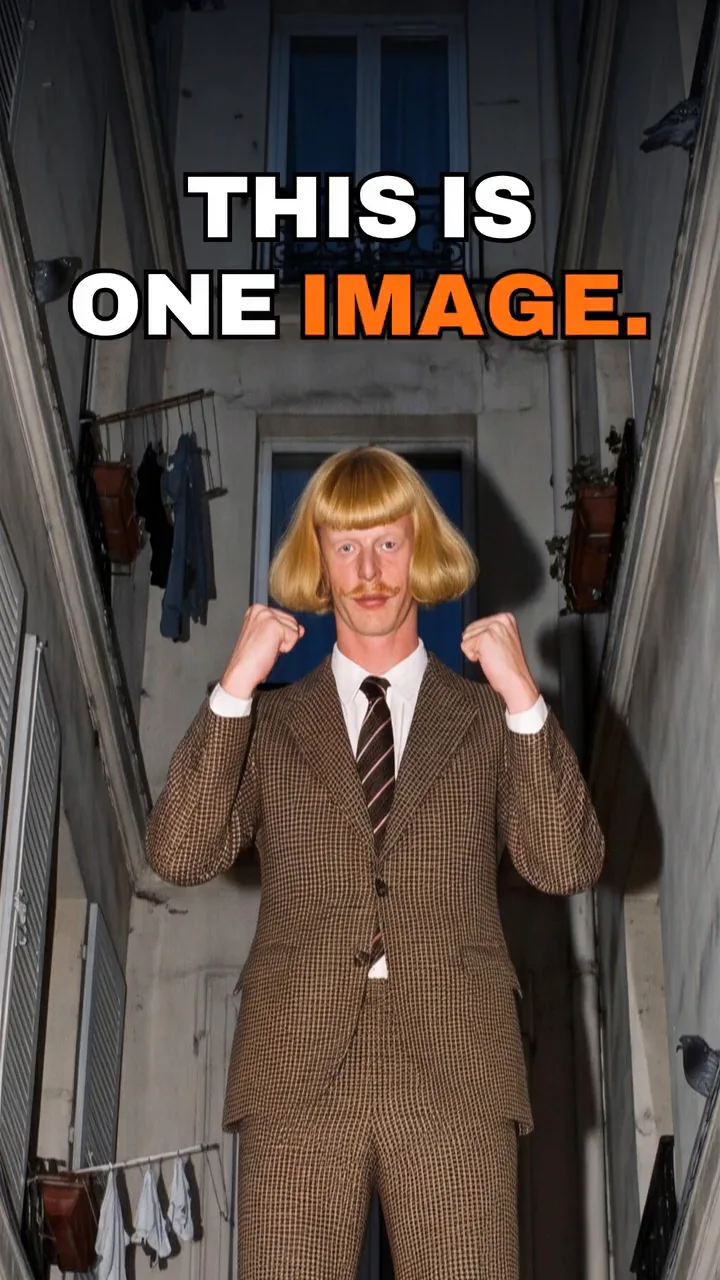
One extremely tall vertical photograph in a 1:8 frame. A human tower of three people balanced on each other's shoulders in a narrow Paris courtyard at dusk, shot from far below with a wide lens and a hard direct on-camera flash. At the very top, Jean Philanthrope stands completely deadpan in his brown houndstooth suit, shadowboxing at the sky. In the middle, Juno in her red leather trench coat and oval sunglasses calmly sips a tiny white espresso, not holding on to anything. At the bottom, Theo in his brown leather blazer grins up at them, holding Juno's boots. Pigeons sit along the window ledges, a laundry line crosses the courtyard, and a concierge watches from a doorway, unbothered. 35mm film grain, saturated colour, deep blue sky. No text.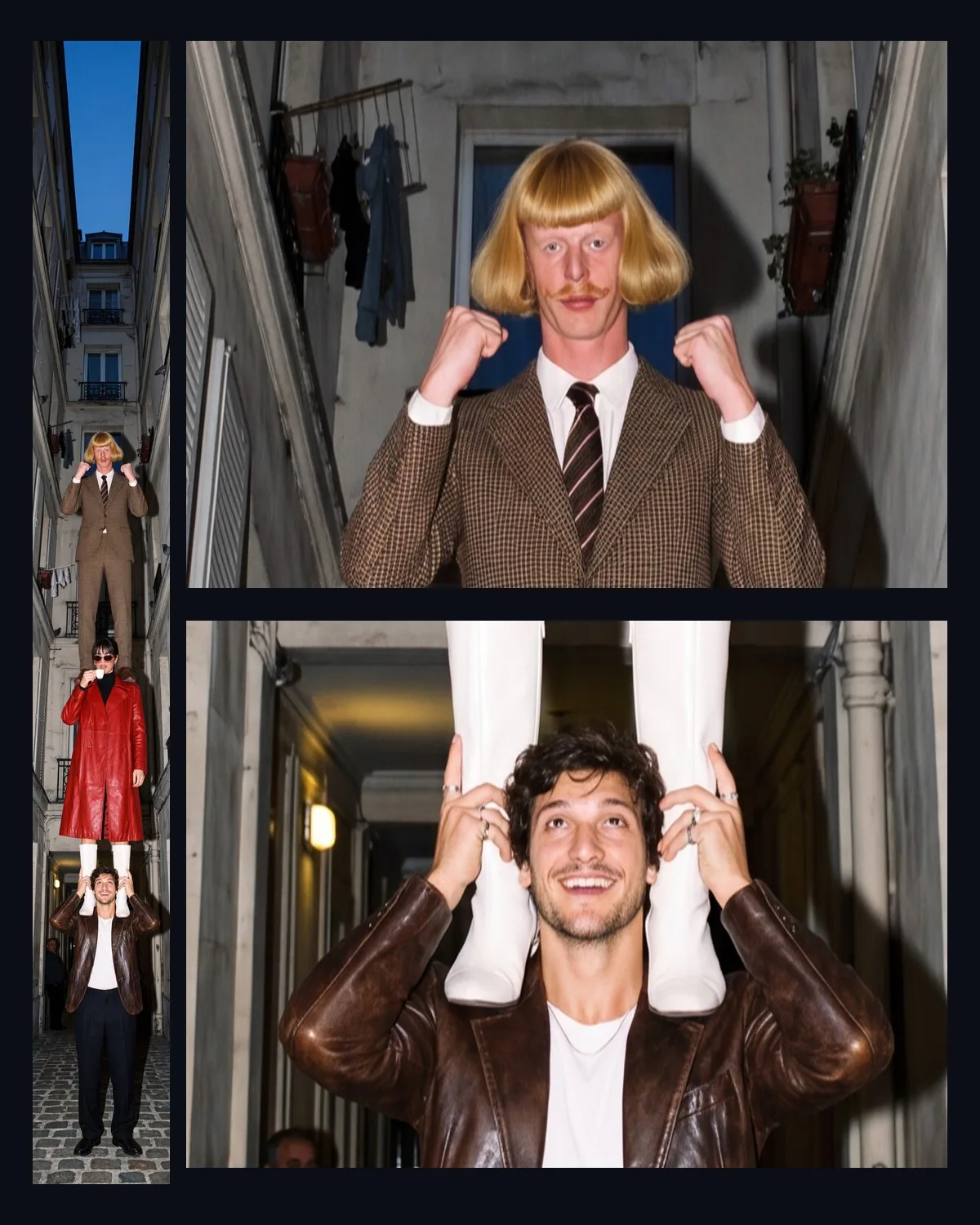
提示:長幅畫面的適用場景. 8:1 適合橫幅、網站頁首和全景圖。1:8 適合垂直捲動的長圖或從上到下閱讀的故事。
2.1 在 NOLGIA 上無法做到的事
- 每次請求僅限一張圖片。
- 不支援遮罩編輯。Google DeepMind 頁面提及基於遮罩的編輯功能,但「建立圖片」並未為 Nano Banana 2.1 提供此選項。
- 沒有思考等級或搜尋基礎控制項。
- 每個提示詞僅限四張參考圖片,而非 Google API 的十四張。
費用說明
本指南中的每張圖片都是使用 Nano Banana 2.1 以 2K 或 4K 生成的結果。Nano Banana 2.1 從 Starter 方案即可使用,且「產生」按鈕會先顯示確切價格。以下是 Nano Banana 2.1 與 Nano Banana 2 及 Nano Banana Pro 的即時價格比較。
Nano Banana 2.1Every plan
Per image
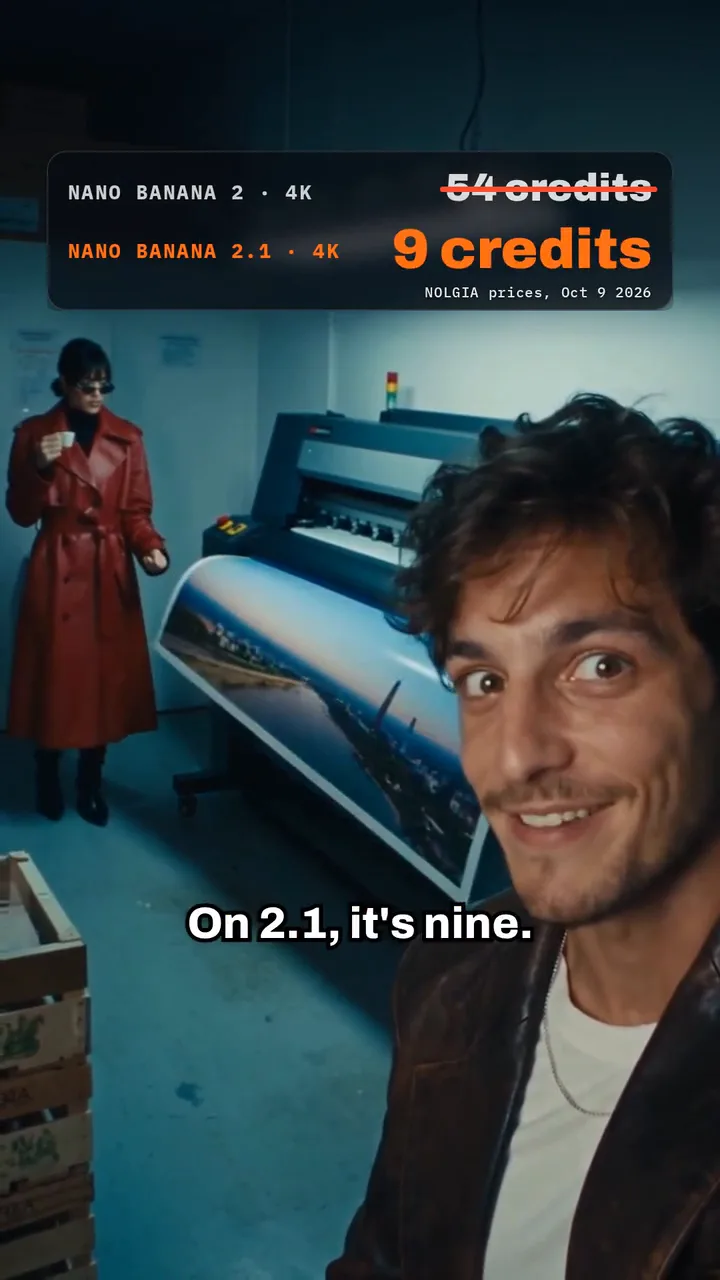
1K 4 點 · 2K 5 點 · 4K 9 點
Nano Banana 2Every plan
Per image
Native 4 點 · 2K 17 點 · 4K 54 點
Nano Banana ProEvery plan
Per image
Native 8 點 · 2K 21 點 · 4K 58 點
頁面載入時從目錄即時讀取。 所有價格都會在生成前顯示。 查看所有費率.
常見問題
- Nano Banana 2.1 是新模型還是更新版本?
- 這是 Nano Banana 2(Gemini 3.1 Flash Image)的更新版本,於 2026 年 10 月 6 日發布並全面開放。Google 稱其為 Nano Banana Pro 的更高效能對應版本。
- 在 NOLGIA 上,它比 Nano Banana 2 便宜嗎?
- 在 1K 解析度下,兩者價格相同。在 2K 和 4K 解析度下,Nano Banana 2.1 的價格低得多,因為它能直接渲染這些尺寸,而 Nano Banana 2 則需透過 NOLGIA 的放大器處理。本指南中的費用區塊顯示了即時價格。
- 我可以使用多少張參考圖片?
- 在 NOLGIA 上,每個提示詞最多可使用四張參考圖片,可以是上傳檔案或角色,總大小上限為 10 MB。Google 的 API 接受最多 14 張。在 NOLGIA 上,Nano Banana 2 和 Nano Banana Pro 僅支援一張。
- 我需要哪個方案?
- Starter 或更高級別的方案。
- 影片中的人物是誰?
- 這些是 AI 角色。Theo 和 Juno 是 NOLGIA 的原創角色。Jean Phil 是我們根據 @jean_philanthrope 的參考照片重現的 AI 網紅,NOLGIA 與他的帳號沒有關聯。RED LINE 是一款虛構的汽水。
試用 Nano Banana 2.1
開啟建立圖片相關指南
提示詞
提示詞庫:八個 NOLGIA 範例背後的精確提示詞
從真實的 NOLGIA 渲染結果中複製的八個提示詞,涵蓋電影場景、遊戲預告片、產品影片、Logo 片頭等,每個都附上成果與成功關鍵。
· 閱讀時間 8 分鐘
影像製作
讓角色和地點在不同鏡頭間保持一致
儲存的角色、儲存的地點,以及每個道具重複使用的一句話:在一部影片的五個鏡頭中,實際保持不變的內容(依物件與顏色逐一測量),以及兩個未能保持一致的缺口。
· 閱讀時間 11 分鐘
商品圖片
從一張手機照片到完整的商店素材組
將一張清晰的手機照片轉換為工作室主視覺、季節限定版本、產品頁面橫幅和短片,包含每個步驟的預設集以及該素材組的點數成本。
· 閱讀時間 6 分鐘