
Preset
Kinetic lower thirds
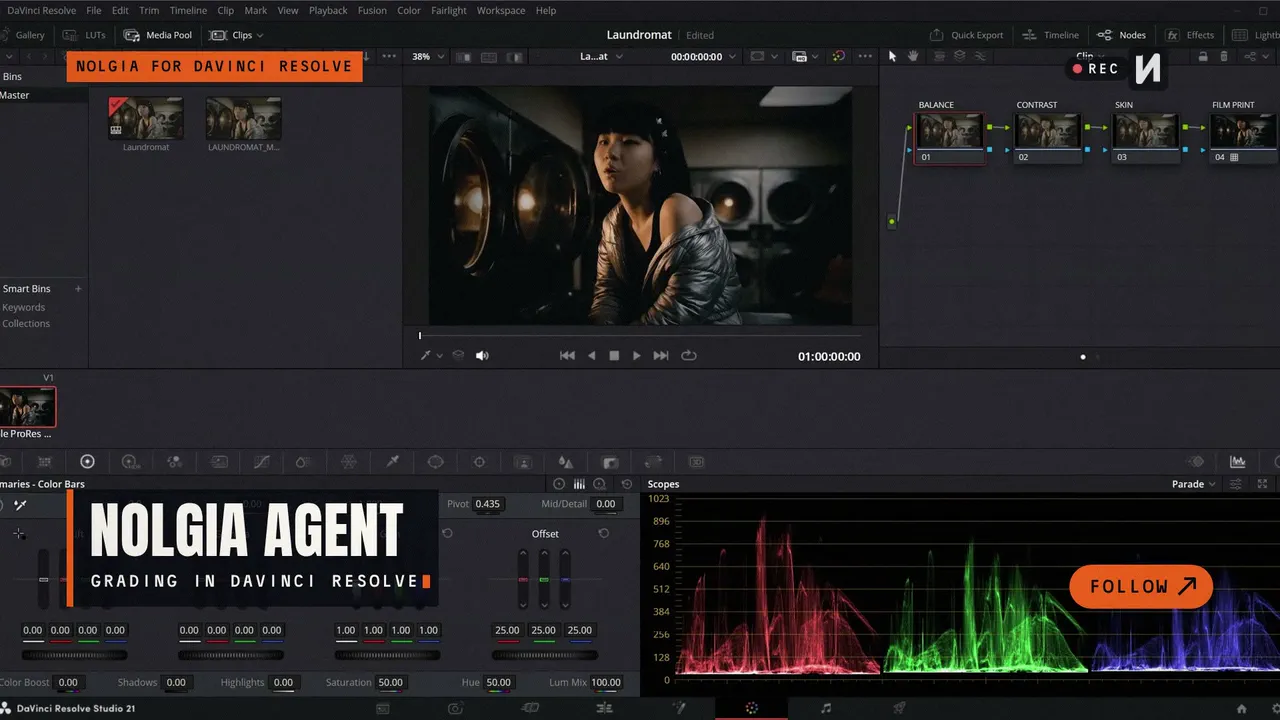
A name and role strip, a topic tag and a follow button, as a transparent file to lay over your video.
- Idéal pour
- Interviews, podcasts, talking heads, livestream highlights
- Résultat
- Vidéo
- Temps
- About 1 minute
- Crédits
- Rendu gratuit
Vous avez déjà un compte ? Connectez-vous
Gratuit à créer : le formulaire de cette page le génère à partir de vos réponses, pour 0 crédit. Un compte gratuit suffit, aucune carte requise.
Créez-le ici, gratuitement
Répondez maintenant. Le rendu nécessite un compte gratuit : vous en créez un avant le début, et vos réponses sont conservées.
Étape 1 sur 6
The name
The person's name as it should read.
0 / 300
Comment l’utiliser
NOLGIA Agent pose ces questions dans un chat, une à la fois, avec votre propre matière.
The name
Écrivez-le avec vos propres mots. The person's name as it should read.
Par exemple : Sam Lee
Their roleFacultatif
Écrivez-le avec vos propres mots. A few words, like Head colorist. You can skip this.
Par exemple : Head colorist
The topicFacultatif
Écrivez-le avec vos propres mots. A short tag shown at the top, like Grading in Resolve. You can skip this.
Par exemple : Grading in Resolve
The follow buttonFacultatif
Écrivez-le avec vos propres mots. A handle, like @harborsupply. You can skip this.
Par exemple : @harborsupply
How long it stays on screenFacultatif
Écrivez-le avec vos propres mots. In seconds, 3 to 30. You can skip this (9 seconds).
Par exemple : 9
Where will it play?
Choisissez-en une.
- Wide (16:9)
- Vertical (9:16)
Lancer le rendu gratuitement
Cliquez sur Rendu gratuit et NOLGIA génère votre vidéo à partir de vos réponses : 0 crédit, sans tour d'agent. Le résultat arrive dans votre Bibliothèque. Ou cliquez sur Créer avec NOLGIA Agent pour travailler dessus avec l'Agent dans un chat. Cela prend about 1 minute.
À propos de ce preset
A name and role strip, a topic tag, a corner bug and a follow button, animated in and out, as a transparent ProRes 4444 file to lay over your own footage in your editor. In NOLGIA Studio, pick Kinetic lower thirds in the Add menu and it lands on your timeline as a free transparent layer. Write the name, the role and the tag; they are printed exactly as you write them. With the NOLGIA Agent it can also be drawn over a clip of yours. It comes in 16:9 or 9:16. The render is free; with the NOLGIA Agent you pay only for its turn. You can also run it from Claude, Cursor or another agent with NOLGIA connected.
Cas d’usage
- A guest's name and role in an interview
- A podcast's topic tag and follow button
- A REC or LIVE corner bug
- The same lower third for every episode
Me suggérer des directions
Dites à quoi il servira et NOLGIA propose quelques directions pour Kinetic lower thirds, chacune avec un prompt et les options qu’elle règle. Rien n’est généré avant que vous en utilisiez une.
Envie de créer votre Kinetic lower thirds ?
Gratuit à créer : le formulaire de cette page le génère à partir de vos réponses, pour 0 crédit. Un compte gratuit suffit, aucune carte requise.