
Preset
Kinetic lower thirds
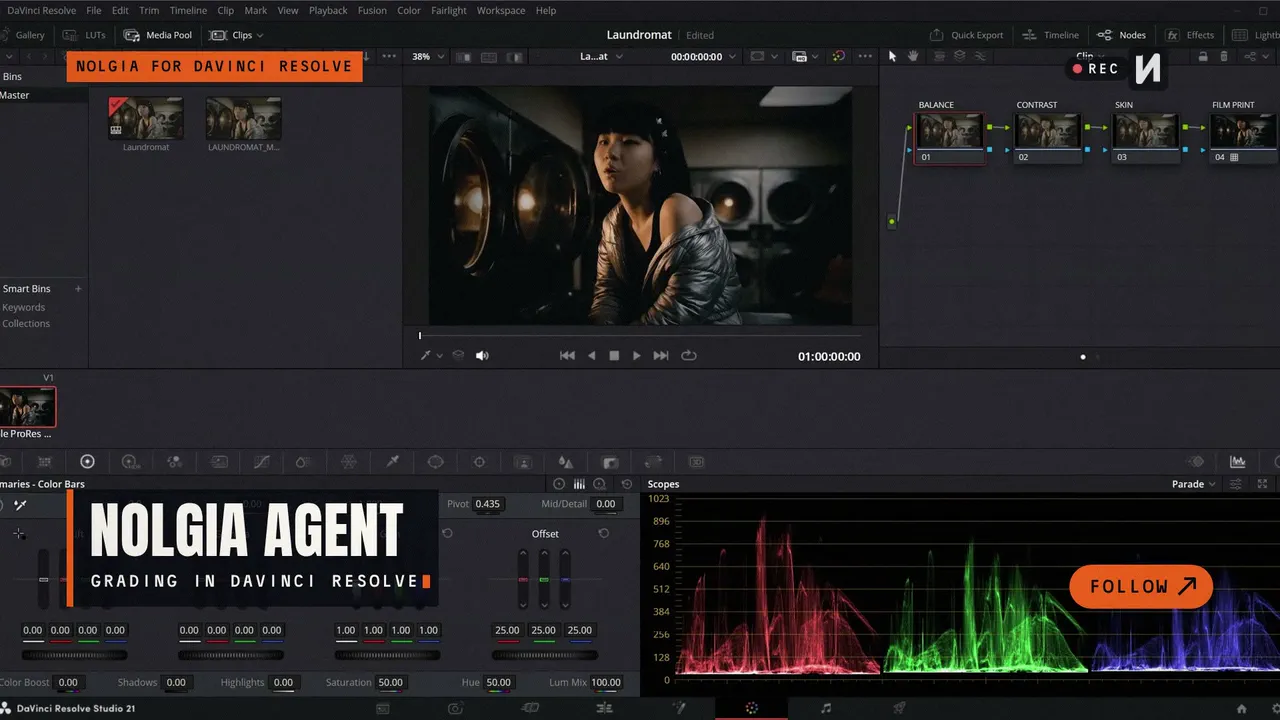
A name and role strip, a topic tag and a follow button, as a transparent file to lay over your video.
- Ideale per
- Interviews, podcasts, talking heads, livestream highlights
- Risultato
- Video
- Tempo
- About 1 minute
- Crediti
- Render gratuito
Gratuito da creare: il modulo in questa pagina lo genera dalle tue risposte, per 0 crediti. Basta un account gratuito, senza carta.
Crealo qui, gratis
Rispondi ora. La generazione richiede un account gratuito: lo crei prima che inizi e le tue risposte vengono salvate.
Passaggio 1 di 6
The name
The person's name as it should read.
0 / 300
Come usarlo
NOLGIA Agent fa queste domande in chat, una alla volta, con il tuo materiale.
The name
Scrivilo con parole tue. The person's name as it should read.
Per esempio: Sam Lee
Their roleFacoltativo
Scrivilo con parole tue. A few words, like Head colorist. You can skip this.
Per esempio: Head colorist
The topicFacoltativo
Scrivilo con parole tue. A short tag shown at the top, like Grading in Resolve. You can skip this.
Per esempio: Grading in Resolve
The follow buttonFacoltativo
Scrivilo con parole tue. A handle, like @harborsupply. You can skip this.
Per esempio: @harborsupply
How long it stays on screenFacoltativo
Scrivilo con parole tue. In seconds, 3 to 30. You can skip this (9 seconds).
Per esempio: 9
Where will it play?
Scegline una.
- Wide (16:9)
- Vertical (9:16)
Renderizzalo gratis
Premi Esegui il render gratis e NOLGIA genera il tuo video dalle tue risposte: 0 crediti, nessun turno dell'agente. Finisce nella tua Libreria. Oppure premi Crea con NOLGIA Agent per lavorarci con l'Agent in una chat. Ci vogliono about 1 minute.
Informazioni su questo preset
A name and role strip, a topic tag, a corner bug and a follow button, animated in and out, as a transparent ProRes 4444 file to lay over your own footage in your editor. In NOLGIA Studio, pick Kinetic lower thirds in the Add menu and it lands on your timeline as a free transparent layer. Write the name, the role and the tag; they are printed exactly as you write them. With the NOLGIA Agent it can also be drawn over a clip of yours. It comes in 16:9 or 9:16. The render is free; with the NOLGIA Agent you pay only for its turn. You can also run it from Claude, Cursor or another agent with NOLGIA connected.
Casi d'uso
- A guest's name and role in an interview
- A podcast's topic tag and follow button
- A REC or LIVE corner bug
- The same lower third for every episode
Suggeriscimi delle direzioni
Di' a cosa ti serve e NOLGIA suggerisce alcune direzioni per Kinetic lower thirds, ognuna con un prompt e le opzioni che imposta. Non viene generato nulla finché non ne usi una.
Pronto per Kinetic lower thirds?
Gratuito da creare: il modulo in questa pagina lo genera dalle tue risposte, per 0 crediti. Basta un account gratuito, senza carta.