
在此免费制作
现在回答这些问题。渲染需要免费账户:请在开始前创建账户,你的回答将被保留。
第 1 步,共 6 步
The name
The person's name as it should read.
0 / 300
使用方法
NOLGIA Agent 会在聊天中逐一提出这些问题,并使用你自己的素材。
The name
用你自己的话写。 The person's name as it should read.
例如: Sam Lee
Their role可选
用你自己的话写。 A few words, like Head colorist. You can skip this.
例如: Head colorist
The topic可选
用你自己的话写。 A short tag shown at the top, like Grading in Resolve. You can skip this.
例如: Grading in Resolve
The follow button可选
用你自己的话写。 A handle, like @harborsupply. You can skip this.
例如: @harborsupply
How long it stays on screen可选
用你自己的话写。 In seconds, 3 to 30. You can skip this (9 seconds).
例如: 9
Where will it play?
选择一个。
- Wide (16:9)
- Vertical (9:16)
免费渲染
点击“免费渲染”,NOLGIA 将根据你的回答渲染 视频:0 积分,无需 Agent 回合。结果将存入你的库中。或者点击“使用 NOLGIA Agent 制作”,在聊天中与 Agent 协作。 大约需要 about 1 minute。
关于此预设
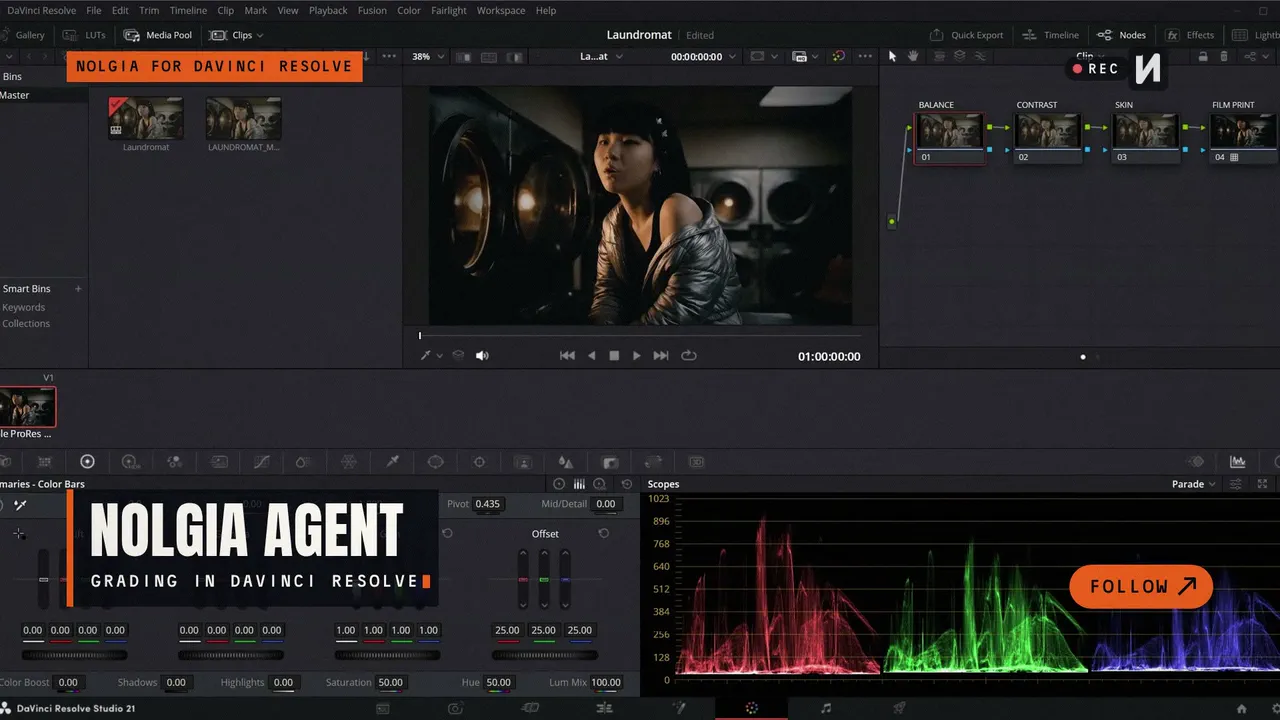
A name and role strip, a topic tag, a corner bug and a follow button, animated in and out, as a transparent ProRes 4444 file to lay over your own footage in your editor. In NOLGIA Studio, pick Kinetic lower thirds in the Add menu and it lands on your timeline as a free transparent layer. Write the name, the role and the tag; they are printed exactly as you write them. With the NOLGIA Agent it can also be drawn over a clip of yours. It comes in 16:9 or 9:16. The render is free; with the NOLGIA Agent you pay only for its turn. You can also run it from Claude, Cursor or another agent with NOLGIA connected.
使用场景
- A guest's name and role in an interview
- A podcast's topic tag and follow button
- A REC or LIVE corner bug
- The same lower third for every episode
为我推荐方向
说说你要用它做什么,NOLGIA 就会为 Kinetic lower thirds 推荐几个方向,每个方向都附带提示词和它设定的选项。在你使用某个方向之前不会生成任何内容。
准备好制作 Kinetic lower thirds 了吗?
免费生成:本页表单根据你的回答生成,消耗 0 积分。只需注册免费账户,无需绑卡。