
預設集
Kinetic lower thirds
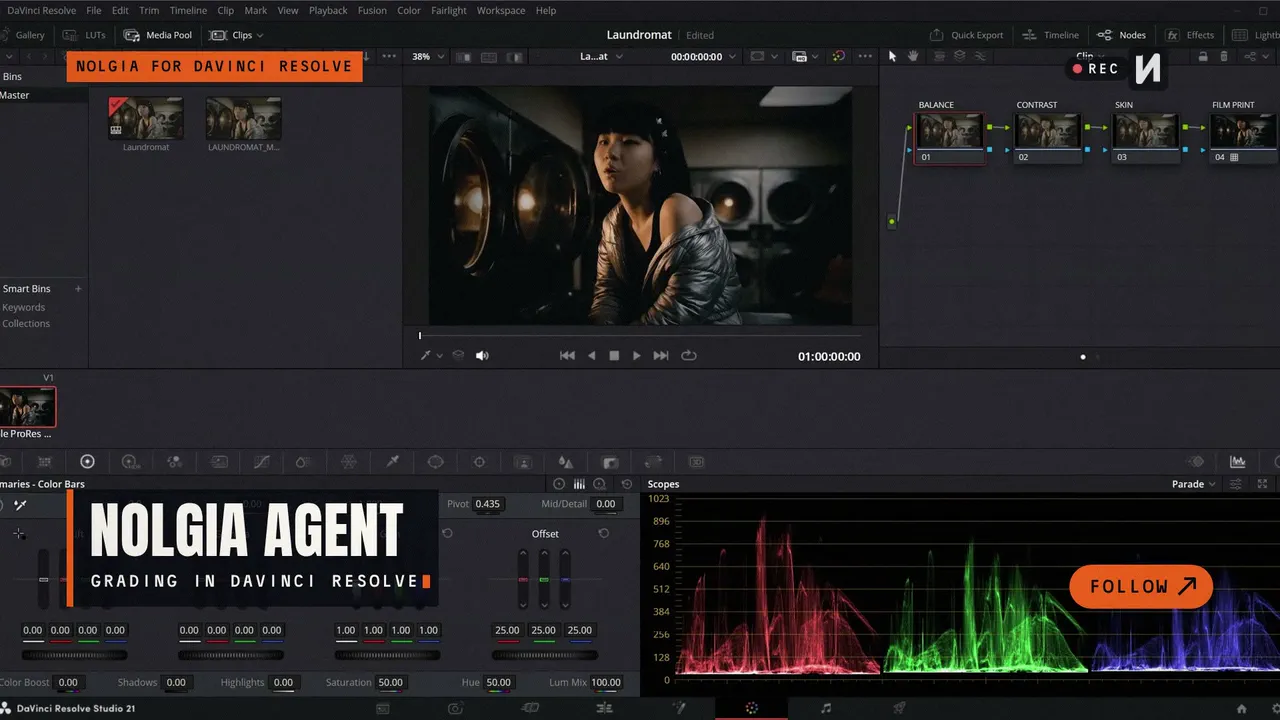
A name and role strip, a topic tag and a follow button, as a transparent file to lay over your video.
- 最適合
- Interviews, podcasts, talking heads, livestream highlights
- 成果
- 影片
- 時間
- About 1 minute
- 點數
- 免費渲染
在此免費製作
現在回答問題。渲染需要免費帳號:開始前請先建立帳號,你的回答會被保留。
步驟 1/6
The name
The person's name as it should read.
0 / 300
使用方式
NOLGIA Agent 會在聊天中一次一個地問這些問題,並使用你自己的素材。
The name
用你自己的話寫下來。 The person's name as it should read.
例如: Sam Lee
Their role選填
用你自己的話寫下來。 A few words, like Head colorist. You can skip this.
例如: Head colorist
The topic選填
用你自己的話寫下來。 A short tag shown at the top, like Grading in Resolve. You can skip this.
例如: Grading in Resolve
The follow button選填
用你自己的話寫下來。 A handle, like @harborsupply. You can skip this.
例如: @harborsupply
How long it stays on screen選填
用你自己的話寫下來。 In seconds, 3 to 30. You can skip this (9 seconds).
例如: 9
Where will it play?
選一個。
- Wide (16:9)
- Vertical (9:16)
免費渲染
按下「免費渲染」,NOLGIA 將根據你的回答渲染 影片:0 點數,無需 Agent 回合。結果會存入你的資料庫。或者按下「用 NOLGIA Agent 製作」,在對話中與 Agent 協作。 大約需要about 1 minute。
關於這個預設集
A name and role strip, a topic tag, a corner bug and a follow button, animated in and out, as a transparent ProRes 4444 file to lay over your own footage in your editor. In NOLGIA Studio, pick Kinetic lower thirds in the Add menu and it lands on your timeline as a free transparent layer. Write the name, the role and the tag; they are printed exactly as you write them. With the NOLGIA Agent it can also be drawn over a clip of yours. It comes in 16:9 or 9:16. The render is free; with the NOLGIA Agent you pay only for its turn. You can also run it from Claude, Cursor or another agent with NOLGIA connected.
使用情境
- A guest's name and role in an interview
- A podcast's topic tag and follow button
- A REC or LIVE corner bug
- The same lower third for every episode
幫我建議方向
說明你要做這個的用途,NOLGIA 就會為 Kinetic lower thirds 建議幾個方向,每個都附上提示詞與設定的選項。在你使用其中一個之前,什麼都不會生成。
準備好製作Kinetic lower thirds了嗎?
免費製作:此頁面的表單會根據你的回答進行渲染,消耗 0 點數。只需註冊免費帳戶,無需信用卡。