

Infographic base preset
Amazon infographic image base
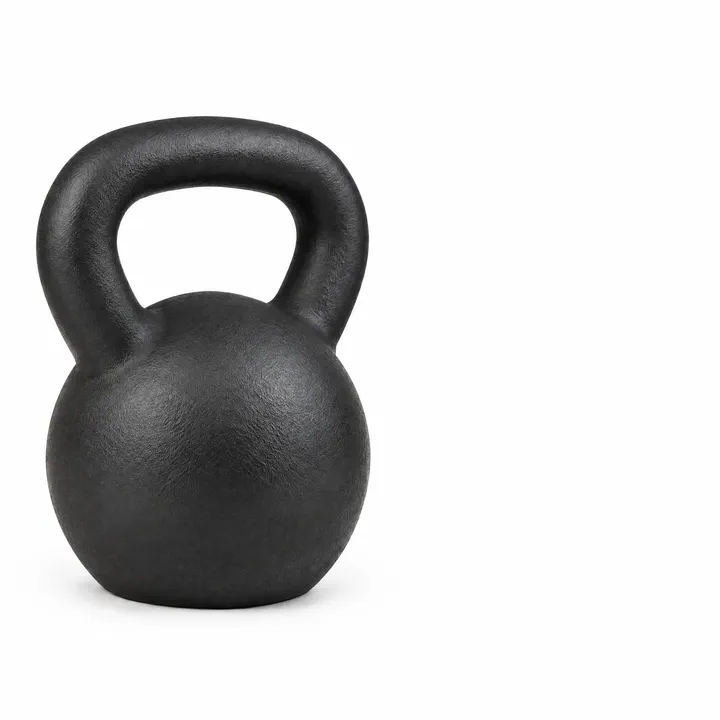
Amazon infographic image base for benefits, features and dimensions images. Your product on white, set to one side with clean space for the benefit callouts you compose afterwards.
Shares the family guardrails: this direction follows the same rules as Marketplace listing images.
- Best for
- Benefits, features and dimensions images
- Output
- Image
- Time
- under 2 min
- Credits
- 8 credits, 21 at 2k and 58 at 4k est.
Already have an account? Sign in
Start free with 36 credits, no card needed. You land right in NOLGIA Agent, on this preset's questions, ready to run.
How to use it
NOLGIA Agent asks these questions in a chat, one at a time, with your own material.
Product photos
Add up to three photos from your device or your Library. One to three clean photos of the product, one for each side we should see.
What is the product?
Write it in your own words. Name it, say what it is made of and how big it is.
For example: A matte black cast iron kettlebell with a smooth arched handle, about 28 cm tall
Approved main imageOptional
Add a photo from your device or your Library. Once your main image is approved, add it here so every other image in the set matches it. You can skip this.
Create
One press of Create makes your image and saves it to your Library. The price is on the button, and nothing runs until you press it. It takes under 2 min.
Use cases
- A benefits callout image
- A dimensions image with lines added afterwards
- A comparison image base
Examples
Made with this preset, with the prompt behind each one.
Infographic base, 1:1, product left with clean space right for callouts
A marketplace listing photograph. THE PRODUCT: a matte black cast iron kettlebell with a smooth arched handle and a flat round base, about 28 cm tall, a lightly textured powder coated finish, unbranded. Infographic base: the product on a pure white seamless background placed in the left forty percent of the square frame at a front three quarter view, the right side of the frame left as clean empty white so benefit callouts, arrows and measurements can be composed there afterwards, bright even studio light, no props. The product matches the reference photos exactly; do not redesign, restyle, recolor or reinterpret it; keep the same shape, materials, proportions, label and details, and show only the sides the references show. Exactly one product at true scale, razor sharp focus, even physically believable studio light, a faint real contact shadow. No added lettering, captions, badges or watermarks anywhere in the picture. Use only the brand names, logos and trademarks the customer includes in their request; never add real-world brands, logos or trademarked designs the customer did not mention.
Suggest directions for me
Say what you are making it for and NOLGIA suggests a few directions for Infographic base, each with a prompt and the options it sets. Nothing is generated until you use one.
Models it uses
The models NOLGIA Agent reaches for on this preset, in order of preference. Sign in to see live credit costs and capabilities from the model catalog.
GPT Image 2.5 Flare
image- Credits per generation
- 8 credits per image
GPT Image 2.5 Sunburst
image- Credits per generation
- 8 credits per image
Ready to make an Infographic base?
A few quick questions in the chat, your own material, and NOLGIA makes it.