Preset Multicam: one take, every angle
Ángulos de cámara con IA desde una sola toma
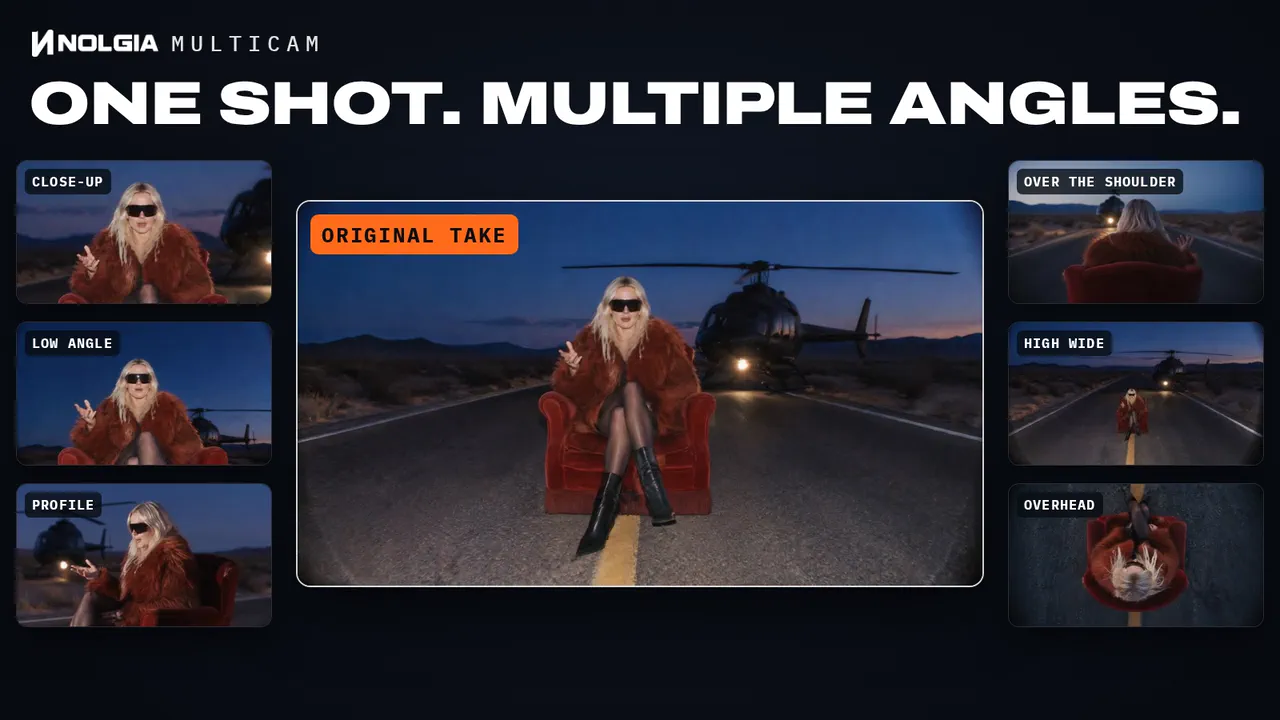
Ángulos de cámara con IA desde una sola toma, para videos musicales, escenas de diálogo, anuncios, películas de moda y entrevistas grabadas con una sola cámara. Shoot one locked-off take and get the coverage back: every angle you pick as its own full-length clip in sync with your original sound, plus a highlight edit cut between them.
- Ideal para
- Music videos, dialogue scenes, premium ads, fashion films, dance and interviews shot on one camera
- Resultado
- Video
- Tiempo
- A few minutes
- Créditos
- Priced on the Generate button
Multicam necesita un plan: Starter lo ejecuta en Wan 3.0, Pro y Studio en todos los modelos. Aproximadamente 68 créditos por 1 toma de un clip de 6 segundos en Wan 3.0 con calidad 720p. Crea una cuenta gratuita para abrir el compositor Multicam: empieza con 36 créditos, sin tarjeta, que cubren imágenes y video en Seedance 2.0 Mini.
Guiado: 2 pasos
Cómo usarlo
En el agente, estas son las preguntas que hace NOLGIA, una a una. El compositor de Multicam lo reúne todo en una sola pantalla.
Your take
Agrega un video desde tu dispositivo o tu Biblioteca. One locked-off shot, the master, with the sound you want to keep. Every angle comes back as its own clip of the whole take.
Which angle first?
Elige una. Open Multicam for every angle at once, the packs and your own angles.
- Low angle
- Extreme close-up
- Profile
- Overhead
- Wide
- Orbit
Crear
Con un clic en Crear se genera tu video y se guarda en tu Biblioteca. El precio aparece en el botón y no se ejecuta nada hasta que hagas clic. Tiempo estimado: a few minutes.
Sobre este preset
Multicam turns one locked-off take into the coverage you would have shot with more cameras. Add your take, let the scan find the cuts, pick a pack of angles or build your own, and press Generate.
Every angle, full length. Each angle you pick comes back as its own clip of the whole take, in sync with it and carrying your original sound, so the clips line up in any editor like cameras that rolled together. Download them all at once, or open them in Studio stacked over the original.
Plus a highlight edit. Multicam cuts between your angles on the take's own sentences and moves, over your original sound. It is made from your clips, so it is free.
Add an angle later. Pick more of ours or describe your own, and it renders from the same take so it lines up with the rest.
Packs for music videos, dialogue scenes, premium ads, fashion films, dance and interviews. The price for every angle at full length is on the Generate button before anything runs.
Casos de uso
- A music video from one performance take: low angle hero, extreme close-up, orbit and overhead
- Dialogue coverage from one wide: both close-ups, the reverse over the shoulder and an insert
- A premium ad from one product shot: macro detail, overhead, orbit and a low hero angle
- A fashion film or a dance piece with the angles a second and third camera would have caught
- A B-cam and close-ups for an interview shot on one camera
Ejemplos
Creados con este preset, con el prompt que hay detrás de cada uno. Usar este ejemplo abre el compositor de Multicam con los archivos y ajustes de ese ejemplo ya cargados. No se ejecuta nada hasta que hagas clic en Generar.
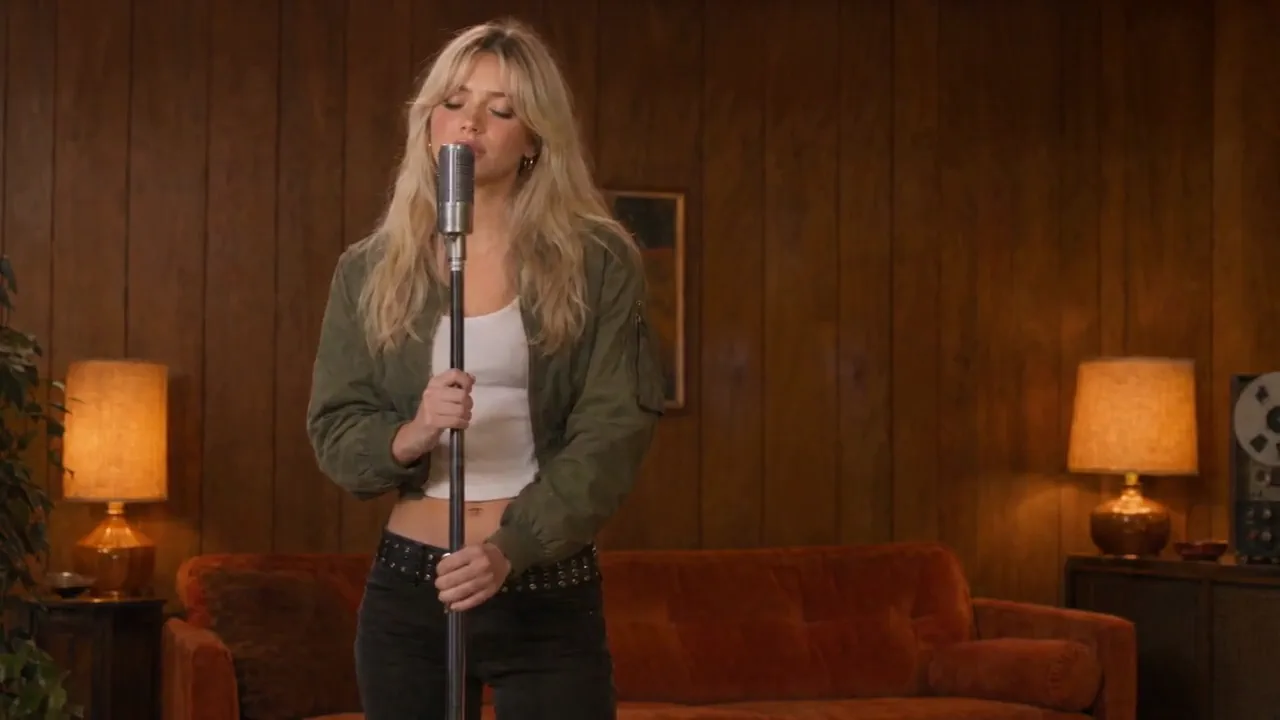
Auto pack on a 6 second take of a singer at the mic: Multicam read the scan and dealt a medium, a close-up and a wide across the cuts, then cut them over her own sound. Every angle also came back as its own full-length clip. The singer is fictional.
Settings: Auto pack, Seedance 2.5 at 720p, one 6 s locked-off take, 3 angles rendered full length (Medium, Close-up, Wide), highlight cut list 00:00 Medium / 00:01.9 Close-up / 00:03.6 Wide (end 00:06).
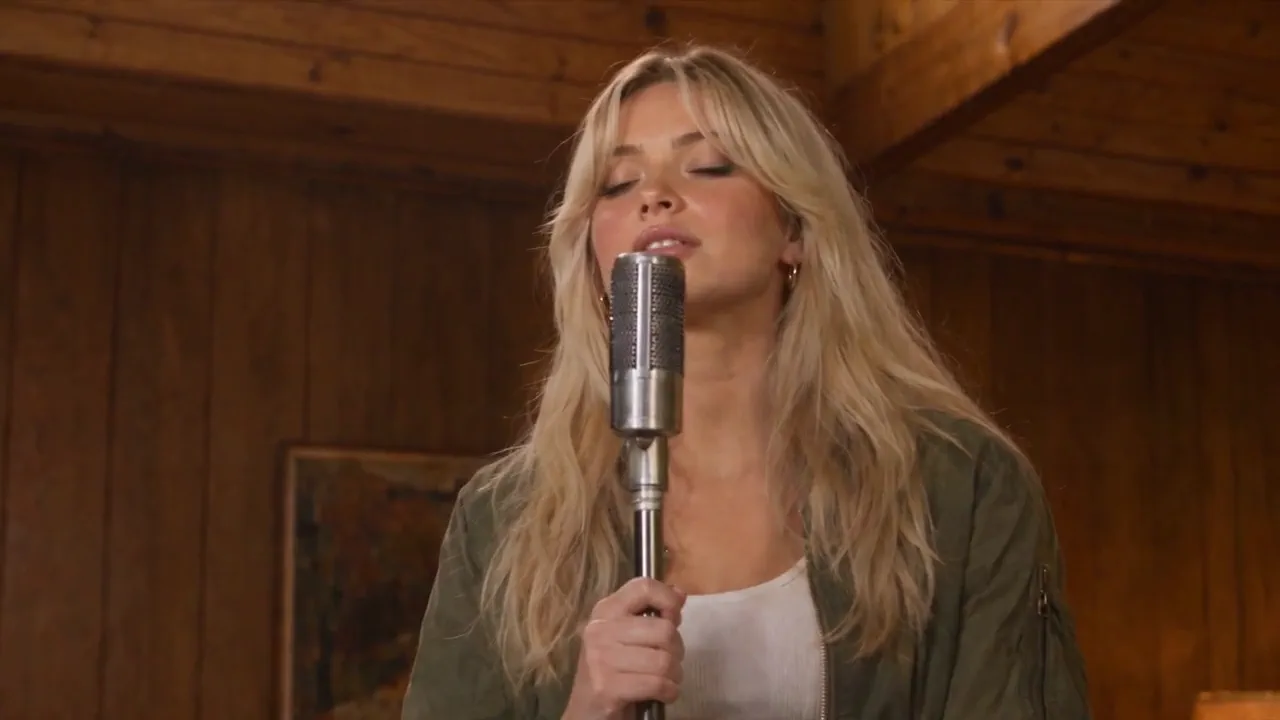
Music video pack on the same 6 second take: a low angle, an extreme close-up, an orbit, a wide, a slow push-in and an overhead, each back as its own full-length clip, with the low angle, the extreme close-up and the orbit cut over her own sound. The singer is fictional.
Settings: Music video pack, Seedance 2.5 at 720p, one 6 s locked-off take, 6 angles rendered full length (Low angle, Extreme close-up, Orbit, Wide, Slow push-in, Overhead), highlight cut list 00:00 Low angle / 00:01.9 Extreme close-up / 00:03.6 Orbit (end 00:06).
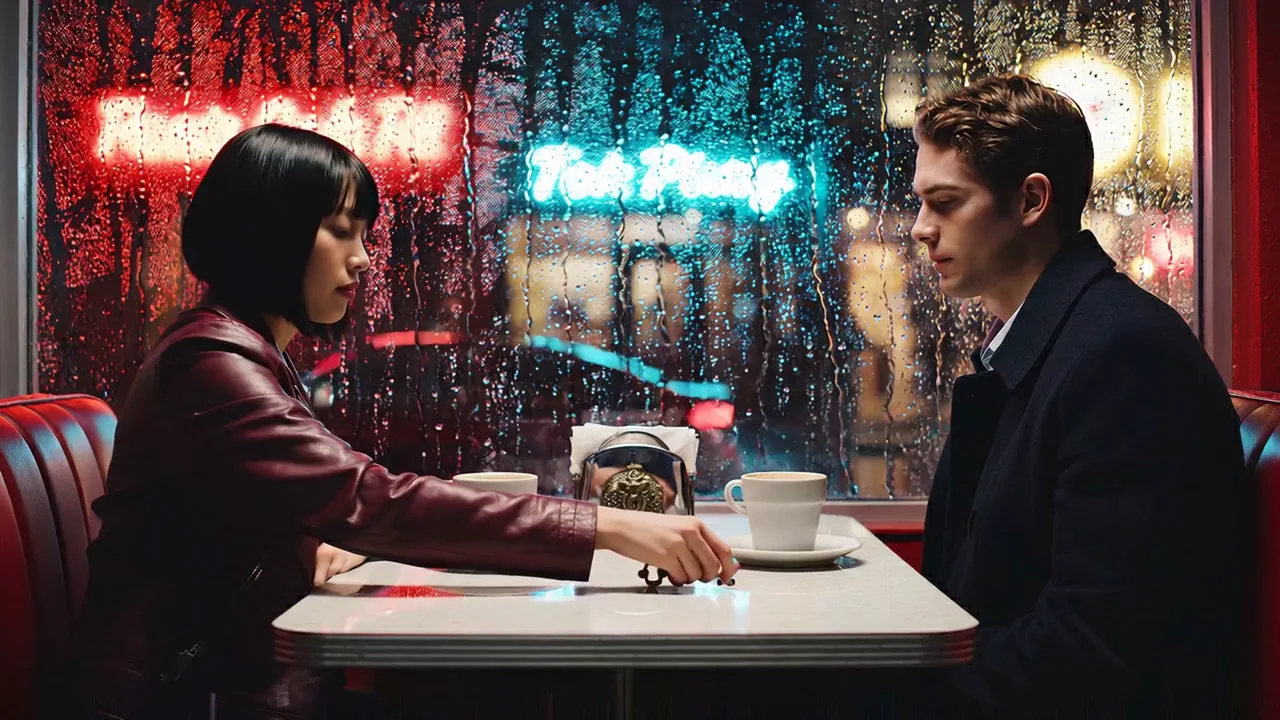
Scene coverage pack on an 8 second take in a diner at night: the wide, her close-up, the key, the reverse over her shoulder and his close-up, cut on the dialogue. Both characters are fictional.
Settings: Scene coverage pack, Seedance 2.5 at 720p, one 8 s locked-off take, 5 angles rendered full length (Wide, Close-up A, Close-up B, Over the shoulder, Insert), highlight cut list 00:00 Wide / 00:01.7 Close-up A / 00:03.7 Insert / 00:05.3 Over the shoulder / 00:06.6 Close-up B (end 00:08).
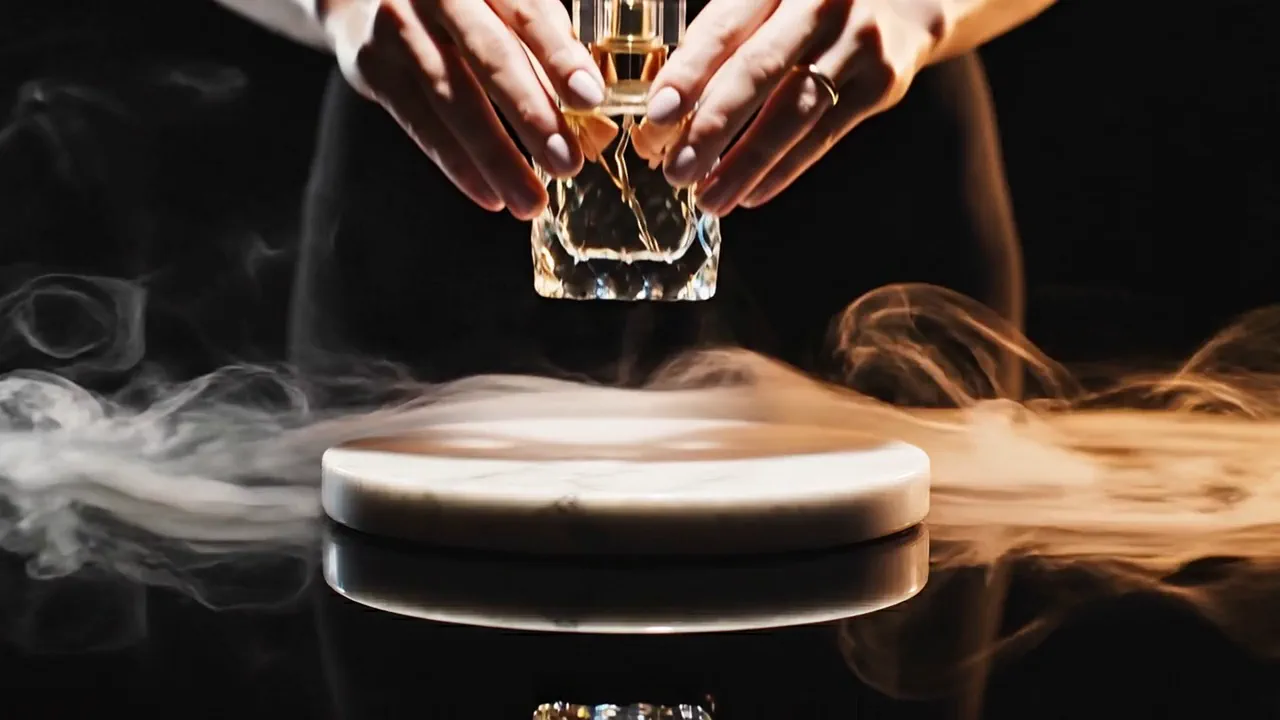
Premium ad pack on an 8 second take of hands setting a crystal perfume bottle on a marble plinth in smoke: the edit holds the master through the placement, then cuts to a high overhead looking down on the bottle as the hands leave. Hands and bottle are generated.
Settings: Premium ad pack, Seedance 2.5 at 720p, one 8 s locked-off take, 6 angles rendered full length (asked for: Macro detail, Slow push-in, Orbit, Overhead, Insert, Low angle), highlight cut list as asked 00:00 Macro detail / 00:02 Slow push-in / 00:03.5 Orbit / 00:05.2 Overhead (end 00:08). What came back: only the overhead is a second camera. On this product take the macro detail, slow push-in, orbit, insert and low angle kept the master's framing (the macro, push-in and orbit were re-rolled once each and kept it again), so the edit's first 5.2 s are the master.
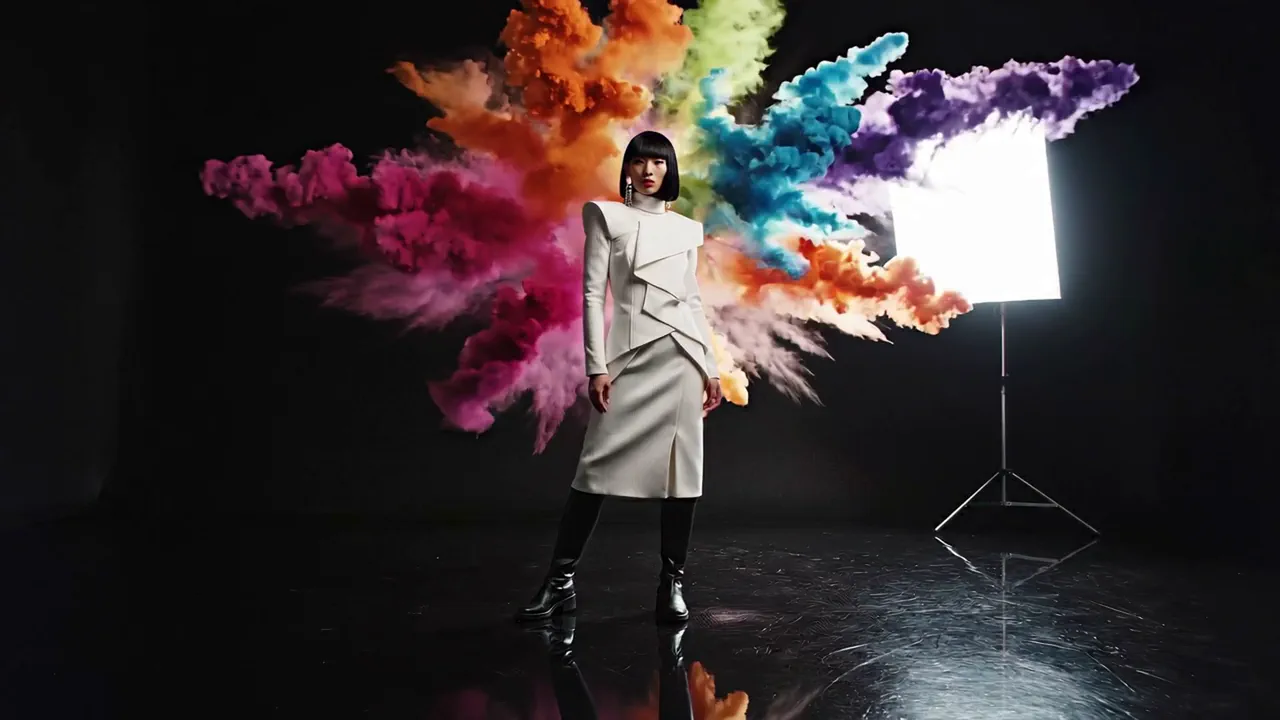
Fashion film pack on an 8 second take of a model in an ivory sculptural top as color powder bursts behind her: it opens on the master, then her profile, a low wide, a macro on the garment and a push-in to her face, over the take's sound. The model is fictional.
Settings: Fashion film pack, Seedance 2.5 at 720p, one 8 s locked-off take, 5 angles rendered full length (Wide, Profile, Low angle, Macro detail, Slow push-in), highlight cut list 00:00 Wide / 00:02.2 Profile / 00:04 Low angle / 00:06 Macro detail (end 00:08). The wide came back as the master's own framing and is labelled by what came back; the low angle came back as a low wide.
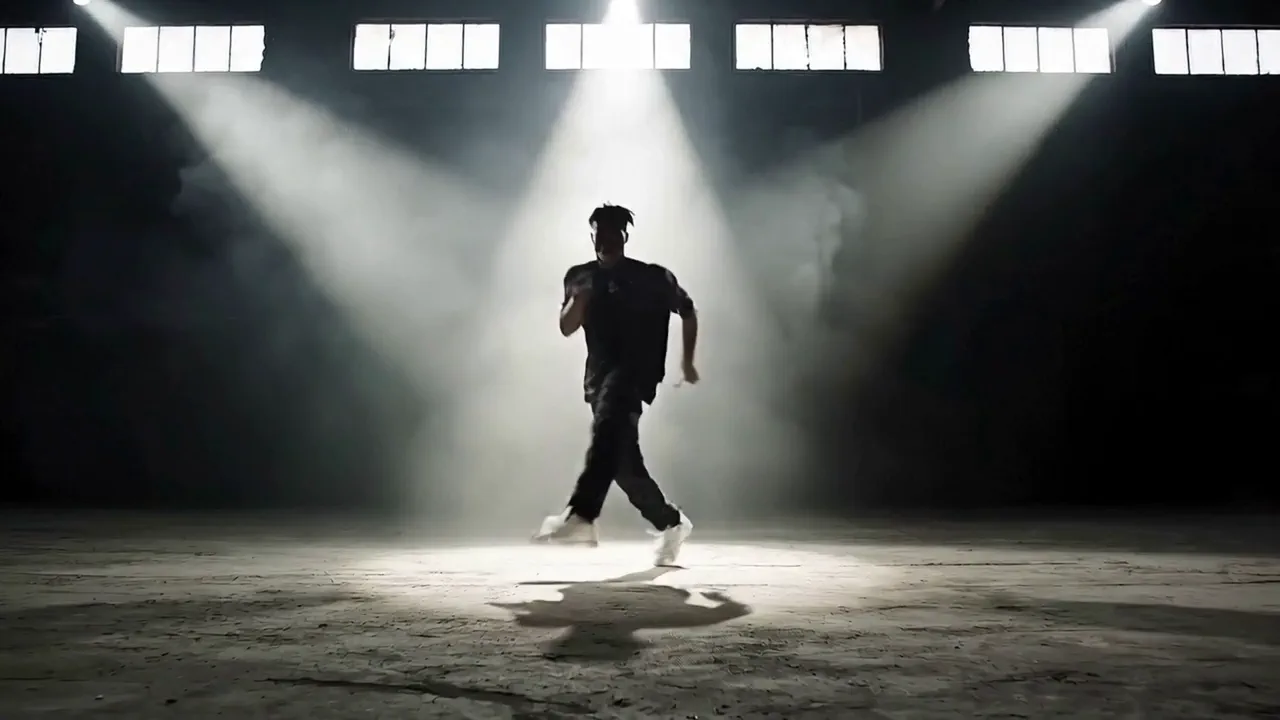
Performance or dance pack on a 6.5 second take of a dancer in a smoky warehouse: the master for the opening moves, then a cut to an overhead straight down on the routine as the dust flies. Every angle also came back as its own full-length clip. The dancer is fictional.
Settings: Performance or dance pack, Seedance 2.5 at 720p, one 6.5 s locked-off take, 5 angles rendered full length (Wide, Low angle, Overhead, Orbit, Handheld drift), highlight cut list 00:00 Wide / 00:02.2 Low angle / 00:04 Overhead (end 00:06.5). The wide, the low angle and the orbit came back as the master's own framing and are labelled by what came back; the handheld drift is a real follow but the edit's stretches were too short to cut it in.
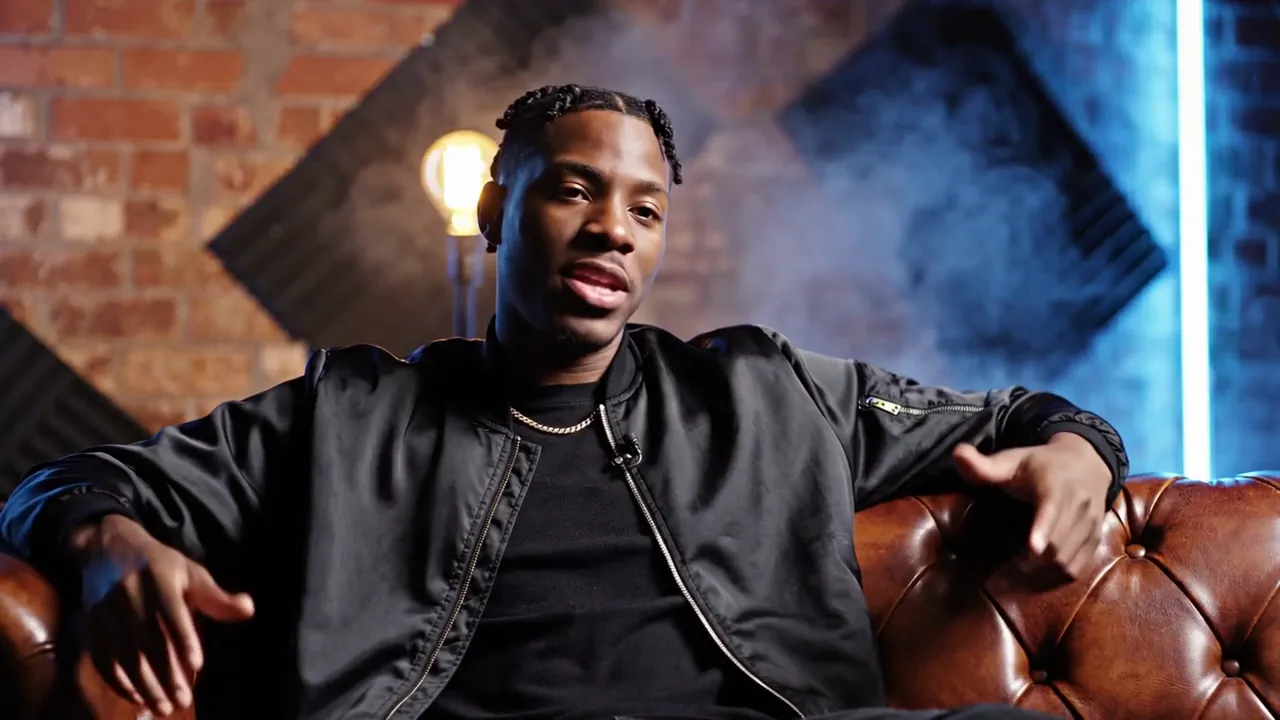
Interview or doc pack on an 8 second take of a music producer on a leather sofa: the A-cam medium, a three-quarter B-cam, his close-up, a second medium and the wide, cut on his sentences. The producer is fictional.
Settings: Interview or doc pack, Seedance 2.5 at 720p, one 8 s locked-off take, 5 angles rendered full length (Medium, Profile, Close-up, Over the shoulder, Wide), highlight cut list 00:00 Medium / 00:02 Profile / 00:03.5 Close-up / 00:05 Over the shoulder / 00:06.5 Wide (end 00:08). The profile came back as a three-quarter and the over-the-shoulder as a second medium; both are labelled by what came back.
Sugiéreme direcciones
Cuenta para qué lo estás haciendo y NOLGIA te sugiere algunas direcciones para Multicam: one take, every angle, cada una con un prompt y las opciones que ajusta. No se genera nada hasta que uses una.
Modelos que usa
El modelo que NOLGIA Agent usa en este preset. Inicia sesión para ver los costos en créditos y las capacidades en vivo del catálogo de modelos.
Seedance 2.5
video- Créditos por generación
- 66 credits per 5s clip
Funciona dentro del compositor de Multicam.
¿Todo listo para crear tu Multicam: one take, every angle?
Multicam necesita un plan: Starter lo ejecuta en Wan 3.0, Pro y Studio en todos los modelos.