Multicam: one take, every angle プリセット
1テイクからAIでカメラアングル生成
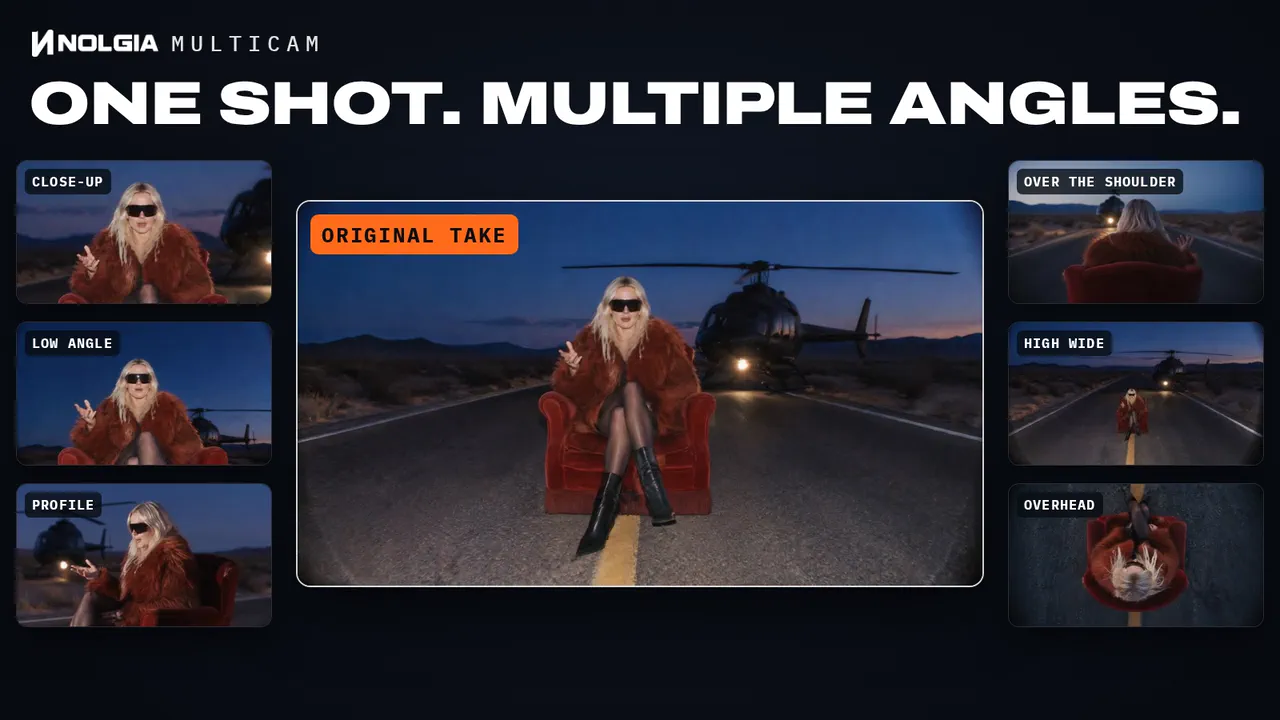
1台のカメラで撮影したミュージックビデオ、会話シーン、広告、ファッションフィルム、インタビュー向けに、1テイクからAIでカメラアングルを生成。 Shoot one locked-off take and get the coverage back: every angle you pick as its own full-length clip in sync with your original sound, plus a highlight edit cut between them.
- おすすめの用途
- Music videos, dialogue scenes, premium ads, fashion films, dance and interviews shot on one camera
- 出力
- 動画
- 時間
- A few minutes
- クレジット
- Priced on the Generate button
Multicam にはプランが必要です。Starter プランでは Wan 3.0 で実行でき、Pro と Studio プランではすべてのモデルで実行できます。 Wan 3.0 で 720p 画質の 6 秒のテイクを 1 ショット生成する場合、約 68 クレジット クレジット必要です。 Multicam コンポーザーを開くには無料アカウントを作成してください。カード登録は不要で、36 クレジットが付与され、画像生成や Seedance 2.0 Mini での動画生成に使用できます。
ガイド付き:2 ステップ
使い方
Agent では、NOLGIA がこれらの質問を 1 つずつ尋ねます。Multicam コンポーザーでは、すべてを 1 画面で入力できます。
Your take
デバイスかライブラリから動画 1 本を追加してください。 One locked-off shot, the master, with the sound you want to keep. Every angle comes back as its own clip of the whole take.
Which angle first?
1 つ選んでください。 Open Multicam for every angle at once, the packs and your own angles.
- Low angle
- Extreme close-up
- Profile
- Overhead
- Wide
- Orbit
作成
「作成」を 1 回押すだけで動画が作られ、ライブラリに保存されます。料金はボタンに表示され、押すまで何も実行されません。 所要時間は a few minutes です。
このプリセットについて
Multicam turns one locked-off take into the coverage you would have shot with more cameras. Add your take, let the scan find the cuts, pick a pack of angles or build your own, and press Generate.
Every angle, full length. Each angle you pick comes back as its own clip of the whole take, in sync with it and carrying your original sound, so the clips line up in any editor like cameras that rolled together. Download them all at once, or open them in Studio stacked over the original.
Plus a highlight edit. Multicam cuts between your angles on the take's own sentences and moves, over your original sound. It is made from your clips, so it is free.
Add an angle later. Pick more of ours or describe your own, and it renders from the same take so it lines up with the rest.
Packs for music videos, dialogue scenes, premium ads, fashion films, dance and interviews. The price for every angle at full length is on the Generate button before anything runs.
活用例
- A music video from one performance take: low angle hero, extreme close-up, orbit and overhead
- Dialogue coverage from one wide: both close-ups, the reverse over the shoulder and an insert
- A premium ad from one product shot: macro detail, overhead, orbit and a low hero angle
- A fashion film or a dance piece with the angles a second and third camera would have caught
- A B-cam and close-ups for an interview shot on one camera
作例
このプリセットで作った作例と、それぞれの裏側のプロンプト。 「この作例を使う」を押すと、その作例のファイルと設定が読み込まれた状態で Multicam コンポーザーが開きます。「生成」を押すまで何も実行されません。
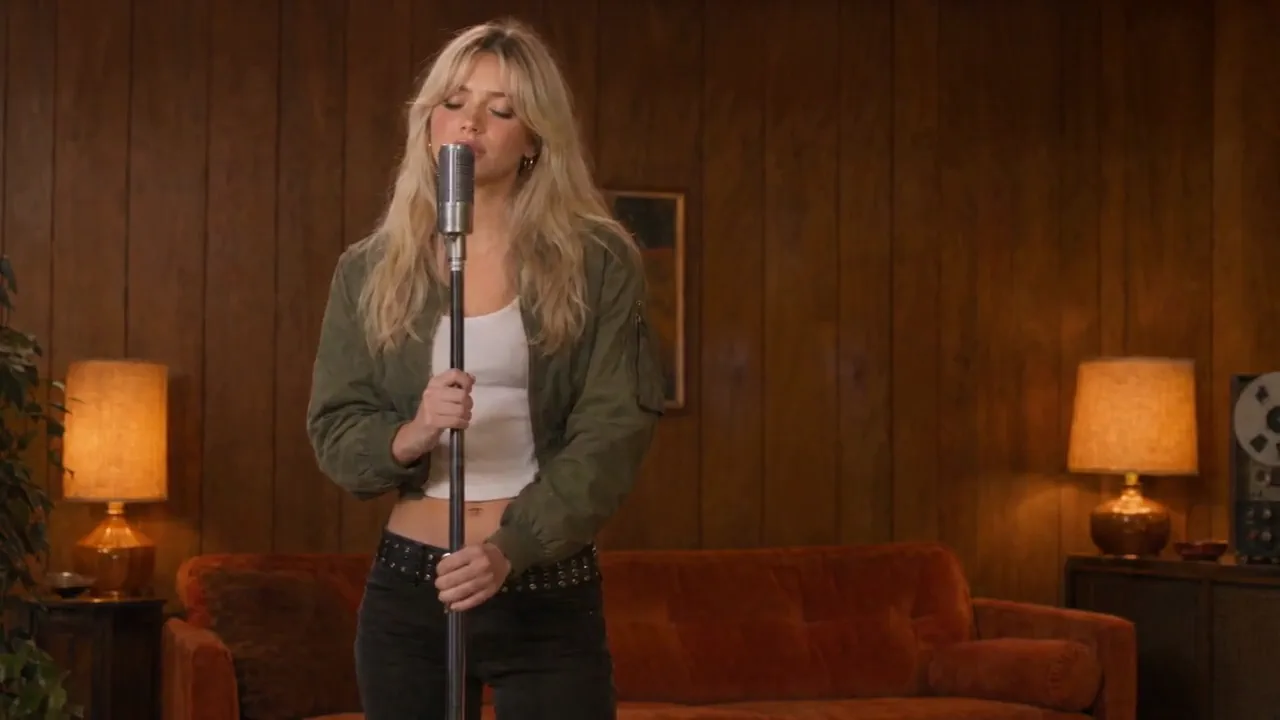
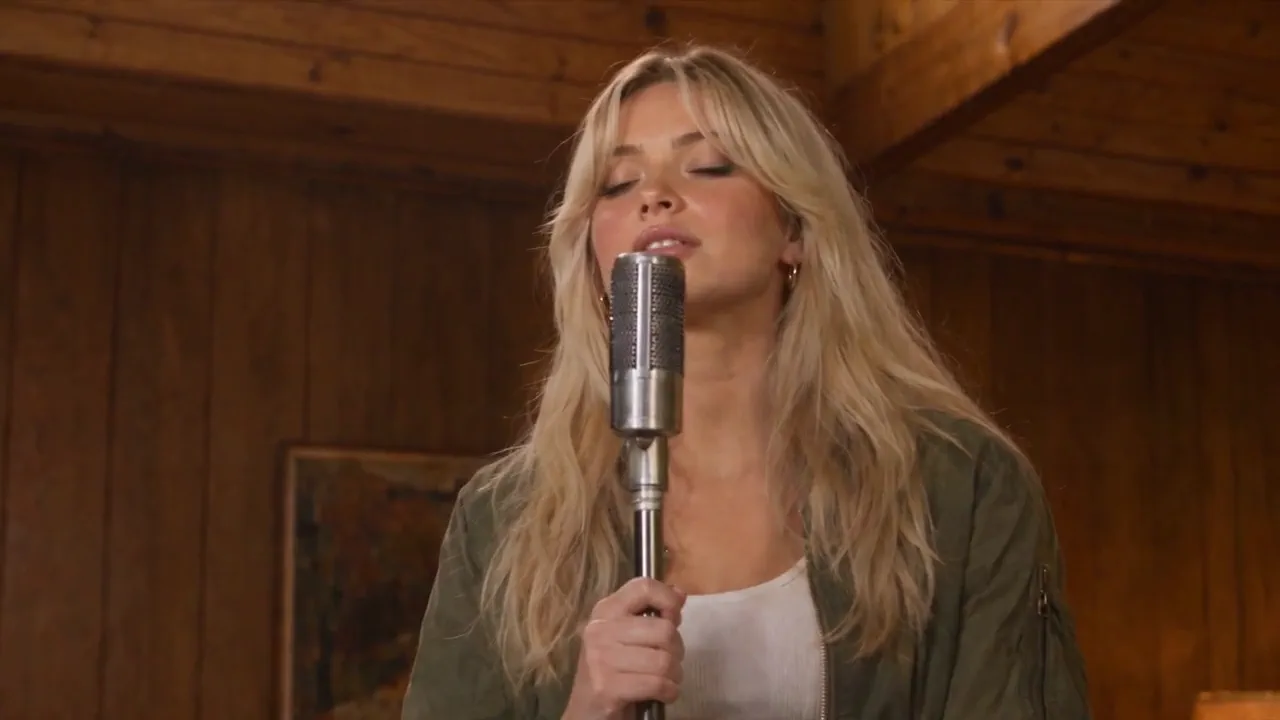
Auto pack on a 6 second take of a singer at the mic: Multicam read the scan and dealt a medium, a close-up and a wide across the cuts, then cut them over her own sound. Every angle also came back as its own full-length clip. The singer is fictional.
Settings: Auto pack, Seedance 2.5 at 720p, one 6 s locked-off take, 3 angles rendered full length (Medium, Close-up, Wide), highlight cut list 00:00 Medium / 00:01.9 Close-up / 00:03.6 Wide (end 00:06).
Music video pack on the same 6 second take: a low angle, an extreme close-up, an orbit, a wide, a slow push-in and an overhead, each back as its own full-length clip, with the low angle, the extreme close-up and the orbit cut over her own sound. The singer is fictional.
Settings: Music video pack, Seedance 2.5 at 720p, one 6 s locked-off take, 6 angles rendered full length (Low angle, Extreme close-up, Orbit, Wide, Slow push-in, Overhead), highlight cut list 00:00 Low angle / 00:01.9 Extreme close-up / 00:03.6 Orbit (end 00:06).
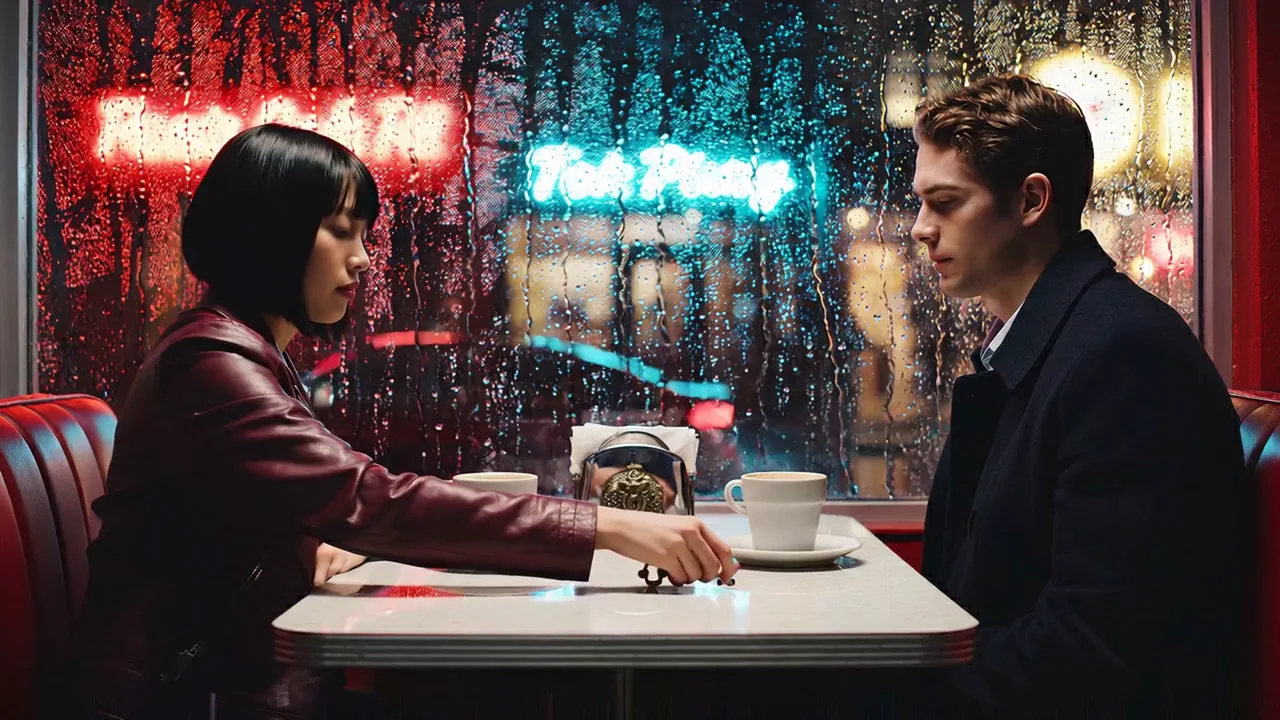
Scene coverage pack on an 8 second take in a diner at night: the wide, her close-up, the key, the reverse over her shoulder and his close-up, cut on the dialogue. Both characters are fictional.
Settings: Scene coverage pack, Seedance 2.5 at 720p, one 8 s locked-off take, 5 angles rendered full length (Wide, Close-up A, Close-up B, Over the shoulder, Insert), highlight cut list 00:00 Wide / 00:01.7 Close-up A / 00:03.7 Insert / 00:05.3 Over the shoulder / 00:06.6 Close-up B (end 00:08).
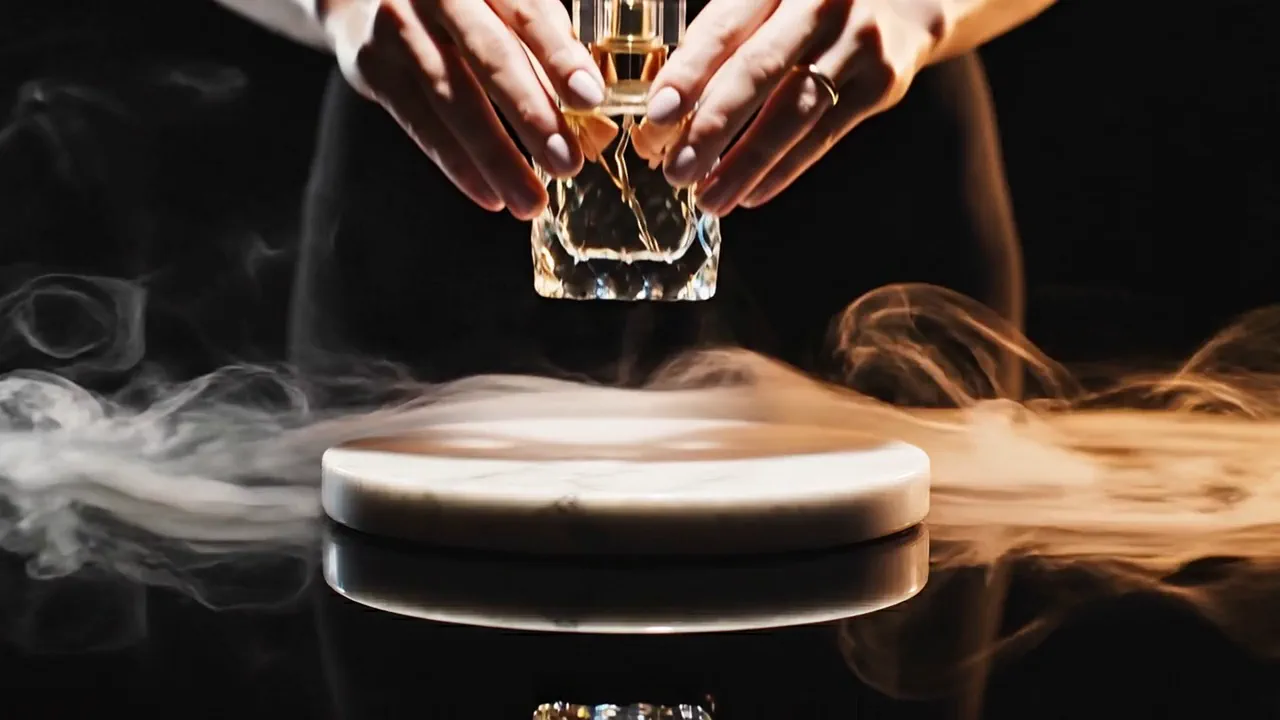
Premium ad pack on an 8 second take of hands setting a crystal perfume bottle on a marble plinth in smoke: the edit holds the master through the placement, then cuts to a high overhead looking down on the bottle as the hands leave. Hands and bottle are generated.
Settings: Premium ad pack, Seedance 2.5 at 720p, one 8 s locked-off take, 6 angles rendered full length (asked for: Macro detail, Slow push-in, Orbit, Overhead, Insert, Low angle), highlight cut list as asked 00:00 Macro detail / 00:02 Slow push-in / 00:03.5 Orbit / 00:05.2 Overhead (end 00:08). What came back: only the overhead is a second camera. On this product take the macro detail, slow push-in, orbit, insert and low angle kept the master's framing (the macro, push-in and orbit were re-rolled once each and kept it again), so the edit's first 5.2 s are the master.
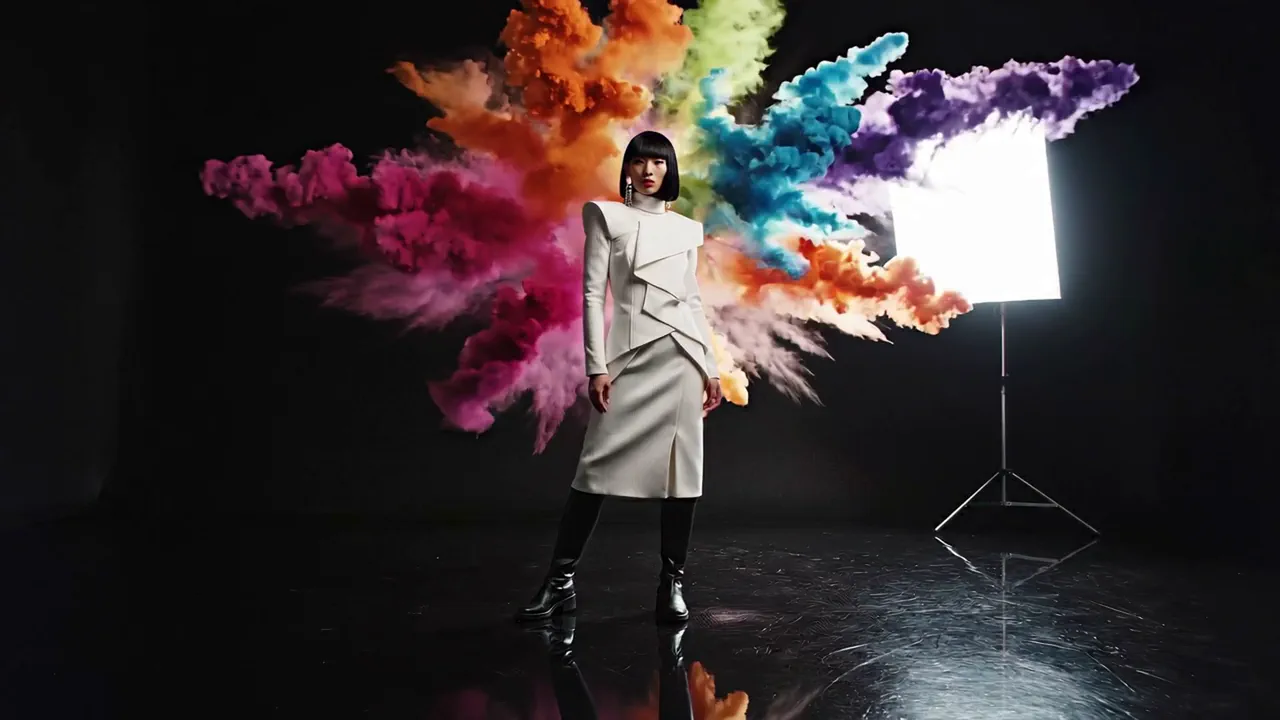
Fashion film pack on an 8 second take of a model in an ivory sculptural top as color powder bursts behind her: it opens on the master, then her profile, a low wide, a macro on the garment and a push-in to her face, over the take's sound. The model is fictional.
Settings: Fashion film pack, Seedance 2.5 at 720p, one 8 s locked-off take, 5 angles rendered full length (Wide, Profile, Low angle, Macro detail, Slow push-in), highlight cut list 00:00 Wide / 00:02.2 Profile / 00:04 Low angle / 00:06 Macro detail (end 00:08). The wide came back as the master's own framing and is labelled by what came back; the low angle came back as a low wide.
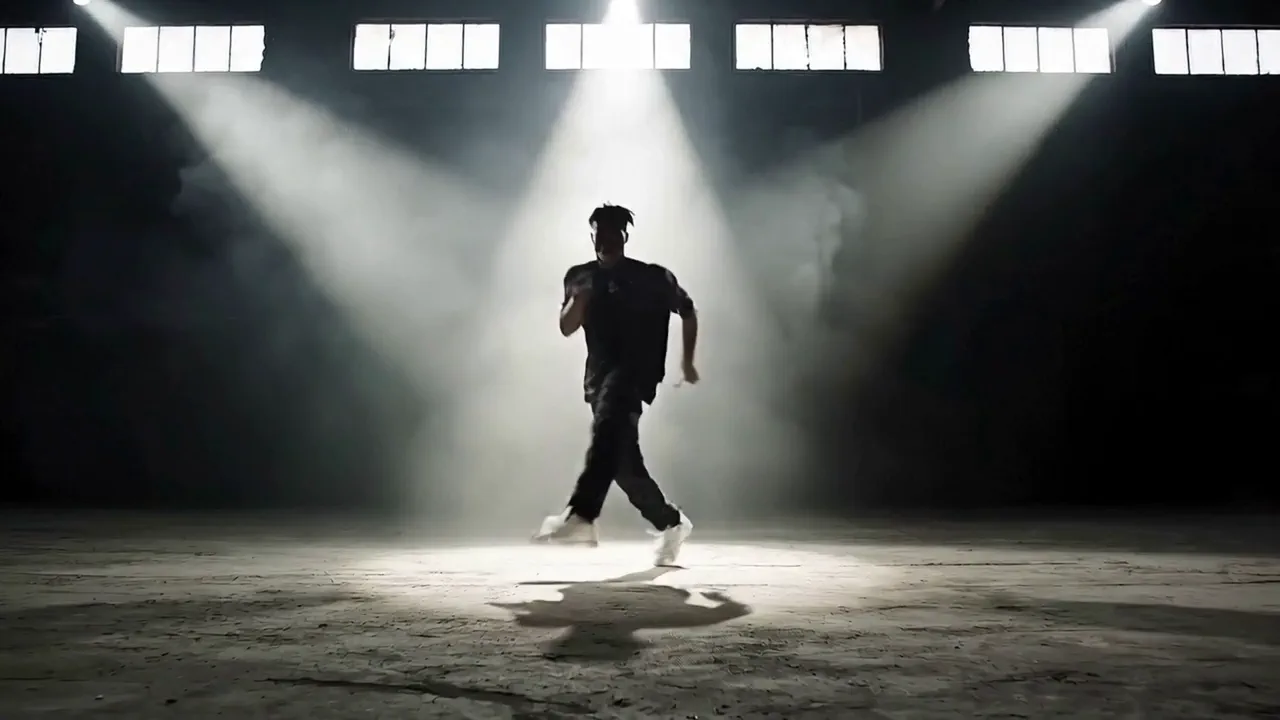
Performance or dance pack on a 6.5 second take of a dancer in a smoky warehouse: the master for the opening moves, then a cut to an overhead straight down on the routine as the dust flies. Every angle also came back as its own full-length clip. The dancer is fictional.
Settings: Performance or dance pack, Seedance 2.5 at 720p, one 6.5 s locked-off take, 5 angles rendered full length (Wide, Low angle, Overhead, Orbit, Handheld drift), highlight cut list 00:00 Wide / 00:02.2 Low angle / 00:04 Overhead (end 00:06.5). The wide, the low angle and the orbit came back as the master's own framing and are labelled by what came back; the handheld drift is a real follow but the edit's stretches were too short to cut it in.
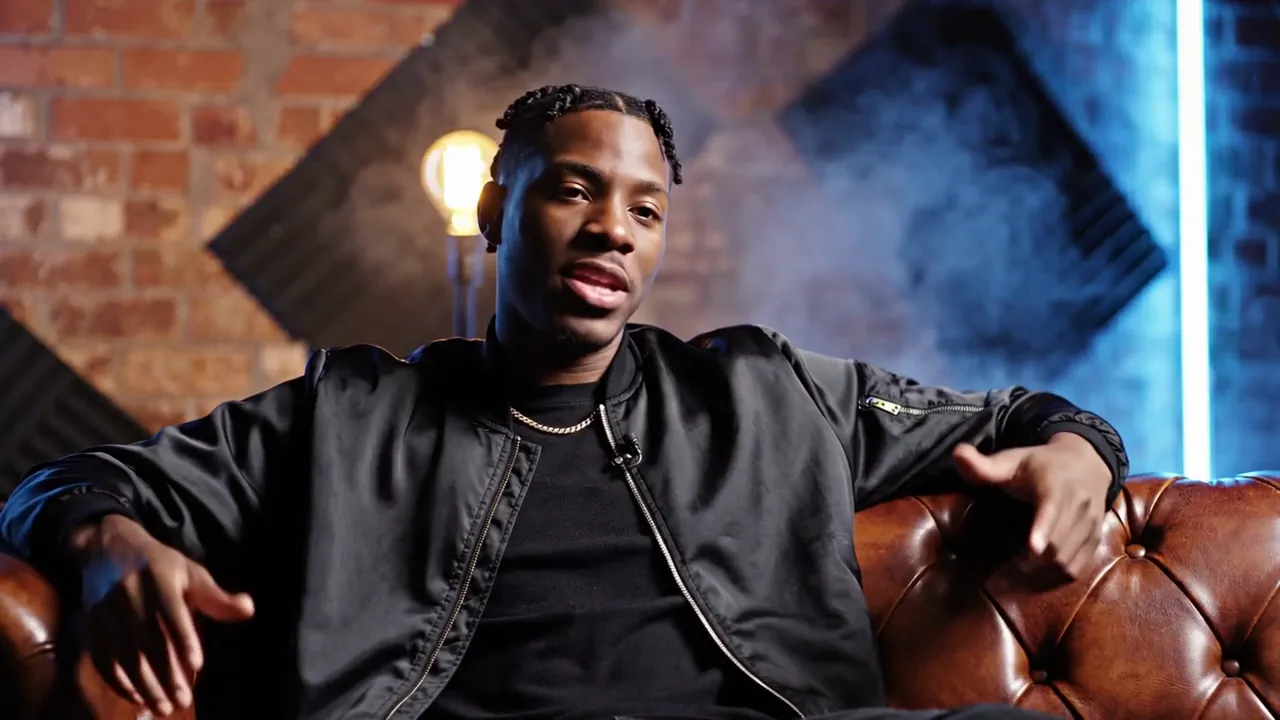
Interview or doc pack on an 8 second take of a music producer on a leather sofa: the A-cam medium, a three-quarter B-cam, his close-up, a second medium and the wide, cut on his sentences. The producer is fictional.
Settings: Interview or doc pack, Seedance 2.5 at 720p, one 8 s locked-off take, 5 angles rendered full length (Medium, Profile, Close-up, Over the shoulder, Wide), highlight cut list 00:00 Medium / 00:02 Profile / 00:03.5 Close-up / 00:05 Over the shoulder / 00:06.5 Wide (end 00:08). The profile came back as a three-quarter and the over-the-shoulder as a second medium; both are labelled by what came back.
方向性を提案
何に使うのかを伝えると、NOLGIA が Multicam: one take, every angle の方向性をいくつか提案します。それぞれにプロンプトと設定されるオプションが付きます。使うまで何も生成されません。
使用するモデル
このプリセットで NOLGIA Agent が使うモデル。 ログインすると、モデルカタログから最新のクレジット費用と機能を確認できます。
Seedance 2.5
video- 1 回の生成あたりのクレジット
- 66 credits per 5s clip
Multicam コンポーザーの中で動作します。
Multicam: one take, every angle を作ってみませんか?
Multicam にはプランが必要です。Starter プランでは Wan 3.0 で実行でき、Pro と Studio プランではすべてのモデルで実行できます。