Multicam: one take, every angle 프리셋
원 테이크에서 AI 카메라 앵글 생성
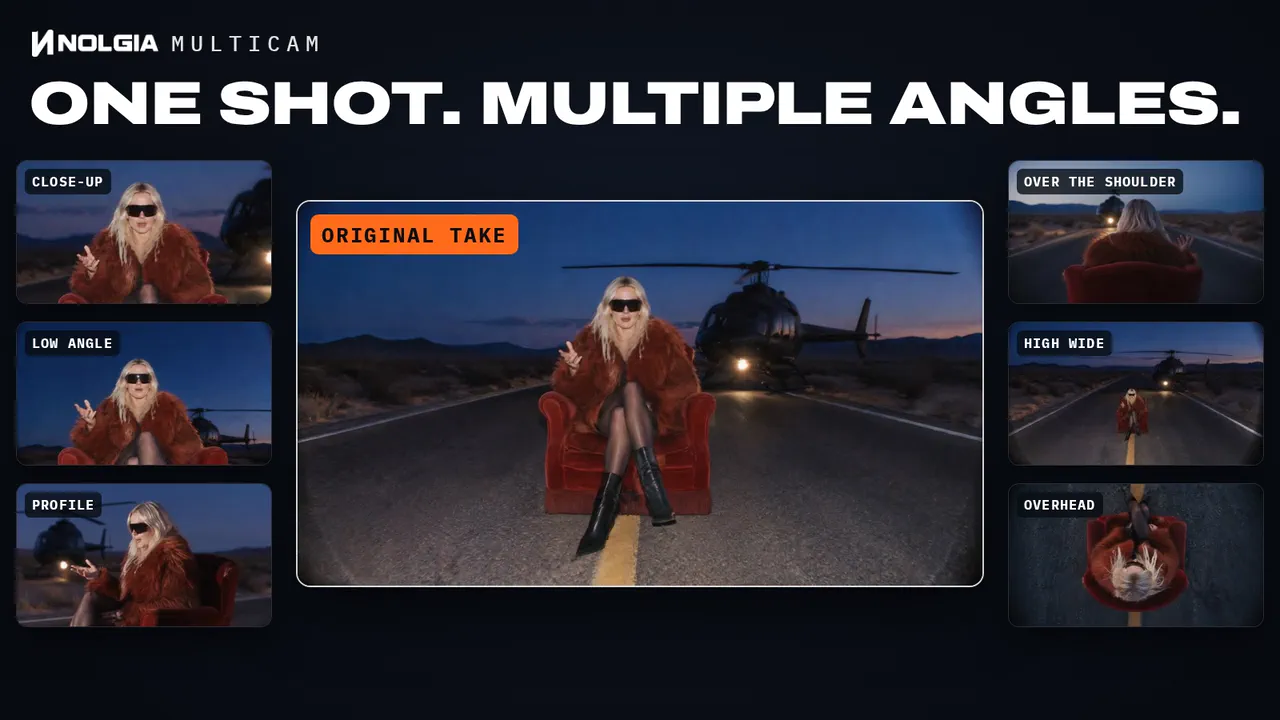
단일 카메라로 촬영한 뮤직비디오, 대화 장면, 광고, 패션 필름 및 인터뷰를 위한 원 테이크 AI 카메라 앵글 생성. Shoot one locked-off take and get the coverage back: every angle you pick as its own full-length clip in sync with your original sound, plus a highlight edit cut between them.
- 추천 용도
- Music videos, dialogue scenes, premium ads, fashion films, dance and interviews shot on one camera
- 결과물
- 동영상
- 시간
- A few minutes
- 크레딧
- Priced on the Generate button
Multicam을(를) 사용하려면 플랜이 필요합니다: Starter는 Wan 3.0에서 실행하며, Pro와 Studio는 모든 모델에서 실행할 수 있습니다. Wan 3.0에서 720p 품질로 6초 분량의 1개 샷을 생성하는 데 약 68 크레딧이(가) 소요됩니다. Multicam 컴포저를 열려면 무료 계정을 만드세요. 가입 시 36 크레딧이 지급되며 카드 등록이 필요 없습니다. 이 크레딧으로 이미지 생성과 Seedance 2.0 Mini에서의 영상 생성 비용을 결제할 수 있습니다.
가이드: 2단계
사용 방법
Agent에서는 NOLGIA가 이 질문을 하나씩 물어봐요. Multicam 컴포저는 모든 걸 한 화면에 보여 줘요.
Your take
기기나 라이브러리에서 동영상 1개 추가하세요. One locked-off shot, the master, with the sound you want to keep. Every angle comes back as its own clip of the whole take.
Which angle first?
하나를 고르세요. Open Multicam for every angle at once, the packs and your own angles.
- Low angle
- Extreme close-up
- Profile
- Overhead
- Wide
- Orbit
만들기
‘만들기’를 한 번 누르면 동영상 제작과 라이브러리 저장까지 끝나요. 가격은 버튼에 표시되고, 누르기 전에는 아무것도 실행하지 않아요. 소요 시간: a few minutes.
프리셋 소개
Multicam turns one locked-off take into the coverage you would have shot with more cameras. Add your take, let the scan find the cuts, pick a pack of angles or build your own, and press Generate.
Every angle, full length. Each angle you pick comes back as its own clip of the whole take, in sync with it and carrying your original sound, so the clips line up in any editor like cameras that rolled together. Download them all at once, or open them in Studio stacked over the original.
Plus a highlight edit. Multicam cuts between your angles on the take's own sentences and moves, over your original sound. It is made from your clips, so it is free.
Add an angle later. Pick more of ours or describe your own, and it renders from the same take so it lines up with the rest.
Packs for music videos, dialogue scenes, premium ads, fashion films, dance and interviews. The price for every angle at full length is on the Generate button before anything runs.
활용 사례
- A music video from one performance take: low angle hero, extreme close-up, orbit and overhead
- Dialogue coverage from one wide: both close-ups, the reverse over the shoulder and an insert
- A premium ad from one product shot: macro detail, overhead, orbit and a low hero angle
- A fashion film or a dance piece with the angles a second and third camera would have caught
- A B-cam and close-ups for an interview shot on one camera
예시
이 프리셋으로 만든 결과물과 각각의 프롬프트예요. ‘이 예시 사용’을 누르면 해당 예시의 파일과 설정이 불러와진 Multicam 컴포저가 열려요. ‘생성’을 누르기 전에는 아무것도 실행하지 않아요.
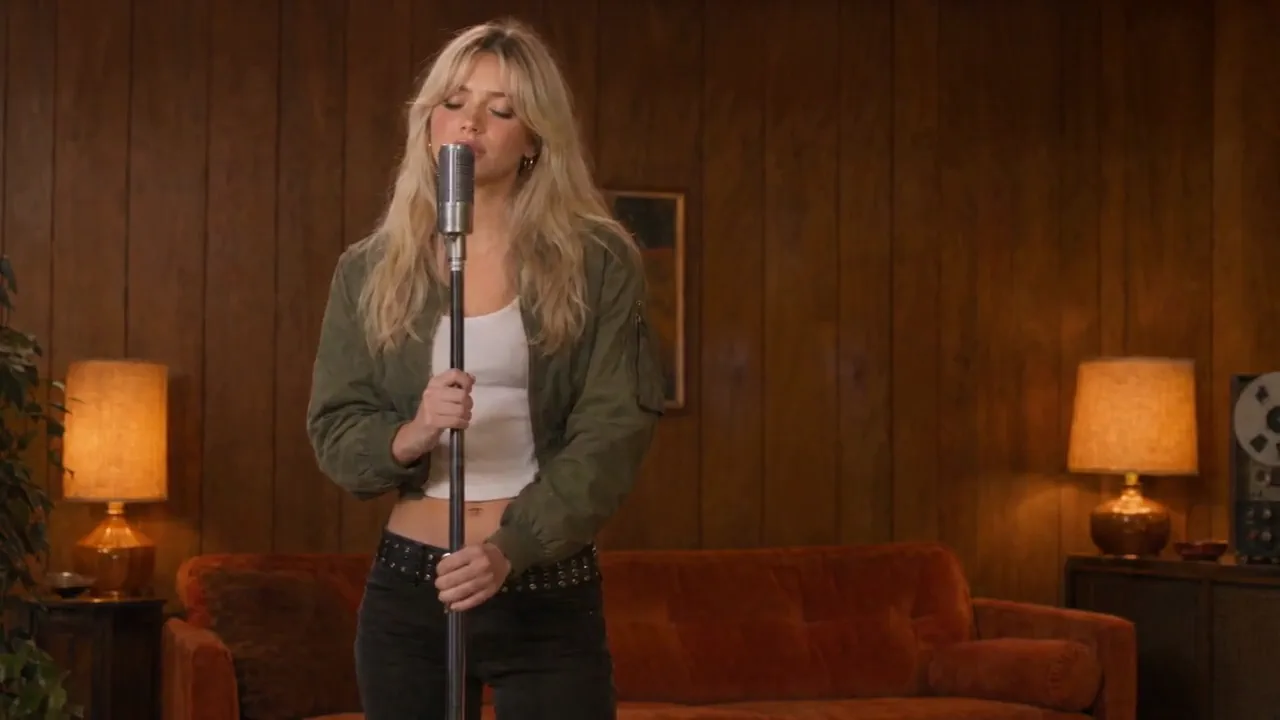
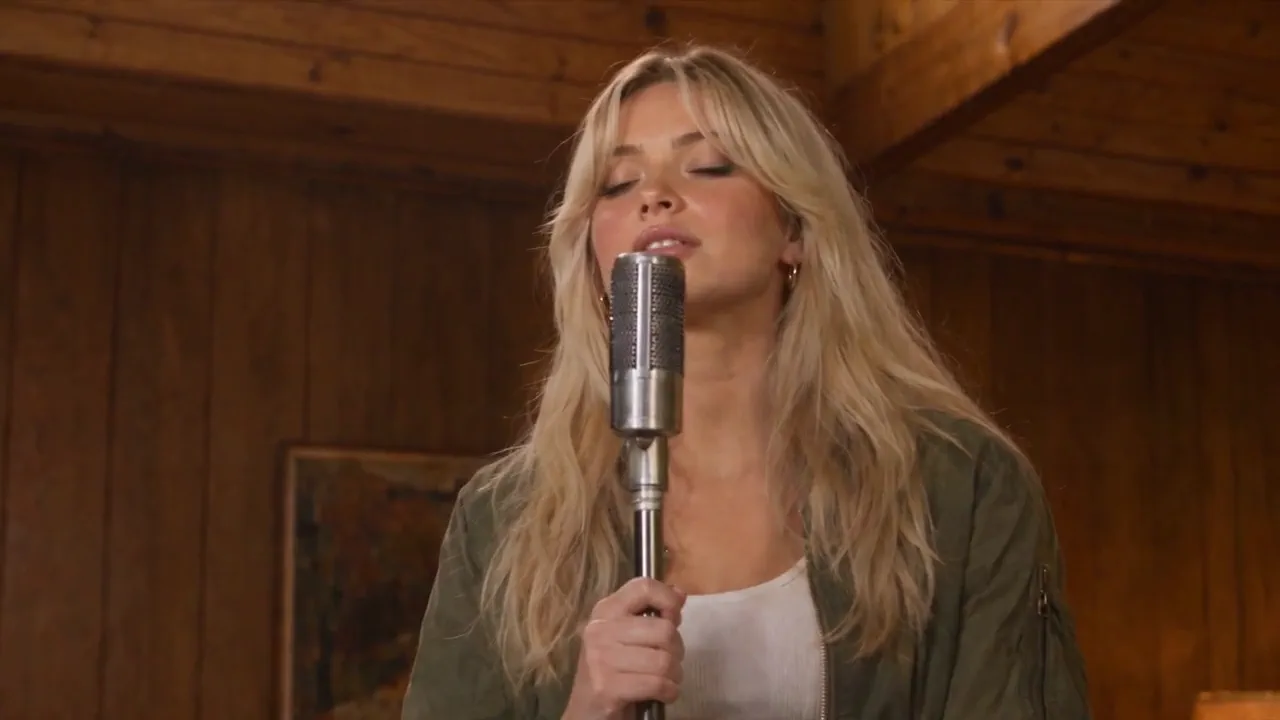
Auto pack on a 6 second take of a singer at the mic: Multicam read the scan and dealt a medium, a close-up and a wide across the cuts, then cut them over her own sound. Every angle also came back as its own full-length clip. The singer is fictional.
Settings: Auto pack, Seedance 2.5 at 720p, one 6 s locked-off take, 3 angles rendered full length (Medium, Close-up, Wide), highlight cut list 00:00 Medium / 00:01.9 Close-up / 00:03.6 Wide (end 00:06).
Music video pack on the same 6 second take: a low angle, an extreme close-up, an orbit, a wide, a slow push-in and an overhead, each back as its own full-length clip, with the low angle, the extreme close-up and the orbit cut over her own sound. The singer is fictional.
Settings: Music video pack, Seedance 2.5 at 720p, one 6 s locked-off take, 6 angles rendered full length (Low angle, Extreme close-up, Orbit, Wide, Slow push-in, Overhead), highlight cut list 00:00 Low angle / 00:01.9 Extreme close-up / 00:03.6 Orbit (end 00:06).
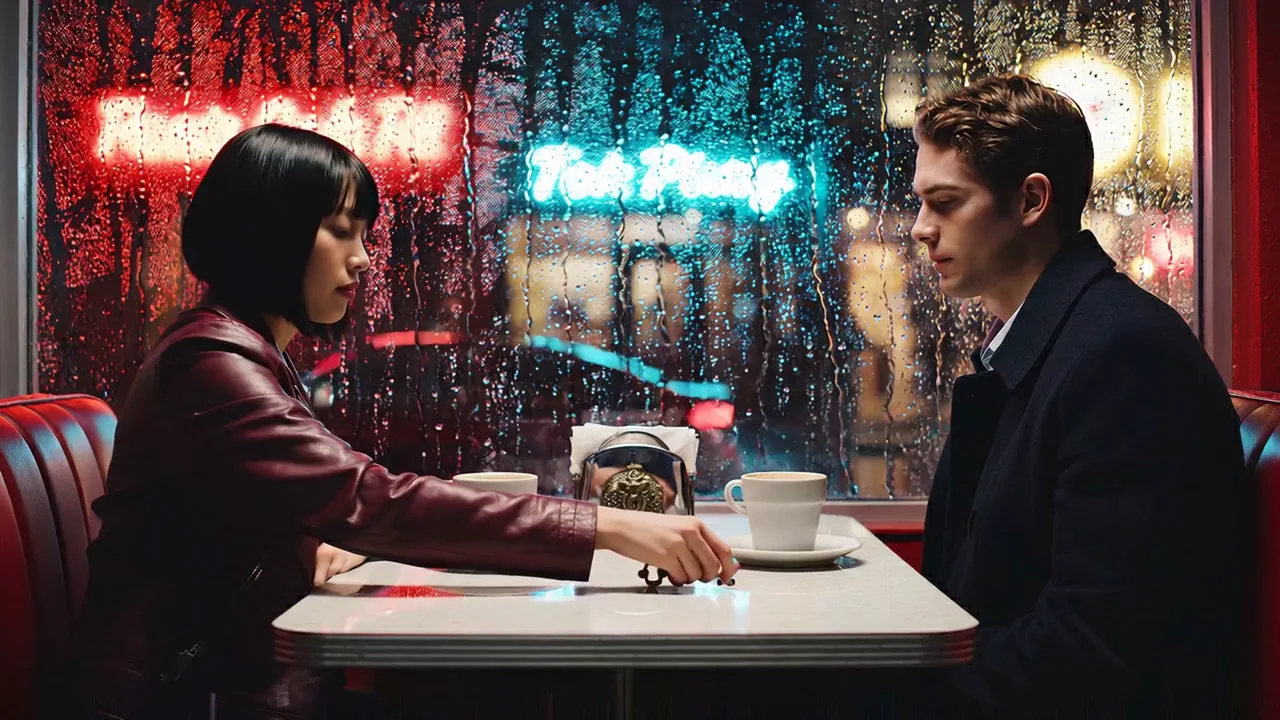
Scene coverage pack on an 8 second take in a diner at night: the wide, her close-up, the key, the reverse over her shoulder and his close-up, cut on the dialogue. Both characters are fictional.
Settings: Scene coverage pack, Seedance 2.5 at 720p, one 8 s locked-off take, 5 angles rendered full length (Wide, Close-up A, Close-up B, Over the shoulder, Insert), highlight cut list 00:00 Wide / 00:01.7 Close-up A / 00:03.7 Insert / 00:05.3 Over the shoulder / 00:06.6 Close-up B (end 00:08).
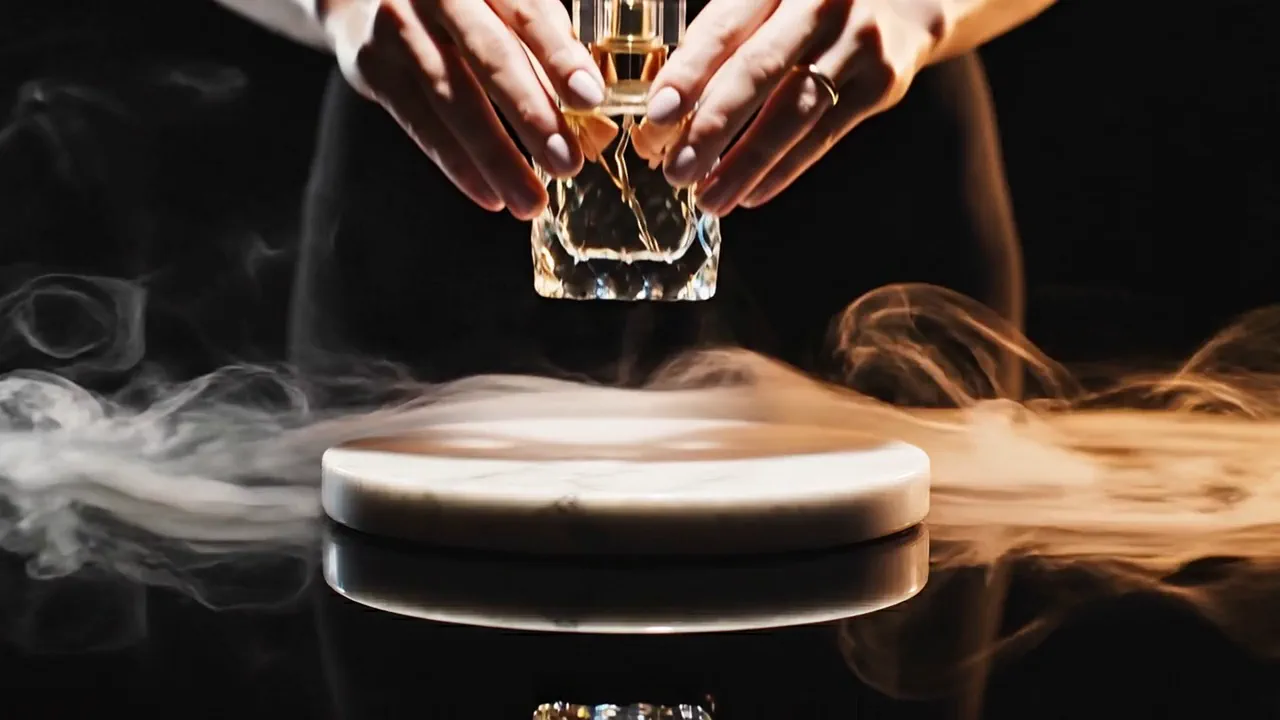
Premium ad pack on an 8 second take of hands setting a crystal perfume bottle on a marble plinth in smoke: the edit holds the master through the placement, then cuts to a high overhead looking down on the bottle as the hands leave. Hands and bottle are generated.
Settings: Premium ad pack, Seedance 2.5 at 720p, one 8 s locked-off take, 6 angles rendered full length (asked for: Macro detail, Slow push-in, Orbit, Overhead, Insert, Low angle), highlight cut list as asked 00:00 Macro detail / 00:02 Slow push-in / 00:03.5 Orbit / 00:05.2 Overhead (end 00:08). What came back: only the overhead is a second camera. On this product take the macro detail, slow push-in, orbit, insert and low angle kept the master's framing (the macro, push-in and orbit were re-rolled once each and kept it again), so the edit's first 5.2 s are the master.
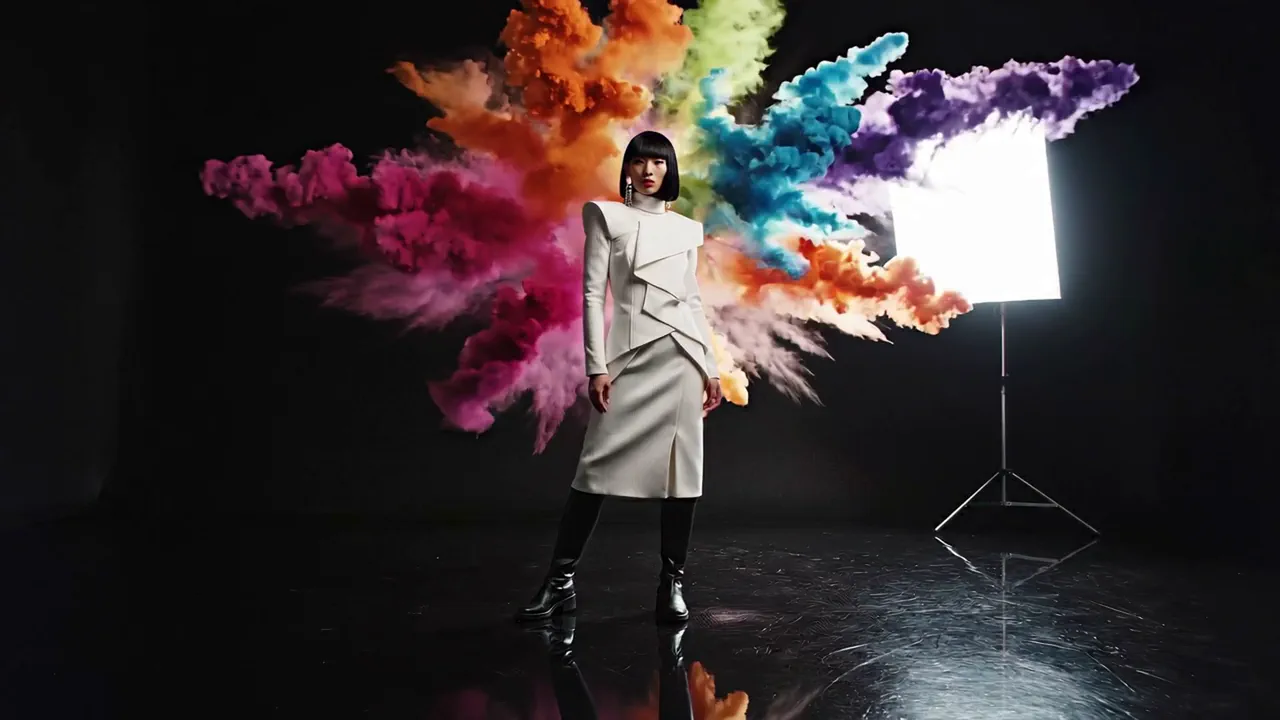
Fashion film pack on an 8 second take of a model in an ivory sculptural top as color powder bursts behind her: it opens on the master, then her profile, a low wide, a macro on the garment and a push-in to her face, over the take's sound. The model is fictional.
Settings: Fashion film pack, Seedance 2.5 at 720p, one 8 s locked-off take, 5 angles rendered full length (Wide, Profile, Low angle, Macro detail, Slow push-in), highlight cut list 00:00 Wide / 00:02.2 Profile / 00:04 Low angle / 00:06 Macro detail (end 00:08). The wide came back as the master's own framing and is labelled by what came back; the low angle came back as a low wide.
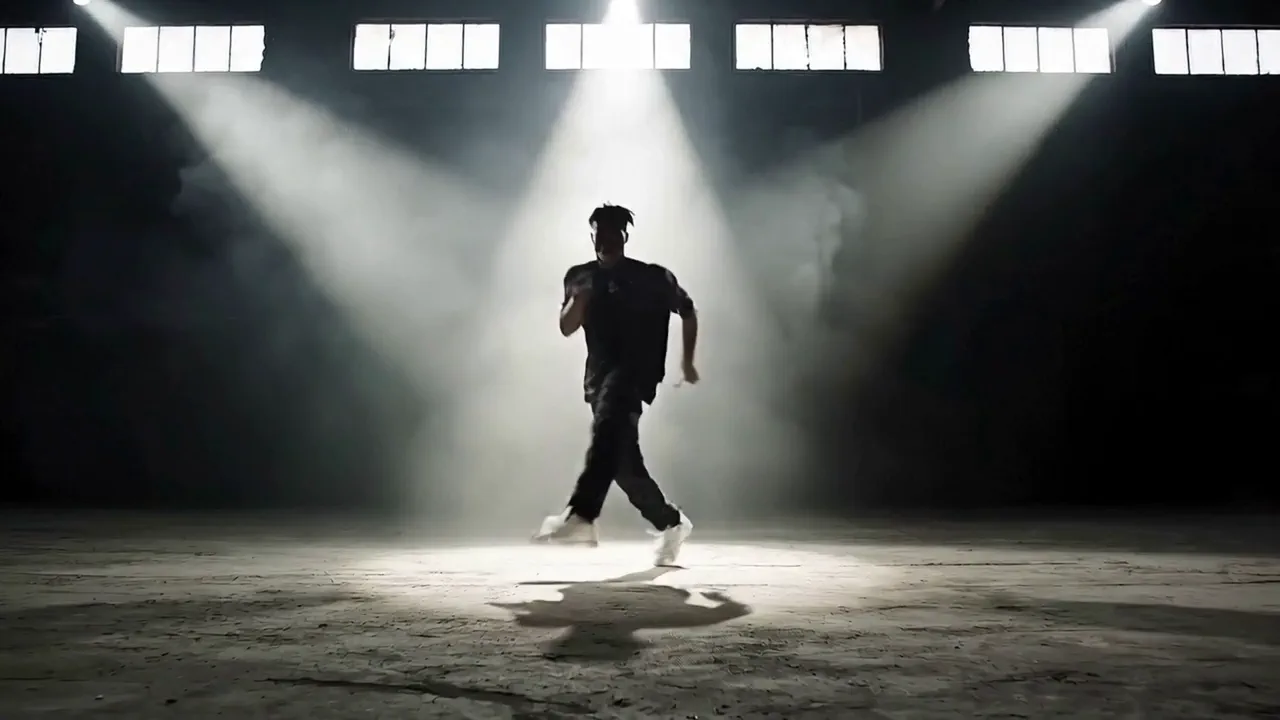
Performance or dance pack on a 6.5 second take of a dancer in a smoky warehouse: the master for the opening moves, then a cut to an overhead straight down on the routine as the dust flies. Every angle also came back as its own full-length clip. The dancer is fictional.
Settings: Performance or dance pack, Seedance 2.5 at 720p, one 6.5 s locked-off take, 5 angles rendered full length (Wide, Low angle, Overhead, Orbit, Handheld drift), highlight cut list 00:00 Wide / 00:02.2 Low angle / 00:04 Overhead (end 00:06.5). The wide, the low angle and the orbit came back as the master's own framing and are labelled by what came back; the handheld drift is a real follow but the edit's stretches were too short to cut it in.
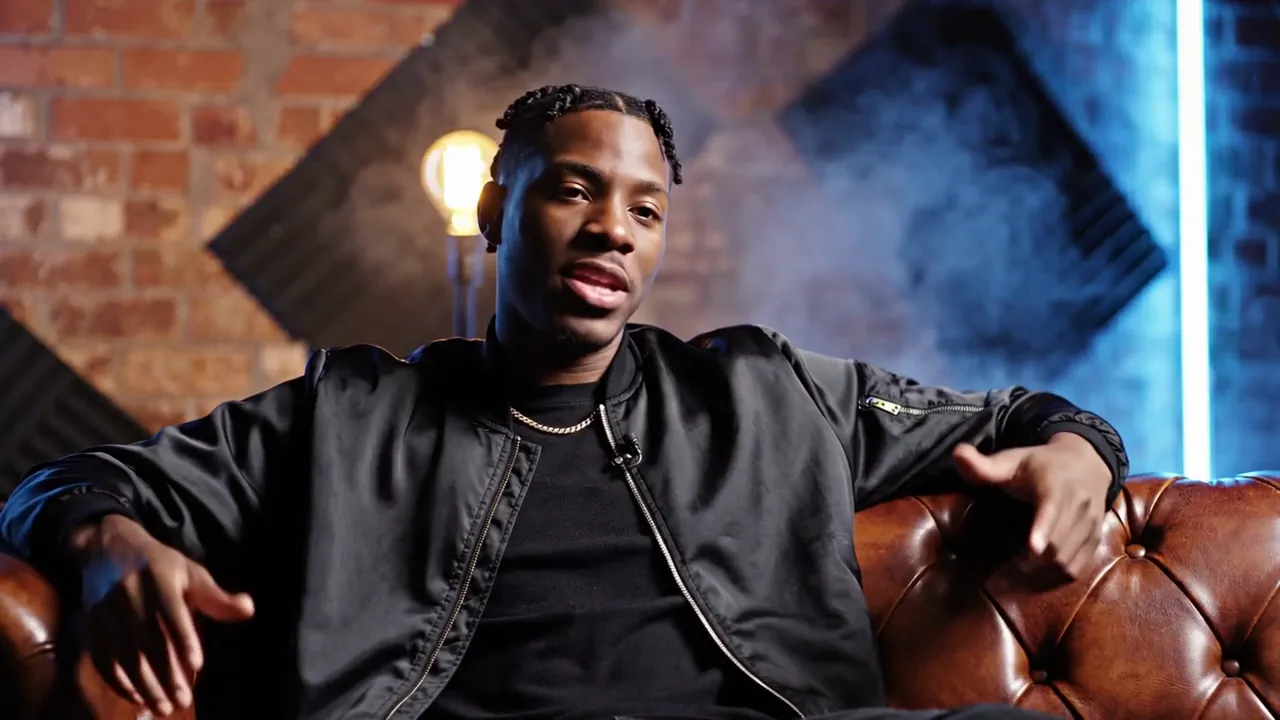
Interview or doc pack on an 8 second take of a music producer on a leather sofa: the A-cam medium, a three-quarter B-cam, his close-up, a second medium and the wide, cut on his sentences. The producer is fictional.
Settings: Interview or doc pack, Seedance 2.5 at 720p, one 8 s locked-off take, 5 angles rendered full length (Medium, Profile, Close-up, Over the shoulder, Wide), highlight cut list 00:00 Medium / 00:02 Profile / 00:03.5 Close-up / 00:05 Over the shoulder / 00:06.5 Wide (end 00:08). The profile came back as a three-quarter and the over-the-shoulder as a second medium; both are labelled by what came back.
디렉션 제안받기
무엇을 위해 만드는지 말하면 NOLGIA가 Multicam: one take, every angle 프리셋의 디렉션을 몇 가지 제안해요. 각각 프롬프트와 설정 옵션이 담겨 있어요. 하나를 사용하기 전에는 아무것도 생성하지 않아요.
사용하는 모델
이 프리셋에서 NOLGIA Agent가 쓰는 모델이에요. 로그인하면 모델 카탈로그의 실시간 크레딧 비용과 기능을 볼 수 있어요.
Seedance 2.5
video- 생성당 크레딧
- 66 credits per 5s clip
Multicam 컴포저 안에서 실행돼요.
Multicam: one take, every angle, 만들 준비 되셨나요?
Multicam을(를) 사용하려면 플랜이 필요합니다: Starter는 Wan 3.0에서 실행하며, Pro와 Studio는 모든 모델에서 실행할 수 있습니다.