

Run an ad campaign end to end from Claude Code with MCP
You do not open a composer. You tell Claude Code what the campaign needs, it calls the NOLGIA tools, and the creatives land in a project you can open on the site.
- 8 min read
- Updated
You run a small ad campaign from Claude Code by connecting it to NOLGIA's MCP server and asking for the campaign in plain words. Claude Code creates a project, opens the hero image you approved, makes each creative from that hero with the image to image tool, renders every creative in the sizes you name, and files the results into the project. You review the images on the project page or in your Library, and nothing in the loop needs a composer open.
Everything below is one real session on a fictional product: matte black headphones with an orange light ring. The tool calls are printed as Claude Code made them, the images are what came back, and the prices come from the live catalog when this page loads. Setting up the connection is covered in Generate from Claude Code or Cursor with MCP; this guide starts after that.
What goes wrong, and the fix
| Mistake | Why it hurts | Fix |
|---|---|---|
| Asking for all six images in one line | The agent generates before the product is agreed, and you pay for six wrong ones | Approve the hero first, then fan out |
| Describing the product again for every creative | Each description drifts and the product changes shape | Make the creatives from the approved hero with image to image, so the reference travels |
| Skipping the project | Six assets land loose in the Library with nothing tying them together | Create the project first and pass its id on every generation |
| Reading the wallet balance as a receipt | On an account other people use, the balance moves for reasons outside the session, so a price inferred from it can be several times too high | Give the agent the ceiling and the per image rate up front, and read the ledger, not the balance |
| Retrying a call that timed out | The first call usually finished on the server; a blind retry is a second image | A retry of the same request gets a 409 within five minutes and is not billed twice; find the result with the assets tool |
Before you start
- Claude Code connected to NOLGIA with a Personal Access Token, per the MCP guide.
- Credits in your top-up balance: a token spends top-up credits only.
- An approved hero image of the product in your Library. Ours is a fictional product, made with GPT Image 2.5 Flare.
- A short brief with the model, the sizes and the ceiling. Ours: three creatives, 1:1 and 9:16, at most eighty credits, with the per image rate stated.
Brief Claude Code
One message carries the whole job: the product, the hero's asset id, the model, the three creatives, the two sizes, the filing rule, the ceiling with the per image rate, and how many calls may run at once. We also told it which tools to use and to leave the model list alone, because we were naming the model ourselves.
You are running a small ad campaign for me on NOLGIA through the nolgia MCP tools. Work only with those tools; do not run shell commands and do not call nolgia_list_models (I am telling you the model).

The product is fictional: matte black over-ear headphones with a thin glowing orange light ring on each ear cup. The approved hero image already exists in my library as asset 74391fde-9c67-44aa-a298-aa090f8d7949.

Do this, in order, and tell me each tool call you make and what came back (ids, sizes, credits):
1. Create a project named "Orange Ring campaign 2" with a one-line description.
2. Open the hero asset with nolgia_get_asset so you know what it looks like, and file it into the project.
3. Make three creatives from the hero with nolgia_image_to_image on the model gpt-image-2.5-flare, using the hero as the reference image so the product stays the same, each in two sizes, aspect ratio 1:1 and 9:16, so six images in total, every one filed into the project by passing the project id:
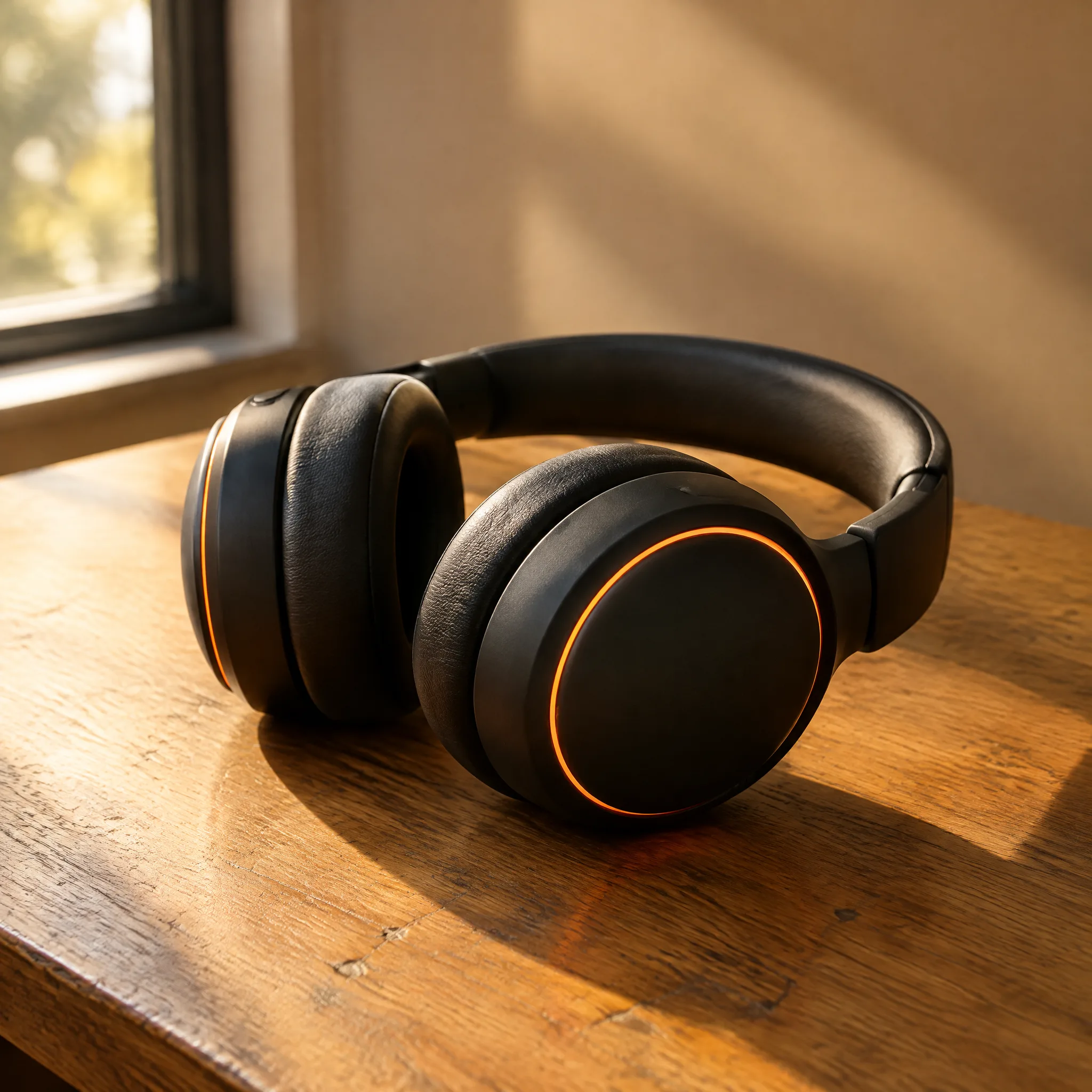
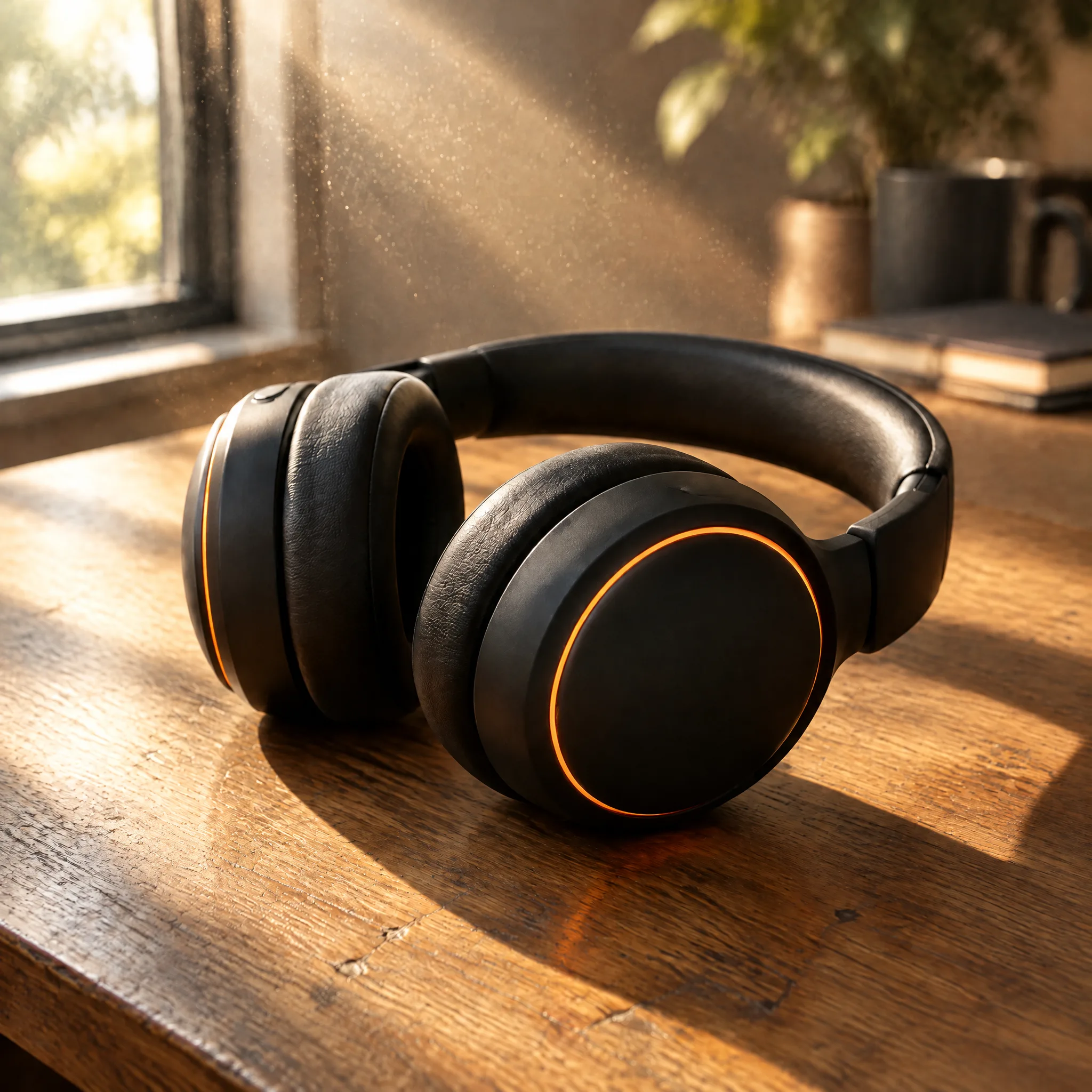
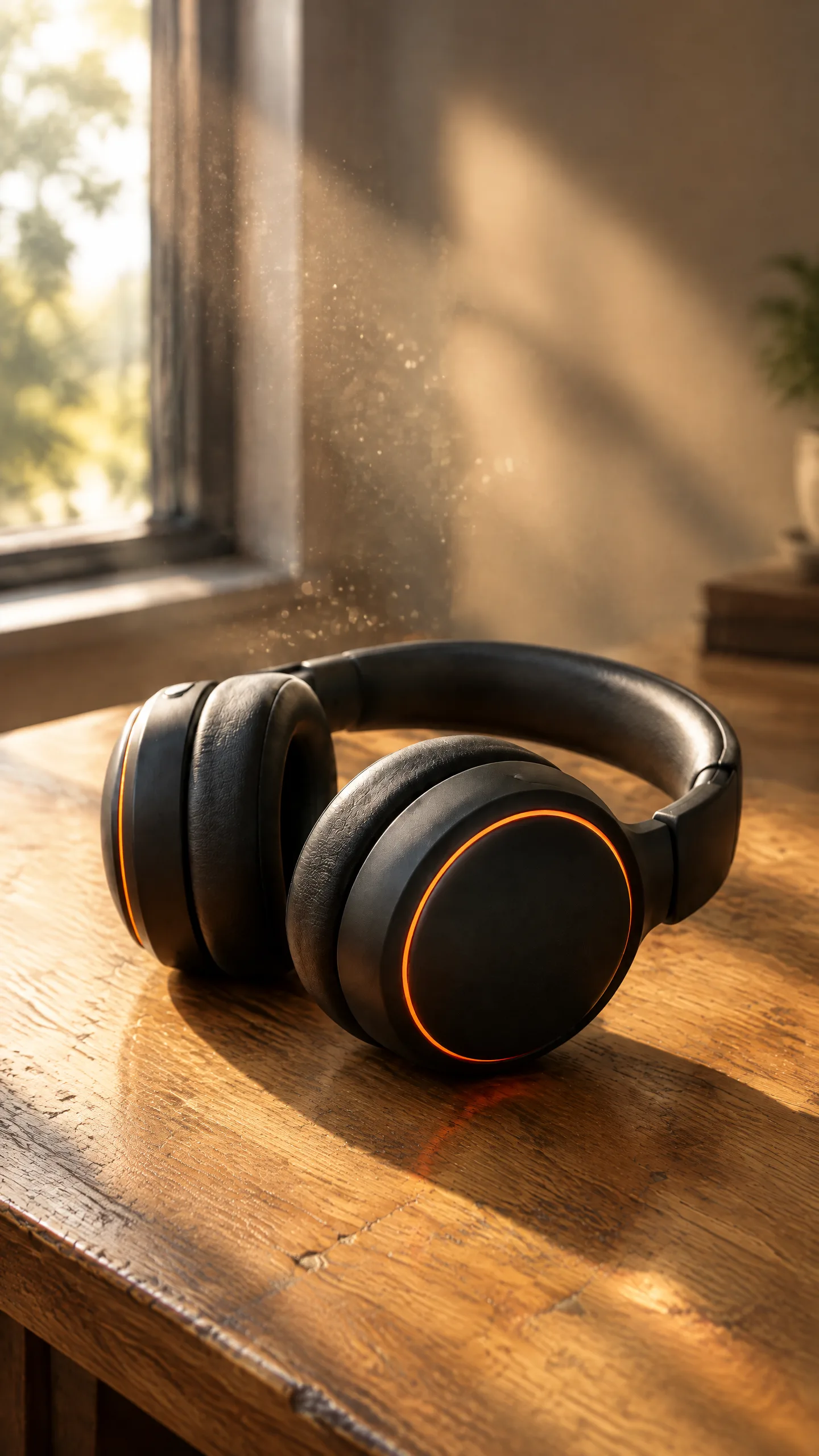
   Creative A "Morning desk": the headphones on a worn oak desk in a shaft of morning window light, dust drifting in the beam, soft shadows, premium ad look.
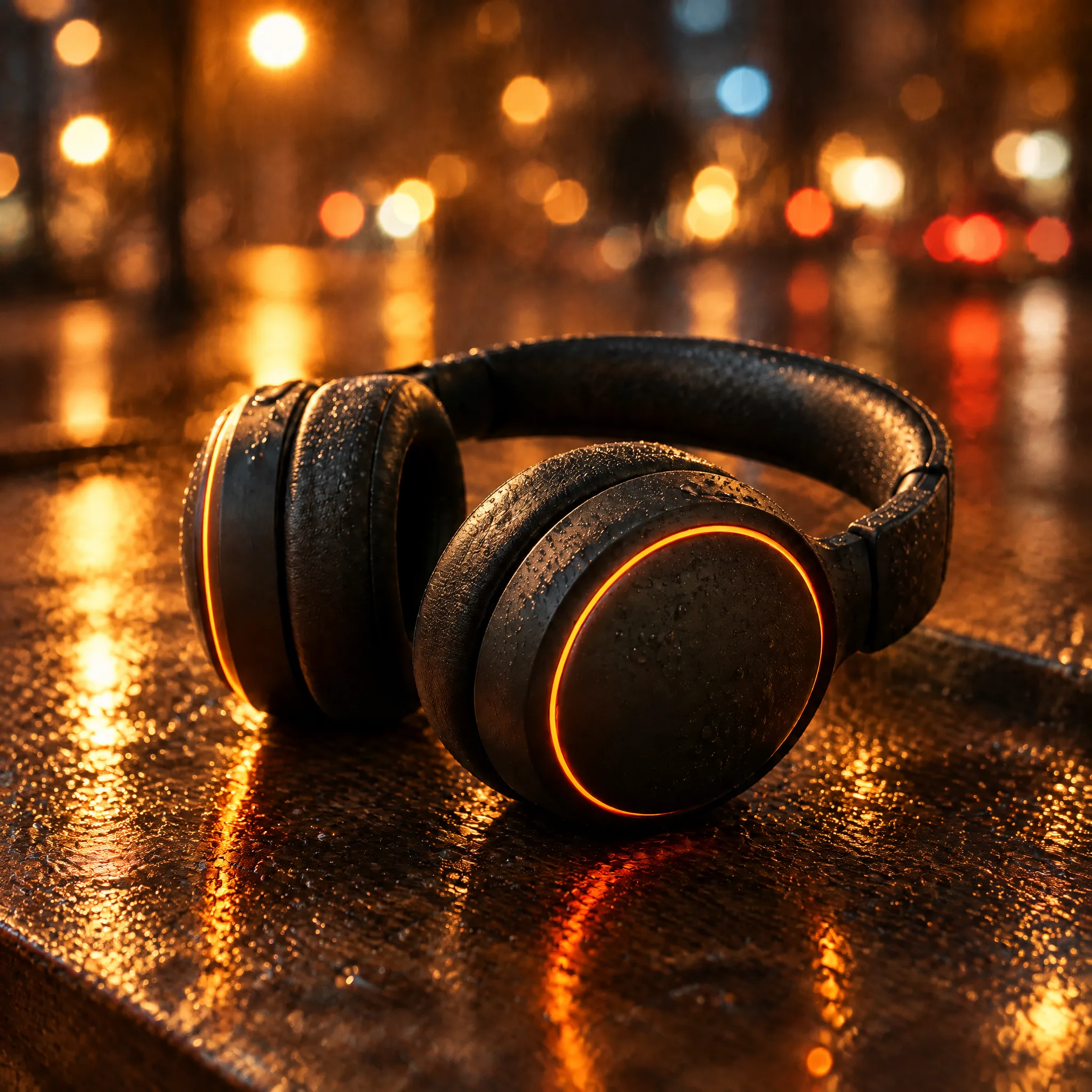
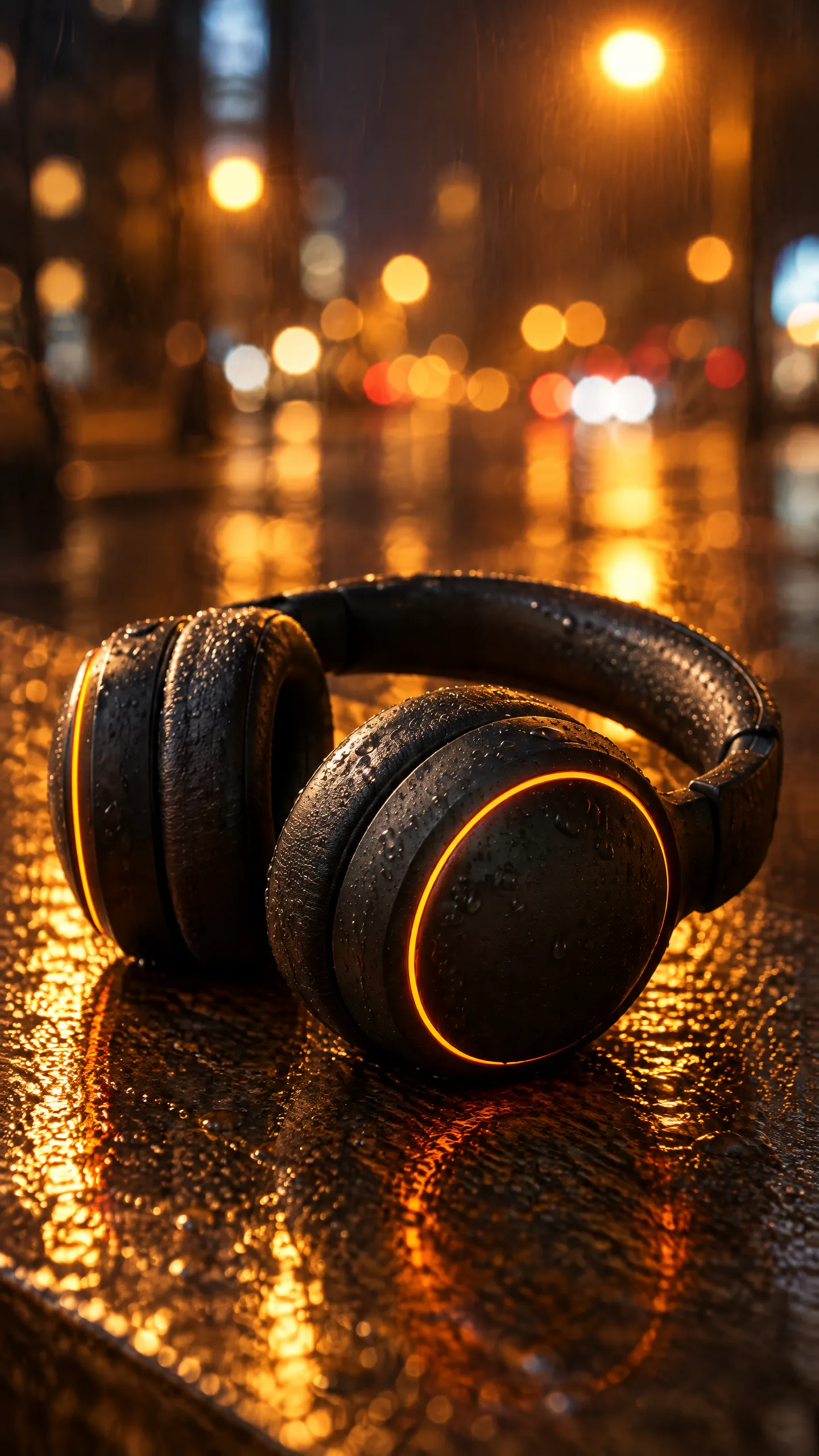
   Creative B "Night rain": the headphones in close-up with fine rain droplets on the matte shells and warm amber streetlight reflections, soft city bokeh behind, music-video look.
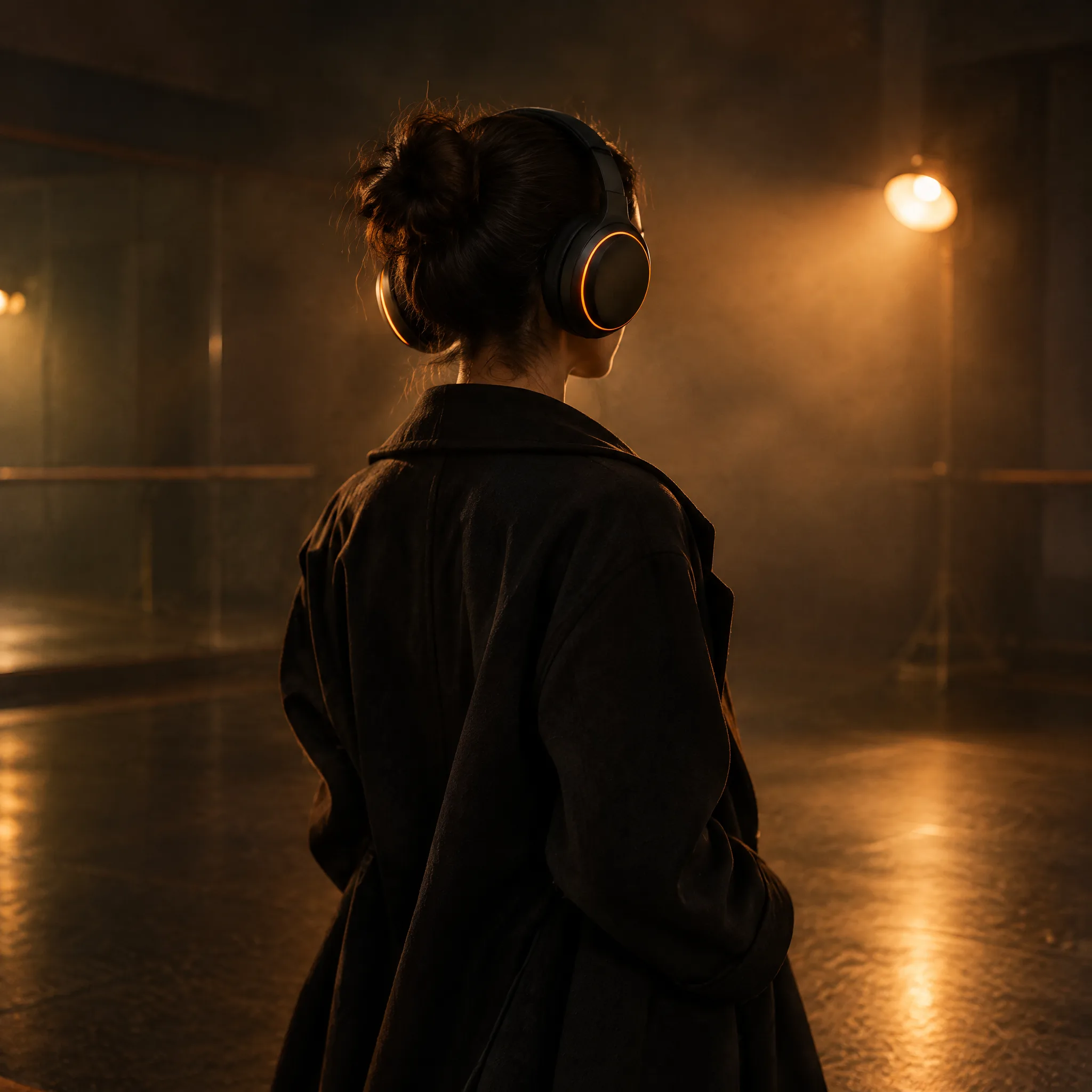
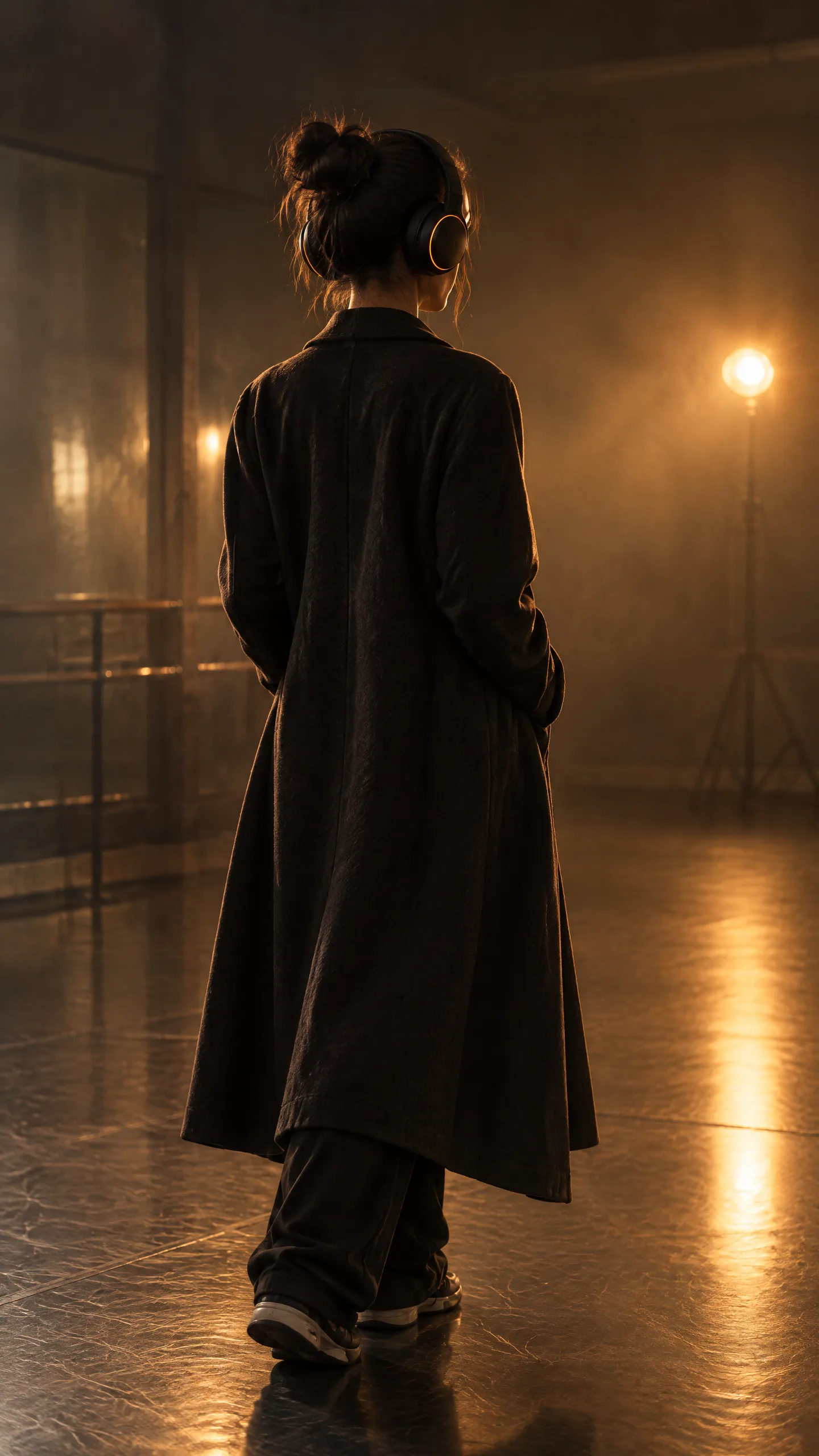
   Creative C "Silhouette": a young dancer in a long dark coat seen from behind wearing the headphones, under one warm practical lamp in a dark rehearsal room with haze, the orange rings glowing, fashion-film look, no face visible.
4. Spend at most eighty credits in total; each image on this model bills eight credits. Run at most three image calls at once. If a call fails, report it and continue with the next; do not retry more than once.
5. Finish with a short table: creative, size, asset id, and the project id.
Tip:Name the model and the reference. nolgia_list_models returns the whole catalog, far more than a session needs. Say the model id in the brief. The hero rides as the reference image on every image to image call, which is what keeps the product the same across creatives.
The session, verbatim
Claude Code loaded the four tools it needed, created the project, opened the hero and filed it, then made the six images in three batches, never more than three calls at once, and said its running spend after each batch. Signed URLs are shortened, JSON results are printed as key and value lines, and the opening every prompt shares is printed once; nothing else is edited.
CALL ToolSearch
  query: select:mcp__nolgia__nolgia_create_project,mcp__nolgia__nolgia_get_asset,mcp__nolgia__nolgia_add_project_assets,mcp__nolgia__nolgia_image_to_image
  max_results: 4

CALL nolgia_create_project
  name: Orange Ring campaign 2
  description: Ad creatives for matte black over-ear headphones with glowing orange light rings, built from the approved hero image.
CALL nolgia_get_asset
  asset_id: 74391fde-9c67-44aa-a298-aa090f8d7949
RESULT id: b73d2c7d-4a86-4785-8fb5-ddfb98da7b9d, name: Orange Ring campaign 2, asset_count: 0
RESULT status: ready, kind: image, name: Premium product photograph of fictional, asset_id: 74391fde-..., mime_type: image/png, model: gpt-image-2.5-flare, url: (signed url)

CALL nolgia_add_project_assets
  project_id: b73d2c7d-4a86-4785-8fb5-ddfb98da7b9d
  asset_ids: 74391fde-9c67-44aa-a298-aa090f8d7949
RESULT added: true
CALL nolgia_image_to_image
  model: gpt-image-2.5-flare
  aspect_ratio: 1:1
  project_id: b73d2c7d-...
  image_url: (signed url of the hero)
  prompt: Keep the exact same headphones from the reference image: matte black over-ear headphones with a thin glowing orange light ring on each ear cup, identical shape and details. Scene: the headphones resting on a worn oak desk in a shaft of morning window light, fine dust drifting visibly in the light beam, soft shadows, cool-to-warm morning tones, shallow depth of field, premium advertising product photography, photoreal. No text, no letters, no logos, no brand names, no watermark.
CALL nolgia_image_to_image
  (the same, with "vertical composition" added) aspect_ratio: 9:16
RESULT status: ready, kind: image, asset_id: fa93b7aa-cba8-427f-8920-38281358a39c
RESULT status: ready, kind: image, asset_id: 96429e72-73a9-4e00-b7c5-297cd426883a
TEXT: Sixteen credits spent so far. Next I'll run Creative B in both sizes and Creative C at 1:1, which is three calls at once.

CALL nolgia_image_to_image
  model: gpt-image-2.5-flare, aspect_ratio: 1:1, project_id: b73d2c7d-..., image_url: (signed url of the hero)
  prompt: Keep the exact same headphones from the reference image: (as above). Scene: night close-up of the headphones with fine rain droplets beaded on the matte shells, warm amber streetlight reflections gliding across the surfaces, the orange rings glowing, soft out-of-focus city bokeh behind, moody cinematic music-video look, photoreal. No text, no letters, no logos, no brand names, no watermark.
CALL nolgia_image_to_image
  (the same, with "vertical composition" added) aspect_ratio: 9:16
CALL nolgia_image_to_image
  model: gpt-image-2.5-flare, aspect_ratio: 1:1, project_id: b73d2c7d-..., image_url: (signed url of the hero)
  prompt: Keep the exact same headphones from the reference image: (as above). Scene: a young dancer in a long dark coat seen from behind, wearing the headphones, standing in a dark rehearsal room filled with light haze, lit by a single warm practical lamp, the orange rings glowing clearly, face not visible, fashion-film look, cinematic, photoreal. No text, no letters, no logos, no brand names, no watermark.
RESULT status: ready, kind: image, asset_id: 067eb5f3-76fd-4bb7-a513-44936650ed79
RESULT status: ready, kind: image, asset_id: 24b9247e-ce62-41fc-869b-a954c814e599
RESULT status: ready, kind: image, asset_id: 38521354-d302-4b3f-9081-3fe3ad253c52
TEXT: Forty credits spent so far. One image left.

CALL nolgia_image_to_image
  (Creative C again, with "vertical full-figure composition" added) aspect_ratio: 9:16
RESULT status: ready, kind: image, asset_id: e34a8f78-1872-4d3b-b6a4-dd9d4ab1e9d9
It ran clean: six images, forty-eight credits, inside the eighty we set, with no stop, no timeout and no retry. Because the brief stated the per image rate, it counted its own spend instead of reading the wallet.
All six images were made and filed into the project, for forty-eight credits in total (under your eighty limit). No calls failed and none were retried.

Tool calls, in order
1. nolgia_create_project with the name "Orange Ring campaign 2" and the description "Ad creatives for matte black over-ear headphones with glowing orange light rings, built from the approved hero image." It returned project b73d2c7d-4a86-4785-8fb5-ddfb98da7b9d, with 0 assets.
2. nolgia_get_asset on 74391fde-9c67-44aa-a298-aa090f8d7949 returned a ready PNG image made with gpt-image-2.5-flare. I didn't see the picture itself, only its details and the prompt it was made from. The prompt describes the headphones on a worn oak desk by a window in late-afternoon daylight, with a long warm shadow and shallow depth of field. I used its signed link as the reference image in every call below.
3. nolgia_add_project_assets filed the hero into the project and returned added: true.
4. nolgia_image_to_image ran six times on gpt-image-2.5-flare, with the hero as the reference and the project id passed each time. Every prompt starts by telling the model to keep the exact same headphones, and every one includes "no text, no logos, no watermark":
   - First batch (2 calls at once): Creative A at 1:1 and 9:16. Both came back ready, eight credits each, sixteen so far.
   - Second batch (3 calls at once): Creative B at 1:1 and 9:16, and Creative C at 1:1. All came back ready, eight credits each, forty so far.
   - Third batch (1 call): Creative C at 9:16. It came back ready for eight credits, forty-eight in total.

Results
Creative | Size | Asset id | Project id
A "Morning desk" | 1:1 | fa93b7aa-cba8-427f-8920-38281358a39c | b73d2c7d-4a86-4785-8fb5-ddfb98da7b9d
A "Morning desk" | 9:16 | 96429e72-73a9-4e00-b7c5-297cd426883a | b73d2c7d-...
B "Night rain" | 1:1 | 067eb5f3-76fd-4bb7-a513-44936650ed79 | b73d2c7d-...
B "Night rain" | 9:16 | 24b9247e-ce62-41fc-869b-a954c814e599 | b73d2c7d-...
C "Silhouette" | 1:1 | 38521354-d302-4b3f-9081-3fe3ad253c52 | b73d2c7d-...
C "Silhouette" | 9:16 | e34a8f78-1872-4d3b-b6a4-dd9d4ab1e9d9 | b73d2c7d-...

The project now holds 7 assets: the hero plus the six new images. I haven't looked at any of the new images. Before you use them, check that the headphones match the hero and that no face shows in the Silhouette images.
It never saw the pictures, only their details, which is why its last lines ask you to check them: open the project and look at every image at full size. The "No text, no letters, no logos, no brand names, no watermark" line in each prompt was Claude Code's own addition; the brief did not ask for it. If you want a sign or your logo in a creative, name it in the brief or attach the exact logo image, and regenerate if the lettering comes back garbled.
The campaign
Six images, all from the one hero, all on GPT Image 2.5 Flare, each billed at the model's rate. The product is the same object in every one because the hero was the reference on every call.
Where it lands on the site
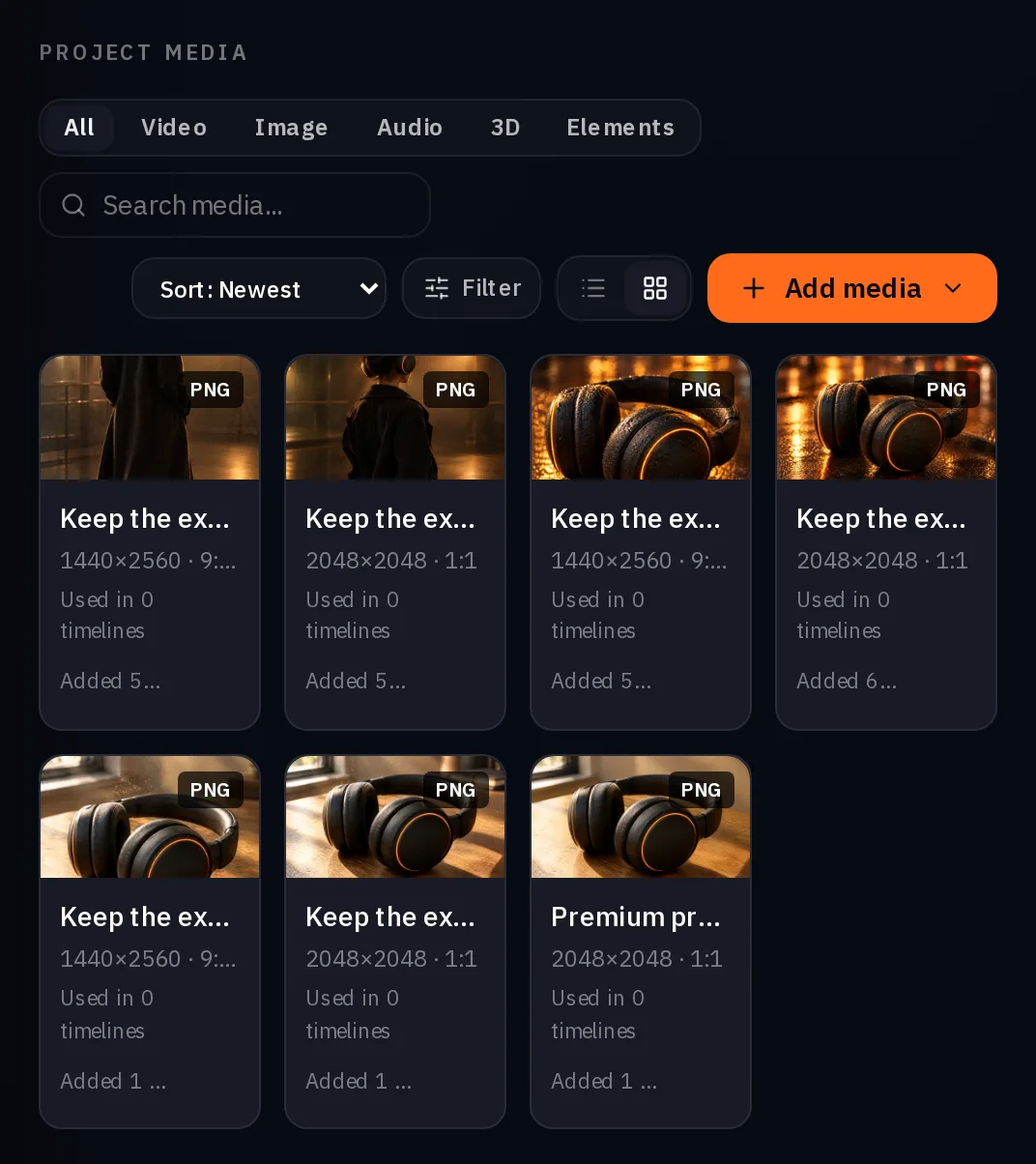
Open Projects and the campaign's project. The hero and the six creatives sit in its media, and the project's cast, locations and brand kit slots are ready if the next round needs a recurring performer, a place or your palette and logo. From here you download the set or open any image in Studio.
The same session can run the campaign presets on the Campaigns page with nolgia_run_preset: posters in four sizes with your words set as real text, static ad packs, billboards and launch films. We stayed on the raw image tools here so the transcript shows every parameter.
Three ways to run it
| Path | How | Best when |
|---|---|---|
| Fastest | One preset per format with nolgia_run_preset from Claude Code, or on the site from Campaigns | You want the proven layouts and real text set on posters |
| Hands off | Brief the NOLGIA Agent in its chat; it works through the formats and files them | You are not at a terminal |
| Most control | Claude Code with the raw image tools, as in this guide | You want to direct each creative and keep the reference |
What stays outside the session
- Publishing. NOLGIA does not post to ad platforms or schedule. You download the set and upload it where the campaign runs.
- Copy on the image. The raw image tools do not set real text; the poster presets do.
- Video creatives. The same session can call nolgia_text_to_video and nolgia_image_to_video; this guide stayed on stills.
- A price in the result. An image result returns the asset, not the credits it cost. The ledger on your billing page has the charge per image.
- ChatGPT. Marked Soon on the MCP page; this guide is Claude Code only.
What it costs
Reading is free: listing models, creating a project, opening an asset and filing assets spend nothing. Each image bills at its model's rate. Live rates for the model in this guide and the presets the Campaigns page runs:
- Static ad formats
8 credits per ad, 32 for four versions, 21 each at 2K
Takes under 2 min
- Social and poster pack
Priced on the review card before it runs
Takes 3 to 8 minutes
GPT Image 2.5 FlareEvery plan
Per image
Native 8 credits · 2K 21 credits · 4K 58 credits
Read live from the catalog when this page loads. Every price is shown before you generate. See every rate.
Try it yourself
The hero and the brief
- Headphones hero, 2048x2048 WebPWebP image · 2048x2048 · 233 KBDownload
Checklist
- Token connected; nolgia_get_account answers.
- Hero approved before any creative; its asset id in the brief.
- Project created; its id on every generation.
- Model named in the brief; the model list left alone.
- Ceiling and the per image rate in the brief; the jobs tools allowed.
- A timeout is checked, not retried blind.
- Open the project on the site and look at every image at full size.
Questions and answers
- Can Claude Code make the whole campaign in one go?
- It can chain the calls, but approve the hero first: every creative is made from it, so a wrong hero is six wrong images.
- What does the session cost?
- Only the generations. Creating the project, opening and filing assets are free; each image bills at its model's published rate. The result of an image call does not carry its price, so read the ledger.
- A call timed out. Was I charged twice?
- No. The same request within five minutes gets a 409 that names the existing job, and only the first is billed. Find the image with the jobs or assets tools.
- Can it put my headline on the creative?
- Not with the raw image tools. The Social and poster pack and the static ad presets set your words as real text; run them with nolgia_run_preset or from the Campaigns page.
- Does this work from ChatGPT?
- Not yet. ChatGPT is marked Soon on the MCP page. Claude Code and Cursor work today.
Run your first campaign from the terminal
Connect Claude CodeRelated guides
MCP
Generate from Claude Code or Cursor with MCP
Connect NOLGIA to Claude Code or Cursor with one token and one command or config entry, then ask for images, video and audio in plain words.
· 5 min read
Agent
The NOLGIA Agent cookbook: what to say, and what happens next
Ten messages you can send the NOLGIA Agent, what it does with each one and the preset behind it, from product photos and a listing set to a hook score and a graded cut.
· 6 min read
Product video
Product videos without filming: pick the format
Seven product video formats, from a how to clip to an unboxing to hands only, each with a real example, what it is for and when to pick it.
· 8 min read