

Creating camera movement with Miroge
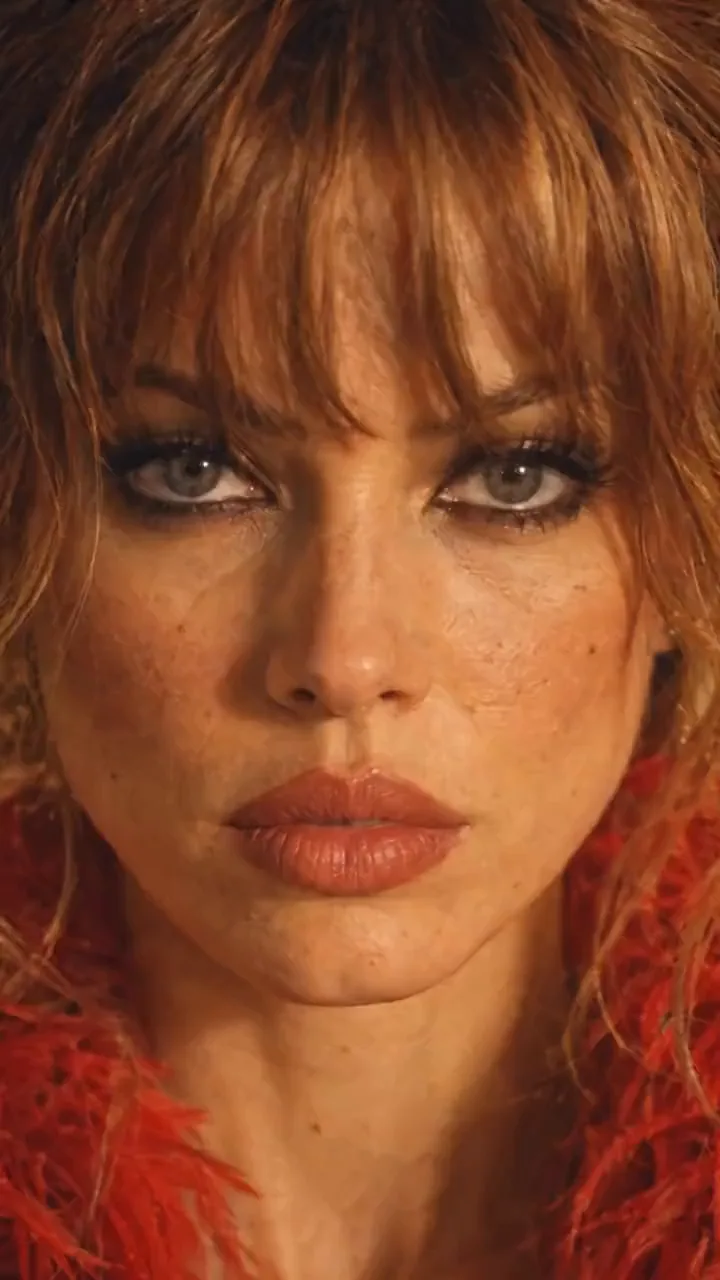
A camera circles a woman in a red feather jacket standing on a restaurant table with a chainsaw: close on her face, back over the table, up overhead, behind her and back to her face, so it loops. The move came from a phone clip. Here is how the video maker did it in Miroge, and two other ways to get the same shot.
- 10 min read
- Preset: Miroge: recast your clip
This guide follows one real project made for NOLGIA by our video maker, called NOLGIA miroge2, and their breakdown of how they made it. Every prompt below is quoted as it was sent, with long dashes typed as hyphens. The woman, the restaurant and the mannequin were all generated, and none of them is a real person or place.
The idea is to separate who is in the shot from how the camera moves. The character and the location are prepared first, as stills you control. Then a short reference clip supplies only the camera: its path, its speed and its timing.
What you are making
One continuous shot around a subject who stays still. It starts on her face, pulls back over the table, rises overhead, swings behind her and lands on her face again, so the end meets the start and the clip loops.
The camera move
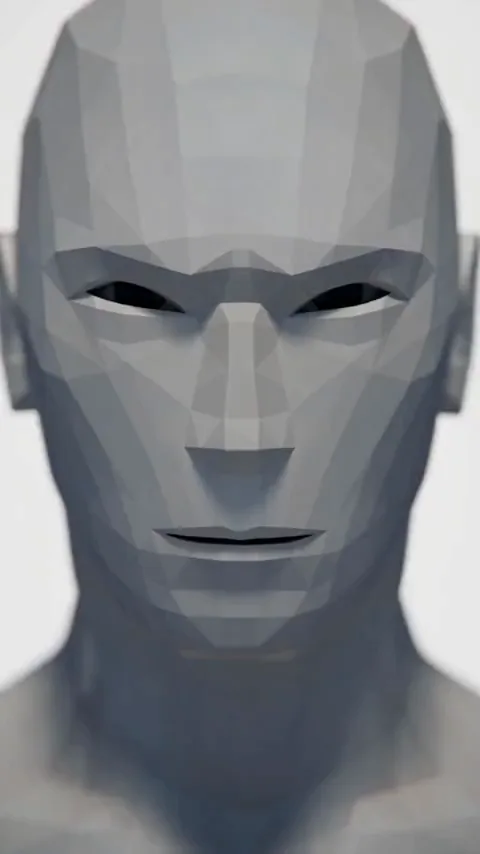
Miroge
Tip:Why the original clip is not shown. The motion video in this project was a clip from social media of a real person, so it stays out of this guide. Use your own footage, or a clip you have the right to use. Miroge takes the move, and your cast replaces whoever is in it.
Build the character first
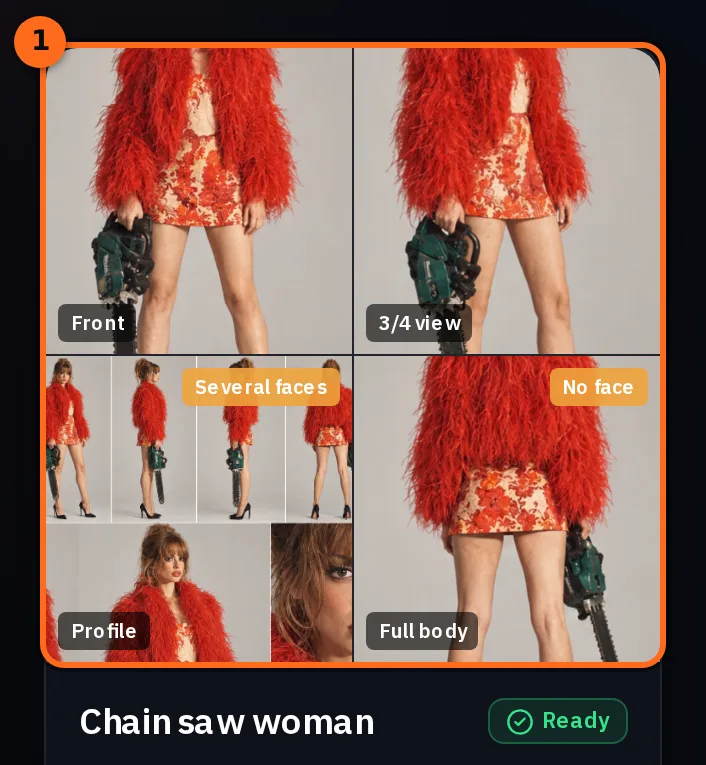
Start with a detailed character sheet: her face, hair, body, wardrobe and props from several sides. It is the master reference for who she is, and every later step points back to it.
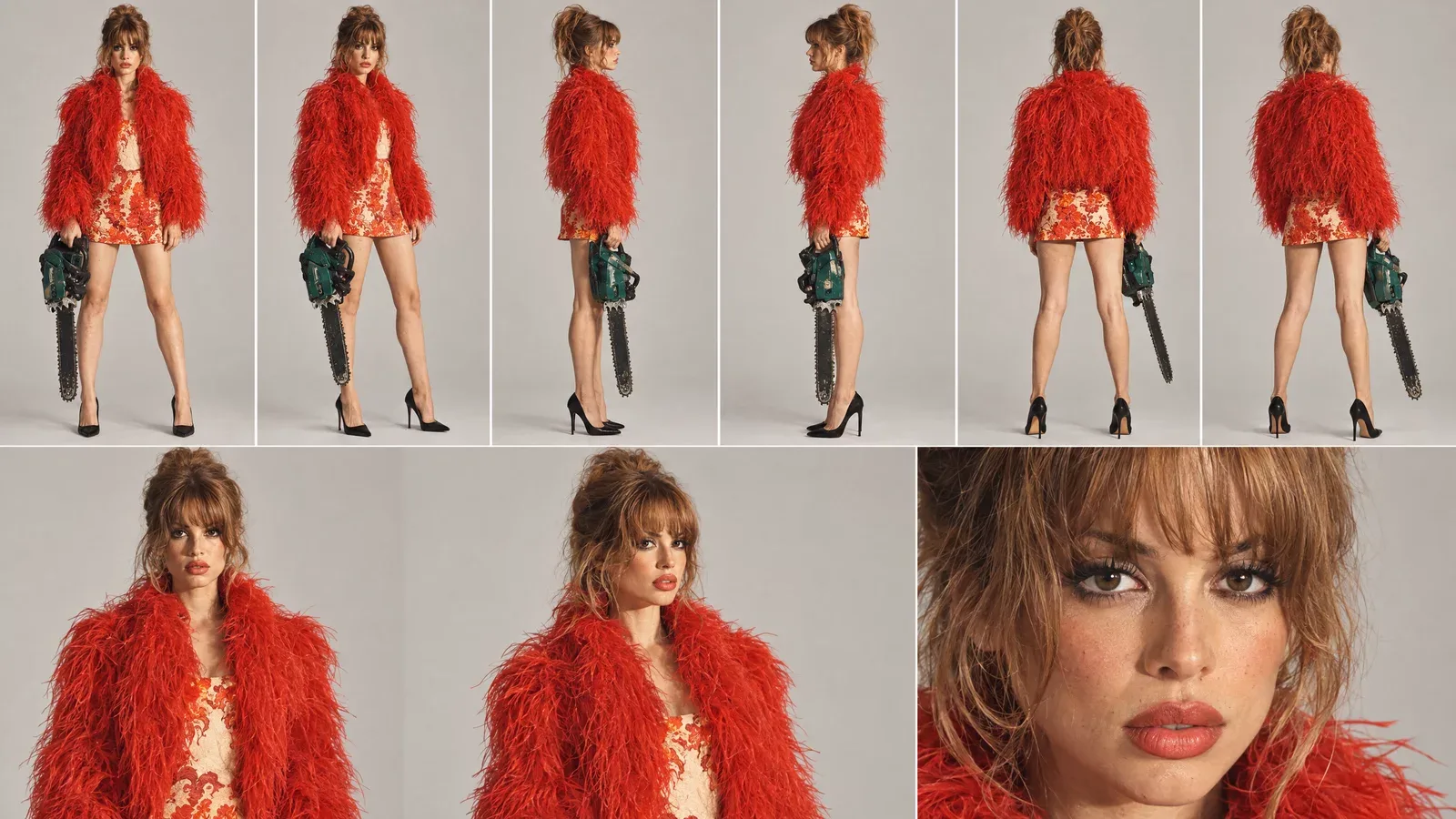
Upload it to Characters so she becomes a character you can pick anywhere in NOLGIA. Hers holds the sheet and separate photos of single views (front, three quarter, side and back), each one clear on its own.
Put her in the final location
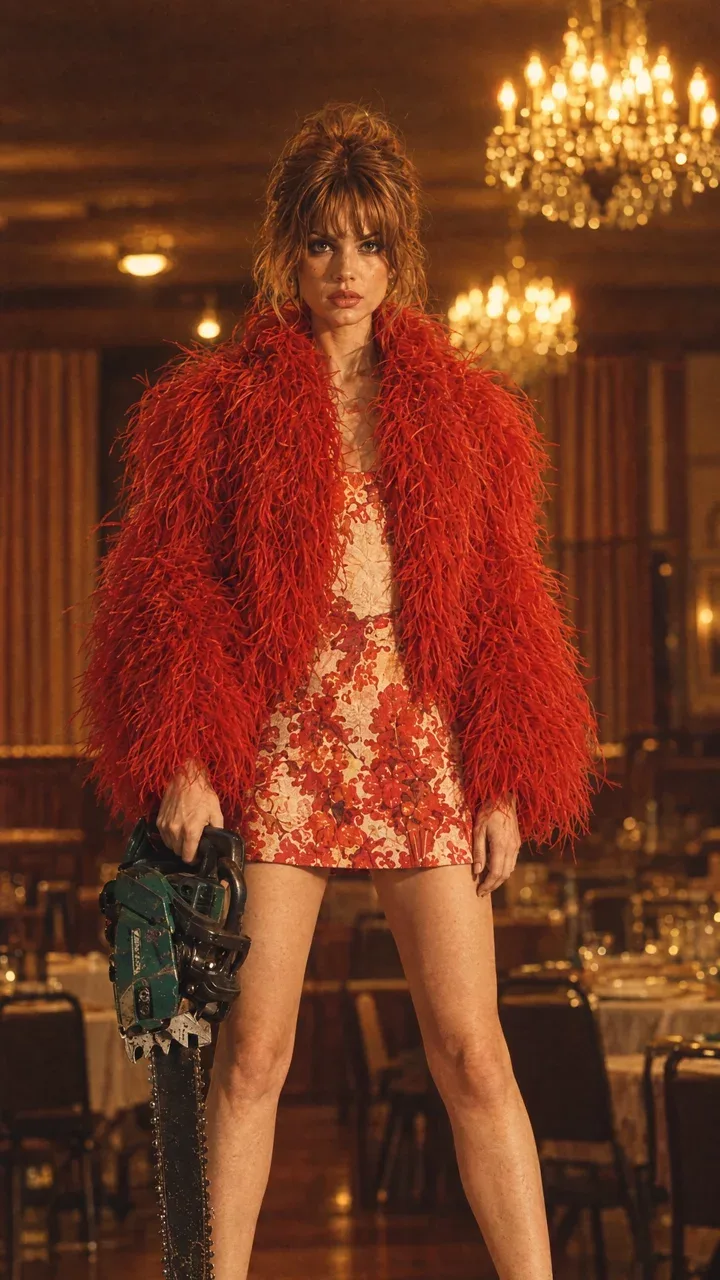
Next, make one still of the character inside the place where the shot happens. This still decides the set, the light, the props and her pose: the old restaurant, the chandeliers, the table under her heels and the chainsaw in her hand.
Pick the motion video
The motion video is the clip whose camera move you want. Only its movement matters: the camera's path, height, distance, speed and timing. Its person and its room will both be replaced.
- One continuous take. A cut in the clip becomes a cut in your shot.
- The move you want, start to finish. For a loop, pick a move that ends on the framing it started on, like the face close-up here.
- One subject who stays near the middle. A still subject reads best when the camera does all the moving.
- 2 to 30 seconds, up to 50 MB, MP4 or MOV. The Motion video tile lists the limits of the model you picked.
Tip:Shoot the move yourself. Walk a circle around a friend with your phone: start close on the face, step back, lift the phone high, go behind them and come back to the face. Ten seconds of that is a motion video you own.
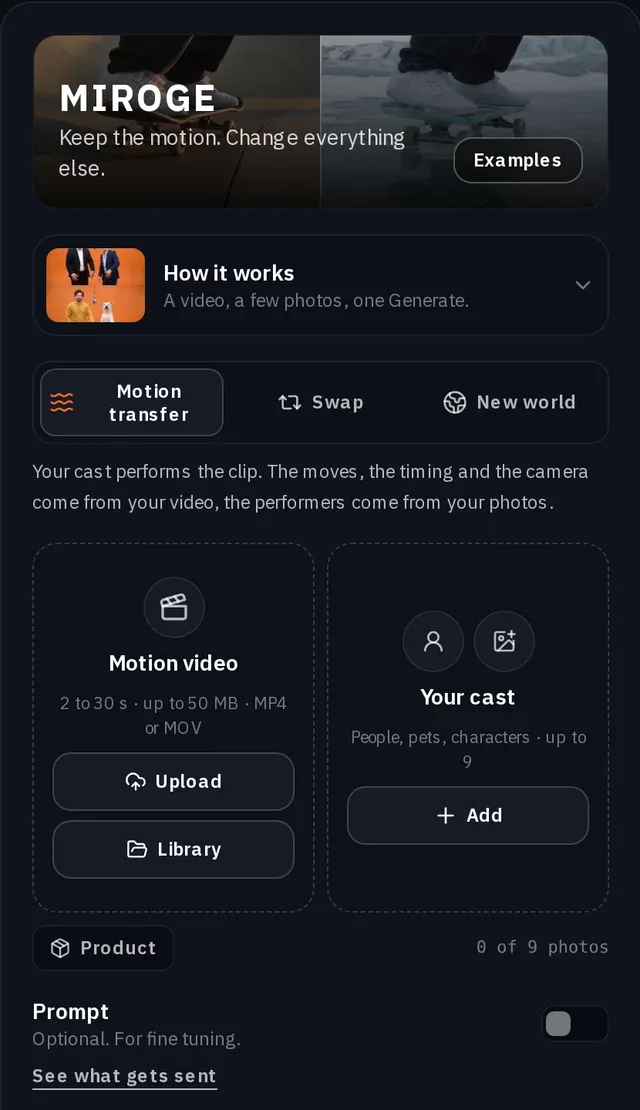
Set up Miroge
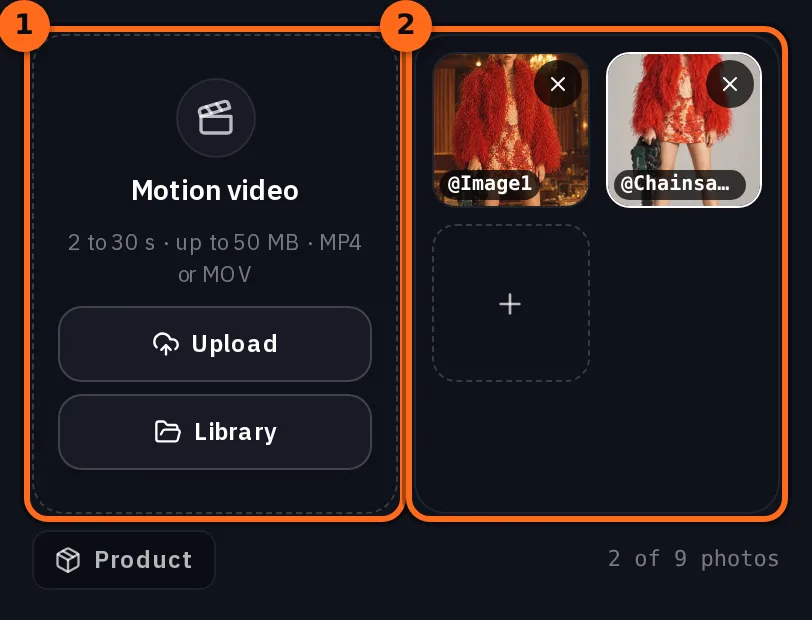
Open Miroge from the Tools menu and keep the mode on Motion transfer. Put the clip in Motion video (Upload or Library), then press Add under Your cast and add the character from Characters and the still of her in the location.
| Setting | What the video maker used |
|---|---|
| Mode | Motion transfer |
| Motion video | A 7 second clip of a camera circling a woman in a room |
| Your cast | The character from Characters and five photos of her; the breakdown names the sheet and the still in the restaurant as the cast |
| Model | Seedance 2.5 |
| Quality | 720p |
| Length | 7 seconds, the clip's own length |
| Prompt | On, with the line below |
She should be holding chainsaw in one hand all time, she’s standing on top of the table and the background should be from the cast reference image and not from the video.
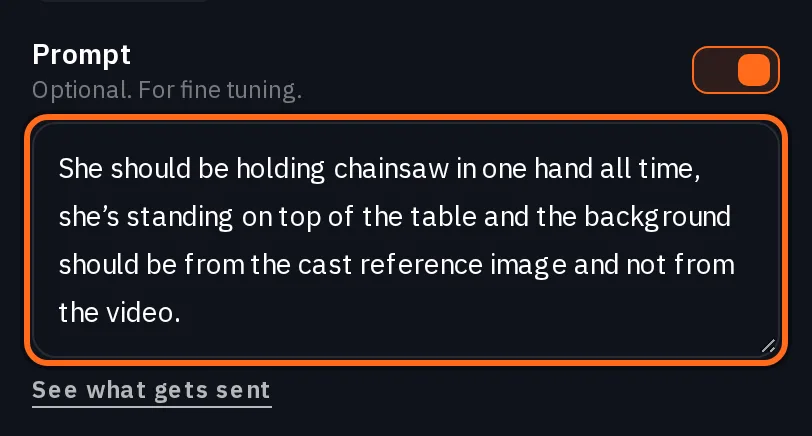
- holding chainsaw in one hand all time keeps the prop from coming and going as the camera moves.
- standing on top of the table fixes her place in the set.
- the background should be from the cast reference image and not from the video is the sentence that matters most. The next step explains why.
The sentence that keeps your location
Miroge adds its own instruction after your prompt. In Motion transfer it keeps the clip's camera, and it keeps the clip's set and lighting unless your words ask for a new place or a picture shows a place on its own, like a location sheet. A photo of her standing in the restaurant does not count: the room behind someone in their photo is not a new place. See what gets sent, under the prompt, shows the whole thing before you generate.
Replace the people in @Video1 with @Chainsawwoman. Use @Image1 for what it shows: a person, animal or character takes the place of a person in @Video1, and a place becomes its setting. Keep the motion, the choreography and the timing of @Video1 beat for beat, and keep its framing and its camera. Keep its set and its lighting unless the words above ask for a new place or a picture shows a place on its own, such as a location sheet; the background behind someone in their photo is not a new place. Each person, animal or character keeps their own look from their picture: hair or fur, clothes, colors and markings. Photorealistic. No on-screen text, no watermark, no logos.
That instruction is right for recasting a dance in its own room. For a camera move it brings the wrong room along, because the still is a photo of her and its room does not count as a new place on its own. Your line is what asks for it: say where the background comes from, and keep the still of her in the location in the cast so there is a background to take.
Watch for this:Without that sentence, the room from your clip comes too. The video maker's first run used the same motion video and a cast of five photos, with no prompt of its own. It moved the camera correctly, but around the room from the clip instead of the restaurant.
Generate, then check the loop
Press Generate. The price is on the button before you press it, and it follows the length of your clip.
Seedance 2.5Pro and up
Per 5s clip
480p 26 credits · 720p 56 credits · 1080p 137 credits
1080p renders at 16:9 and 9:16
Read live from the catalog when this page loads. Every price is shown before you generate. See every rate.
- The path. Every turn of the camera in your clip is there, in the same order and at the same speed.
- No cuts. The shot travels; it never jumps to a new angle.
- Your set. The room, the light and the props come from your still, not from the clip.
- The loop. The last frame lands on the framing of the first. Play it twice in a row to see the seam.
- The character. Her hair, outfit and props stay the ones on the sheet from every side.
Another way: write the camera move on Create Video
The video maker also made the shot on Create Video with Seedance 2.5: the same clip attached as @Video1, the character, the restaurant still, and a prompt that says the clip controls only the camera. It is longer to write, and it gives you words for every part of the move: the loop, the cuts to forbid and what must not change.
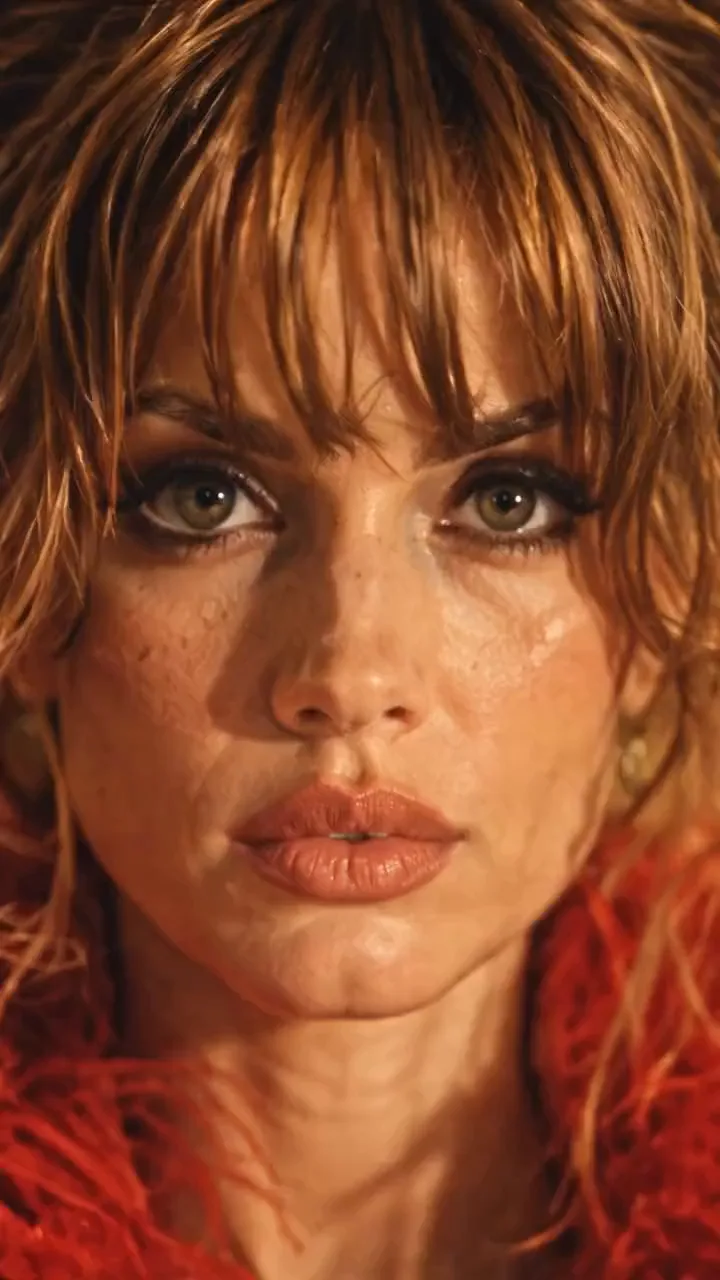
SEEDANCE 2.5 - REFERENCE VIDEO CAMERA-MOVEMENT PROMPT

Use the uploaded reference video as the EXACT CAMERA MOVEMENT AND FRAMING REFERENCE.

Replicate the camera movement from the reference video as accurately as possible - including the camera's:

- movement direction
- movement speed
- acceleration and deceleration
- camera height
- camera distance from the subject
- camera angle
- framing
- perspective changes
- camera path
- timing of each movement
- changes in shot scale
- movement rhythm
- motion blur
- natural camera physics

DO NOT invent a new camera movement.

DO NOT reinterpret the camera movement.

DO NOT simplify the movement.

DO NOT replace it with a generic cinematic orbit or zoom.

The uploaded video is the MASTER REFERENCE for how the camera should move.

However, DO NOT copy the person, location, wardrobe or visual content from the reference video.

Instead, use the provided character and scene references.

The subject must be the exact same woman from the provided character reference, standing ON TOP OF THE DINING TABLE and holding the SAME GREEN-AND-BLACK CHAINSAW.

Preserve her exact:
- face
- facial features
- hairstyle
- hair color
- body proportions
- red feather/faux-fur jacket
- red patterned mini dress
- black pointed heels
- chainsaw
- chainsaw size
- chainsaw orientation
- hand placement
- foot placement
- body position

She remains physically standing on the same dining table throughout the entire video.

Use the provided restaurant image as the environment reference.

Preserve the exact:
- restaurant architecture
- dining table
- chairs
- curtains
- chandeliers
- plates
- glassware
- furniture
- warm amber lighting
- shadows
- color palette
- vintage photographic aesthetic

The REFERENCE VIDEO controls ONLY the camera movement.

The CHARACTER REFERENCE controls the character.

The LOCATION REFERENCE controls the environment.

Do not combine or copy the visual identity of the reference video.

--------------------------------------------------

ABSOLUTELY NO CUTS:

Create ONE SINGLE CONTINUOUS SHOT from the first frame to the last frame.

ZERO cuts.

NO hard cuts.
NO jump cuts.
NO hidden cuts.
NO match cuts.
NO invisible edits.
NO shot changes.
NO teleportation.
NO sudden camera-position resets.
NO frame-to-frame composition swaps.

The camera must physically travel continuously through the space exactly as demonstrated in the uploaded reference video.

Every change in framing or angle must happen through continuous physical camera movement.

The reference video's movement should feel like the camera is actually traveling around the woman in one uninterrupted take.

--------------------------------------------------

LOOP REQUIREMENT:

The video must begin with the same framing and camera position as the beginning of the reference movement.

After reproducing the complete camera movement from the reference video, return naturally to the EXACT starting camera position and framing.

The final frame must match the opening frame.

The beginning and ending should have:

- identical camera position
- identical camera height
- identical camera distance
- identical framing
- identical perspective
- identical character scale
- identical background composition

The final frame should seamlessly connect back to the first frame.

NO fade-out.
NO fade-in.
NO black frame.
NO transition.
NO cut.

The result should feel like an infinite camera loop.

REFERENCE VIDEO MOVEMENT → COMPLETE MOVEMENT → RETURN TO STARTING FRAME → LOOP.

--------------------------------------------------

IMPORTANT:

Do not make the woman walk, turn, rotate, transform or change her pose to accommodate the camera.

The CAMERA moves around the woman.

The woman remains the same physical person in the same physical scene.

Maintain perfect character consistency throughout the entire shot.

No face morphing.
No identity drift.
No wardrobe changes.
No body-shape changes.
No chainsaw changes.
No environmental changes.
No lighting changes.

Photorealistic, physically believable camera movement, realistic parallax, natural motion blur, consistent perspective, consistent lighting and seamless continuous movement.

PRIORITY ORDER:

1. EXACT CAMERA MOVEMENT FROM THE UPLOADED REFERENCE VIDEO
2. ZERO CUTS - ONE CONTINUOUS SHOT
3. EXACT CHARACTER CONSISTENCY
4. EXACT LOCATION CONSISTENCY
5. SEAMLESS LOOP FROM FINAL FRAME BACK TO FIRST FRAME
To reuse it, keep the camera sections as they are and rewrite the parts about the subject: who she is, what she holds, where she stands and the place.
No clip at all: a 10-angle camera sheet
The video maker also made the shot with no motion video at all, by drawing the move instead: one image of the character in the restaurant from ten camera positions, laid out left to right in the order the prompt names them, Angle 01 to Angle 10. Seedance 2.5 on Create Video then flies through the angles in that order and back to the first.
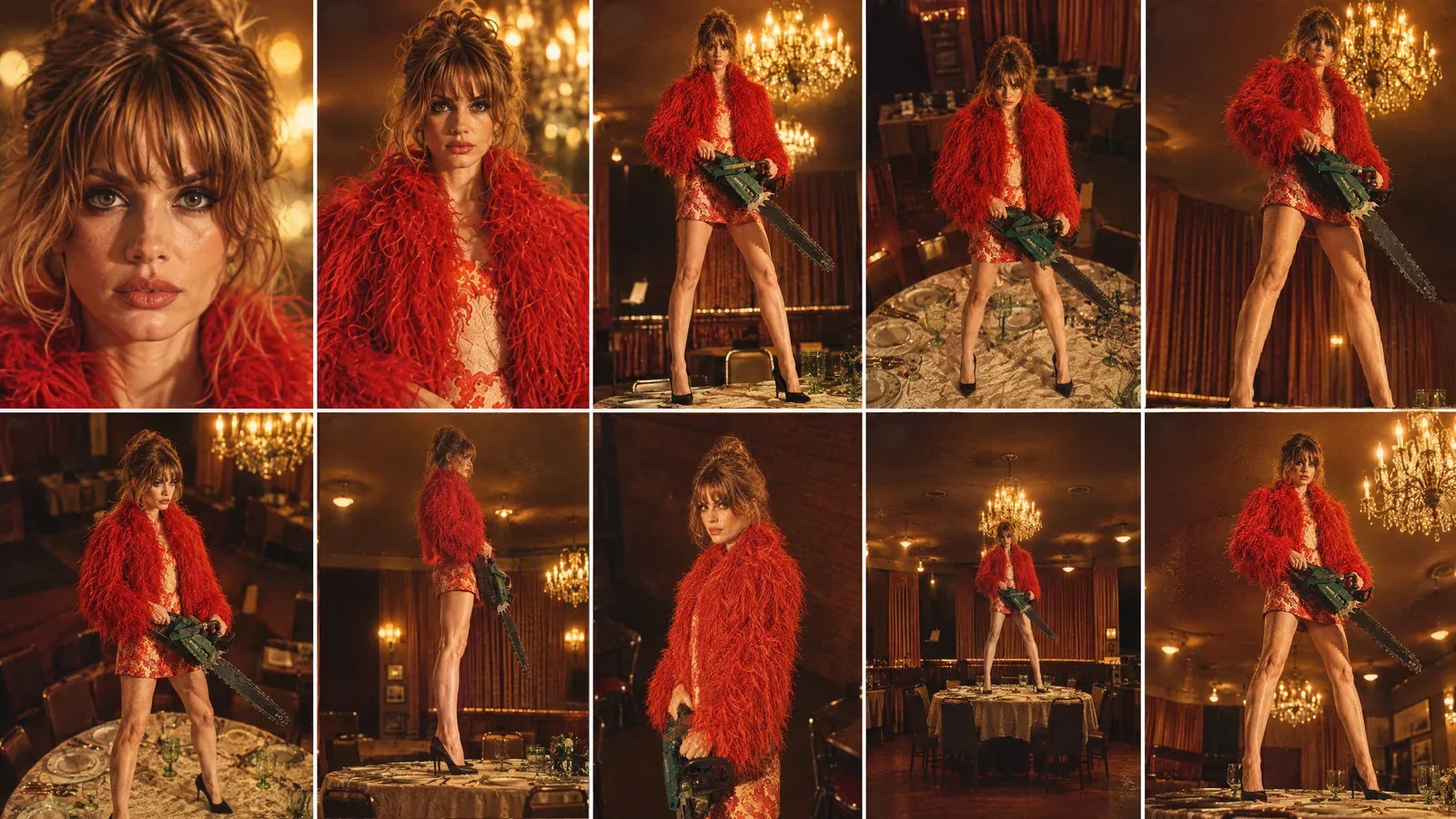
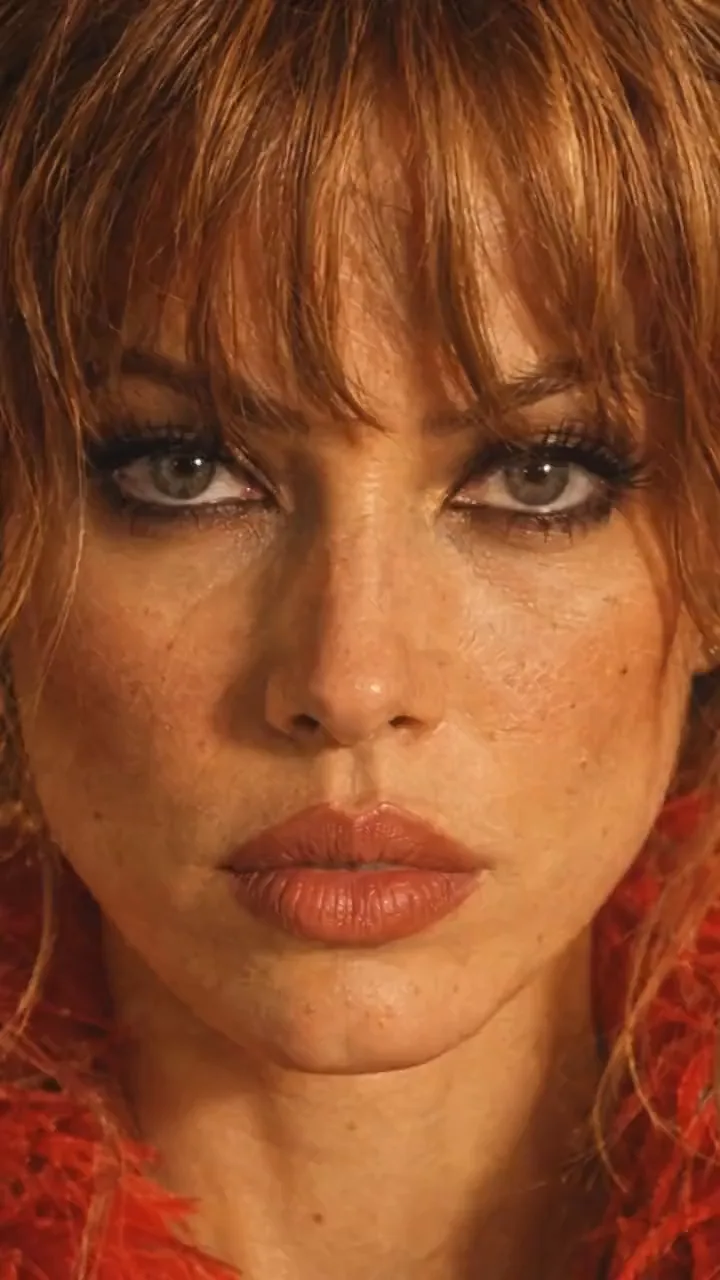
Create ONE continuous, seamless looping cinematic camera shot using the provided character-in-location reference and the provided 10-angle camera sheet.

IMPORTANT CAMERA PATH:
The video MUST begin on ANGLE 01 and MUST end on the EXACT SAME ANGLE 01.

The first frame and final frame must match as closely as technically possible:
- identical camera position
- identical camera height
- identical camera distance
- identical focal length / perspective
- identical framing
- identical character scale in frame
- identical character pose
- identical background composition
- identical lighting
- identical chainsaw position
- identical facial expression

The final frame should seamlessly connect back to the first frame so the video can loop continuously without the viewer noticing where it restarts.

CAMERA PATH:

START - ANGLE 01:
Begin with the exact extreme close-up face shot from Angle 01.
Straight-on camera, very close to the woman's face.
This is the exact starting composition.

Then move rapidly and smoothly through the camera angles in this sequence:

01 → 02 → 03 → 04 → 05 → 06 → 07 → 08 → 09 → 10 → 01

ANGLE 02:
Pull rapidly backward from the extreme close-up into the front close portrait.

ANGLE 03:
Continue the physical camera movement backward and lower the camera toward a low front medium perspective.

ANGLE 04:
Rapidly reposition the camera upward into the high front angle.

ANGLE 05:
Quickly sweep the camera toward the high 3/4 right position.

ANGLE 06:
Continue with a fast lateral camera sweep to the opposite high 3/4 left position.

ANGLE 07:
Drop the camera rapidly toward the low 3/4 position, looking upward.

ANGLE 08:
Quickly move sideways around the subject until reaching the true 90-degree side-profile camera position.

ANGLE 09:
Pull rapidly away into the distant wide front shot, revealing the entire woman, table and restaurant.

ANGLE 10:
Move quickly into the low hero 3/4 angle.

FINAL MOVEMENT - RETURN TO ANGLE 01:
After Angle 10, make a fast, controlled camera movement back toward the original Angle 01 position.

The camera must physically return to the EXACT starting position and framing.

The final frame must recreate Angle 01 precisely.

Do NOT end on a similar close-up.
Do NOT end on a different facial crop.
Do NOT end with a different focal length.
Do NOT simply zoom into the face digitally.

The camera must physically travel back to the original Angle 01 position.

CONTINUITY:

The woman is ONE stationary physical subject throughout the entire shot.

Preserve the EXACT same:
- face
- facial proportions
- hairstyle
- hair texture
- body proportions
- wardrobe
- shoes
- accessories
- chainsaw
- chainsaw orientation
- hand positions
- feet positions
- body pose
- restaurant
- table
- chairs
- curtains
- chandeliers
- plates and glassware
- lighting
- shadows
- color palette
- photographic aesthetic

The character does NOT rotate or change pose to accommodate the camera.

The camera moves around her.

Her eyes and head may naturally track the camera when appropriate, but her physical body remains locked.

CAMERA MOTION:

Make every transition feel like a REAL physical camera moving rapidly through the restaurant.

Use:
- fast acceleration
- fast camera repositioning
- natural deceleration
- realistic motion blur
- strong foreground/background parallax
- believable depth
- realistic perspective changes

Do NOT create a slow cinematic orbit.

Do NOT create a slow digital zoom.

Do NOT use cuts.

Do NOT teleport between angles.

Do NOT morph from one composition into another.

Every angle transition should feel like the camera physically traveling through the space.

LOOP REQUIREMENT:

The final 10-15 frames should progressively settle into the exact same composition as the opening frames.

The final frame must match the opening frame.

The opening and ending composition should be visually indistinguishable when the video loops.

No fade-out.
No fade-in.
No black frame.
No transition effect.
No camera reset.

The video should be capable of playing repeatedly as:

ANGLE 01 → 02 → 03 → 04 → 05 → 06 → 07 → 08 → 09 → 10 → ANGLE 01 → 02 → 03...

The viewer should perceive this as one continuous infinite camera movement.

Photorealistic cinematic continuity, realistic human proportions, consistent identity, consistent wardrobe, consistent environment, realistic camera physics, natural motion blur, strong parallax, warm vintage restaurant lighting and subtle 35mm photographic texture.
When it goes wrong
| What you see | What to change |
|---|---|
| The room from your clip shows up | Add the background sentence, and put the still of your character in the location into the cast. |
| The shot cuts or jumps | Pick a motion video that is one continuous take. On Create Video, keep the NO CUTS section. |
| She turns or walks to face the camera | Say she stays in place and the camera moves around her, as the Create Video prompt does. |
| A prop comes and goes | Name it in the prompt and say she holds it the whole time. |
| The end does not meet the start | Use a move that ends where it starts, or ask for the loop in words, as both long prompts do. |
Checklist
- A character sheet in Characters, with single views as well.
- One still of her in the final location, with the props in her hands.
- A motion video you have the right to use: one take, one move, ideally ending where it starts.
- Miroge on Motion transfer, the clip in Motion video, the character and the still in Your cast.
- A prompt that says the background comes from the cast photo, not the video.
- After Generate: check the path, the cuts, the set, the loop and the character.
Questions and answers
- Which model made the finished shot?
- Seedance 2.5 in Miroge's Motion transfer: 7 seconds, 720p, 9:16, the length of the motion video.
- Can I use any video as the motion video?
- Any clip you have the right to use, 2 to 30 seconds, up to 50 MB, MP4 or MOV. Miroge takes the camera move and your cast replaces whoever is in it, so a clip you shoot yourself on a phone works well.
- Why did the room from my clip show up?
- In Motion transfer, Miroge keeps the clip's set and light unless your prompt asks for a new place or a picture in the cast shows a place on its own, like a location sheet. A photo of your character in the location does not count by itself, so add a sentence saying the background comes from the cast photo and not the video, and add that photo to the cast.
- How do I make it loop?
- Use a motion video whose move ends on the framing it started on, like this one, which starts and ends on her face. On Create Video, ask for it in words, as the LOOP REQUIREMENT section of the prompts does.
- What if I have no clip with the move I want?
- Make one with a phone, or skip the clip: draw the move as a numbered camera sheet and use the camera sheet prompt on Create Video.
Copy a camera move onto your own character.
Open MirogeRelated guides
Video editing
Put your own character and your dog into any video
Pick a video, add a photo of a person and one of a dog, and Miroge recasts the clip with them: the same moves, the same set, the same camera. Every step, on a computer and a phone.
· 10 min read
Prompting
Camera moves: what each one does and the words that get it
Twelve camera moves in plain words: what the camera does, what it makes people feel, the words to write in your prompt, and the move each one is confused with. Each with a clip made in NOLGIA.
· 26 min read
Filmmaking
Keep characters and locations consistent across shots
A saved character, a saved location and one repeated sentence per prop: what actually held across five shots of one film, measured object by object and by color, and the two gaps that did not.
· 11 min read