

PINK SLIP: an AI street racing music video with the same cast, cars and bar in every shot
Two rival drivers, two cars, a race across Tokyo and a standoff in a six-seat bar. Every shot was generated on NOLGIA with the same sheets attached and the same rules repeated. Here are the sheets, the prompts and the one shot that had to be fixed.
- 18 min read
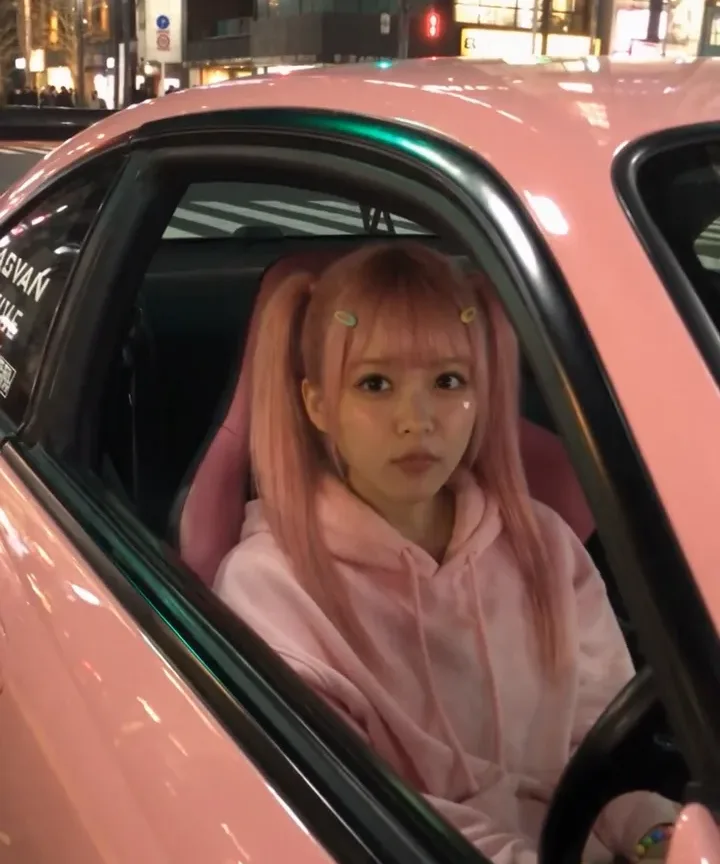
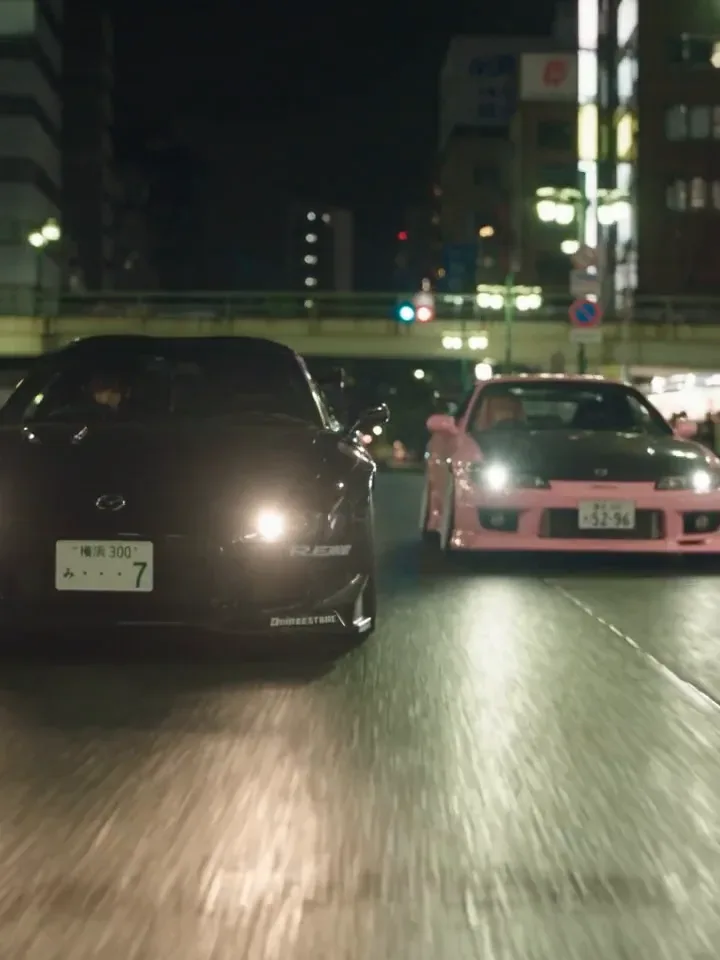
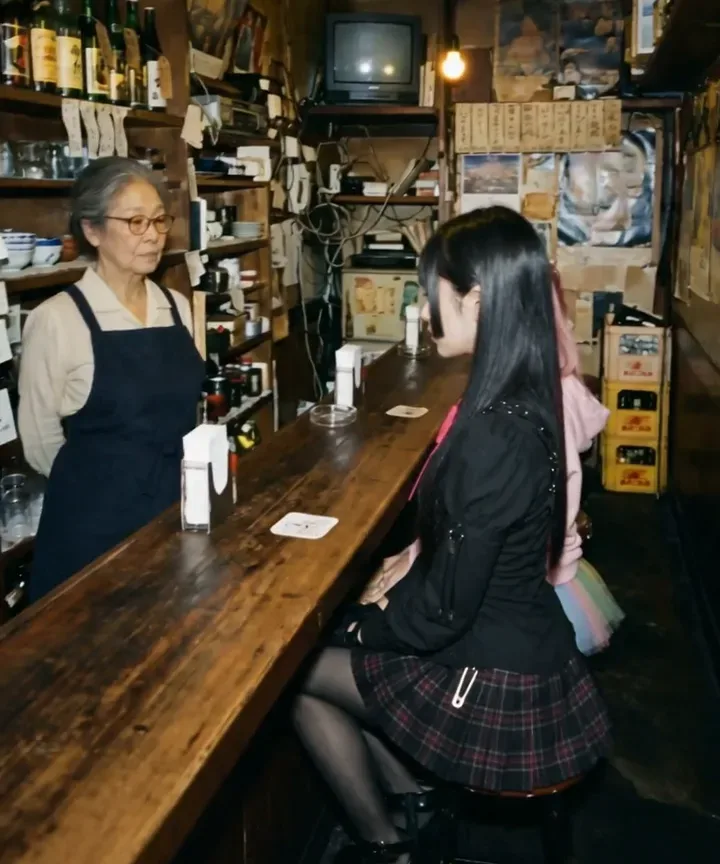
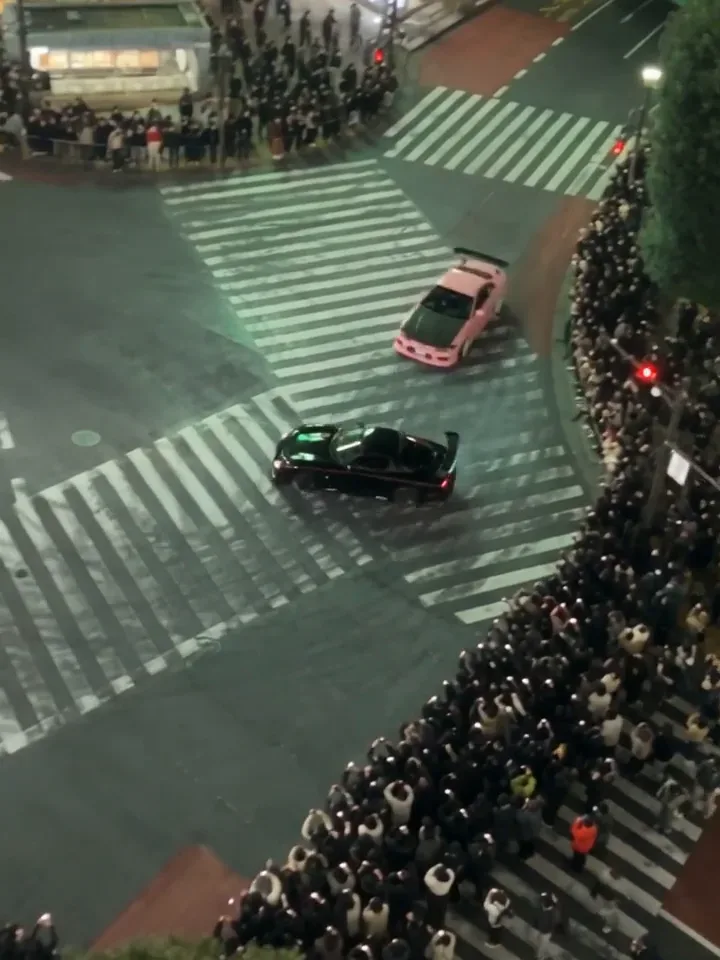
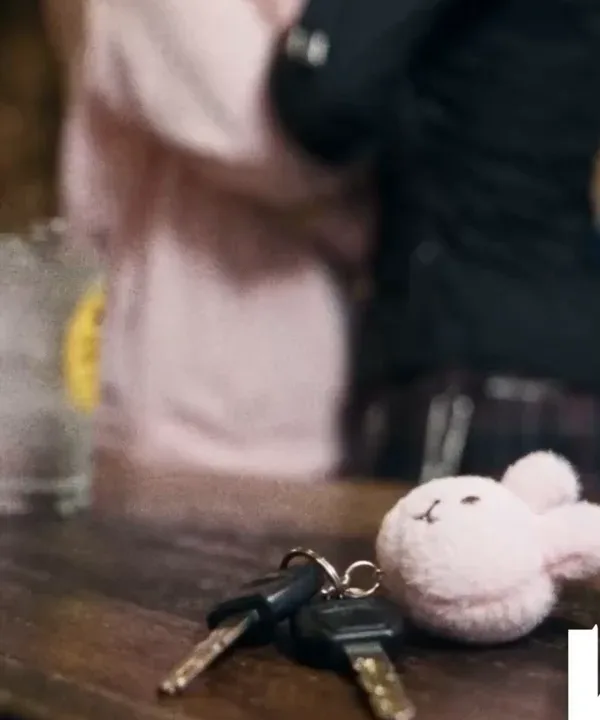
PINK SLIP Ep. 1 is an 87 second vertical film set in Tokyo in autumn 2002. Momo, in a pastel-pink Nissan Silvia S15, races Rin, in a black Mazda RX-7, from Shibuya Crossing through the city to the spiral ramps of Daikoku Junction, and the night ends at the counter of a tiny bar in Golden Gai with a set of car keys between them. Every shot in it was generated on NOLGIA.
This guide is the method behind it, taken from the project's own breakdown and its generation history: the reference sheets that went into the shots, prompts as they were sent, the shot that came out wrong and the lines that fixed it, and templates to copy for your own film.
What we made
The film plays below in four parts, about 87 seconds in all, in the vertical 9:16 it was made in. Turn the sound on: the three lines in the bar are spoken by Seedance 2.5, in the clips themselves.
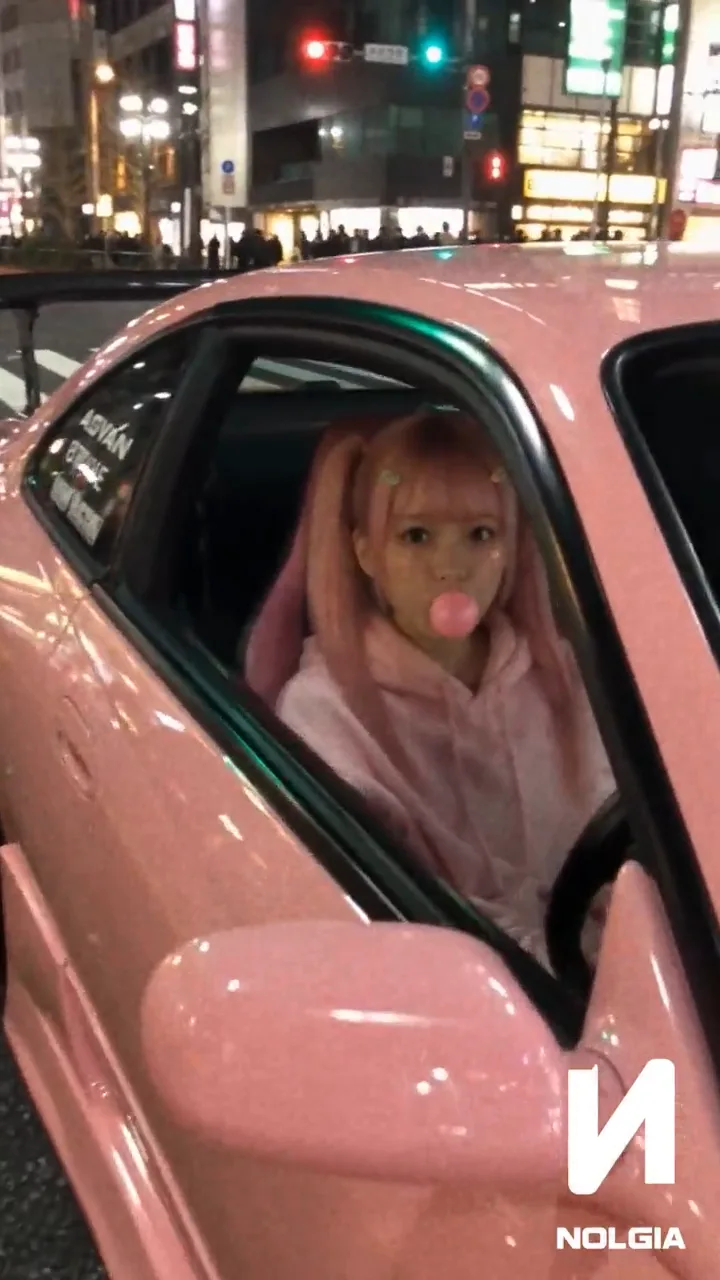
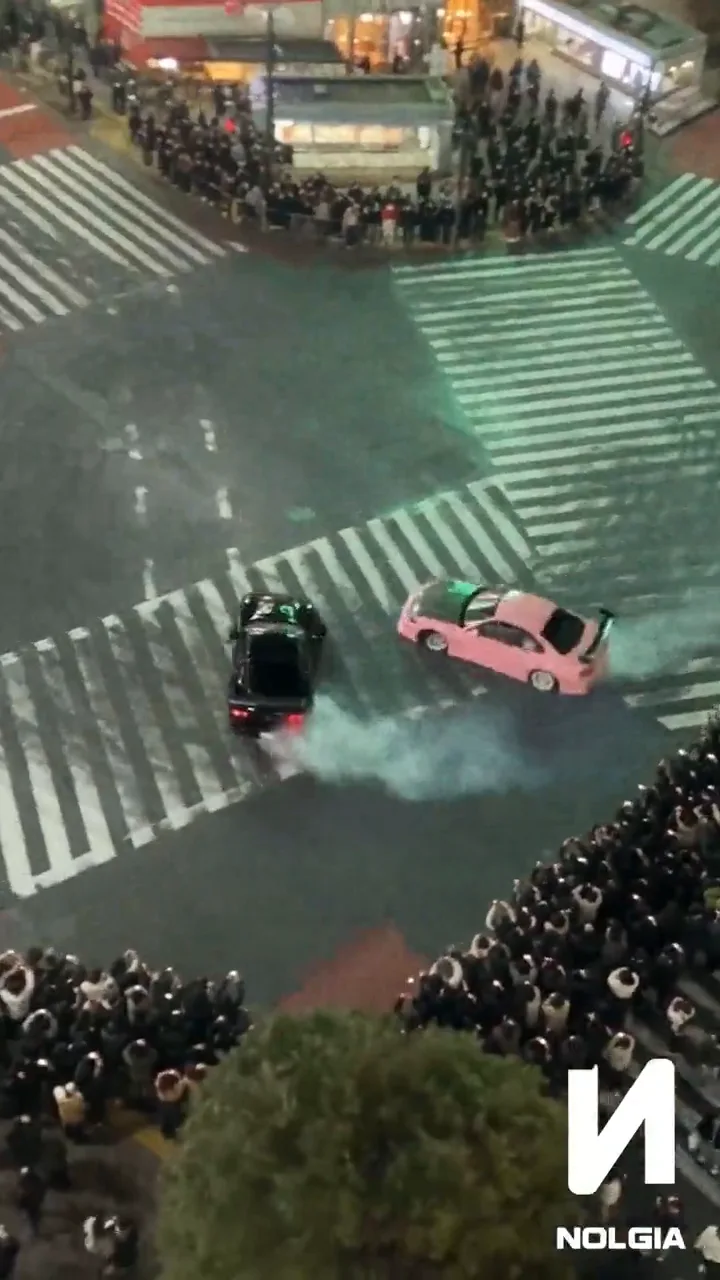
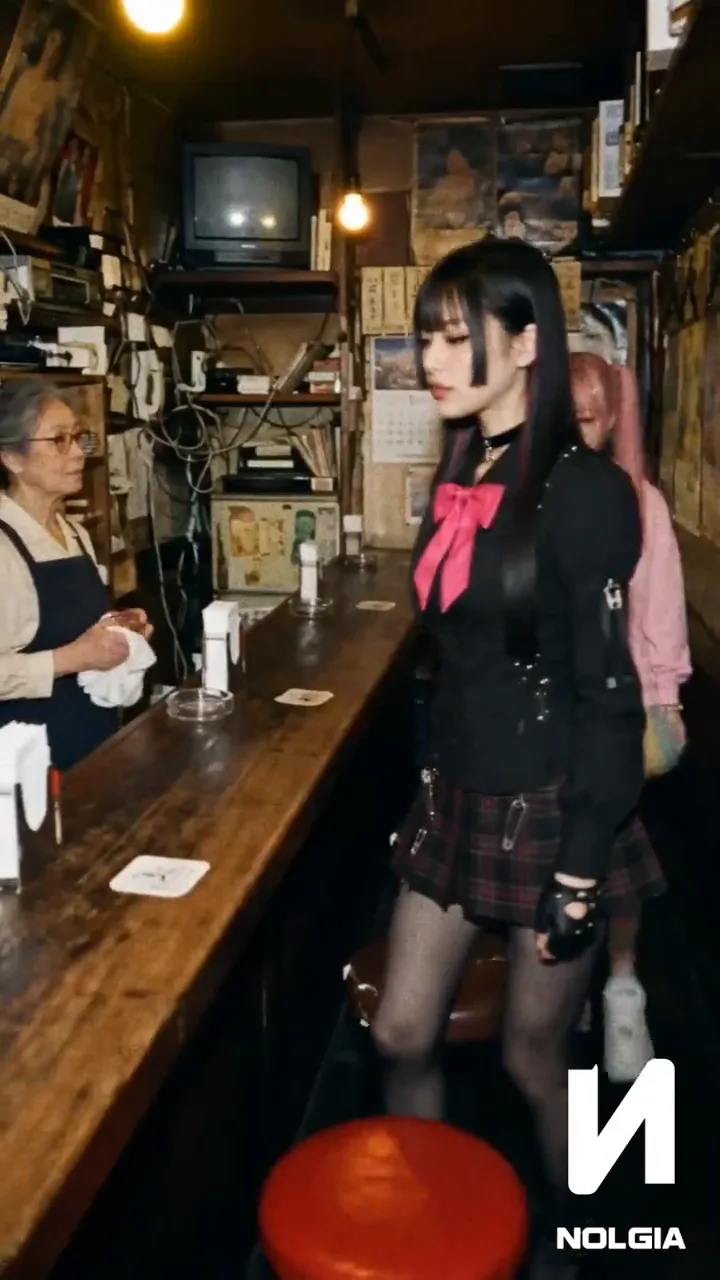
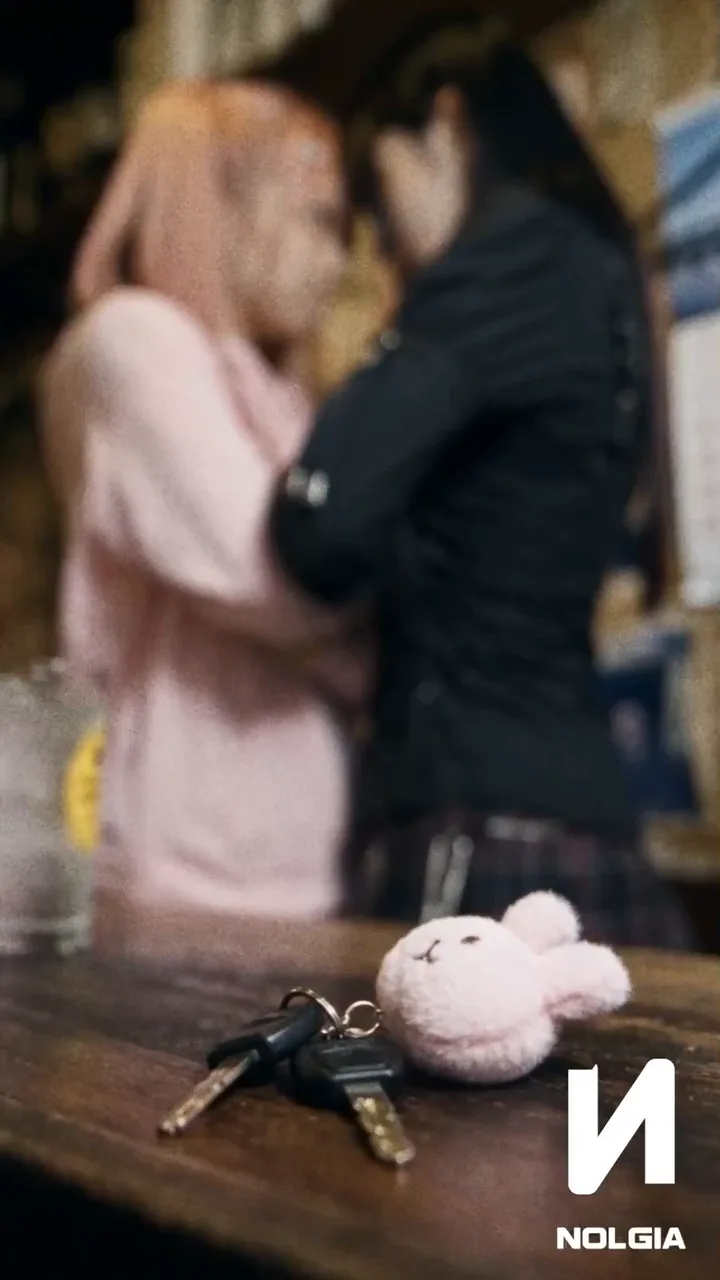
Tip:Everyone in it is made up. Momo, Rin, Mama-san and the trucker are AI characters made on NOLGIA for this film. The cars are real models, the Nissan Silvia S15 and the Mazda RX-7 FD3S, generated from design sheets.
Lock the look of the world first
Before any character or shot, write the world down as a few fixed rules, then repeat them in every prompt. PINK SLIP mixes early-2000s Japanese street racing with the look of a home camcorder: observed, imperfect and physical, never a smooth commercial or a video game cinematic.
- Era and places: Tokyo, autumn 2002: Shibuya, the Wangan expressway, Daikoku Junction and a cramped bar in Golden Gai.
- Texture: analog softness, a little CCD noise, natural grain, autofocus that hunts, small exposure changes.
- Light: warm yellow bulbs indoors; headlights, street lamps and mixed city light outside.
- Performance: restrained faces, readable eyes and posture, no big acting.
- Camera: held by a person, with small shakes and late corrections.
- Sound: engines, tires, room tone, glass and keys, and music that changes with the story.
Era / place: [YEAR, CITY, LOCATIONS].
Texture: [CAMCORDER / FILM / DIGITAL CHARACTER], [GRAIN, NOISE, SOFTNESS].
Lighting: [PRACTICAL SOURCES], [SHADOW QUALITY], [HIGHLIGHTS].
Palette: [SHADOW COLOR], [HIGHLIGHT COLOR], [ACCENTS].
Performance: realistic, controlled, physically grounded.
Camera: human-operated handheld, subtle micro-shake, imperfect reframing, motivated focus hunting.
Continuity: same faces, hair, wardrobe, props, vehicles, geography, and time of day as references.
Avoid: gimbal-smooth movement, weightless physics, random wardrobe changes, mirrored layouts, fake UI overlays, unintended text, invented logos.
Tip:Write the rules once and paste them. Every PINK SLIP shot prompt repeats the same camcorder lines almost word for word: natural handheld shake, imperfect framing, autofocus hunting, analog grain and low-light noise. The look holds from shot to shot because the words do.
Make one sheet for each person
Make every recurring person before you make a single shot. A good sheet fixes the face, the hair, the clothes, the proportions, the accessories, the shoes and the back view. Make one sheet per person, and never put two people on one sheet.
Every PINK SLIP sheet uses the same five panels on a plain grey background, with the same light and scale in each:
- Top left: a straight-on medium portrait, standing upright, facing exactly forward, head level.
- Top middle: the full body from the front with the head cropped out, so the outfit and shoes are all visible.
- Top right: the full body from behind, to show the hair and the back of the outfit.
- Bottom left: the face close up, turned a third toward the character's left.
- Bottom right: the face close up, turned a third toward the character's right.
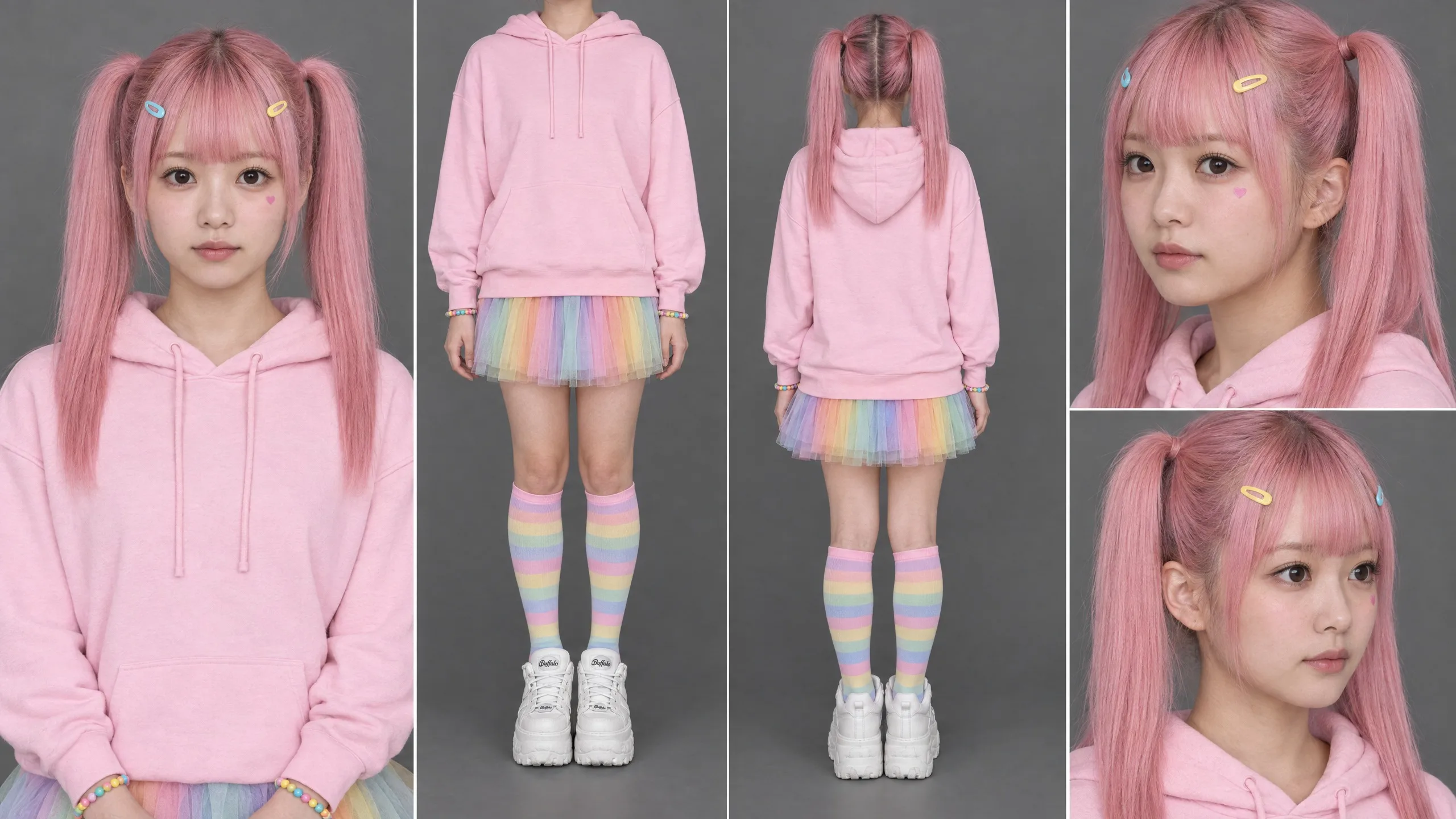
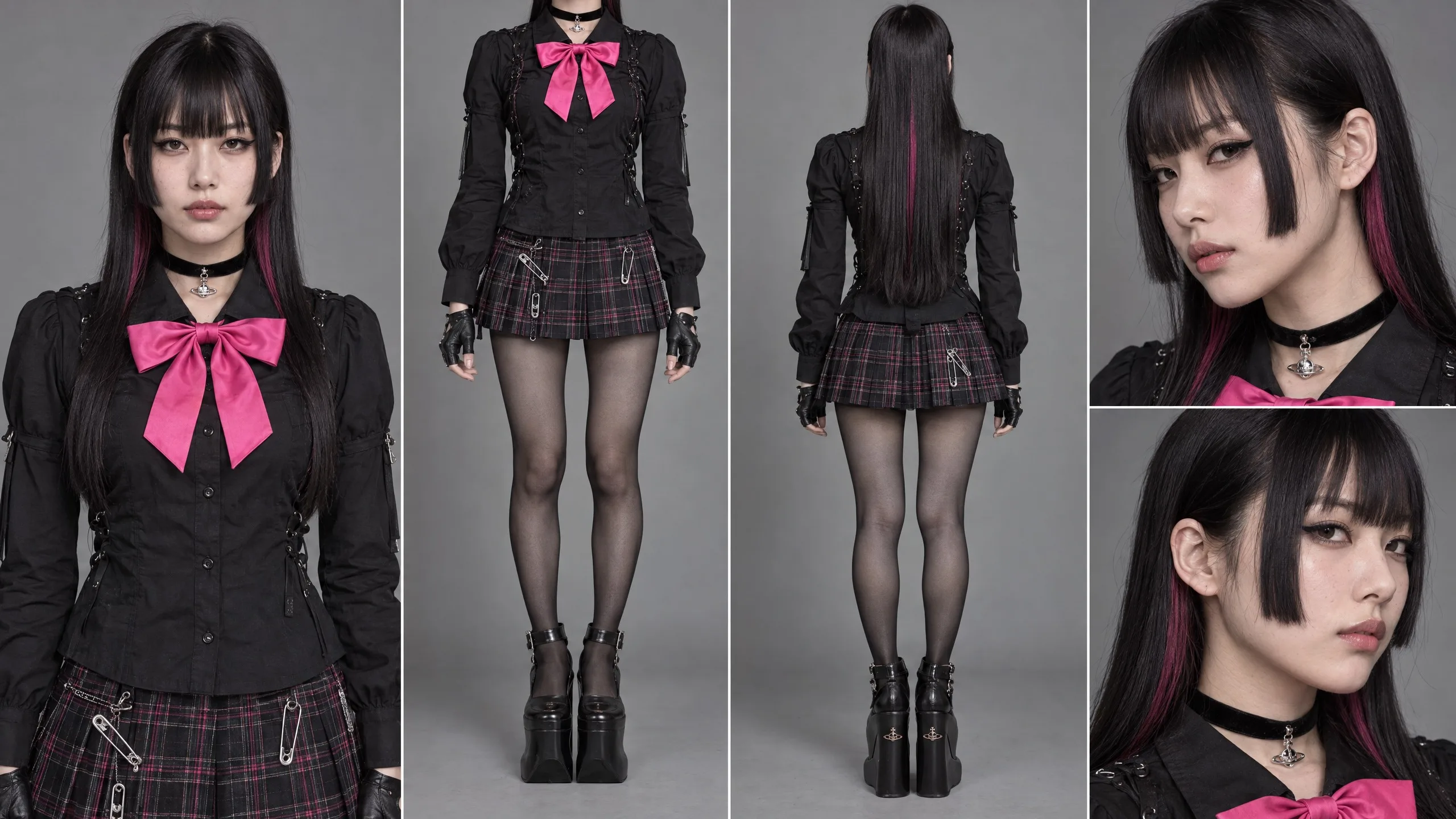
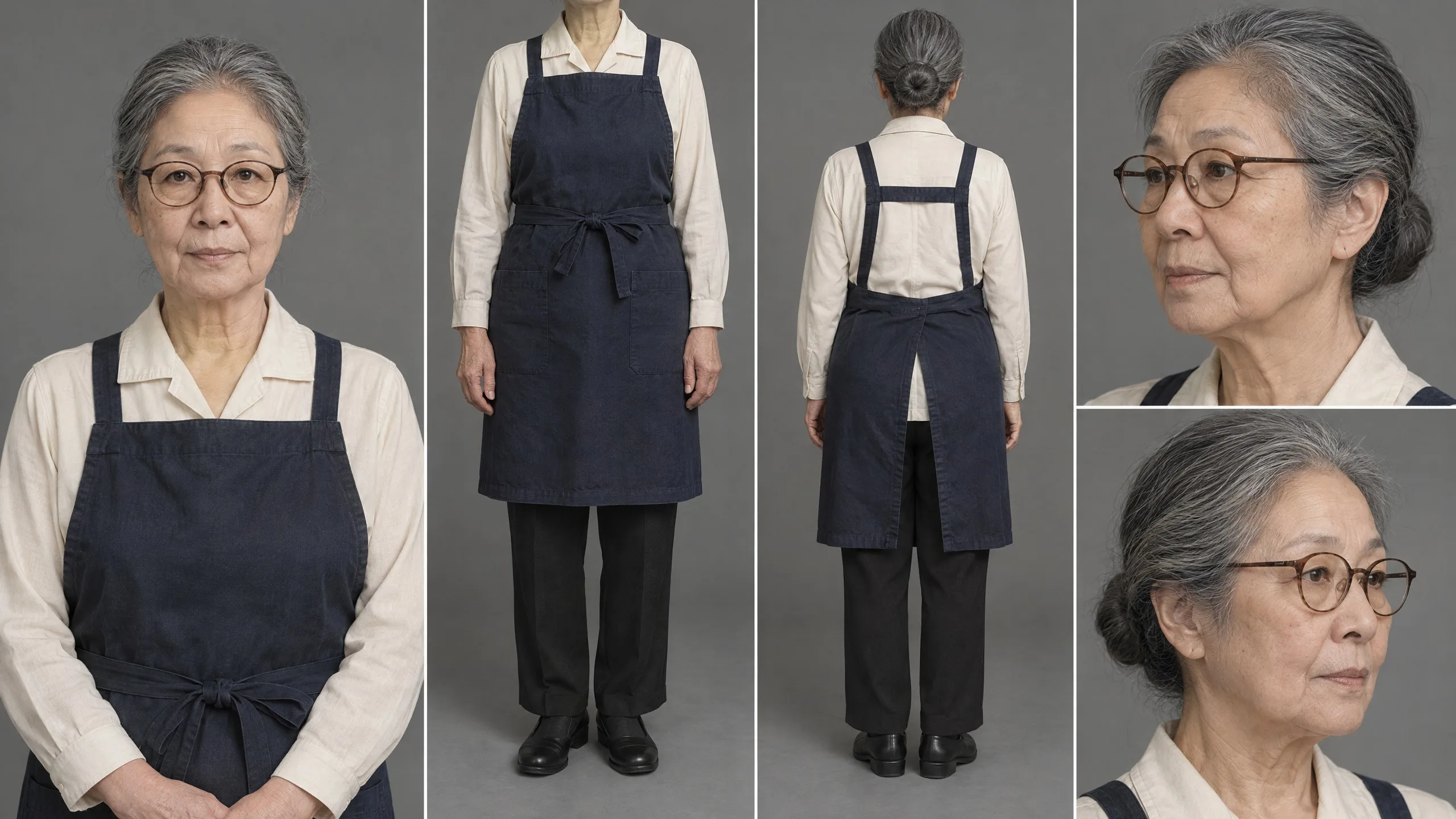
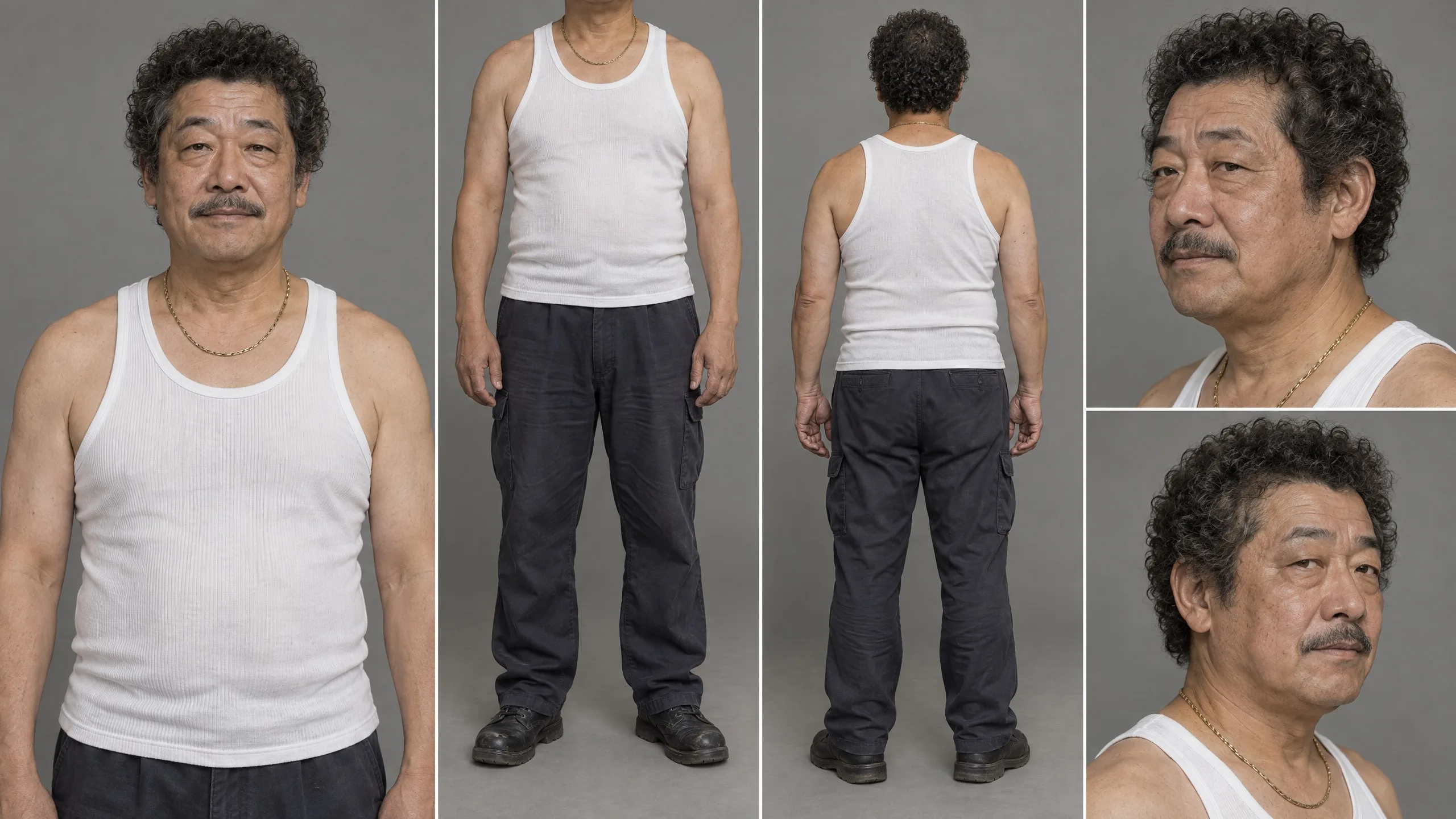
All four were made in the image composer at 16:9, 2560 by 1440. This is the template behind them:
Create one photorealistic five-panel character reference sheet for [NAME], using the description below as the source of truth.

PANEL 1 (TOP LEFT): straight-on medium portrait, standing upright, shoulders level, face exactly forward, no head tilt.
PANEL 2 (TOP MIDDLE): full-body front view, head cropped out; show outfit from neck to shoes, feet visible.
PANEL 3 (TOP RIGHT): full-body rear view; show back of hair and complete rear outfit.
PANEL 4 (BOTTOM LEFT): face close-up at a natural one-third angle from the character's left side; head upright.
PANEL 5 (BOTTOM RIGHT): face close-up at a natural one-third angle from the character's right side; head upright.

IDENTITY: [AGE RANGE, FACE SHAPE, EYES, NOSE, SKIN, DISTINCTIVE MARKS].
HAIR: [CUT, COLOR, PART, LENGTH, ACCESSORIES].
WARDROBE: [GARMENTS, MATERIALS, FIT, COLORS, LAYERS].
ACCESSORIES: [JEWELRY, GLASSES, SHOES, PROPS].
BACKGROUND: solid dark grey #3A3A3C, evenly lit studio.
STYLE: photorealistic skin texture, natural anatomy, same scale and lighting in all panels.
STRICT: same person in every panel; no head tilt in Panel 1; Panel 2 head cropped out; Panels 4 and 5 are opposite one-third angles; no extra panels, text, watermark, or invented logos.
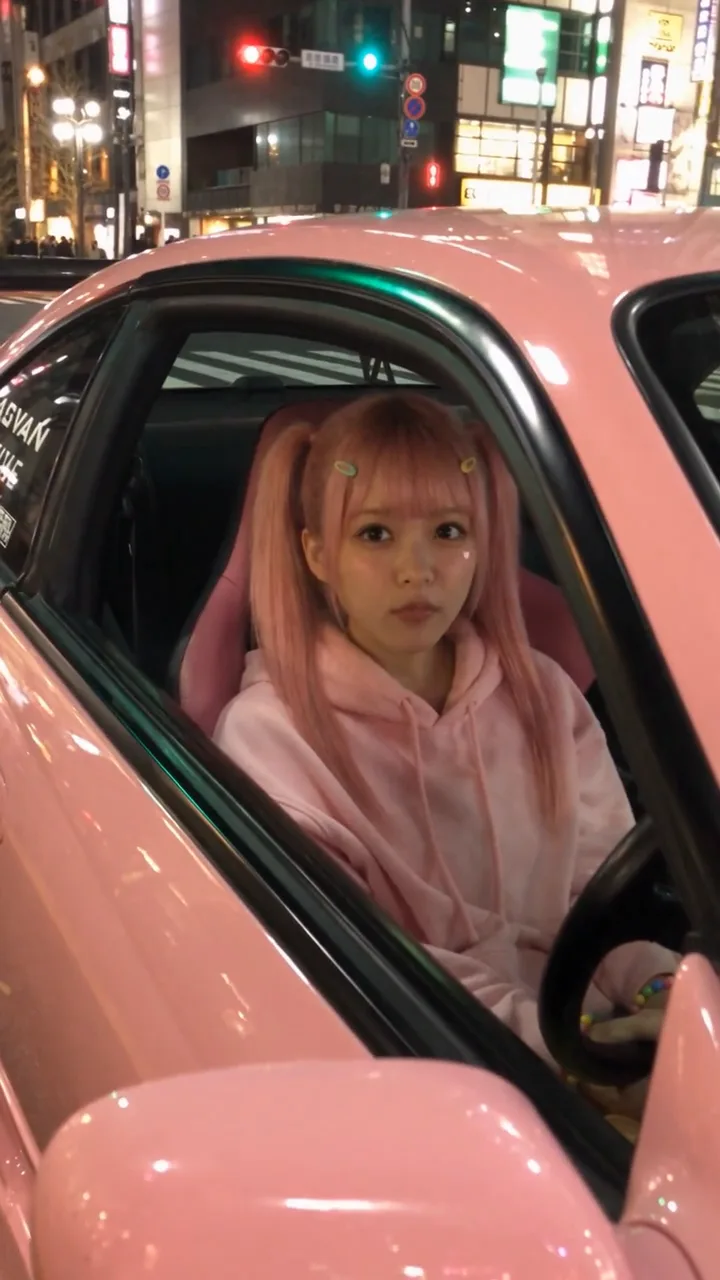
Tip:Name traits, not types. "A cute character" gives the model a hundred answers. Momo's sheet names pastel-pink twin tails, straight bangs, exactly two hair clips, a small pink heart under her left eye, a plain oversized pink hoodie, a rainbow tulle skirt, striped knee socks, white platform sneakers and bead bracelets. Rin's names a black hime cut with a hot-pink underlayer, a black choker with a silver orb pendant, a black blouse with a hot-pink bow, a tartan skirt, sheer tights, fingerless gloves and black platforms.
Then, in every shot, point the model at the sheet and say what must not change:
Use the attached [CHARACTER NAME] sheet as the exact identity and wardrobe reference. Preserve facial structure, age, hairstyle, hair color, distinctive marks, accessories, proportions, and clothing. The character is [ACTION] at [LOCATION]. Expression: [SPECIFIC EYE, BROW, MOUTH, JAW CUES]. Body language: [POSTURE, HANDS, SHOULDERS, GAZE]. Do not redesign, beautify, age-shift, change hairstyle, recolor wardrobe, remove accessories, or substitute another person.
Make a design sheet for every car and prop
In a racing story the cars are characters too. Each car got its own sheet with front three-quarter, side, rear and detail views, so the body, wheels, wing, lights, decals and cabin stay the same. Attach the car's sheet to every shot it appears in.
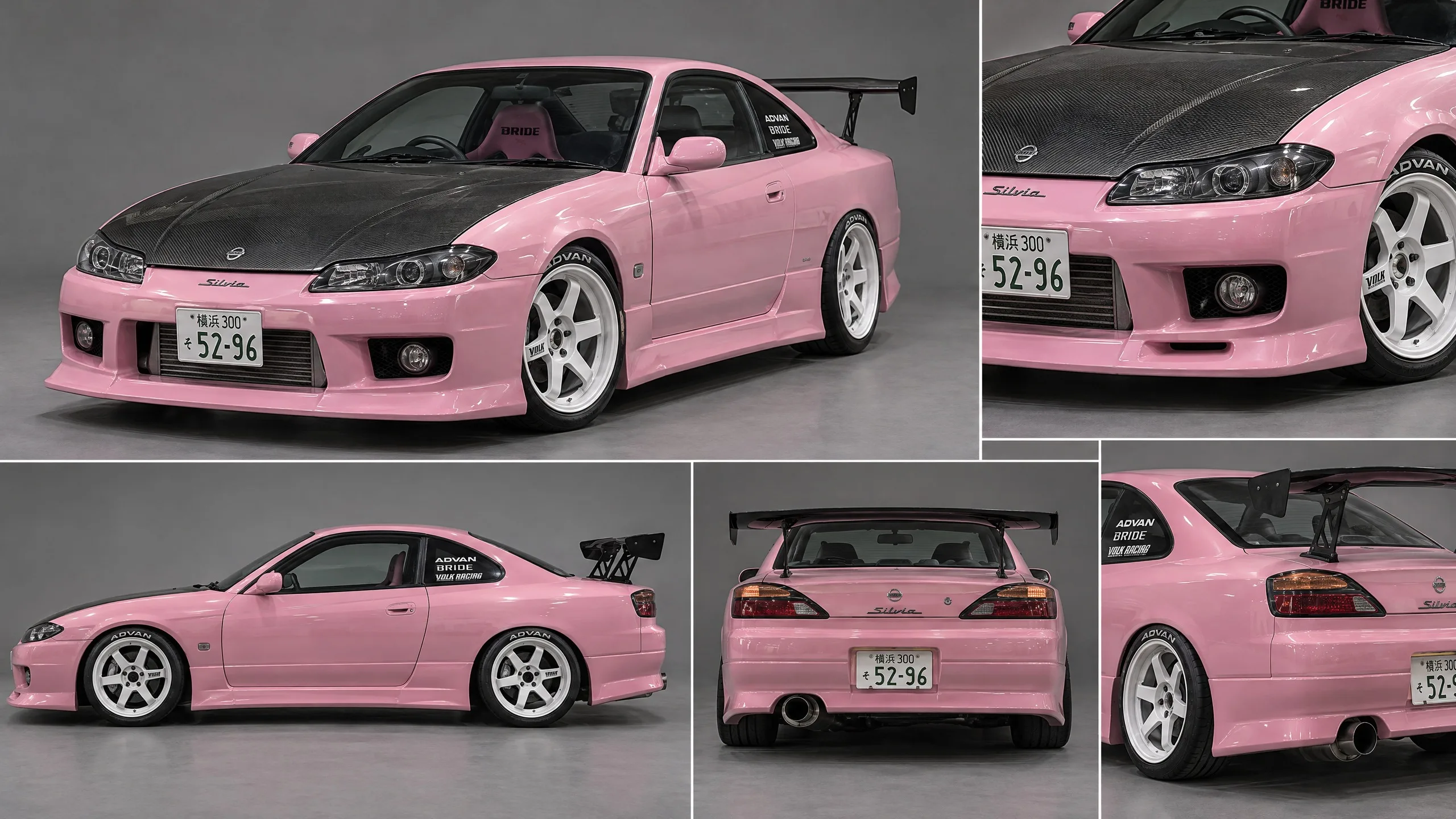
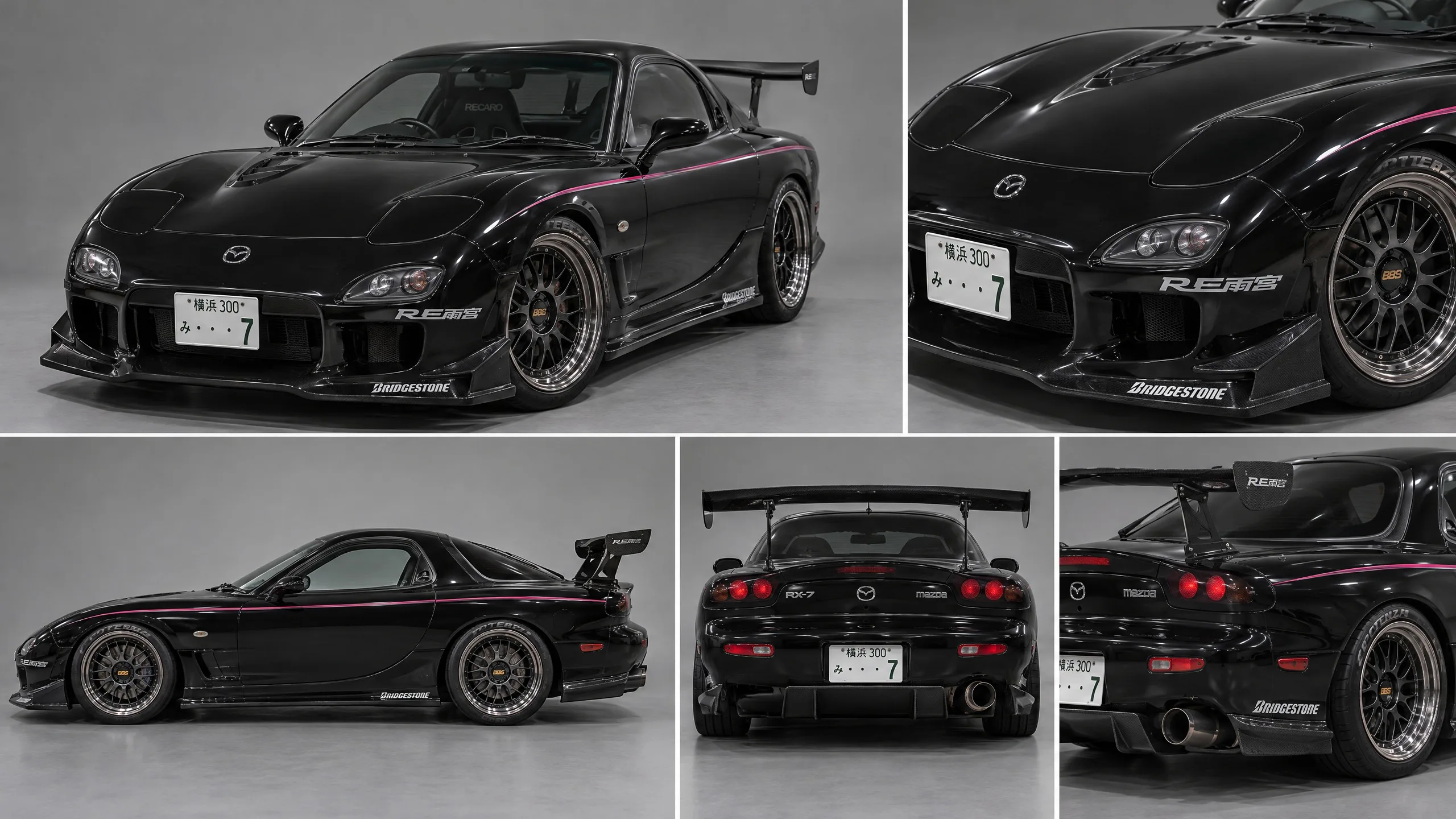
Create a photorealistic multi-panel design sheet for [YEAR, MAKE, MODEL, TRIM]. Show the exact same vehicle in front three-quarter, side profile, rear, and detail views.

BODY: [SHAPE, PAINT, HOOD, BUMPERS, AERO].
WHEELS / TIRES: [DESIGN, COLOR, FITMENT, TYPE].
SIGNATURE DETAILS: [WING, LIGHTS, EXHAUST, DECALS, INTERIOR, PLATE STYLE].
ERA / CONDITION: [YEAR, MODIFICATIONS, WEAR].
BACKGROUND: neutral grey studio floor and backdrop, consistent scale and lighting.
STRICT: same body kit, wheels, ride height, paint, wing, lights, decals, and plates in every view. No invented parts, extra cars, redesign, or watermark.
A prop that matters gets the same treatment: front, side and detail views on a plain background. For the bar scene, the prompts also attached a picture of the highball glass, so both glasses stay the same from cut to cut.
Create a clean photorealistic reference image of [PROP]. Show front, side, and detail views on a neutral background. Exact shape/material/color: [DETAILS]. Scale: [REALISTIC SIZE]. Distinctive features: [DETAILS]. No extra copies, no redesign, no text or watermark. This exact prop must remain recognizable across all later scenes.
Make a location plate that shows the layout
A location reference has to show the layout, not only the mood. For a bar, that is the counter, the customer side, the bartender's side, the stools, the door, the shelves and the lights. For a road, it is the direction of travel, the lanes, the barriers, the traffic and the landmarks.
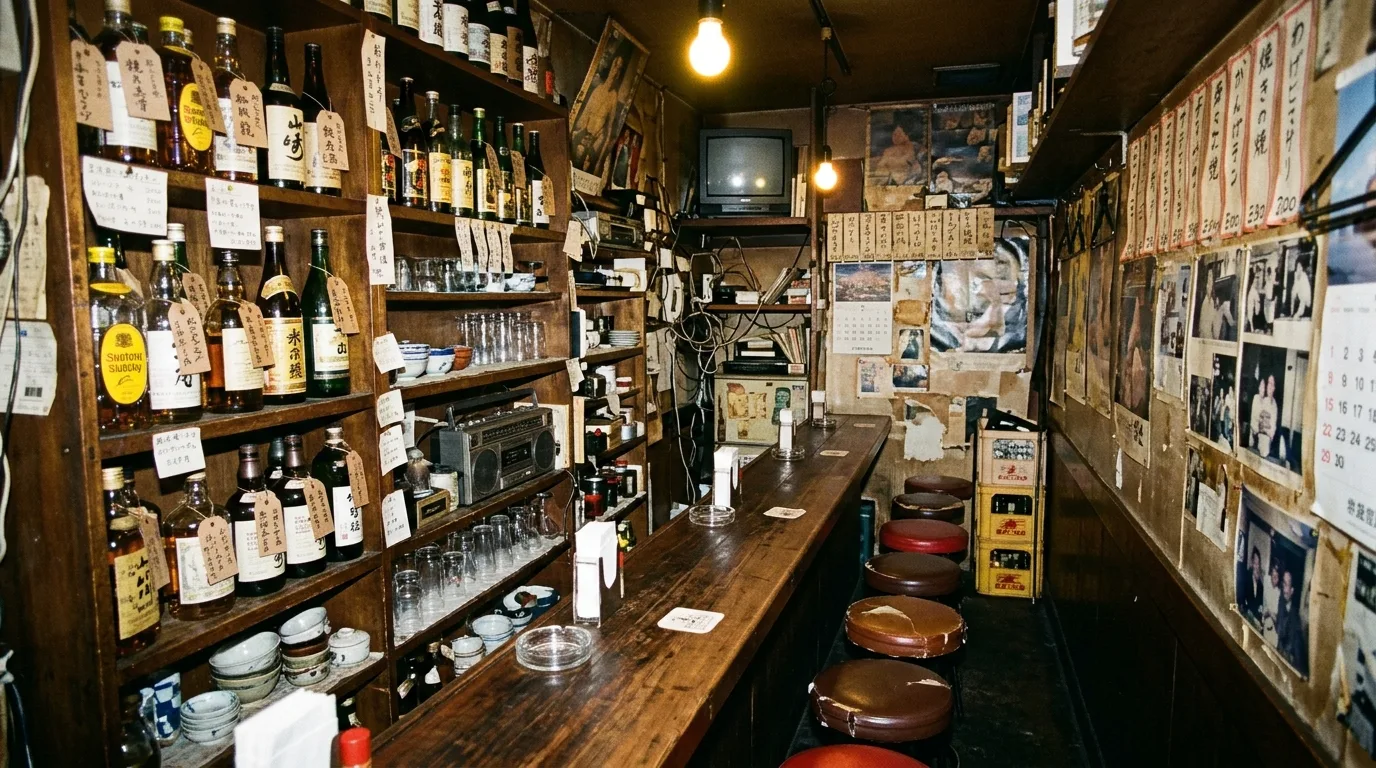
Create a photorealistic location reference for [LOCATION, CITY, YEAR / ERA].

LAYOUT: [ROOM / STREET GEOMETRY, ENTRY, EXITS, COUNTER, SEATING, LANES, BARRIERS].
FIXED OBJECTS: [SHELVES, LIGHTS, SIGNS, FURNITURE, LANDMARKS].
MATERIALS: [WOOD, CONCRETE, METAL, GLASS, ASPHALT].
LIGHT: [TIME, PRACTICALS, DIRECTION, COLOR, SHADOWS].
CAMERA VIEW: [WIDE VIEW / ALTERNATE ANGLES].
ERA DETAILS: [PERIOD-CORRECT OBJECTS, CLOTHING, VEHICLES, TECHNOLOGY].
CONTINUITY: preserve architecture, object positions, entrances, counter side, and light sources in every later shot. No random furniture, layout changes, modern objects, or invented text.
Watch for this:"Facing each other" is not enough. Say which side of the counter each person is on, and whether the counter is between them, in every prompt where it matters. The bar plate's own prompt asked for room for two women "facing each other", and the first take of the bar scene put them facing each other along the counter. The fix is further down.
Plan one clear action per shot
Don't ask one generation to invent a whole scene. Give each shot one main action and one purpose, and let the edit build the sequence. Before you write a shot, decide six things:
- Subject: who or what matters most.
- Action: what happens, in order.
- Frame: wide, medium, close-up, insert, low angle, top-down or over the shoulder.
- Move: locked off, handheld follow, push-in, pan, whip pan or tilt.
- Continuity: screen position, eyeline, props, the car's direction, the light and the background.
- Sound: dialogue, engine, tires, room tone, an impact, silence or music.
| Angle | What it does |
|---|---|
| Low angle | The camera near wheel height or below the chest, tilted up a little. Gives a car weight or a character authority. |
| Wide establishing shot | Shows the road layout, the traffic, the crowd, the junction or the bar before you cut closer. |
| Medium shot | The torso, hands and posture: right for gestures and silent standoffs. |
| Close-up | Isolates the eyes, a mouth, hands, a key, the wheel or the gear stick. Establish the geography first. |
| Insert | A tight detail: a foot on the gas, a key tapping wood, a wheel spinning. |
| Telephoto | Stacks traffic up in the frame while keeping the cars' scale believable and a safe distance between them. |
| Whip pan | A fast, motivated pan between two events: a brief blur, then it settles on the subject. |
| Handheld follow | The operator walks or reacts with the subject, with small bobs and imperfect corrections. |
Tip:Push-in or crash zoom: say which. A push-in moves the camera forward; a crash zoom changes the focal length fast. They look different, so name the one you mean.
SHOT [NUMBER]: [DURATION], [ASPECT RATIO].
REFERENCE SHEETS: [CHARACTERS], [VEHICLES], [LOCATION], [PROPS].
SUBJECT: [WHO / WHAT IS DOMINANT].
ACTION: [ONE CLEAR PHYSICAL ACTION, CHRONOLOGICAL ORDER].
EXPRESSION: [EYES, BROWS, MOUTH, JAW, BREATH, POSTURE].
FRAME: [SHOT SIZE, CAMERA HEIGHT, ANGLE, COMPOSITION].
MOVE: [CAMERA MOVEMENT, SPEED, START AND END POSITION].
PLACE / CONTINUITY: [SCREEN POSITIONS, DISTANCES, PROP LOCATIONS, TRAVEL DIRECTION].
LIGHT / LOOK: [MASTER LOOK, PRACTICAL LIGHTS, COLOR, TEXTURE].
SOUND: [DIALOGUE / FOLEY / AMBIENCE / MUSIC / SILENCE].
NO: [SPECIFIC FAILURE MODES TO PREVENT].
Write every shot prompt in the same order
Writing each prompt in the same order helps the model keep identity, action, framing, movement, physics, sound and exclusions apart. This is the order the shots follow:
CAMERA: [CAMERA FEEL / HEIGHT / LENS CHARACTER / MOVEMENT].
FRAME: [ASPECT RATIO / SHOT SIZE / COMPOSITION / SUBJECT POSITION].
STYLE: [ERA / VISUAL DNA / COLOR / TEXTURE].
LOOK: [LIGHT / CONTRAST / HIGHLIGHTS / GRAIN].
SUBJECT: [EXACT CHARACTER / VEHICLE / PROP REFERENCE].
PLACE: [LOCATION SHEET / GEOGRAPHY / FIXED OBJECTS].
FIRST FRAME: [PRECISE STARTING COMPOSITION AND PROP STATE].
ACTION: [CHRONOLOGICAL BEATS, ONE CLEAR ACTION AT A TIME].
MOVE: [CAMERA MOVE WITH START / END / SPEED].
PHYSICS: [WEIGHT, CONTACT, MOMENTUM, VEHICLE / PROP BEHAVIOR].
SOUND: [DIALOGUE, FOLEY, AMBIENCE, MUSIC, SILENCE].
NO: [SPECIFIC THINGS THAT MUST NOT CHANGE OR APPEAR].
Here is one shot written that way: the tandem drift across Shibuya Crossing, with both car sheets attached. This is the prompt as it was sent, with its dashes written as colons, and the take below is the one in the film.
PINK SLIP: EP. 1 | SHOT 8

SHIBUYA SCRAMBLE: TANDEM DRIFT

REFERENCE SHEETS TO ATTACH

* The Pink S15: exact pink Nissan Silvia S15 reference sheet.
* The Black RX-7: exact black Mazda RX-7 FD3S reference sheet.

VIDEO SETTINGS: Seedance 2.5 · 4-second generation · 9:16 vertical · 720p · Audio ON. Trim to 3 seconds in the final edit, matching the script.

CAMERA: Extreme-wide aerial rooftop viewpoint, approximately 40 meters above Shibuya Scramble Crossing. High-angle perspective looking down across the entire intersection. Authentic early-2000s Japanese consumer-camcorder footage, imperfect human-operated camera movement, natural optical softness, subtle autofocus hunting, analog noise, and realistic handheld imperfections. The cars and surrounding intersection must remain readable within the vertical frame.

FRAME: Vertical 9:16 composition. Show the scale of Shibuya Crossing, surrounding buildings, pedestrian crossings, waiting crowds, and both cars within the same wide composition. Do not crop either car out of frame.

STYLE: Authentic Tokyo street-racing footage from autumn 2002. Gritty, raw, energetic, and believable. No modern glossy CGI aesthetic.

LOOK: Early-2000s Japanese night-street atmosphere, realistic city lighting, slightly muted colors, natural highlights, subtle film grain, and analog consumer-camera texture.

SUBJECT: The exact pastel sakura-pink Nissan Silvia S15 Spec-R and gloss-black Mazda RX-7 FD3S from the supplied reference images. Preserve their exact body shapes, paint colors, wheels, wings, decals, proportions, and vehicle identities. Both are full-size, realistic production cars.

PLACE: Shibuya Scramble Crossing, Tokyo, Japan, autumn 2002. A busy nighttime intersection surrounded by Japanese commercial buildings and crowds of pedestrians.

FIRST FRAME: Both cars are already entering Shibuya Scramble Crossing at speed, immediately following the starting-line launch. The black RX-7 leads, with the pink Silvia following closely behind.

ACTION: Both cars perform a dramatic, synchronized tandem drift across the wide intersection. The black RX-7 slides sideways through the turn, and the pink Silvia follows its line closely, maintaining the visual relationship between the two cars. Their rear tires lose traction and produce realistic trails of tire smoke. Pedestrians on the sidewalks react and raise early-2000s mobile phones to film the race. The cars maintain believable speed, weight, tire grip, and steering behavior. This is a continuous racing action already in progress, not a new starting-line sequence.

MOVE: A slow, deliberate left-to-right pan from the elevated rooftop viewpoint, following the cars across the intersection. Keep both vehicles visible as they slide through the crossing. The camera movement should feel like an operator trying to follow an unexpected street race from a rooftop, with slight imperfect corrections rather than robotic stabilization.

PHYSICS: Realistic vehicle weight transfer, believable oversteer and countersteering, tire friction, smoke trails, and momentum. No floating, impossible sideways movement, or miniature-looking cars. Keep pedestrians safely on sidewalks and outside the vehicles’ paths.

SOUND: Eurobeat racing soundtrack continues at approximately 155 BPM, with distant engine revs, tire squeals, and crowd reactions mixed beneath the music. No dialogue.

NO: No character close-ups, no new starting-line shot, no traffic-light focus, no extra cars replacing the two leads, no changing vehicle designs, no exaggerated physics, no modern smartphones, no drones visibly entering the scene, no subtitles, no text overlays, no timestamps, no REC icon, no fake VHS overlays, no slow motion, no speed ramps, and no logos or graphics added beyond the actual reference-car decals.
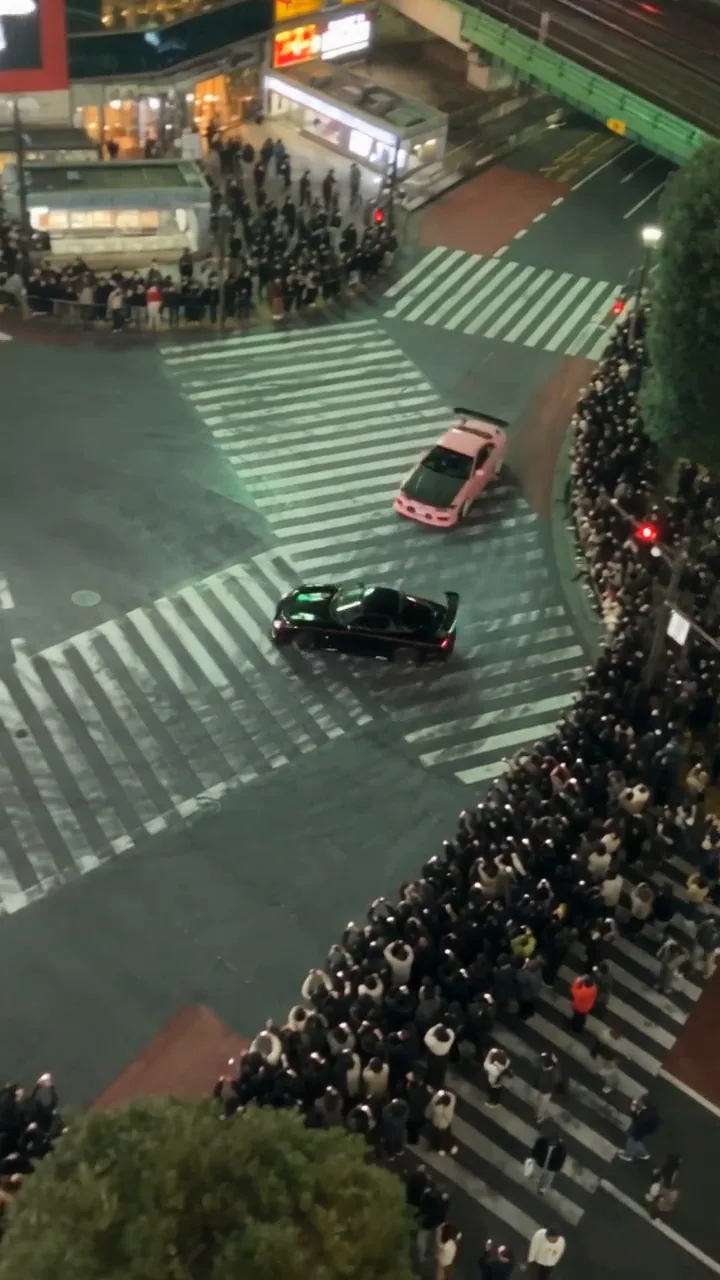
Handheld realism is a person holding a camera with a reason to move: small steps, reactions a fraction late, framing corrections, a subject that drifts toward the edge. Use more shake for running and impacts and less for dialogue and close-ups, and don't stack every camera flaw into every shot. Many PINK SLIP shots also had Handheld picked under Camera move, at Strong.
Camera feels operated by a real person standing / walking at [POSITION]. Natural irregular micro-shake, subtle breathing movement, small footstep bob, imperfect but intentional reframing, and slight delayed reactions to sudden action. Keep the subject readable. Brief autofocus hunting only when something crosses the focal plane; mild exposure adjustment when headlights or practical bulbs enter frame. Natural motion blur, modest analog softness/noise. No gimbal, Steadicam, drone, perfectly smooth tracking, fake VHS overlays, timestamps, or REC icon.
Generate the shots on Seedance 2.5
Open the video composer and pick Seedance 2.5. Open Reference images and add the sheets the shot needs with Upload, Library or Characters. Seedance 2.5 takes up to nine, tagged @Image1, @Image2 and so on in the order you add them.
- Shape: 9:16. Every PINK SLIP shot is vertical, 720 by 1280.
- Quality: 720p.
- Length: short. Most shots were 4 to 6 seconds, trimmed in the edit.
- Audio: on. The lines in the bar were written into the prompts in Japanese and came back spoken in the clips.
The prompts list the sheets at the top, under "REFERENCE SHEETS TO ATTACH", so whoever runs the shot attaches the right ones. You can also point at each one by its tag in the prompt, as in "the car from @Image2".
Tip:Put the driver in the car first. For shots of a driver at the wheel, the project also made a still of each character in their car and attached it beside the sheets, so the seat side and the cabin come out right. Japanese cars of that era are right-hand drive, and the prompts say so.
Expect more than one take. Shot 3, Rin at the wheel, took five; the shot where Rin asks for the keys took four. Keep the best part of each take, and change only the line that failed before you generate again. Each take is new, so the same prompt never gives the same shot twice.
Cut a racing montage that stays readable
A montage feels fast because each shot has a different job, not because every shot shakes. Mix geography, mechanical detail, driver reactions, tracking and a final punctuation shot, and keep the direction of travel and which car leads the same across the cuts. An eight-shot version:
- Low, at wheel height: the S15 launches, and the tires and suspension react.
- Wide, both cars: which car is on the left, which on the right, and which leads.
- Driver close-up: Momo's focused eyes, hands on the wheel where they belong.
- Low side follow: wheels and body pass the frame, with natural background motion.
- Telephoto road shot: the cars move through traffic with clear direction and space.
- A reaction: the trucker's quick nod and thumbs-up, one hand still on the wheel.
- High wide reveal: Daikoku Junction's spiral and both cars' paths.
- A detail: tire smoke, the exhaust, a gear change or brake lights, then the aftermath.
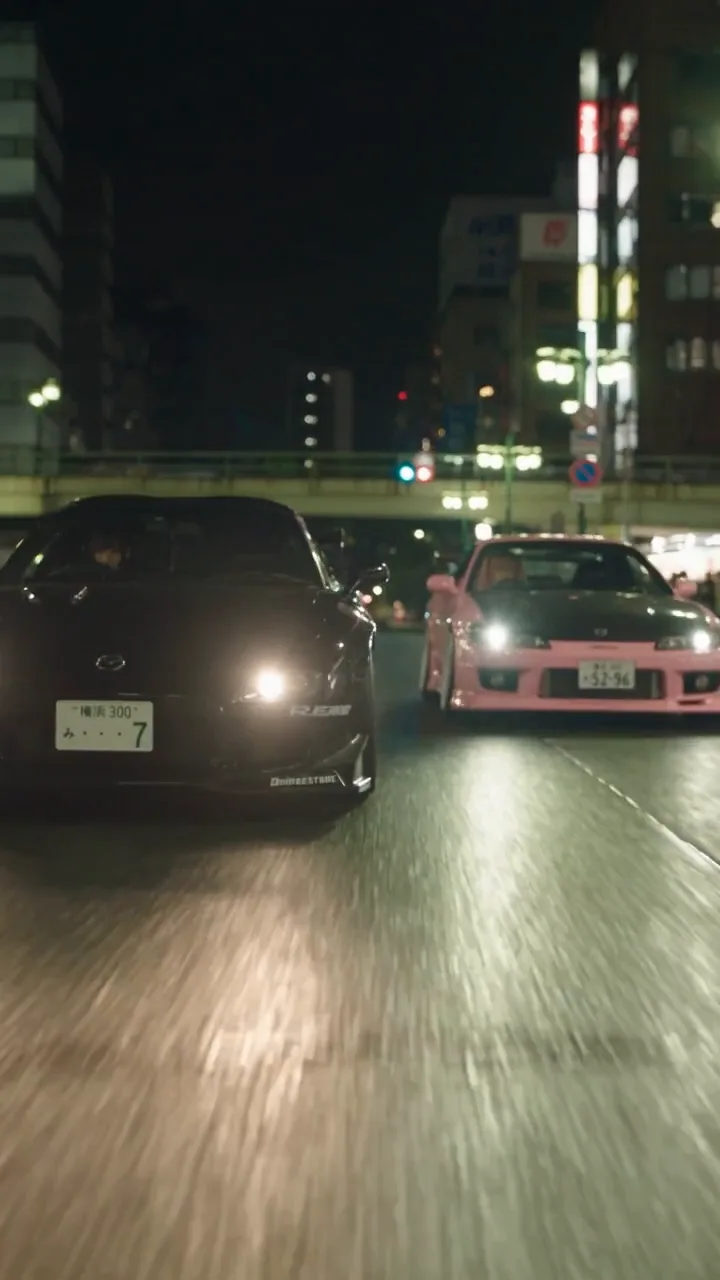
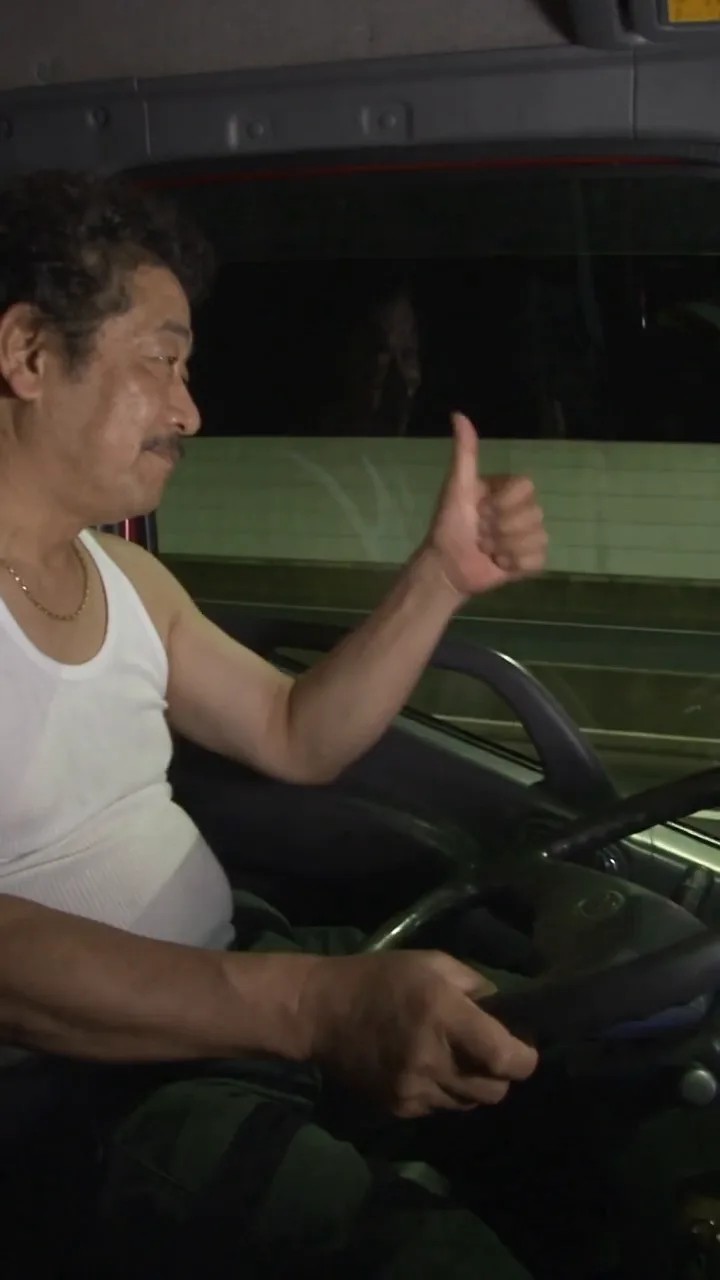
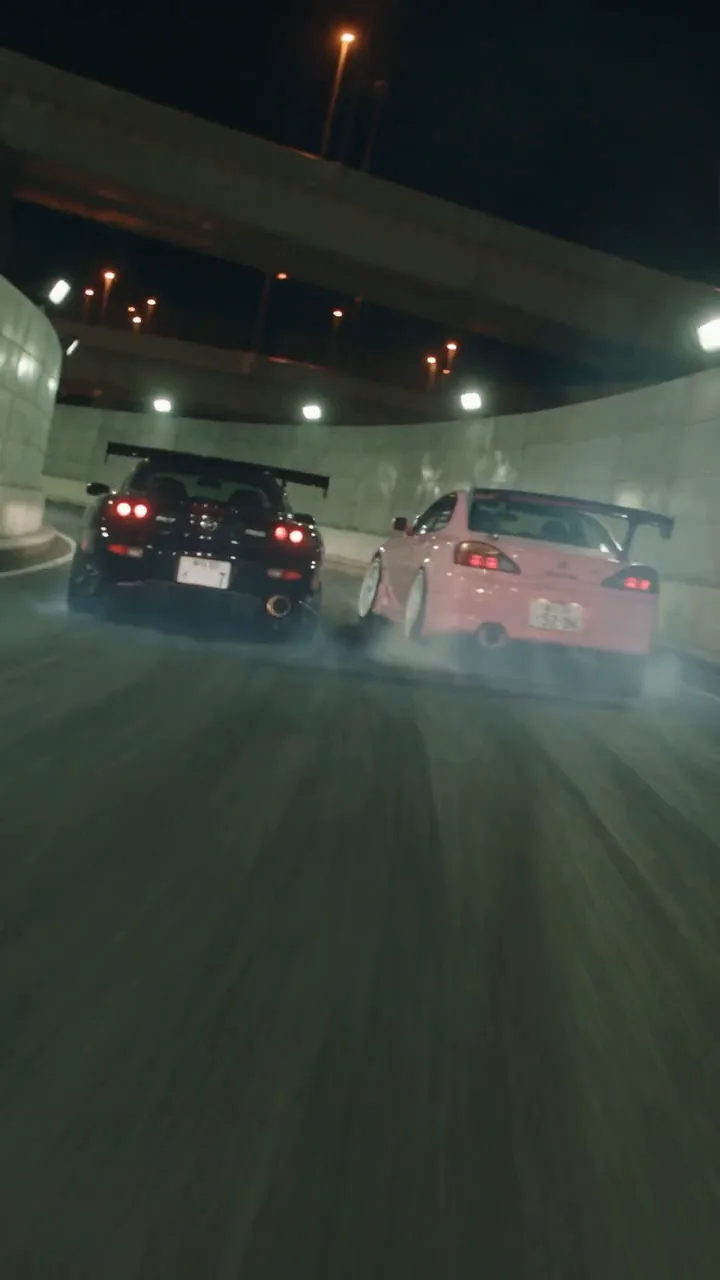
Create a [DURATION]-second sequence with [3 TO 6] distinct cuts from the same continuous action. Attach exact vehicle sheets and location reference.

A, WIDE GEOGRAPHY: establish road direction, lanes, barriers, traffic, and lead car.
B, LOW DETAIL: camera near wheel height; suspension load, spinning wheel, road texture, believable motion blur.
C, DRIVER REACTION: close-up of [DRIVER], focused eyes and small natural movements; hands correctly placed.
D, SIDE / REAR FOLLOW: handheld camera reacts to cars; preserve screen direction and relative distance.
E, HIGH / LONG-LENS REVEAL: show road geometry and both cars' paths.
F, PUNCTUATION DETAIL: [TIRE SMOKE / EXHAUST / SHIFT / BRAKE LIGHTS].

PHYSICS: realistic mass, traction, suspension, tire grip, smoke, and momentum.
CAMERA: human-operated handheld with imperfect corrections, not a stabilized drone or perfect tracking rig.
CONTINUITY: same car design, colors, wheels, decals, road direction, lead/follow order, and time of day.
SOUND: engines, gear changes, tire noise, wind, road ambience; control soundtrack separately in the edit.
Write expressions as small physical cues
"Angry", "cute" or "confident" on their own invite a cartoon. Describe what the face does, keep it small, and give it an order: how it starts, what changes and how long it holds.
Emotion: [EMOTION], realistic and restrained.
Eyes: [GAZE DIRECTION, DEGREE OF NARROWING, BLINK].
Brows: [SLIGHT FURROW / ONE BROW RAISED / RELAXED].
Mouth: [PRESSED LIPS / SMALL POUT / TIGHT SMIRK / OPEN BREATH].
Jaw / cheeks: [SUBTLE TENSION / SLIGHT PUFF / RELAXED].
Head / body: [LEVEL HEAD, SMALL TURN, SHOULDERS, BREATH].
Timing: [WHAT CHANGES FIRST, NEXT, AND HOW LONG IT HOLDS].
Keep performance human and understated. No rubbery movement, giant eyes, or cartoon grimace.
So instead of "Momo looks angry", write what her face does:
Her brows draw together slightly, eyes narrow toward Rin, cheeks puff a little, and lips press into a stubborn pout. She holds the look for a beat without moving her head: cute but genuinely irritated, not cartoonish.
Say who sits where, in every prompt
Room geography is the easiest thing to lose. Say which side the camera is on, who is on the left and the right, who is near and far, and which side of the counter, every time. This is the PINK SLIP shot that had to be fixed for it.
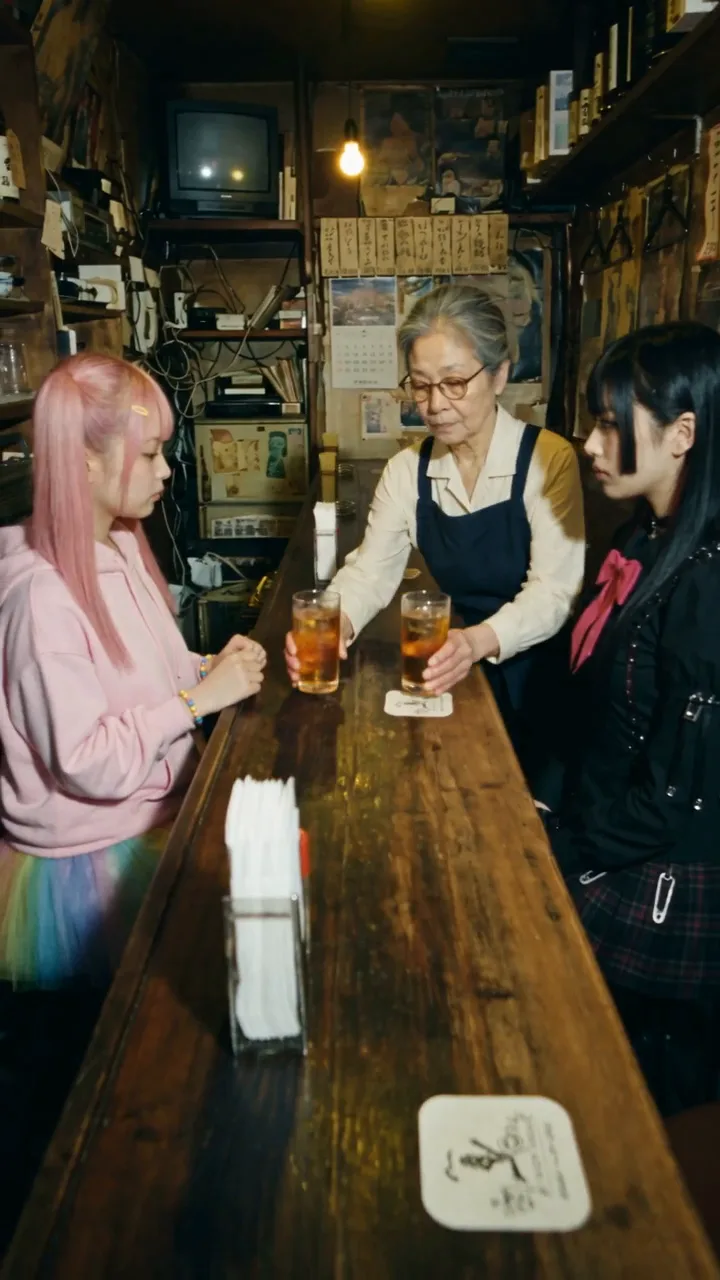
Shot 23 is the two rivals at Mama-san's counter. The first prompt seated them "with one empty stool between them" and gave each a side profile staring ahead, but never said which side of the counter they were on. It came back with them facing each other along the counter. The second prompt says where everyone is.
First prompt
Seating spelled out
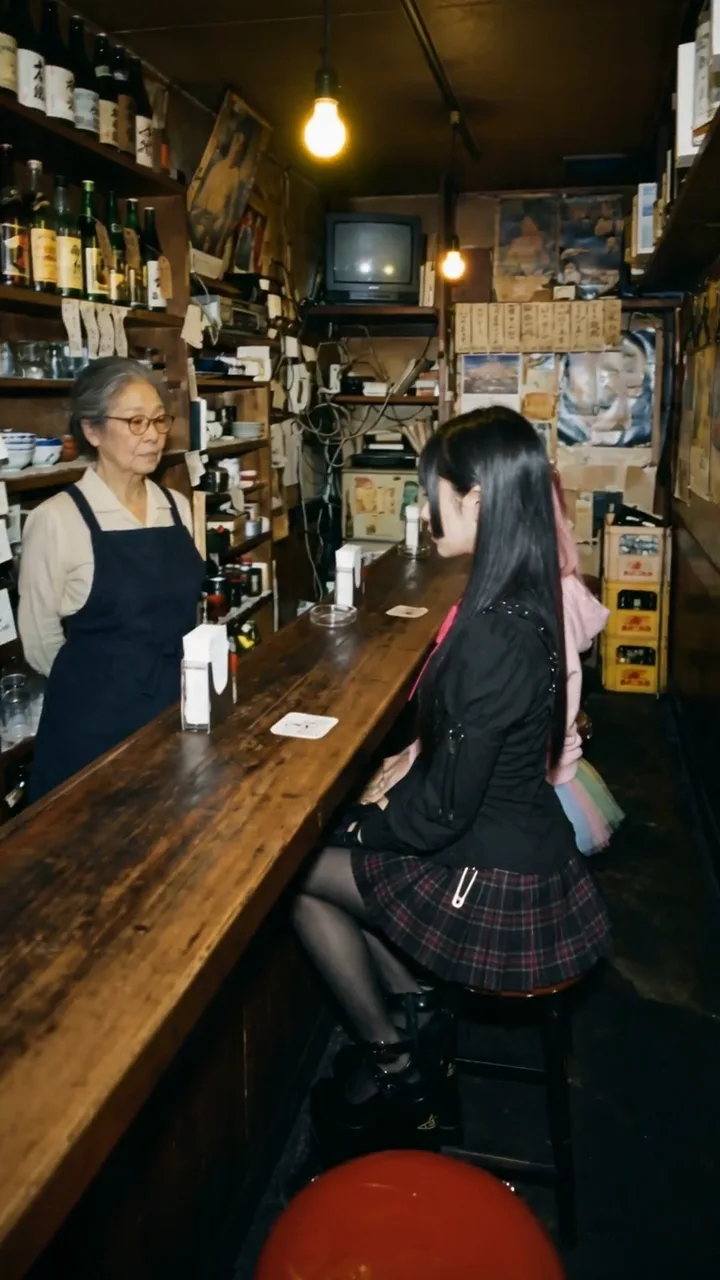
Both women sit side by side on the same side of the counter, facing the bar and looking toward Mama-san.

* RIN sits closer to the camera, occupying the foreground position.
* MOMO sits immediately beside RIN, farther from the camera.
* Both face forward toward the counter. They do not sit opposite each other.
* Mama-san stands behind the counter, facing them.

NO: Do not place the women opposite each other. Do not put an empty stool between them. Rin must be closer to the camera; Momo must sit immediately beside her.
Every bar shot after it repeats the same lines: Rin nearest the camera, Momo beside her, both facing Mama-san, no empty stool. The last bar prompt even names the mistake: "Do not recreate the incorrect composition in which Momo and Rin face each other across the length of the counter."
Use sound and story beats on purpose
Sound sells scale. A launch needs engine load, tire noise and rushing air; a small bar needs room tone, a glass on wood, a sip and a key tapping the counter. Say what is heard and when, and keep dialogue exact when it has to match the script.
- Lines in the clip: the bar's three lines are in the prompts in Japanese, in quotes, with who says them and how. Rin: "Kagi." (Keys.) Momo: "Butsuketa desho." (You hit me.) Rin: "Kachi wa kachi." (A win's a win.) All three came back spoken in the clips.
- Music: if the music goes on in the edit, say "no music" in the shot. The bar prompts ask for the race music to stop and an old enka song to play from the cassette radio, so the turn in the story is heard as well as seen.
- When a line won't land: generate the performance, then add the line and the effects in the edit.
Every shot should change something: a fact, a decision, more danger, a shift between two people, or a prop that starts to matter. A simple scene can follow five beats:
- Setup: the people, the place and the object or conflict.
- Challenge: a bet, a threat, a misunderstanding or an obstacle.
- Escalation: faster, closer, more intense or more personal.
- Turn: the mood changes, or a consequence shows.
- Cliffhanger or payoff: leave the question open, or finish the action.
In PINK SLIP's last shot, the key is the center of the fight: the camera holds it sharp on the counter while the two women push against each other, out of focus behind it. Cutting before either one wins leaves the question open. Who gets the key?
Edit for rhythm and continuity
- Generate short clips, review them, and pick the cleanest takes before you build the timeline.
- Use wide shots to orient, medium shots for body language, and close-ups and inserts for emotional punctuation.
- Match screen direction: if a car travels left to right, don't reverse it by accident in the next cut.
- Match eyelines: people look toward whoever or whatever is really in that direction.
- Keep prop states: a glass set down stays there, and a key on the counter doesn't jump to the floor.
- Cut on action where you can: the launch, a turn, a splash, someone standing, the key dropping.
- Even out color and exposure, then add the sound design, music, dialogue cleanup and titles once the picture is locked.
You can cut yours in NOLGIA's Timeline editor on a Vertical 9:16 timeline, or in the editor you already use. Before you export, go through the checklist:
- The right character sheets are attached; faces, hair, makeup, clothes, jewelry and shoes match.
- The right car sheet is attached; paint, body kit, wheels, wing, decals and plates stay the same.
- The location's layout and fixed objects match the plate.
- The geography is spelled out: left and right, near and far, front and back, which side of the counter, lane and direction of travel.
- Every prop has a starting place, a holder, a path, a landing point and a final state.
- The action is in order, with no movements that contradict each other.
- The camera's height, angle, lens feel and movement are written down.
- Expressions describe the eyes, brows, mouth and posture, not just an emotion.
- Sound and music instructions are on purpose.
- The NO lines target the mistakes this shot is likely to make, not unrelated ones.
PROJECT TITLE:
GENRE / EMOTION:
ERA / CITY:
ASPECT RATIO / TARGET DURATION:
MASTER VISUAL DNA:
CAMERA FEEL:
COLOR / LIGHTING:
CHARACTER SHEETS:
VEHICLE / PROP SHEETS:
LOCATION SHEETS:
STORY PREMISE:
SHOT LIST (NUMBER / DURATION / ACTION):
SCREEN GEOGRAPHY RULES:
SOUND / MUSIC PLAN:
EDITING PLAN:
NEGATIVE RULES:
FINAL CONTINUITY CHECK:
When something drifts
| What goes wrong | Fix |
|---|---|
| The face drifts | Attach the sheet again, repeat the signature traits, simplify the action and generate a shorter clip. |
| The clothes change | Name the exact garments and accessories, and rule out substitutes. |
| A car is redesigned | Attach its sheet and name the body kit, wheels, wing, paint and pinstripe. |
| The room flips | Say the camera side, who is on the customer side and the bartender's side, screen left and right, and which way the counter runs, every time. |
| The expression is cartoonish | Describe small physical cues and ask for restraint. |
| The camera is too smooth | Describe the operator: the steps, the late reactions, the imperfect corrections. |
| The action is chaotic | Cut the beats down, establish the geography first, and split the movement across clips. |
| The sound doesn't match | Generate without music and add the soundtrack and effects in the edit. |
What it costs
The sheets are priced per image, and the shots by model, quality and length. Each composer shows the price before you generate. Live rates for the models used in PINK SLIP:
GPT Image 2.5 FlareEvery plan
Per image
Native 8 credits · 2K 21 credits · 4K 58 credits
GPT Image 2.5 SunburstEvery plan
Per image
Native 8 credits · 2K 21 credits · 4K 58 credits
Nano Banana 2.1Every plan
Per image
1K 4 credits · 2K 5 credits · 4K 9 credits
Seedance 2.5Pro and up
Per 5s clip
480p 31 credits · 720p 66 credits · 1080p 160 credits · 4K 202 credits
1080p renders at 16:9 and 9:16
4K renders at 16:9 and 9:16
Read live from the catalog when this page loads. Every price is shown before you generate. See every rate.
Questions and answers
- Do I need a paid plan?
- Seedance 2.5, which made every shot, needs a Pro plan or above. The image models that made the sheets and the bar plate are on every plan.
- How many sheets can one shot carry?
- Seedance 2.5 takes up to nine reference images. Attach only what the shot needs: the people in it, their cars, the place and any prop that matters.
- Can I save a sheet as a Character?
- Yes. Save it on the Characters page, then in the video composer open Reference images and choose Characters, and its pictures join the shot.
- Can Seedance 2.5 speak the lines?
- In PINK SLIP it did: with Audio on, the three Japanese lines in the bar were written into the prompts and came back spoken in the clips. If a line doesn't come out right, generate the performance and add the line in the edit.
- Will the same prompt give the same shot?
- No. Every take is new. That is why the shots were generated as short takes and only the best moments kept.
- Are the people real?
- No. Momo, Rin, Mama-san and the trucker are AI characters made on NOLGIA. The cars are real models, generated from design sheets.
Make your own episode
Open the video composerRelated guides
Filmmaking
Keep characters and locations consistent across shots
A character sheet laid out to hold, a saved location and one sentence per prop: what held across five shots of one film, and two checks for every sheet.
· 17 min read
Prompting
Seedance 2.5: how to prompt it, with a library that was run
How to write for Seedance 2.5 on NOLGIA: text to video, a still as the start frame, a take as @Video1 with its sound, the six aspect ratios, 4 to 30 seconds, and what it refuses.
· 10 min read
Filmmaking
A short film with AI: the pipeline from script to final cut
A 25 second film, Last Train, from a five line script to a graded cut: a saved character, a saved location, a prop, frames first, then shots, sound, Studio, and the export to Premiere or Resolve.
· 13 min read