
Turn a photo into a video, three ways
Open the video composer, choose Animate an image, drop the photo in, write what moves and press Generate. That is the whole job. This guide animates one still three ways, shows what each way gave back, and lists which models take a photo, which take a start and an end frame, and which take a reference instead.
- 16 min read
- Updated
- Preset: Cover reveal
One photo, three routes to a clip. The composer gives you every control, the agent takes one sentence and does the rest, and a preset turns the photo into a finished reveal with a few taps. All three ran on the same still, made for this guide with an image model, and every clip below is the real output of that run.
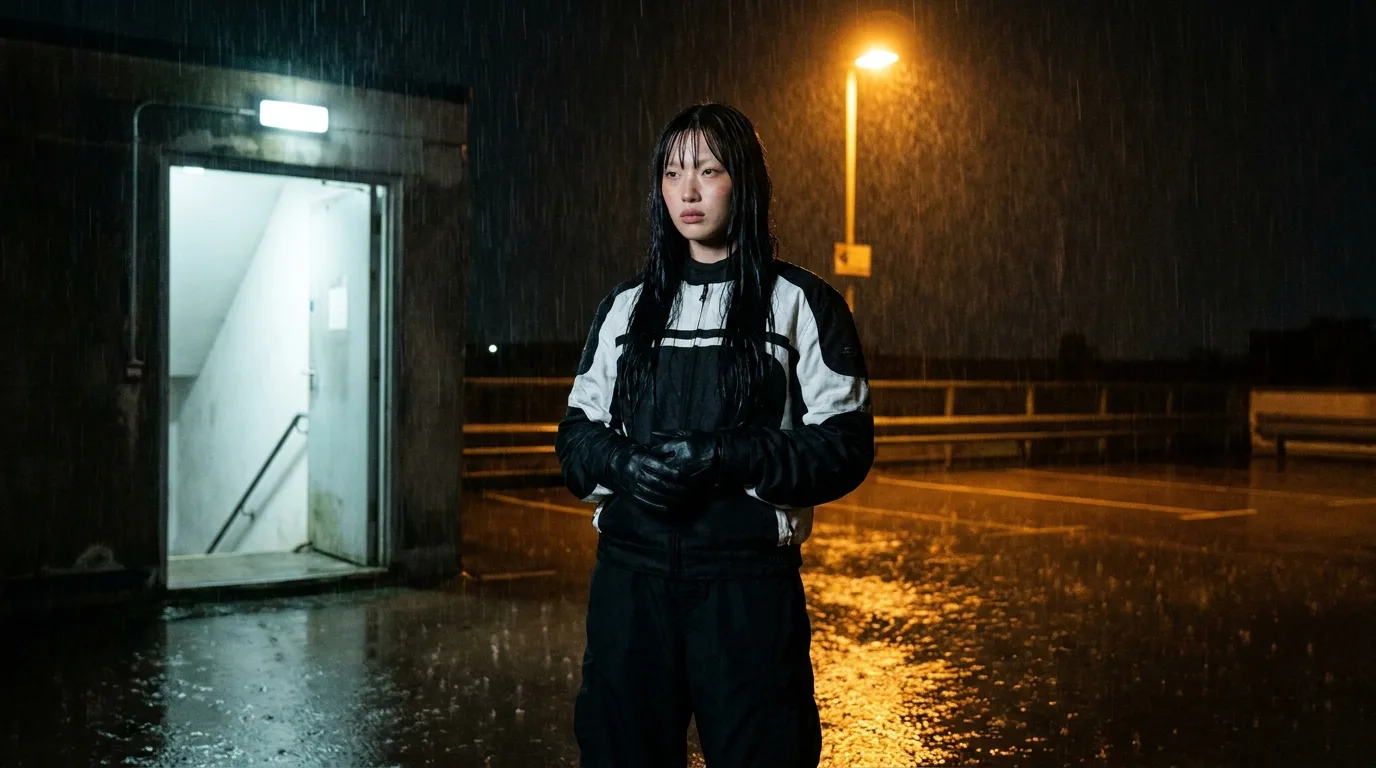
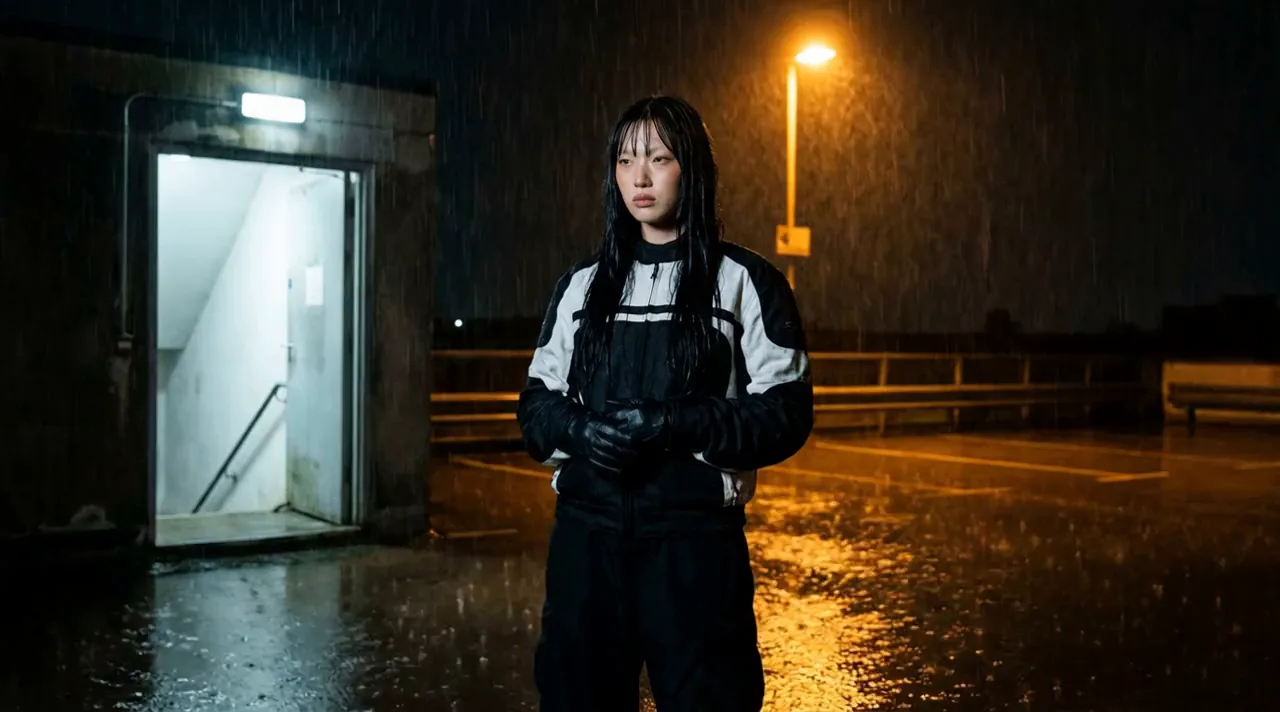
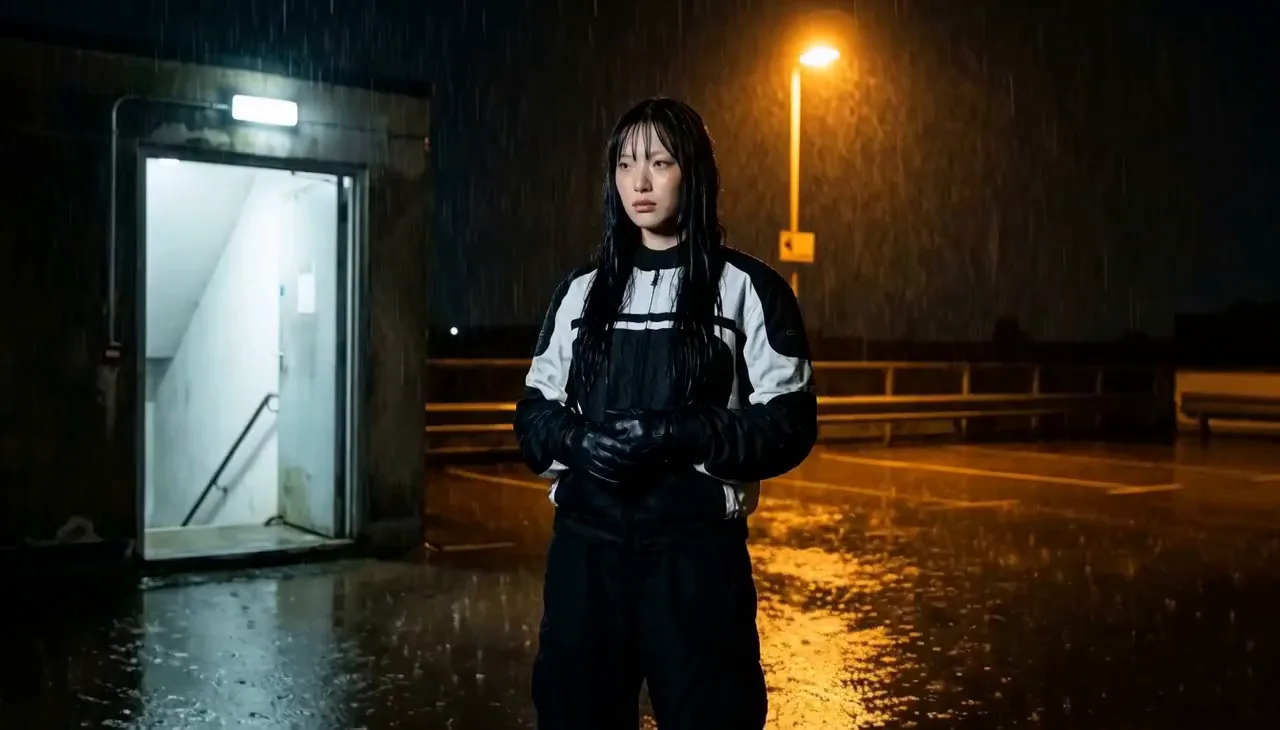
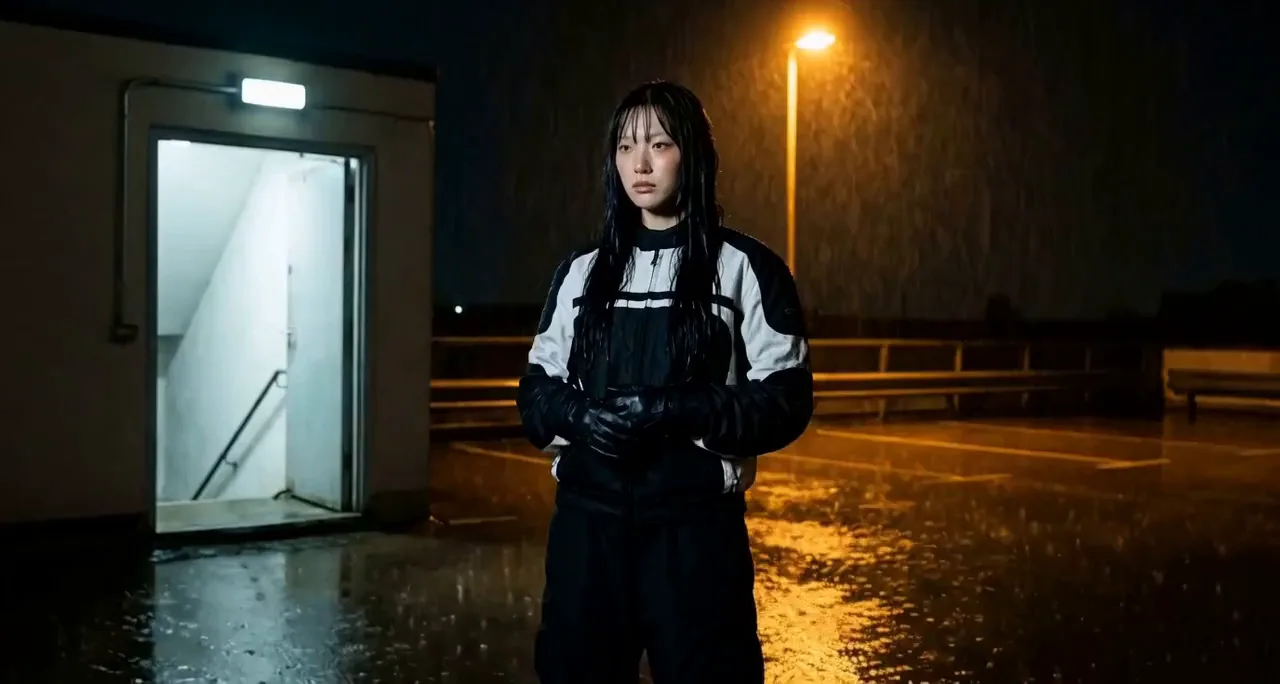
The still is a fashion film frame: a woman in a black and white racing jacket on a flooded rooftop in the rain, lit by one amber streetlamp and the cool light of an open stairwell door. Download it below and run the same three paths yourself.
Start with a still worth animating
A video model animates what it is given. A sharp photo with one clear subject, light that comes from somewhere, and room around the subject to move gives every path below a head start. A soft, cluttered or heavily filtered photo makes the model guess, and guessing is where limbs bend and faces smear.
We made this one on the image composer with Nano Banana Pro at 16:9. The prompt names the wardrobe, the place, the two light sources and the lens. It also asked for no logos and no text, and the still came back with a small sign and a notice anyway, so look before you animate. To put a sign or a label in your still on purpose, say exactly what it reads, or upload the logo image.
Tip:Check your still at full size first. Anything small in the photo, a sign, a notice, a patch on a sleeve, comes back in every version, and if it reads as garbled lettering, the platform's check can refuse the clip for it. Want a sign or a label in the frame? Say exactly what it reads, or upload the logo image. If lettering comes out garbled, regenerate the still before you animate it, not after.
Fashion film still, 16:9, photoreal. A young woman with long jet-black hair and wispy bangs stands alone on a flooded rooftop car park at night in heavy rain, wearing a boxy black and white racing jacket zipped up to the chin with no logos or lettering, black leather gloves and wide black trousers, hands relaxed at her sides. One amber sodium streetlamp high behind her rims her hair and the rain, a cool white glow from an open stairwell door on the left as the only fill on her face, thick haze, a shallow sheet of rainwater at her feet reflecting the lamp, rain streaks lit from behind. She looks just past the camera, calm and certain. Medium shot, 50mm lens, slightly low angle, shallow depth of field, hard contrast, deep blacks, film grain. An invented person, not a real person. No logos, no brand marks, no text, no signage.
Try it yourself
- The still (WebP, 16:9)WebP image · 1376x768 · 85 KBDownload
What goes wrong
| Mistake | Why it fails | Fix |
|---|---|---|
| Writing the picture again in the motion prompt | The still already carries the look. Describing it again invites the model to redraw it. | Describe only what moves, what the camera does and what you hear. |
| Asking for everything to move | Rain, hair, hands, camera and a turn at once gives the model too many things to invent. | One subject action, one camera move, let the environment breathe. |
| Picking a model that does not take a photo | Text-only models ignore the upload or refuse the request. | Use the table further down: start frame means it takes your photo as frame one. |
| A cut or a new person in the prompt | A photo can only anchor the first frame. New shots and new people come from nowhere. | Say no cuts, no new people. One continuous shot from your still. |
| A vertical photo in a widescreen clip | The model has to invent the missing sides. | Match the clip's aspect ratio to the photo, or crop the photo first. |
Before you start
- Have the photo as a PNG, JPEG or WebP. The composer's upload takes exactly those.
- Decide the aspect ratio from the photo, not from the platform you will post on. Reframe afterwards in Studio if you must.
- Know the one move you want: a turn, a step, a breath, a camera push. Write that sentence before you open anything.
- Read the price on the Generate button before you press it. It is the exact charge for the settings you picked.
- The runs here used Seedance 2.5 and H3 Max, which are premium video and need Pro or above. On Starter, the composer path works with the starter video models that take a photo, such as Seedance 2.0 Fast, Kling v3 and Wan 3.0.
Path 1, most control: the video composer
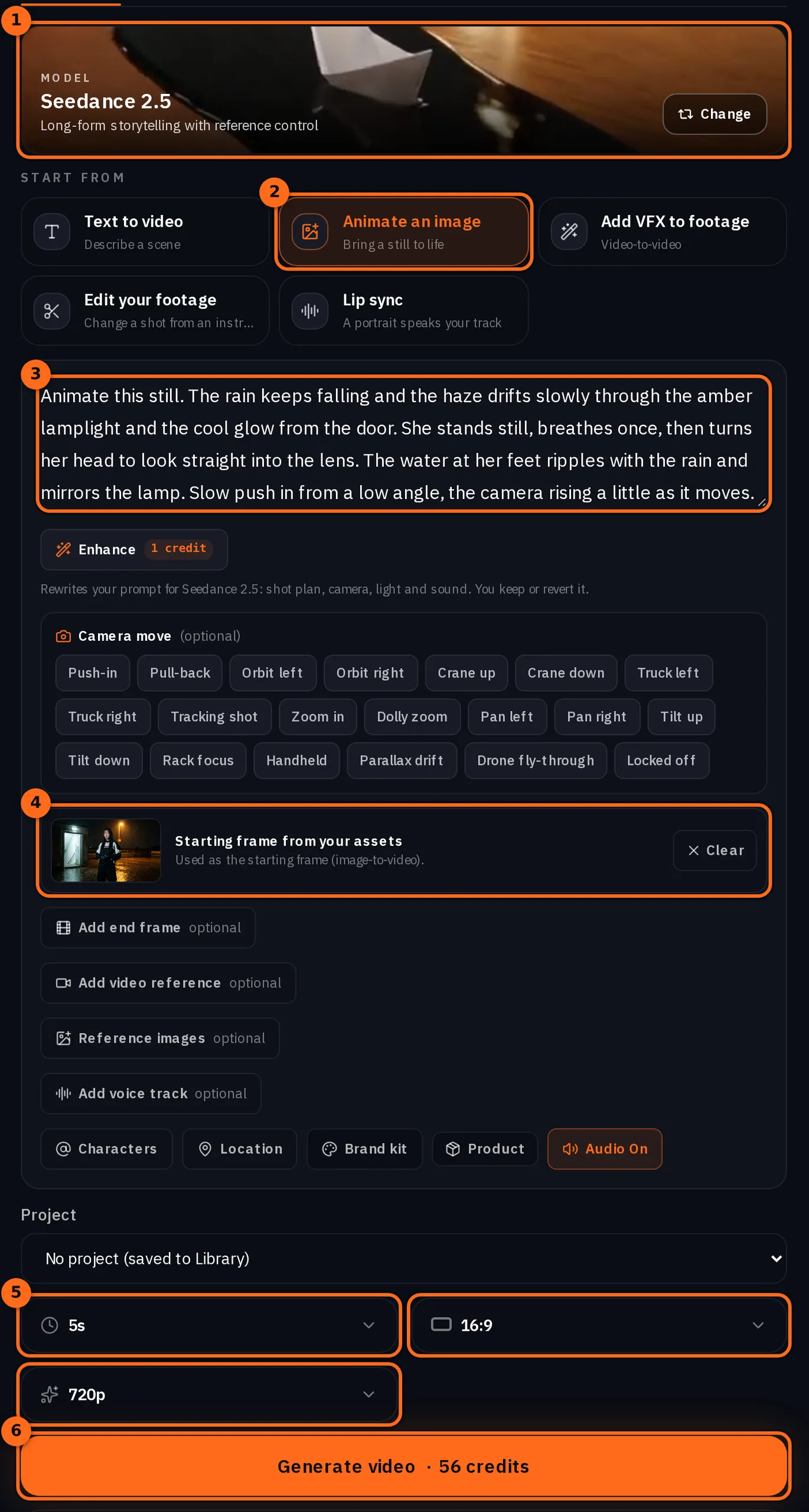
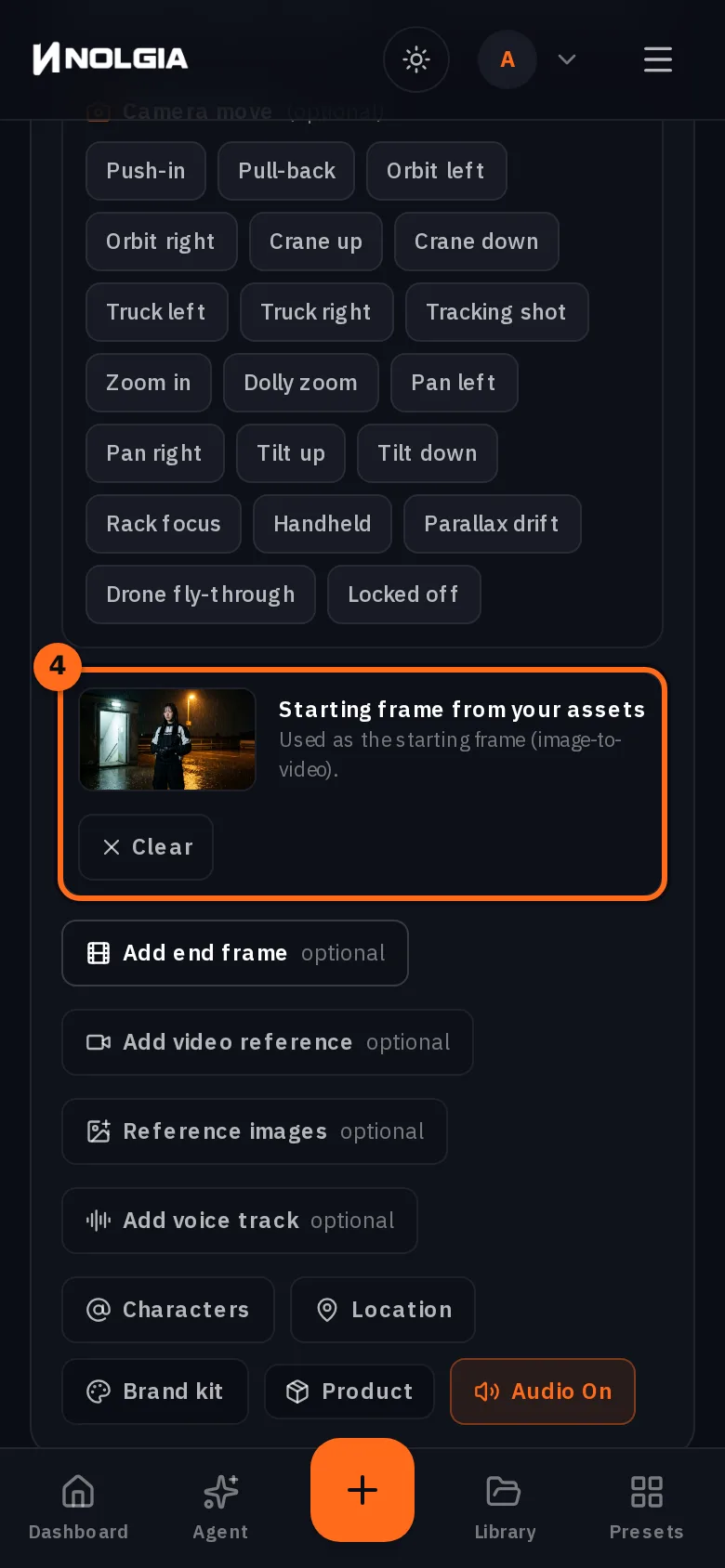
Open the video composer and choose Animate an image. Drop the photo in, or pick it from your library. Choose the model, set the aspect ratio, the duration and the quality, write the motion prompt and press Generate. The button shows the price for exactly those settings.
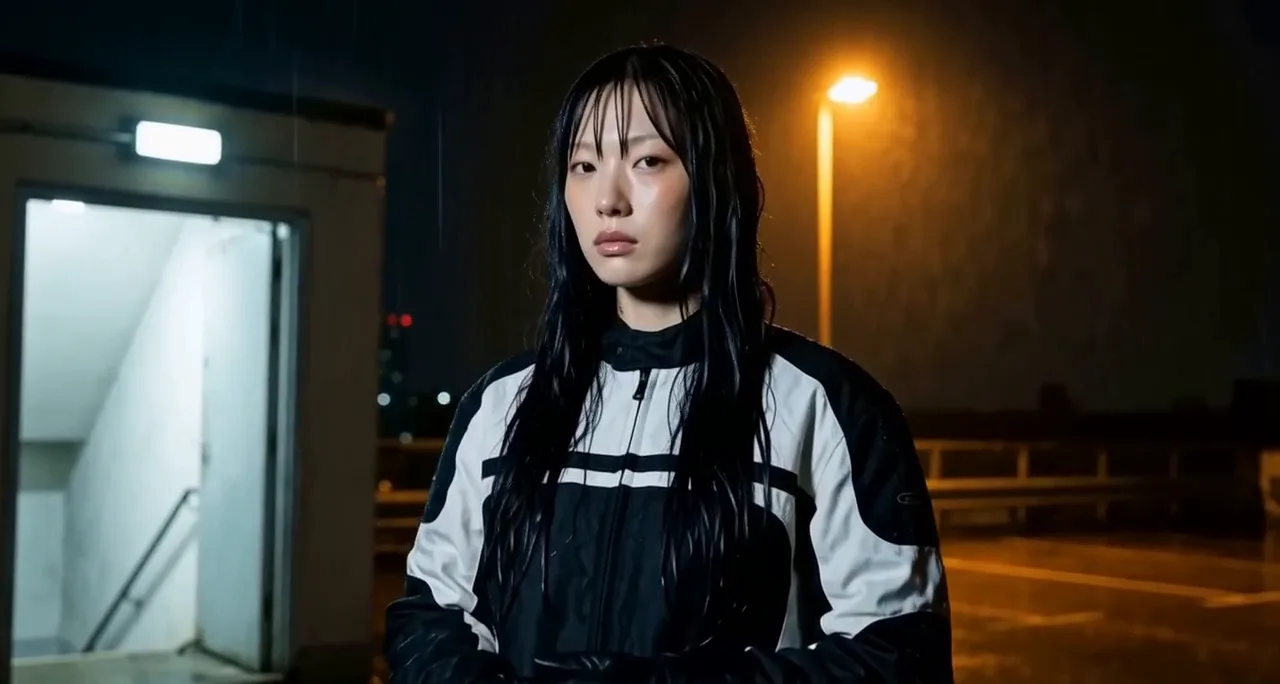
We used Seedance 2.5 at 720p, five seconds, 16:9, with audio on. It takes the photo as the first frame, so the woman, the rain and the lights are yours, and the model only has to move them.
Animate this still. The rain keeps falling and the haze drifts slowly through the amber lamplight and the cool glow from the door. She stands still, breathes once, then turns her head to look straight into the lens. The water at her feet ripples with the rain and mirrors the lamp. Slow push in from a low angle, the camera rising a little as it moves. No cuts, no new people, no text. Sound: heavy rain on wet concrete, a distant city hum.
Path 2, hands off: ask the agent
Open the agent, attach the photo with the paperclip and type one line. There is no plan to approve: the agent picks a model that takes a photo, writes the motion prompt itself, runs it, checks it, and answers with the finished clip and a link to it in your library once a version passes. We asked for a draft tier and ended the line with a budget for the turn (you can read it in the screenshot below), and it took us at our word. On our run no clip reached the chat, and the reason is worth knowing before you start.
Animate this photo. Keep the rain, the haze and the lamplight. She turns to look into the lens, slow push in, about five seconds, with sound. A draft quality tier is fine.
It chose H3 Max, the image variant, at the lowest quality tier (480p), 5 seconds, and wrote this motion prompt from our line and the photo:
Night fashion film, same woman, same rooftop parking deck, same heavy rain, haze and lighting as the start frame. She stands in her black jacket with white panels, black gloves and black pants, wet dark hair with bangs, gloved hands clasped at her waist. She first glances slightly to her right toward the warm orange streetlamp, then slowly turns her head back and looks straight into the lens with a calm, steady gaze. Slow, smooth camera push-in toward her face. Rain keeps falling in streaks through the lamplight, light haze drifts, cool white light spills from the open stairwell door on the left, amber reflections ripple in the puddles. Natural eyes, no text, no other people. Sound: steady heavy rain on concrete and metal railing, a soft distant city hum, faint low ambient drone, no music lyrics, no dialogue.
What happened next, plainly:
- Version 1 failed the agent's own check: a warped eye and fused glove fingers.
- Version 2 (768p) was refused before delivery by the platform's picture check, for "pseudo-text" on the blank notice in the doorway and a "pseudo-logo" on the arrow sign. The check was over-strict on this date; it was changed the same day to fail only garbled lettering, and these frames now pass.
- The agent made a cleaned copy of the still and stopped at our 120-credit budget to ask for more. We said yes, at 100.
- Version 3, from the cleaned copy, was refused for a small round mark on her sleeve. We said yes once more.
- Version 4, with "plain sleeves" in the prompt, was refused for the same mark. The agent then found the mark is a faint patch already on the jacket in our still, so every version brings it back.
- Three turns, charged 120, 100 and 100, and no clip reached the chat.
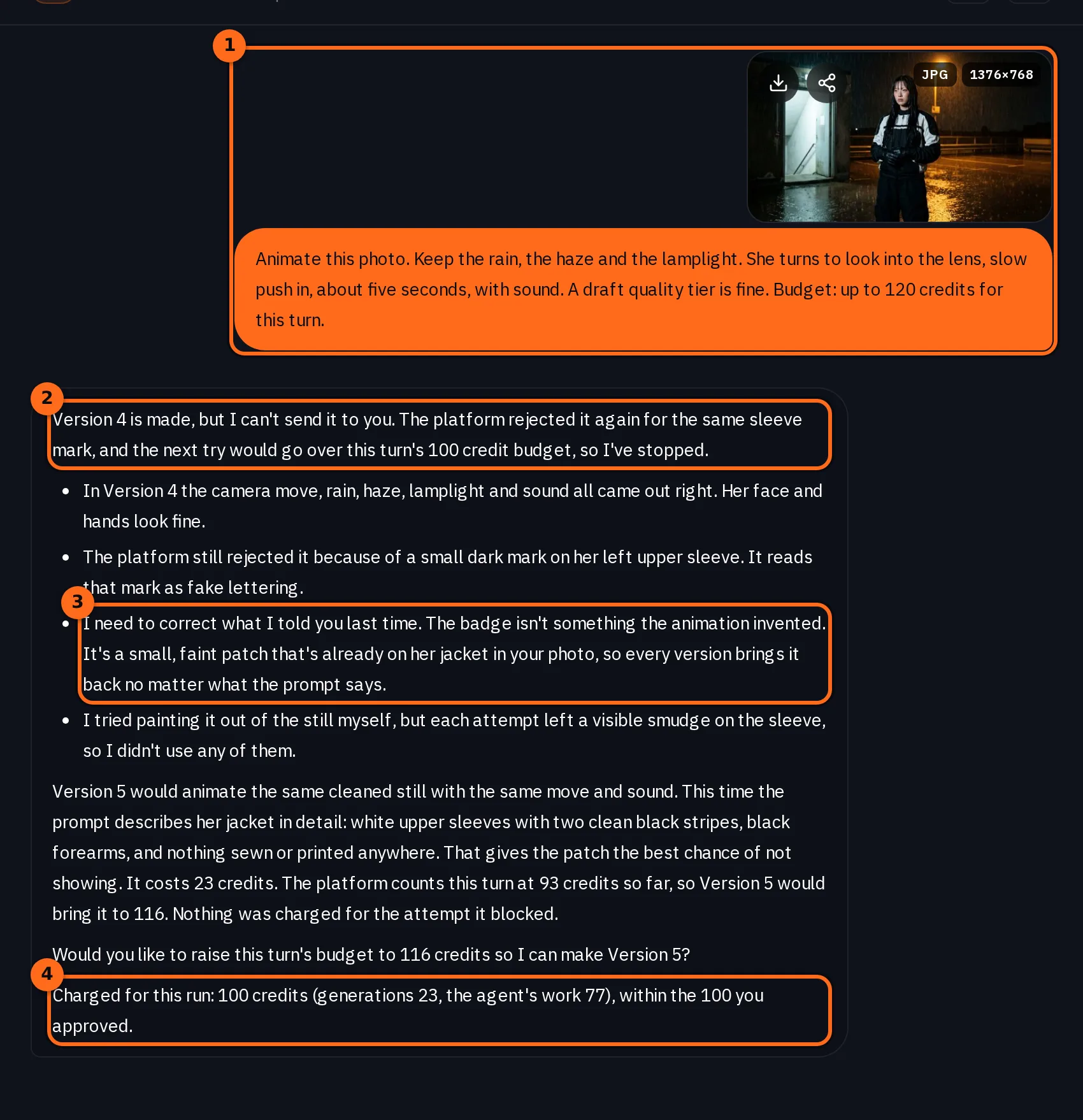
Watch for this:The agent's own turns are charged too. Each of our three turns was charged exactly the budget we gave it (120, then 100 and 100): the work measured more, and the budget held. Start a new chat for a one-off job, give it a budget line, and expect a retry to be a new turn.
Tip:Tell it what to keep, and what tier. The agent writes the prompt for you, so say in your line what must not change: the rain, the lights, the wardrobe. Say the tier too. Without it, the agent picks, and it may pick a bigger one than you wanted.
Path 3, fastest: a preset
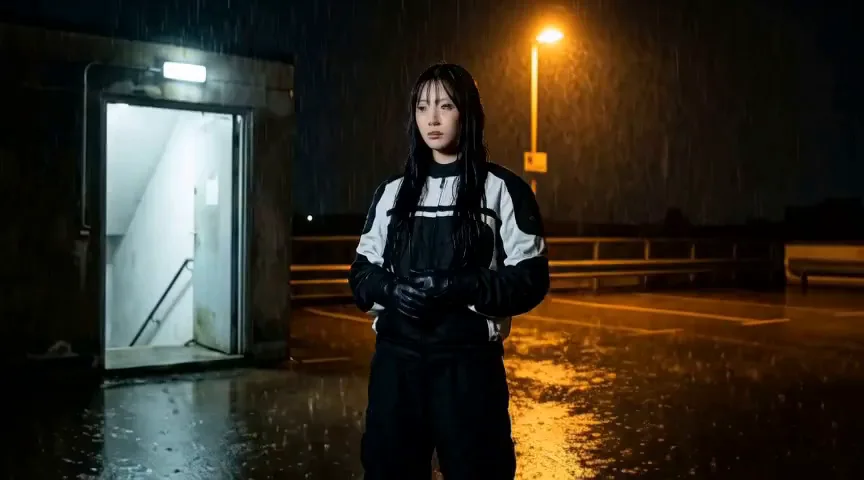
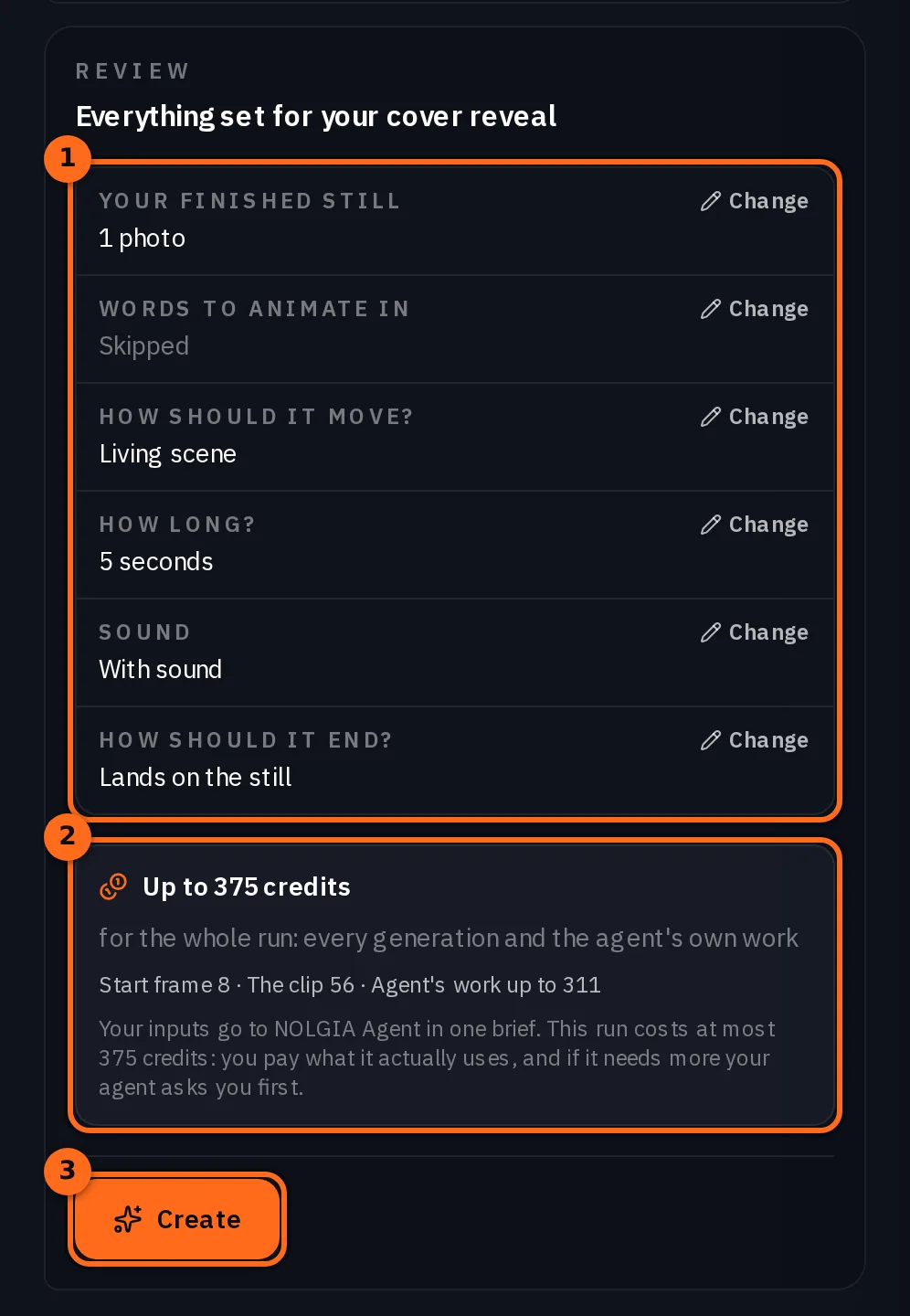
Cover reveal is the preset that takes exactly one still and animates into it: the scene comes alive first and the clip lands on your photo as its last frame. Give it the still, pick how it moves (Slow push in, Parallax drift, Elements assemble, Light sweep, Focus pull or Living scene), pick the length, sound or silent, and whether it lands on the still or loops.
Make yours opens a guided chat that asks for one thing at a time. We gave it the still, skipped the words, chose Living scene and left the length, sound and ending at their defaults, which are five seconds, with sound, landing on the still. The review card shows every answer and the most the whole run can cost, every generation and the agent's own work, before you press Create. Then the agent behind the preset writes the full prompt, renders the start frame and the clip, checks it, and replies with the result.
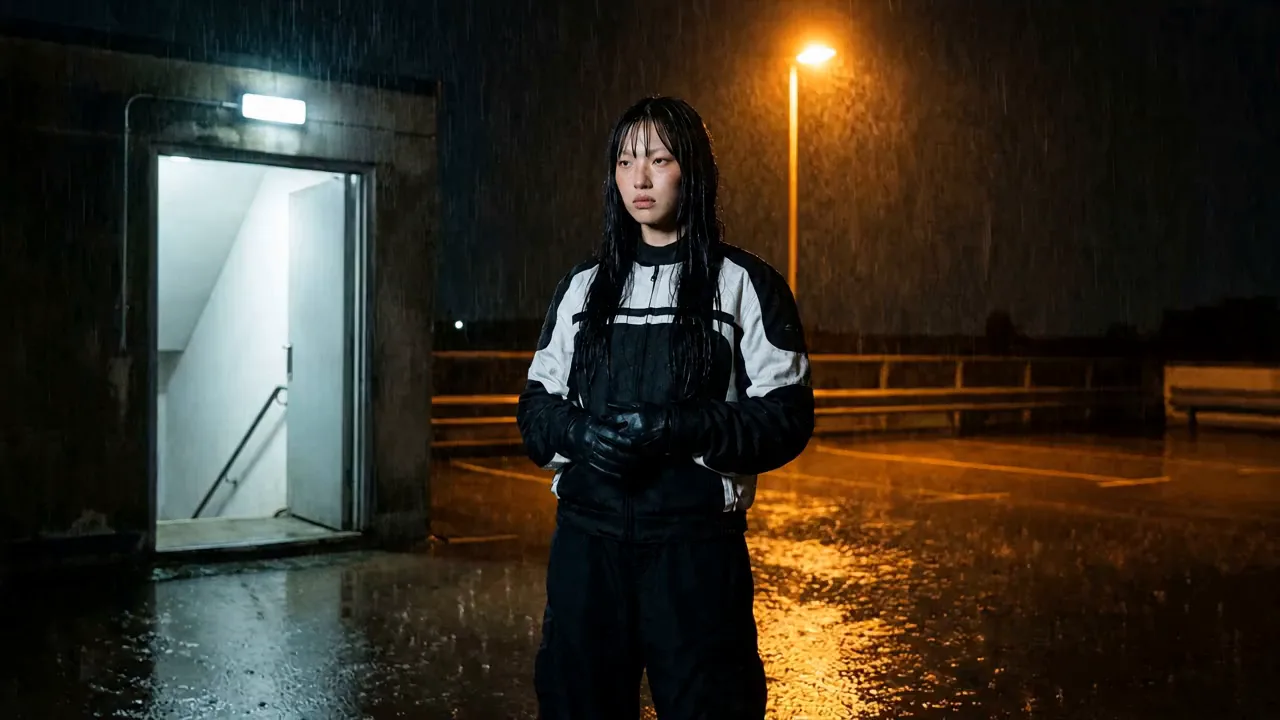
Watch for this:It is a reveal, not a free animation. The preset is built to end on your still. If you want the still to be the start and the motion to go somewhere new, use the composer.
Watch for this:The preset's agent turns are billed on top of the clip. Ours was charged the full 375 the review card showed: 120 for generations (an opening frame and two clips) and 255 for the agent's work. Read the card's "Up to" as the price.
Which models take a photo
Every video model on NOLGIA publishes what it accepts, and the composer reads that list live. Three things matter for a photo: a start frame (your photo is frame one), an end frame as well (the clip must arrive at a second photo), and reference images (the model looks at your photo and composes its own shot, so the first frame is not your picture). This is the catalog on the day of writing; the models page is the live version.
| Model | Start frame | Start and end frame | Reference images | Clip length |
|---|---|---|---|---|
| Seedance 2.5 | Yes | Yes | Up to 9, plus reference videos | 4 to 30 s |
| Seedance 2.0 Pro, Fast, Mini | Yes | Yes | Up to 9 | 4 to 15 s |
| MiniMax H3 | Yes | Yes | Up to 9, not with a frame | 4 to 15 s |
| H3 Max | Yes (image variant) | Yes | Up to 9 (text variant only) | 5 to 15 s |
| Hailuo 2.3 and 2.3 Fast | Yes (Fast requires it) | No | No | 6 or 10 s |
| Gemini Omni 1.2 Flash | Yes | Yes, up to 10 s | Up to 6 | 3 to 15 s |
| Kling 3.0, Pro | Yes (image variant) | No | No | 3 to 15 s |
| Wan 2.7 | Yes | Yes | Up to 4 | 5 to 10 s |
| Wan 2.6, 3.0, 3.0 Prime | Yes | No | No | 5 to 30 s |
| Grok Imagine 1.5 | Yes | No | Up to 4 | 1 to 15 s |
| FLUX 3 Video | Yes | Yes | Up to 10, plus one reference video | 5 to 20 s |
Tip:Frame or reference: pick on purpose. Want the clip to open on your exact photo? Use it as the start frame. Want the model to shoot the subject from a new angle? Attach it as a reference instead. On MiniMax H3 you get one or the other, never both in one run.
Write the motion, not the picture
- Start with the verb. Turns, steps, breathes, looks up. The still is the noun.
- One camera move. Say it in the words the camera chip row uses: push in, orbit, crane up, tracking, or locked off. The composer's camera move chips append the exact fragment at the strength you pick, so you can leave the move out of your text and pick a chip instead.
- Say what stays. No cuts, no new people. The model treats a missing rule as permission. If a sign or a label in the frame matters, say exactly what it reads.
- Give the environment a slow life. Rain keeps falling, haze drifts, water ripples. It sells the clip without competing with the subject.
- Put sound last. One line that names the room and the loudest thing in it.
What it costs
You pay per clip, by length and quality tier, and the exact price sits on the Generate button before you press it. A request refused before the model runs costs nothing. The agent and the preset also bill the agent's turn, and the preset adds an image render for its start frame; its page quotes the whole run. These are the models the three paths used on our run: Seedance 2.5 in the composer and inside the preset, H3 Max from the agent.
- Cover reveal
Priced on the review card before it runs
Takes 3 to 6 min
Seedance 2.5Pro and up
Per 5s clip
480p 31 credits · 720p 66 credits · 1080p 160 credits · 4K 202 credits
1080p renders at 16:9 and 9:16
4K renders at 16:9 and 9:16
H3 MaxStarter and up
Per 5s clip
480p 14 credits · 768p 23 credits
Read live from the catalog when this page loads. Every price is shown before you generate. See every rate.
Where you still regenerate
- The still itself. A faint patch, a sign or a notice in your photo comes back in every version, and if it reads as garbled lettering, the platform's check can refuse the clip for it. Check the still at full size before you animate it, and if lettering in it comes out garbled, regenerate the still.
- The turn. The composer clip turns her into the lens by the end; the agent's versions turned her too but never reached the chat; the preset holds her pose and lets the scene breathe, because its job is to return to the still. If the turn is the point, write it as the first thing that happens, with a time marker.
- Hands and gloves. Fingers are the first thing to go wrong when a hand crosses the body. Keep hands still or out of frame on the first run.
- The reveal's lettering. Cover reveal is built for stills that carry words. Leave the words field empty for a photo with none, and check the last second: if lettering comes out garbled, regenerate.
- The agent's model choice. It picks a model that takes a photo and tells you which. If you wanted a specific one, say so in your line.
Checklist
- One sharp photo, PNG, JPEG or WebP, with room around the subject.
- The still checked at full size: nothing small in it you do not want in every version.
- Aspect ratio of the clip matches the photo.
- A model from the table that takes a start frame.
- A motion prompt that names one action, one camera move, what stays, and the sound.
- The price on the button read before you press it.
- Play the clip full screen once before you post it, and watch the hands.
Questions and answers
- Which path should I use first?
- The composer. It shows you the model list, the frame slots and the price, and a good first run there teaches you what to ask the agent for next time.
- Can I give it a second photo for the end?
- Yes, on the models with an end frame in the table: Seedance 2.5 and 2.0, MiniMax H3, H3 Max, Wan 2.7 and FLUX 3 Video. The clip opens on your first photo and arrives at the second.
- What is the difference between a start frame and a reference image?
- A start frame is frame one of the clip, pixel for pixel your photo. A reference image is studied, and the model composes its own shot from it. MiniMax H3 takes one or the other in a run, not both.
- Does it work with a phone photo of a real person?
- The same paths take any photo. We ran this guide on an invented person made with an image model. We have not measured what happens to a real person's appearance in the clip, so we make no promise about it.
- Can I make it vertical for Reels?
- Pick 9:16 in the composer if your photo is vertical. If it is landscape, animate it at 16:9 and reframe the clip to 9:16 in Studio afterwards.
- Does the clip come with sound?
- On Seedance 2.5 you switch audio on or off. Gemini Omni 1.2 Flash and MiniMax H3 always render sound. The composer shows which on the model you pick.
Animate a photo of your own.
Open the video composerRelated guides
Prompting
Seedance 2.5: how to prompt it, with a library that was run
How to write for Seedance 2.5 on NOLGIA: text to video, a still as the start frame, a take as @Video1 with its sound, the six aspect ratios, 4 to 30 seconds, and what it refuses.
· 10 min read
Prompting
A prompt library: the exact prompts behind eight NOLGIA examples
Eight prompts copied from real NOLGIA renders, a film scene, a game trailer, a product film, a logo sting and more, each with the result and what makes it work.
· 8 min read
Filmmaking
Make a character mashup reel: game fighters in real life
Make a 25 second character mashup reel on NOLGIA: a sheet per character, a script of 4 second moments, Seedance 2.5 shots at 9:16 and the cut.
· 18 min read