
Use NOLGIA in ChatGPT: install the plugin in five steps and start making
NOLGIA is a plugin in ChatGPT. Find it, install it, sign in once, and from then on you just ask for what you want in the chat.
- 5 min read
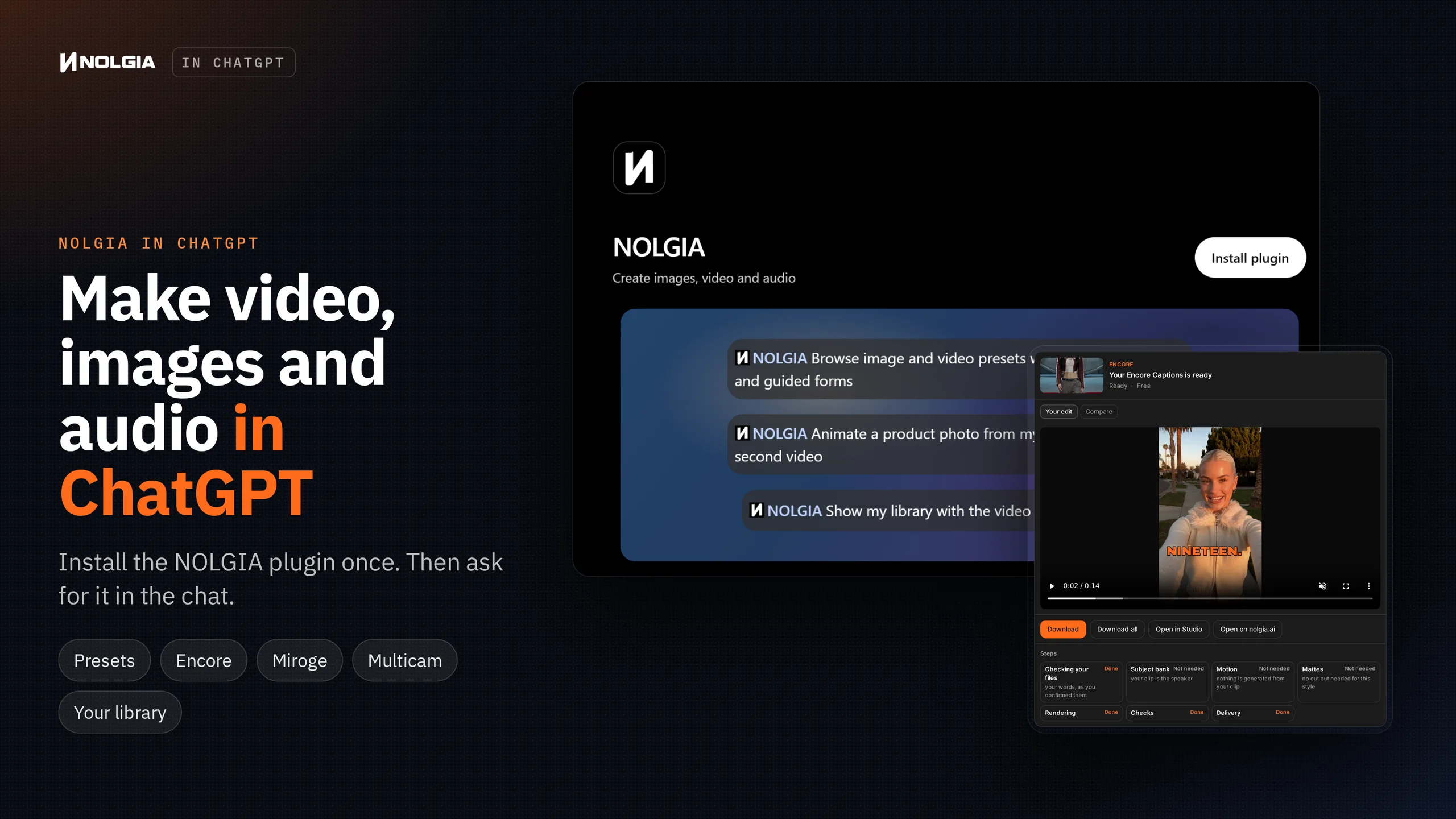
NOLGIA makes video, images and audio. With the NOLGIA plugin, you can ask for all of it inside ChatGPT, in the chat you already use, and everything you make is saved to your NOLGIA Library.
It takes five steps. The screens below are ChatGPT's own pages and NOLGIA's own sign in and cards.
What you get
Here are all five steps in 13 seconds, from our ChatGPT video. Turn the sound on.
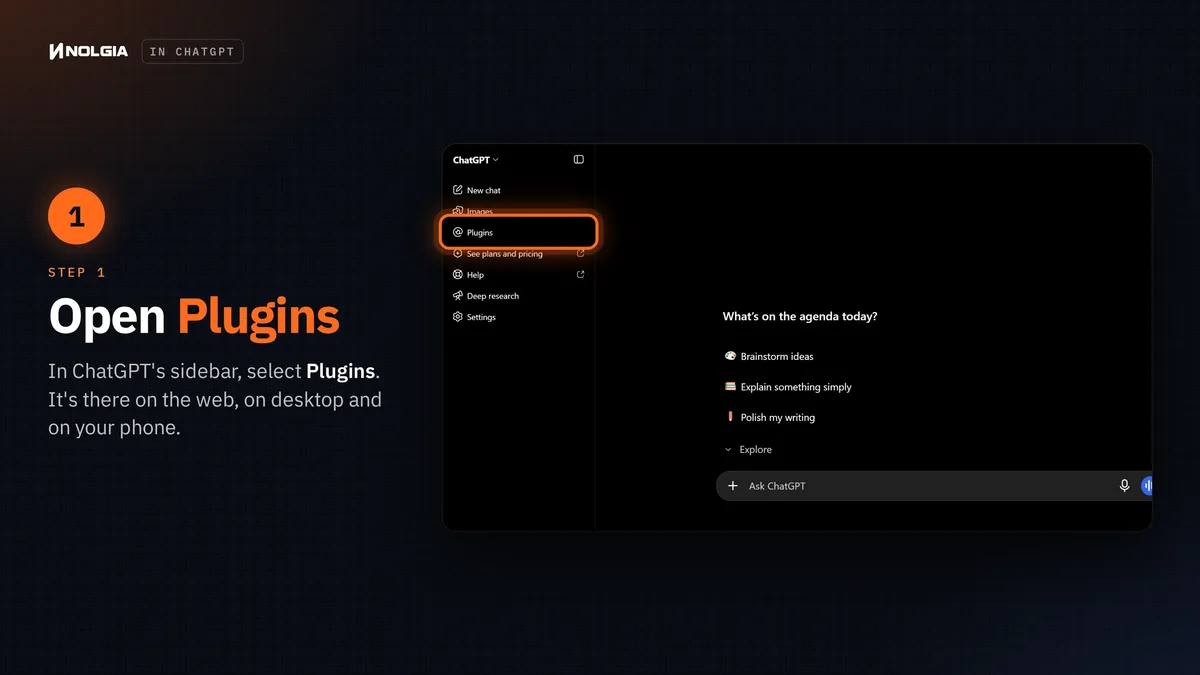
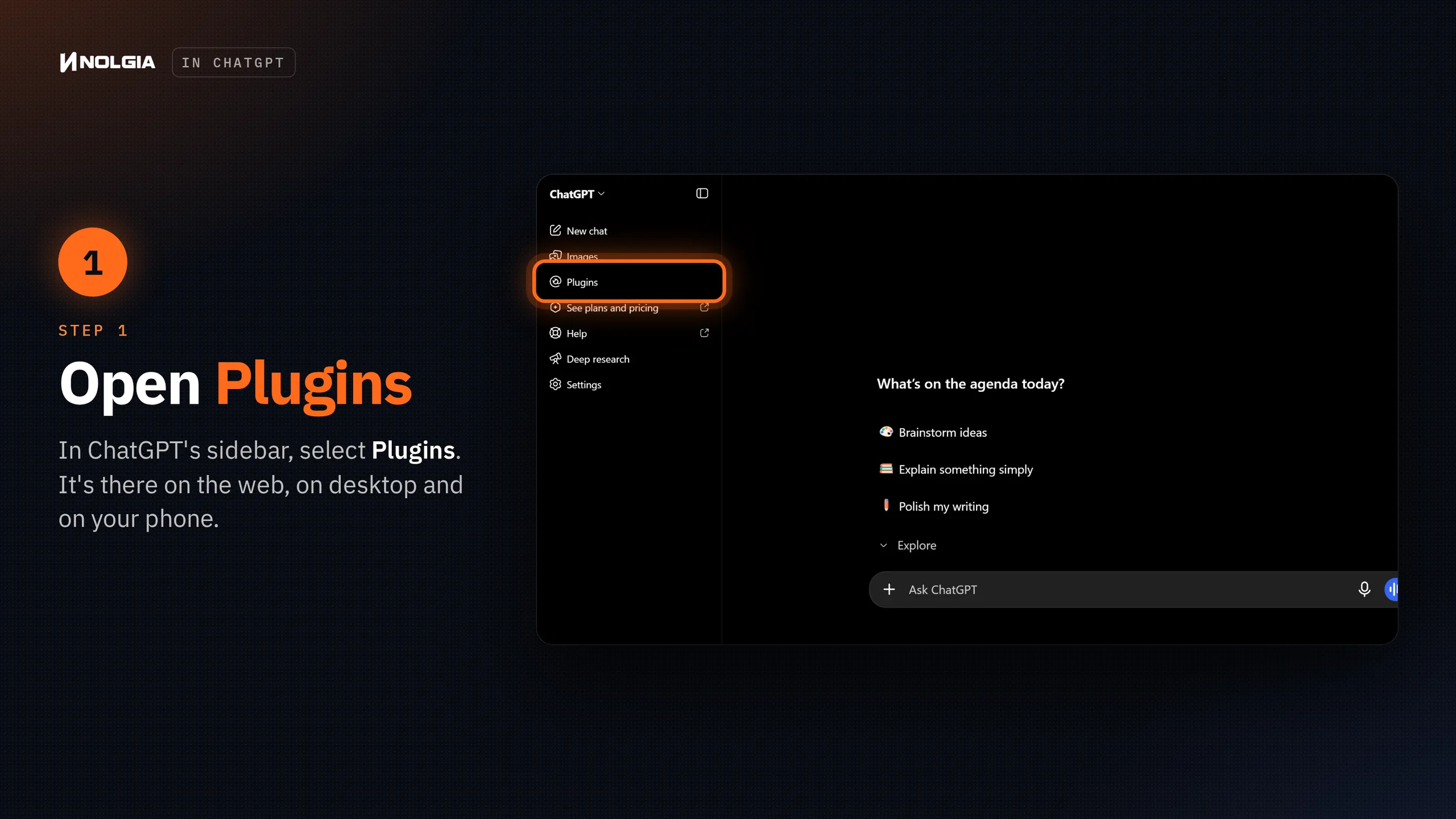
Open Plugins
In ChatGPT, select Plugins in the sidebar. It's there on the web, in the desktop app and on your phone.
Tip:On a work account? Your workspace admin decides which plugins you can install. If you can't find NOLGIA, ask them to allow it.
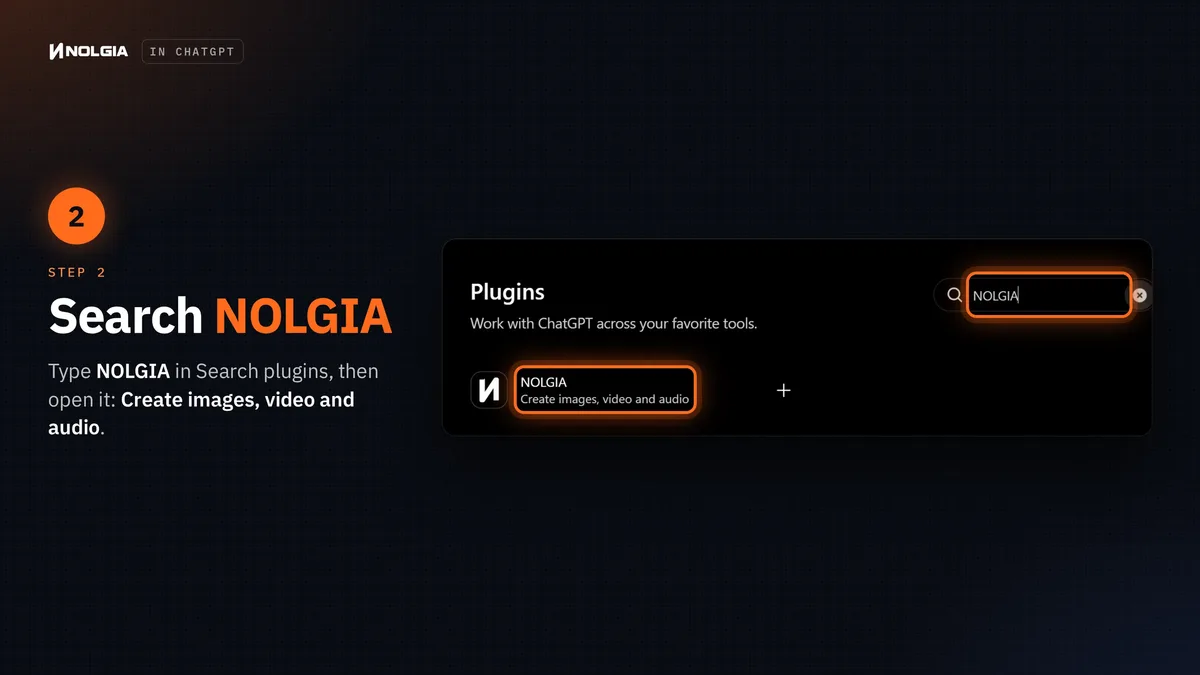
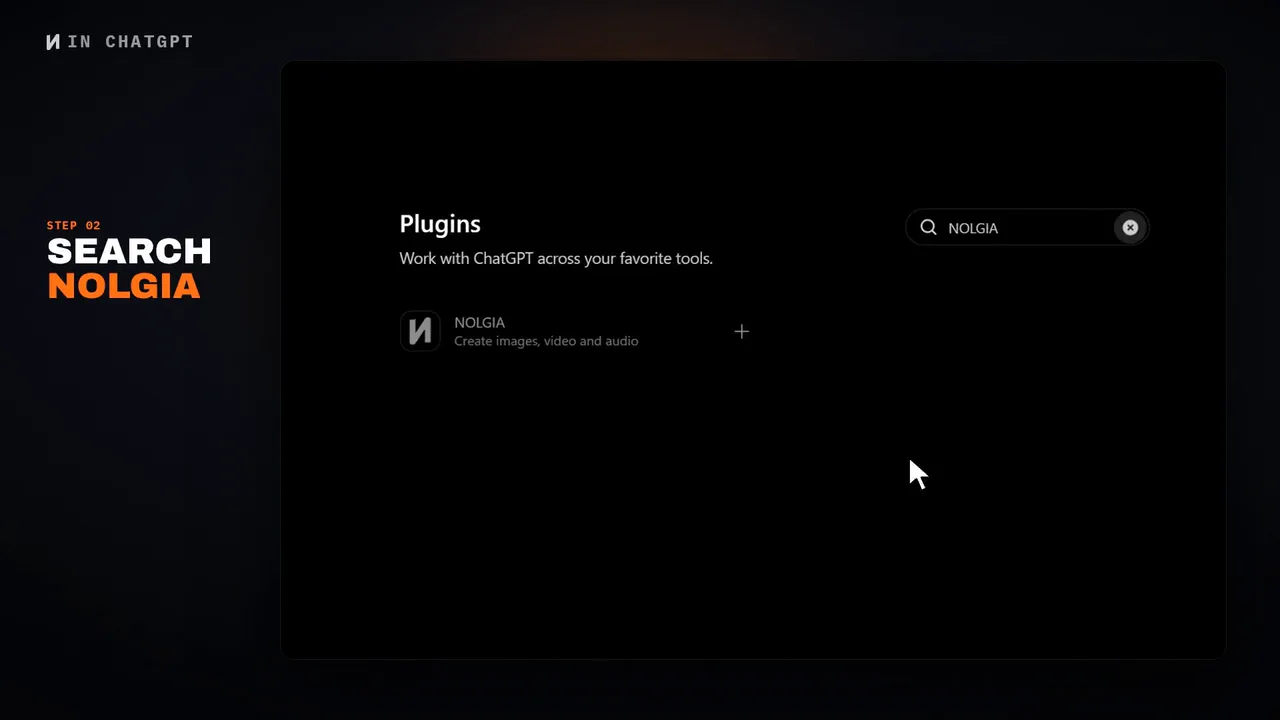
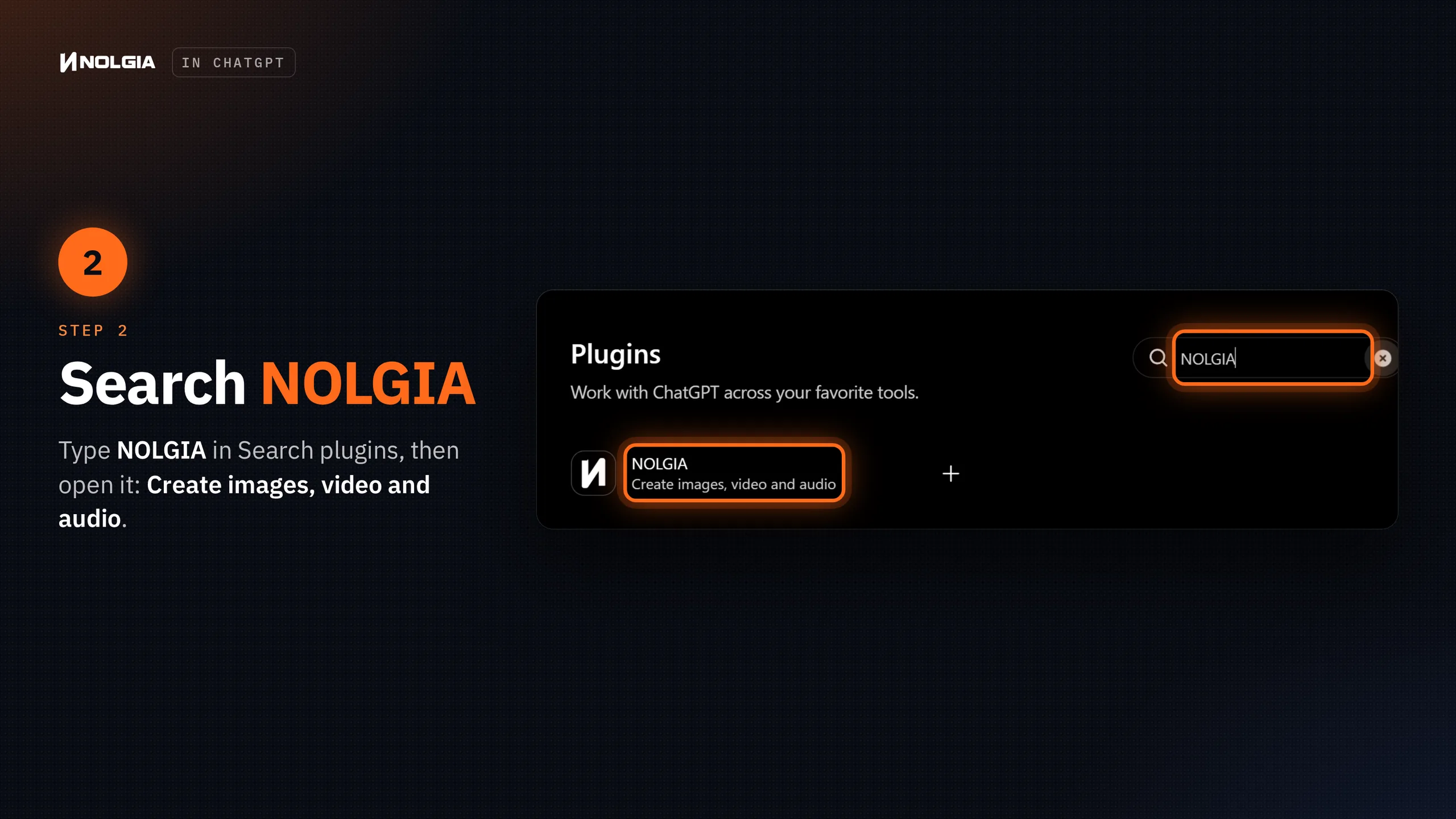
Search NOLGIA
Type NOLGIA in Search plugins, then select NOLGIA in the results. Its line reads "Create images, video and audio".
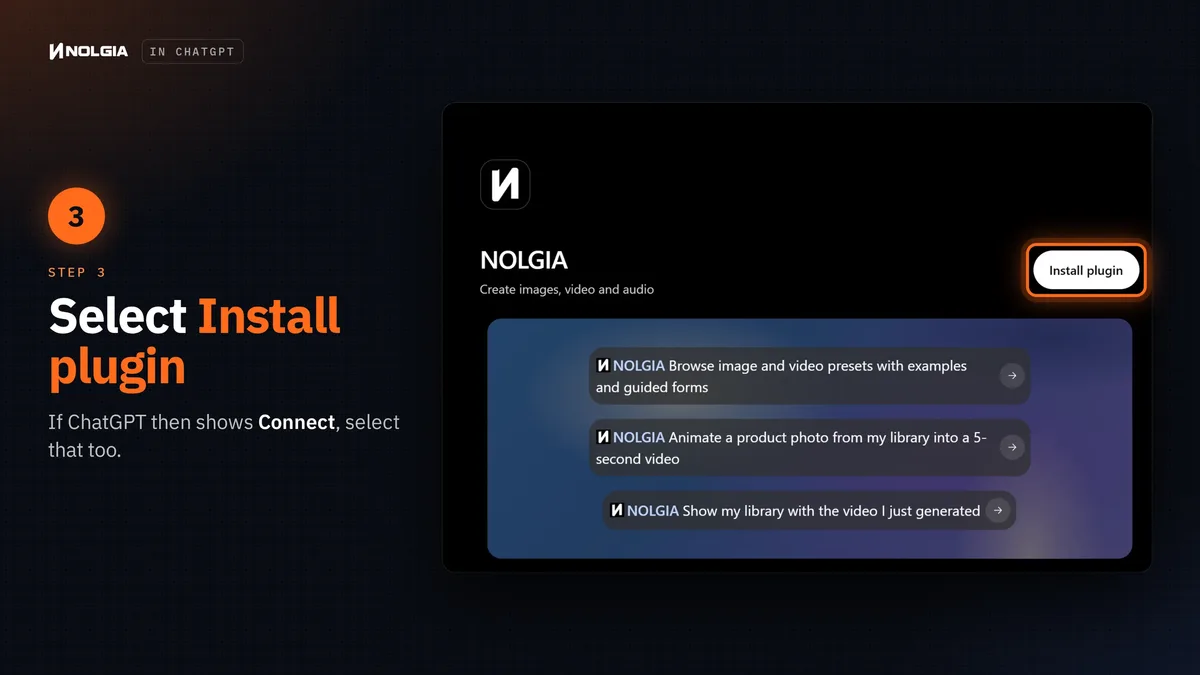
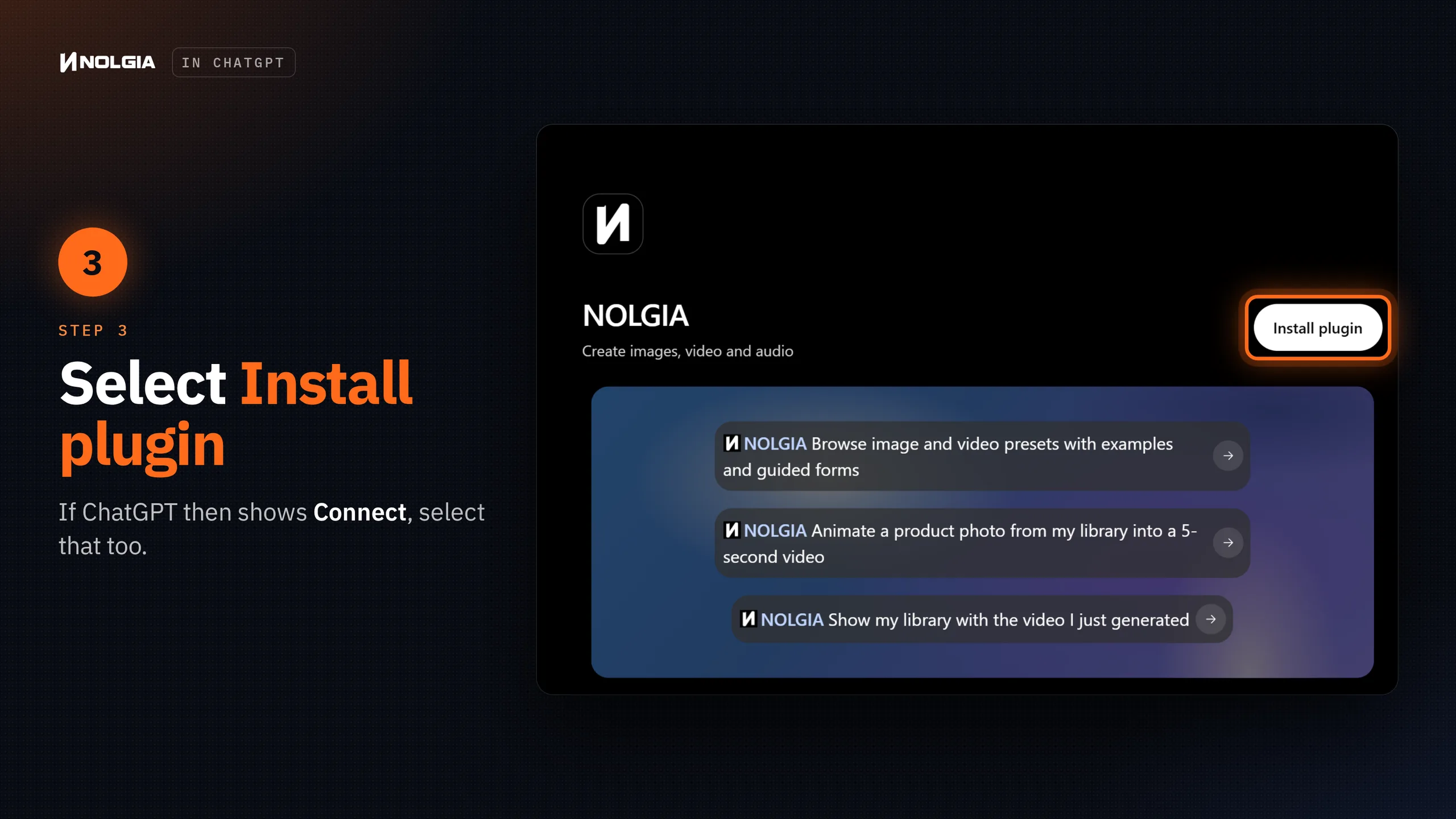
Select Install plugin
On NOLGIA's page, select Install plugin. If ChatGPT then shows a Connect button, select it too.
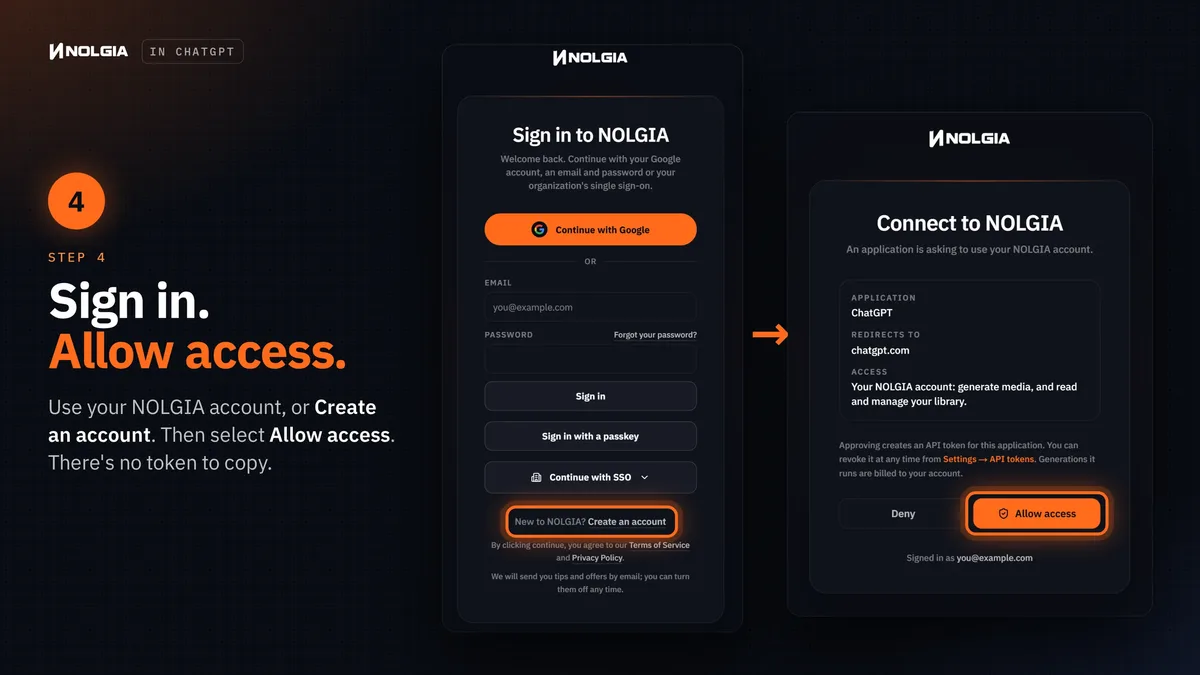
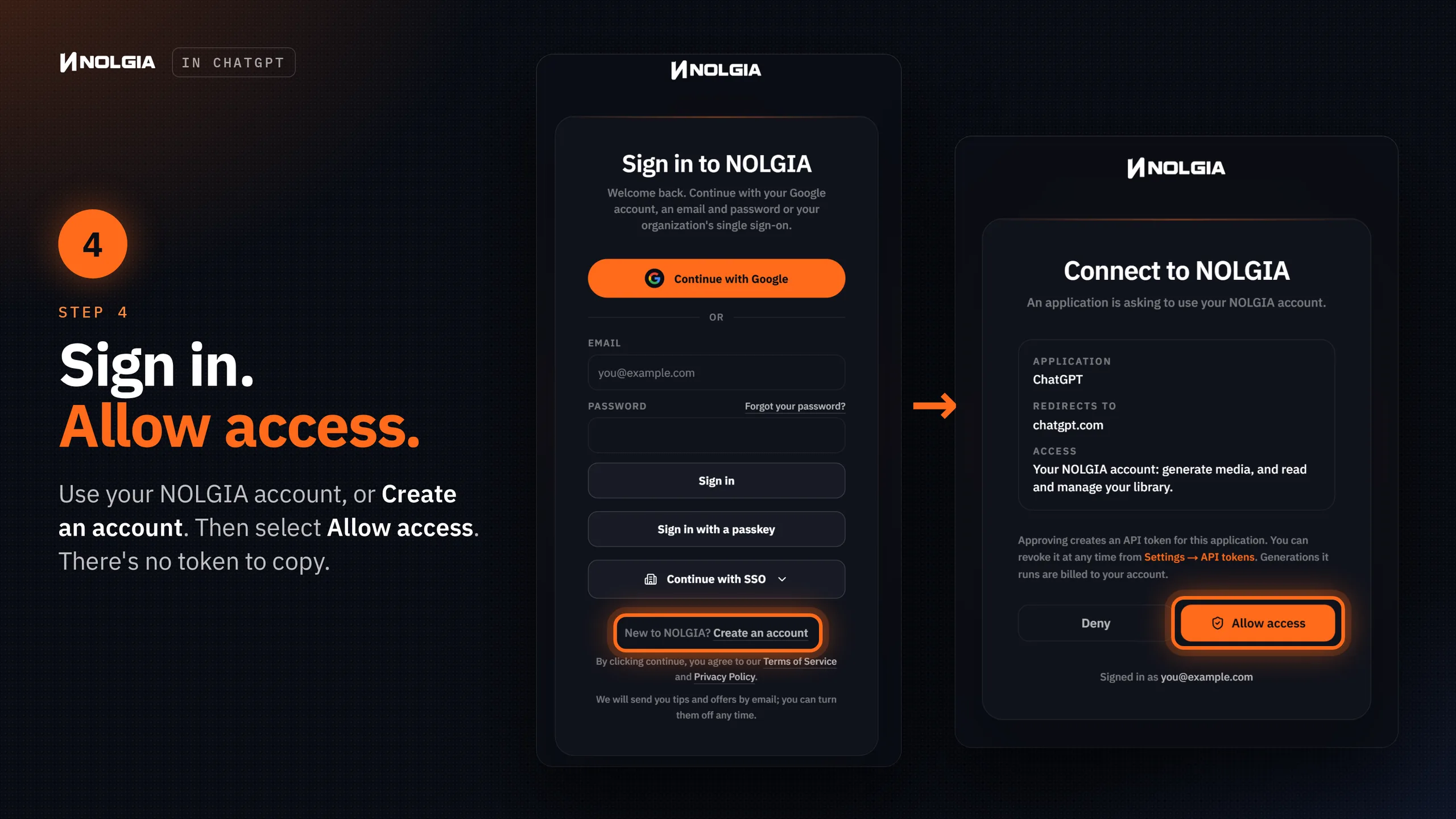
Sign in and allow access
ChatGPT opens NOLGIA's sign in. Use your NOLGIA account, or select Create an account if you're new. If you're already signed in to nolgia.ai, you go straight to the next screen.
Then Connect to NOLGIA shows what's asking: ChatGPT, going back to chatgpt.com. Select Allow access, and you're back in ChatGPT.
Tip:You can disconnect any time. On nolgia.ai, go to Settings, API tokens and revoke the ChatGPT token. Anything ChatGPT makes with NOLGIA is billed to your NOLGIA account.
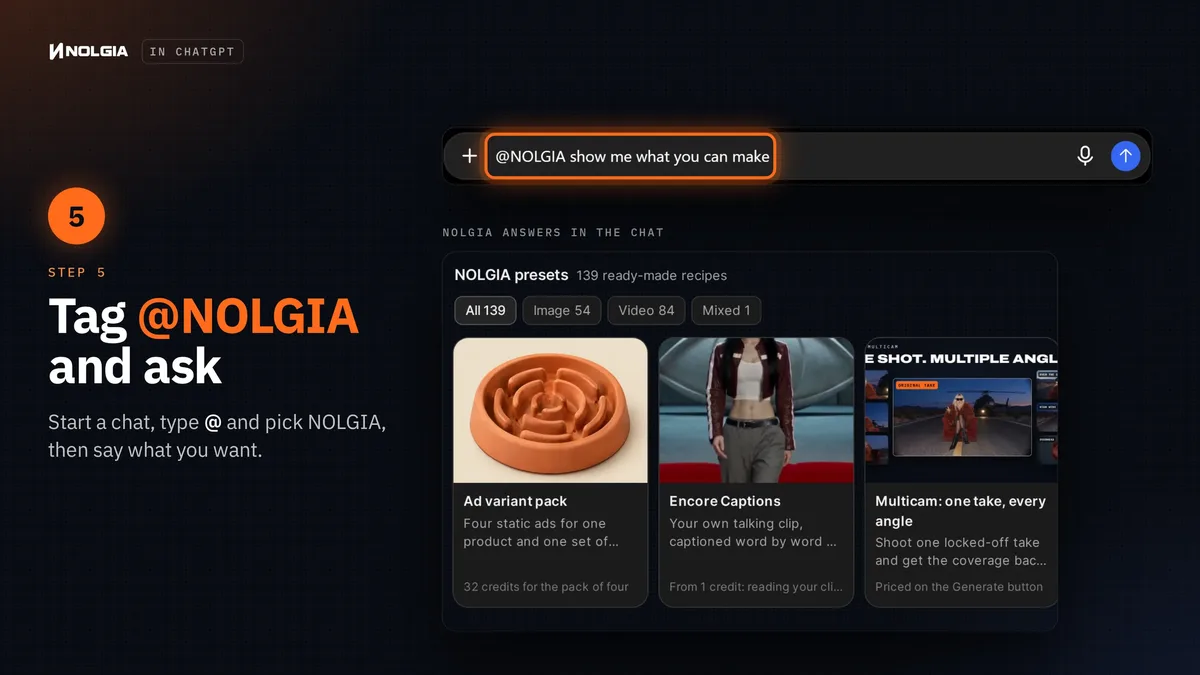
Tag @NOLGIA and ask
Start a chat, type @, pick NOLGIA and say what you want. You can also select + and enter NOLGIA, and ChatGPT uses NOLGIA by itself when your request needs it.
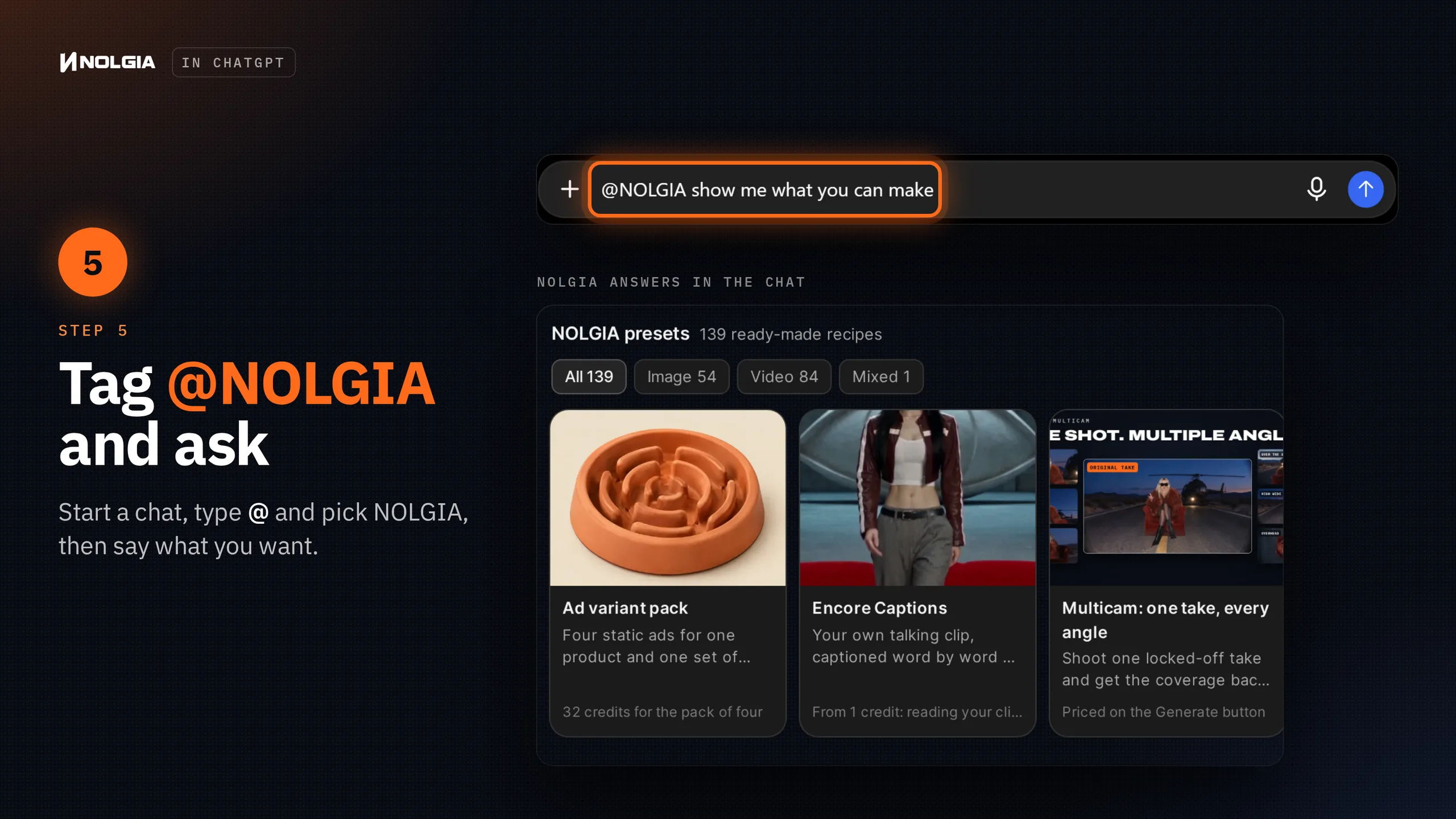
Not sure where to start? These are the three asks on NOLGIA's page in ChatGPT:
@NOLGIA Browse image and video presets with examples and guided forms
@NOLGIA Animate a product photo from my library into a 5-second video
@NOLGIA Show my library with the video I just generated
Try these first
Three everyday jobs you can hand off from the chat. Each picture shows NOLGIA's real card with a real result.
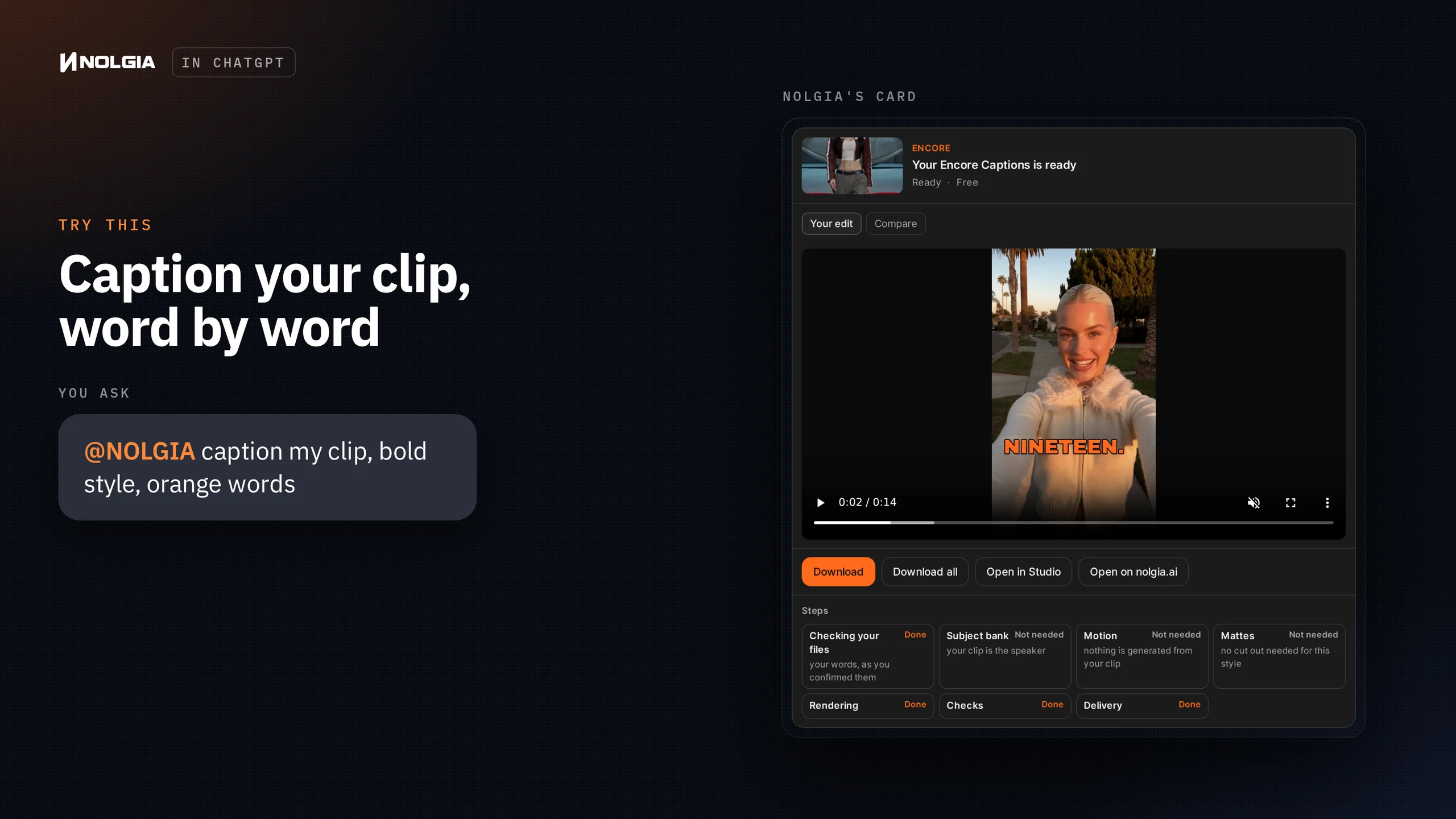
@NOLGIA caption my clip, bold style, orange words
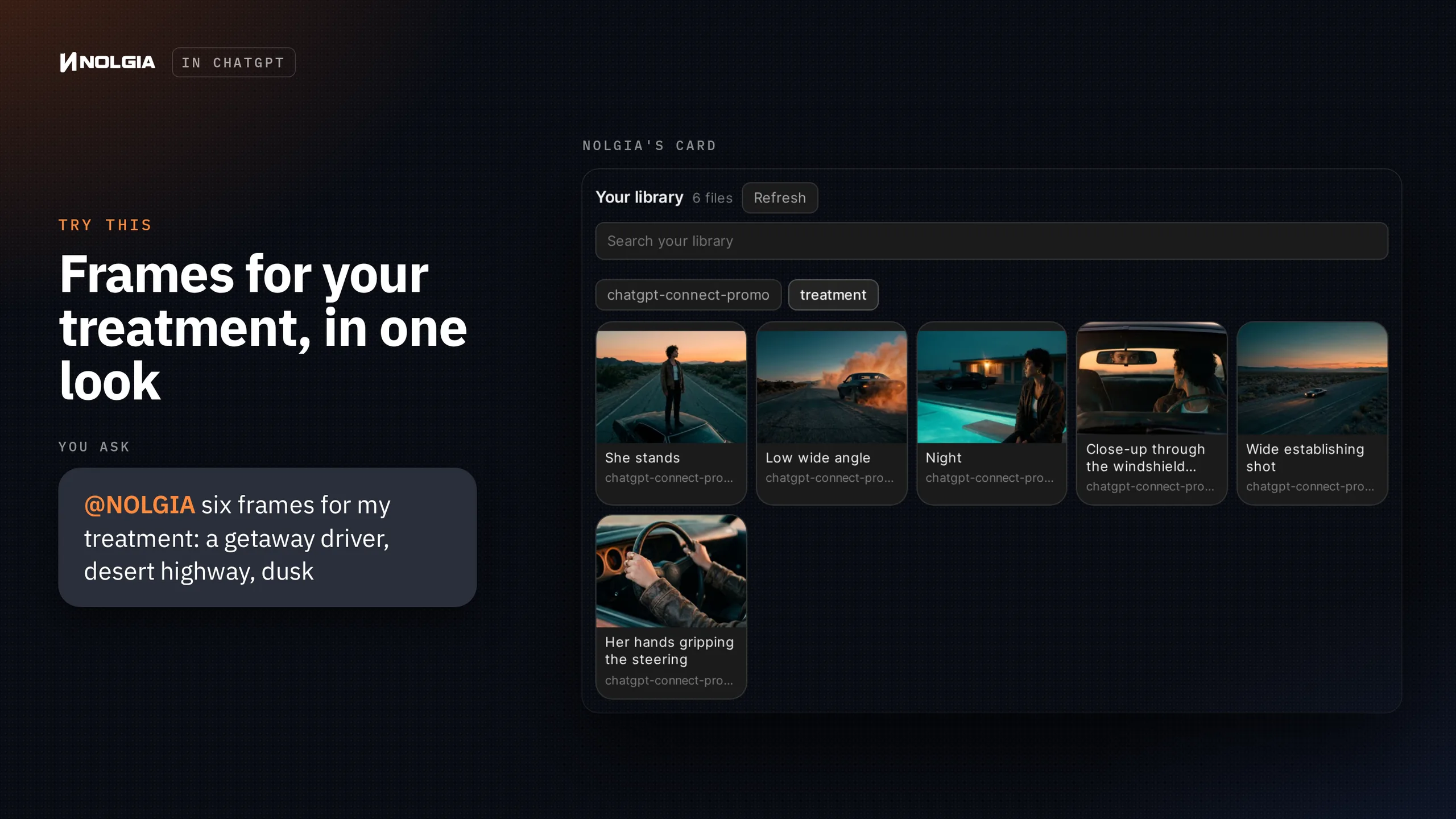
@NOLGIA six frames for my treatment: a getaway driver, desert highway, dusk
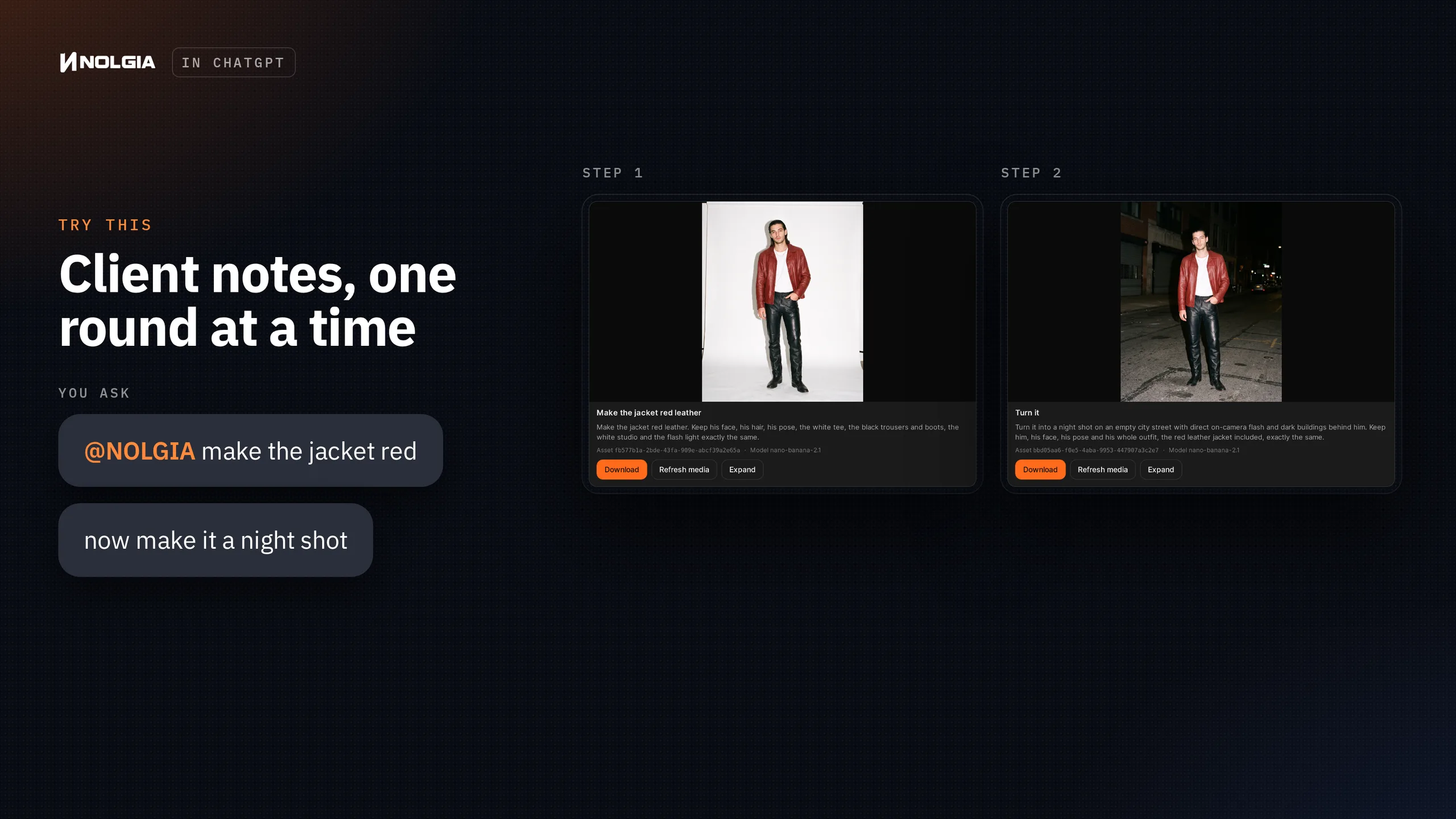
@NOLGIA make the jacket red
now make it a night shot
What works in ChatGPT
- Presets: a gallery of ready-made recipes, each with examples, its estimated cost and a form for what it needs.
- Your library: search and filter what you've made, then reuse a logo, a product photo or a clip.
- Video, images and audio, including voiceover.
- Encore: captions and edits from your own footage.
- Miroge: remake a clip you already have with a new subject, a swap or a new world.
- Multicam: every camera angle from one steady take.
- Edits step by step: change an image, change it again, and go back to any version.
Watch for this:Your desktop apps aren't reachable from ChatGPT. The NOLGIA plugins for Photoshop, Premiere Pro and the other apps don't work from ChatGPT. For those, use NOLGIA Agent right on nolgia.ai. You never need to leave NOLGIA to get the work done.
What it costs
Installing the plugin is free, and so is browsing presets and your library. Making something uses NOLGIA credits from your account, and every preset shows its estimated cost before you start.
ChatGPT is a trademark of OpenAI, shown here to say where NOLGIA works. NOLGIA is not affiliated with or endorsed by OpenAI.
Questions and answers
- Do I need a NOLGIA account?
- Yes. When you install the plugin, ChatGPT opens NOLGIA's sign in, where you can sign in or create an account.
- Can I use it on my phone?
- Yes. Plugins is in ChatGPT's sidebar on the web, in the desktop app and on mobile. ChatGPT notes that some interactive views can differ from one device to another.
- Where do the things I make go?
- Into your NOLGIA Library, the same one you see on nolgia.ai. Ask NOLGIA in ChatGPT to show your library, or open it on nolgia.ai.
- How do I disconnect NOLGIA from ChatGPT?
- On nolgia.ai, go to Settings, API tokens and revoke the ChatGPT token. You can connect again any time with the same steps.
- Can I do all of this without ChatGPT?
- Yes. NOLGIA Agent on nolgia.ai does all of this and more, including work inside your desktop apps.
Connect ChatGPT to NOLGIA
See the steps on nolgia.aiRelated guides
MCP
Generate from Claude Code or Cursor with MCP
Connect NOLGIA to Claude Code or Cursor with one token and one command or config entry, then ask for images, video and audio in plain words.
· 5 min read
Agent
The NOLGIA Agent cookbook: what to say, and what happens next
Ten messages you can send the NOLGIA Agent, what it does with each one and the preset behind it, from product photos and a listing set to a hook score and a graded cut.
· 6 min read
Video editing
Encore: remake an edit you love with you in it, or start from ten styles
Remake an edit you have the rights to with you in it, on the same cuts and word timing, or start from one of ten Encore styles.
· 24 min read