
Why typing 4k doesn't make an AI image sharper, and what does
4k, 8k, hyperrealistic and masterpiece are the words people type most when they want a sharper, more real picture. They don't do it. We ran the same prompt with them, without them, and as a short photographer's spec, so you can see what each one changes.
- 10 min read
 Typing 4k
 4K setting
 The spec
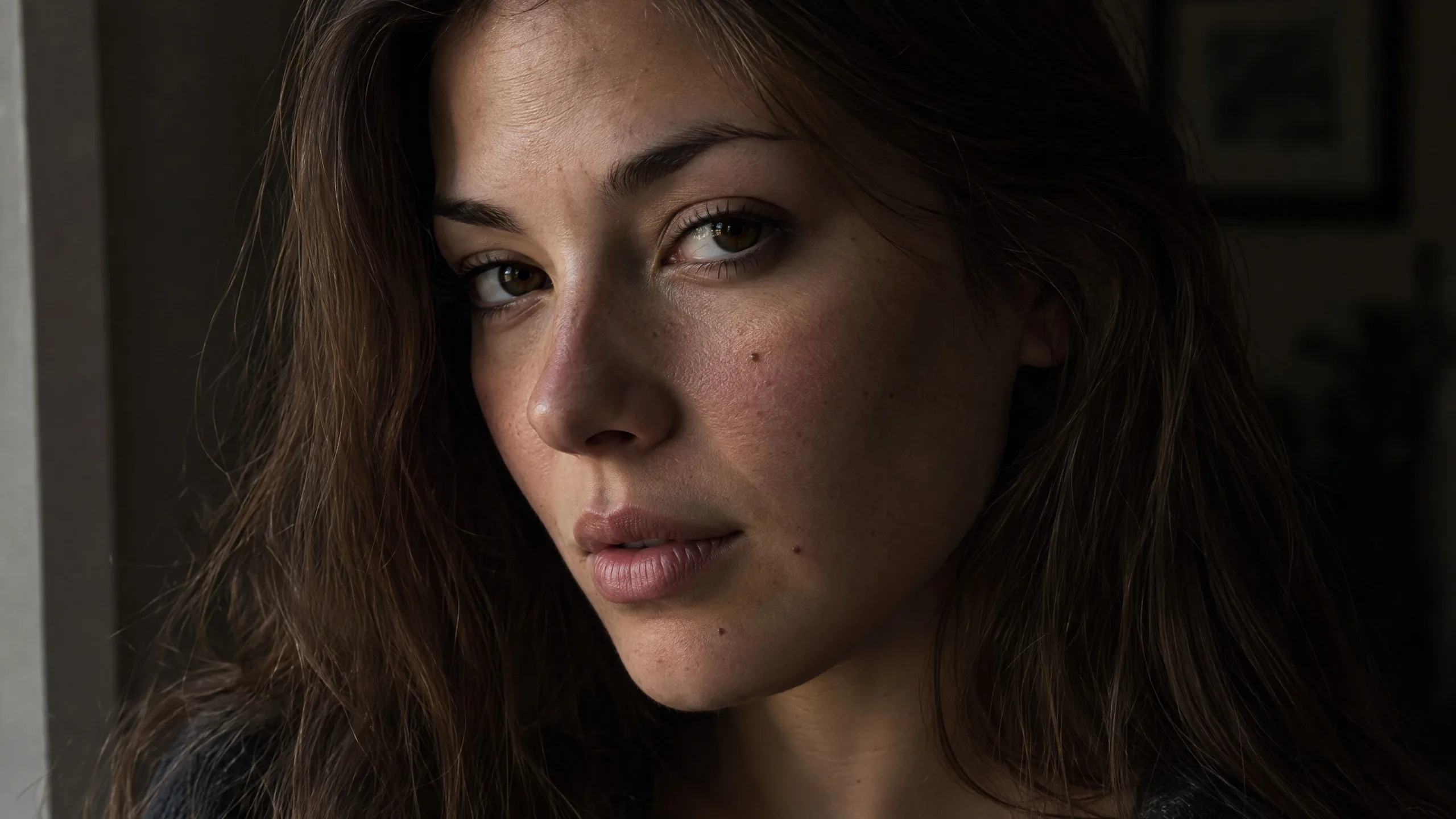 Skin and light
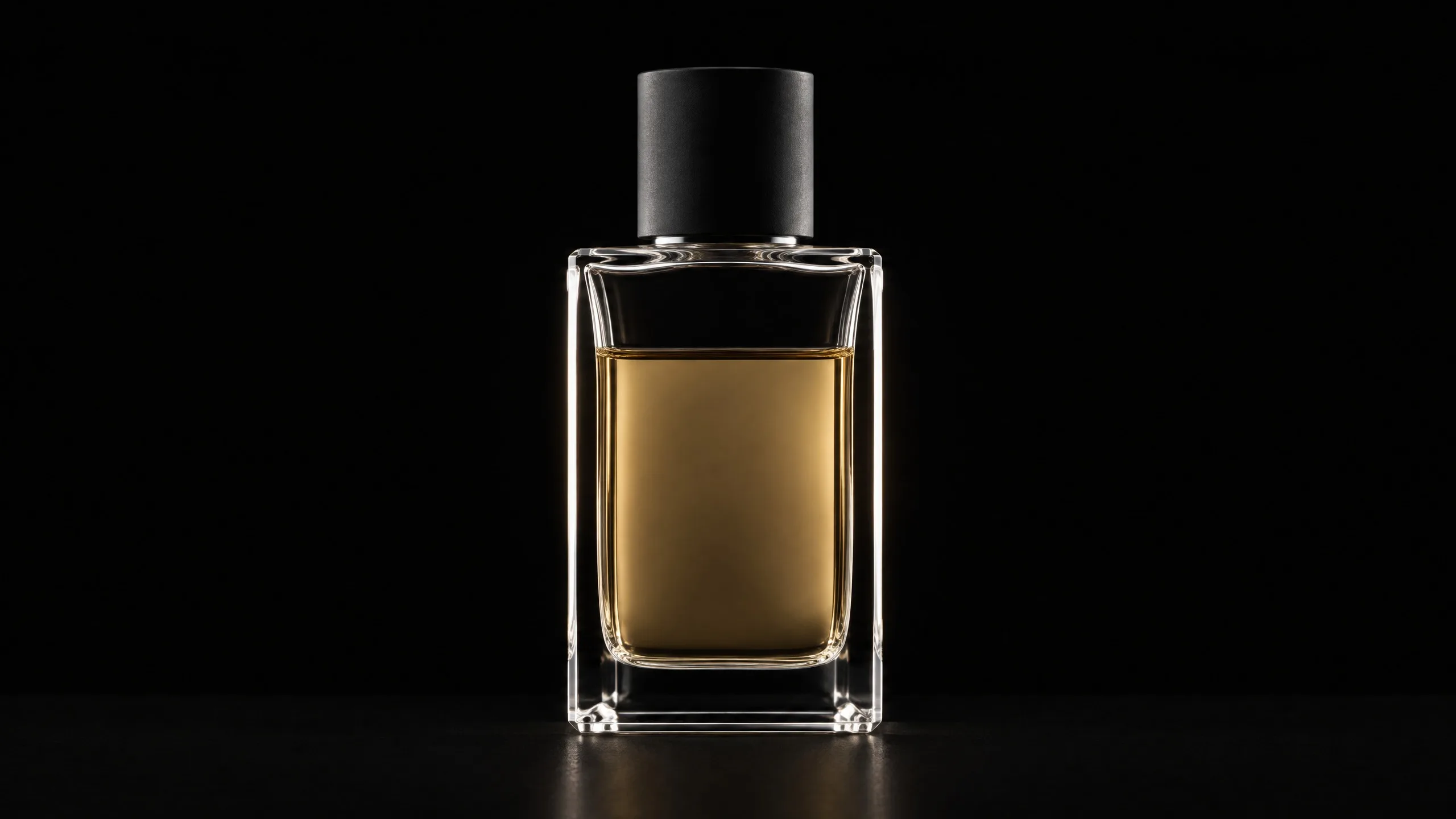 Product
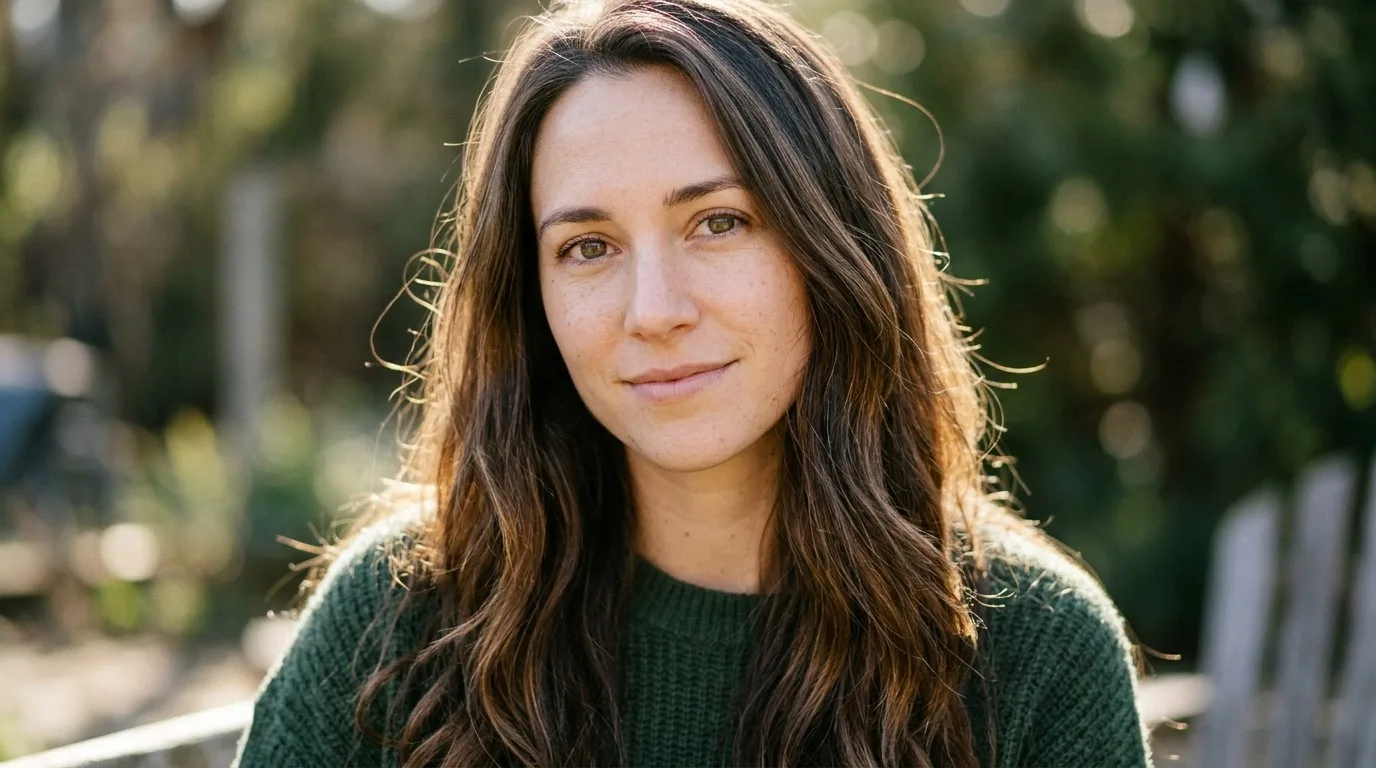
 At 4K
What you make, in order. Tap one to jump to its step.
Typing 4k into a prompt doesn't make the picture sharper. Words like 4k, 8k, hyperrealistic, masterpiece and ultra detailed add no pixels and no detail. The model reads them like any other word, and on some models the picture stays a smooth, glossy default.
What works is what a photographer would tell you: the camera and the lens, where the light comes from and what it does, the film look, and real skin where it matters. For more pixels, use the Quality setting. Every picture below is a real run on NOLGIA with Aura off, so you see only what the words do.
Write this, not that
| Instead of | Write | Why |
|---|---|---|
| 4k, 8k | Nothing. Set Quality to 2K or 4K. | The setting changes the size of the picture. The word doesn't. |
| realistic photo, hyperrealistic | The camera and the lens, by name or in plain words: "shot on a Canon EOS R5 with an 85 mm lens at f/2" or "a full-frame camera with an 85 mm lens at f/2.8" | A camera and a lens are how photographers describe the kind of photo. |
| cinematic lighting | Where the light comes from and what it does: "soft daylight from a window to her left, out of frame" | A light with a side gives the face a lit side and a shadow side. |
| ultra detailed | The detail you want to see: "a few freckles, faint lines at the eyes, visible pores" | Named detail shows up. "Detailed" doesn't say which. |
| masterpiece, award winning | Nothing. Delete them. | They praise the picture. They don't describe it. |
| beautiful | Who the person is: "a 34-year-old woman, an ordinary face, no makeup" | "Beautiful" leaves the face to the model. |
| (no look named) | One film stock or grade: "Kodak Portra 400, fine grain", or for a film still "ARRI Alexa Mini LF, graded to a Kodak Vision3 500T look" | One look, named once, sets the color and the grain. In our tests a named stock nudged them a little. |
Mistake 1: typing 4k for a sharper picture
4k in a prompt is a word, not a setting. The picture comes back at the size the Quality setting asks for, whatever the prompt says.
close up portrait of a woman with long brown hair
close up portrait of a woman with long brown hair, realistic photo, 4k, 8k, hyperrealistic, ultra detailed, masterpiece, award winning, cinematic lighting
Without the words
With 4k, 8k, hyperrealistic and more
Fix 1: set Quality to 2K or 4K
In Create images, Quality sets the size of the picture. Nano Banana 2.1 draws 2K and 4K itself. The Generate button shows the price of each size before you render.
Quality 1K
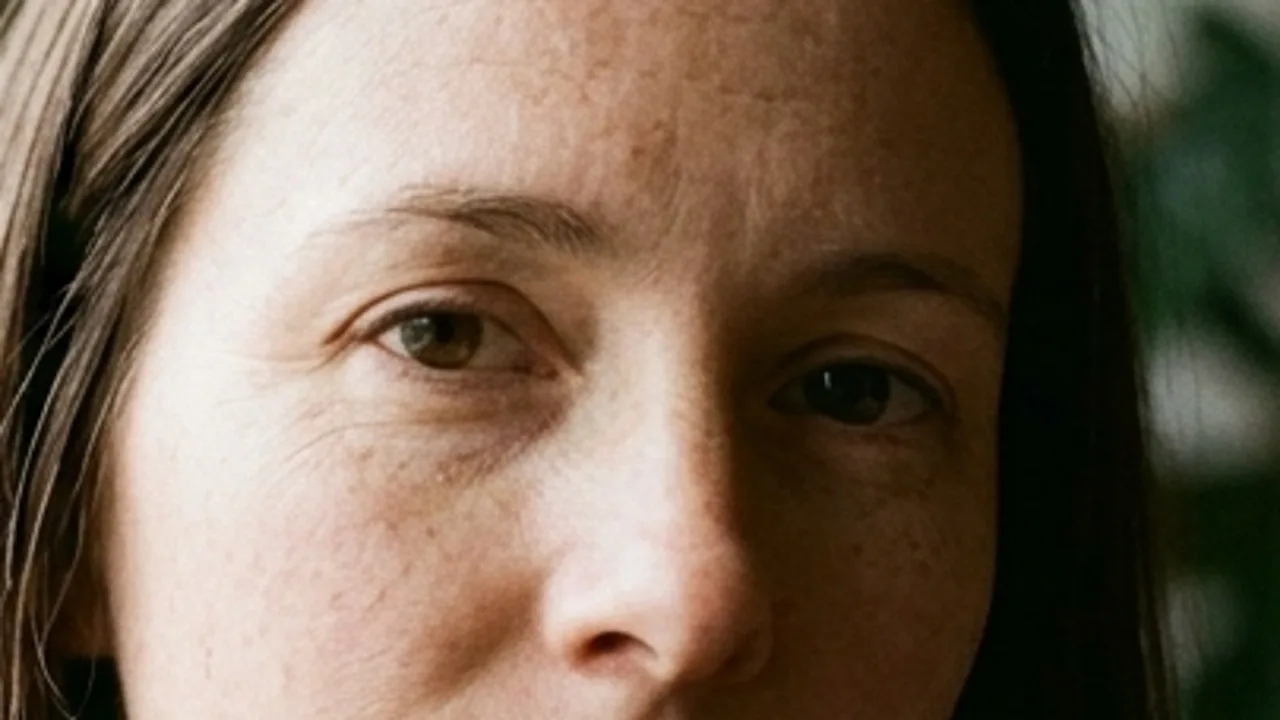
Quality 4K
Tip:Try at 1K, keep at 4K. 1K is the cheapest size, so use it to get the prompt right. Then run the prompt again at 2K or 4K. A new run is a new picture, so it can take a run or two to get the one you want at the bigger size.
Mistake 2: "realistic" where a camera, a lens and a light should be
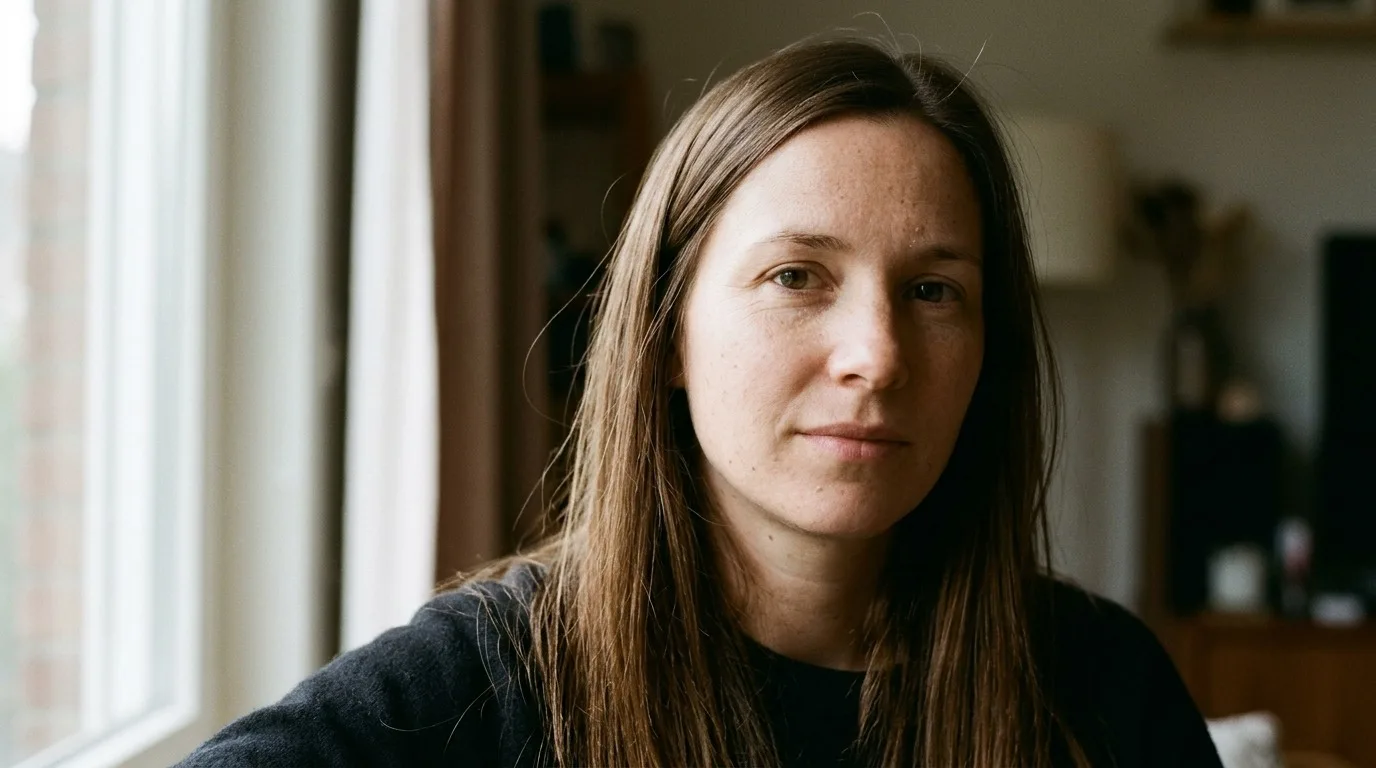
"Realistic photo" and "hyperrealistic" don't say what kind of photo. A photographer would tell you the camera and the lens, where the light is, and the film look. Write that as a short spec and the model has something to draw.
close up portrait of a woman with long brown hair, realistic photo, 4k, 8k, hyperrealistic, ultra detailed, masterpiece, award winning, cinematic lighting
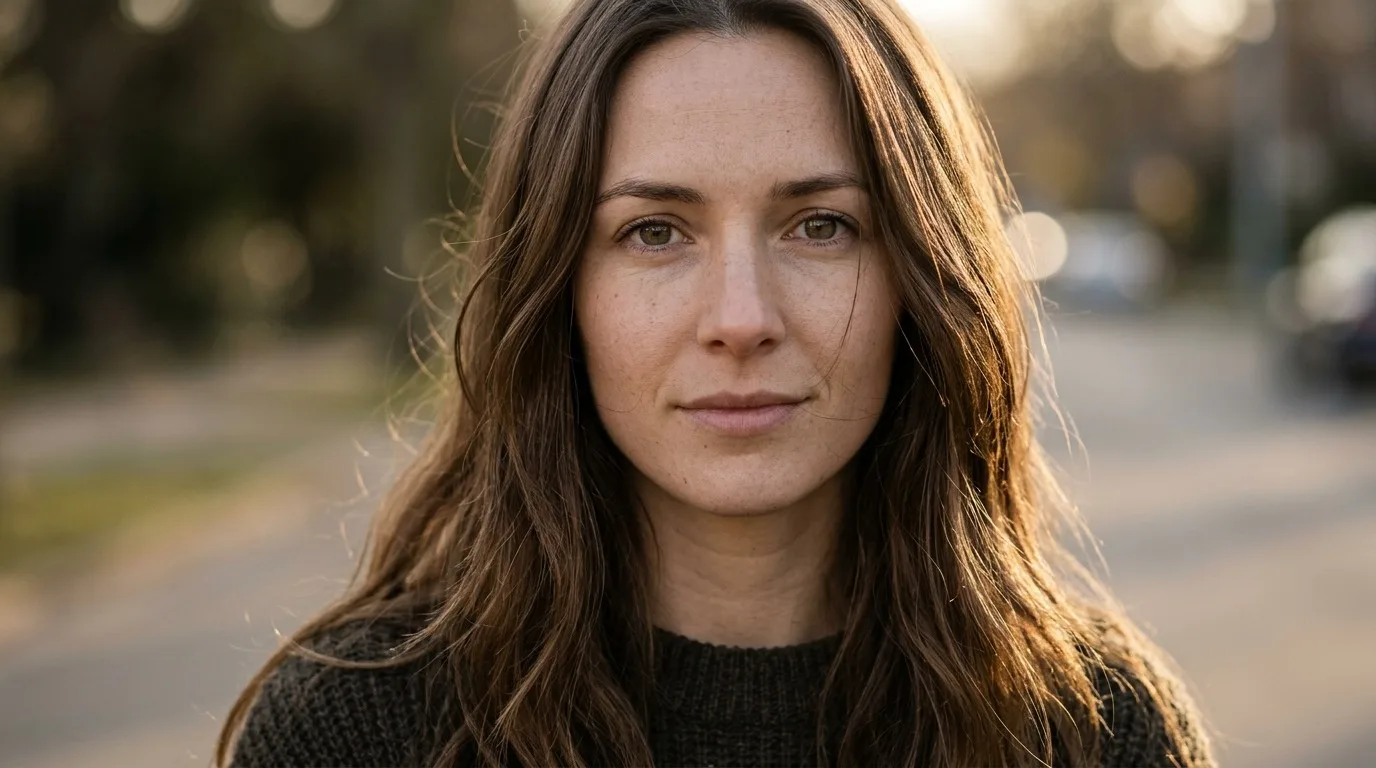
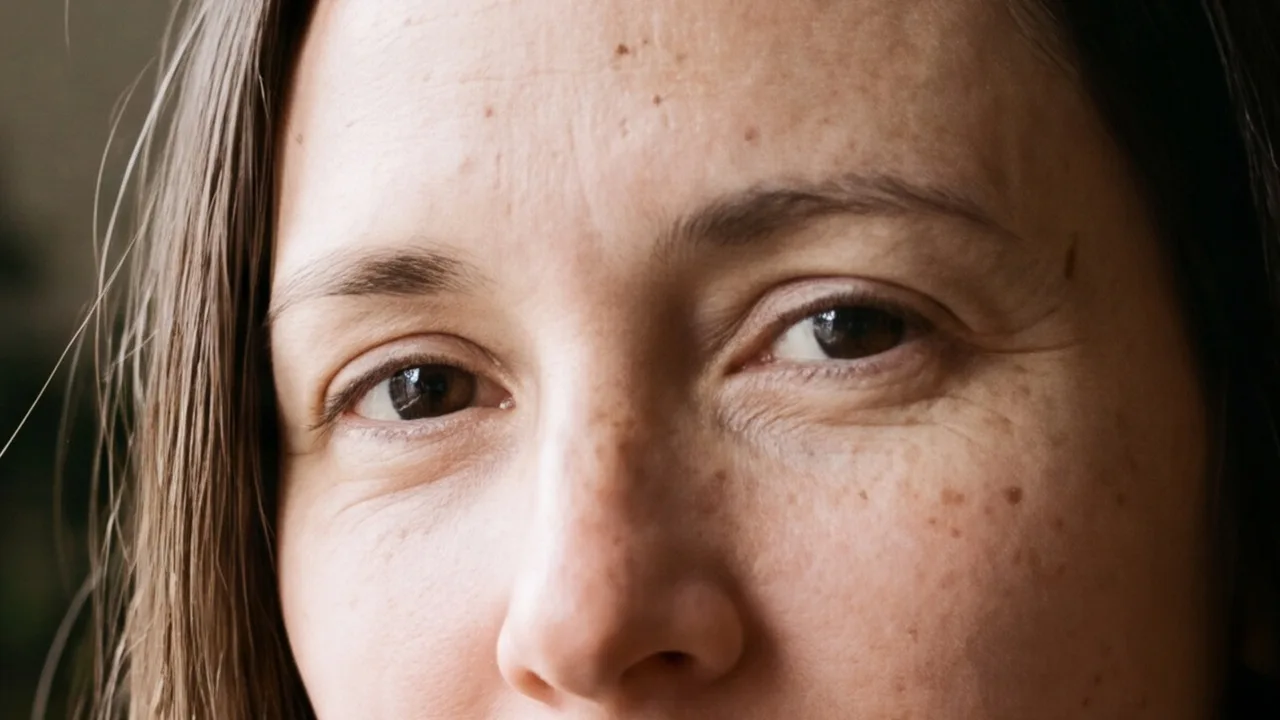
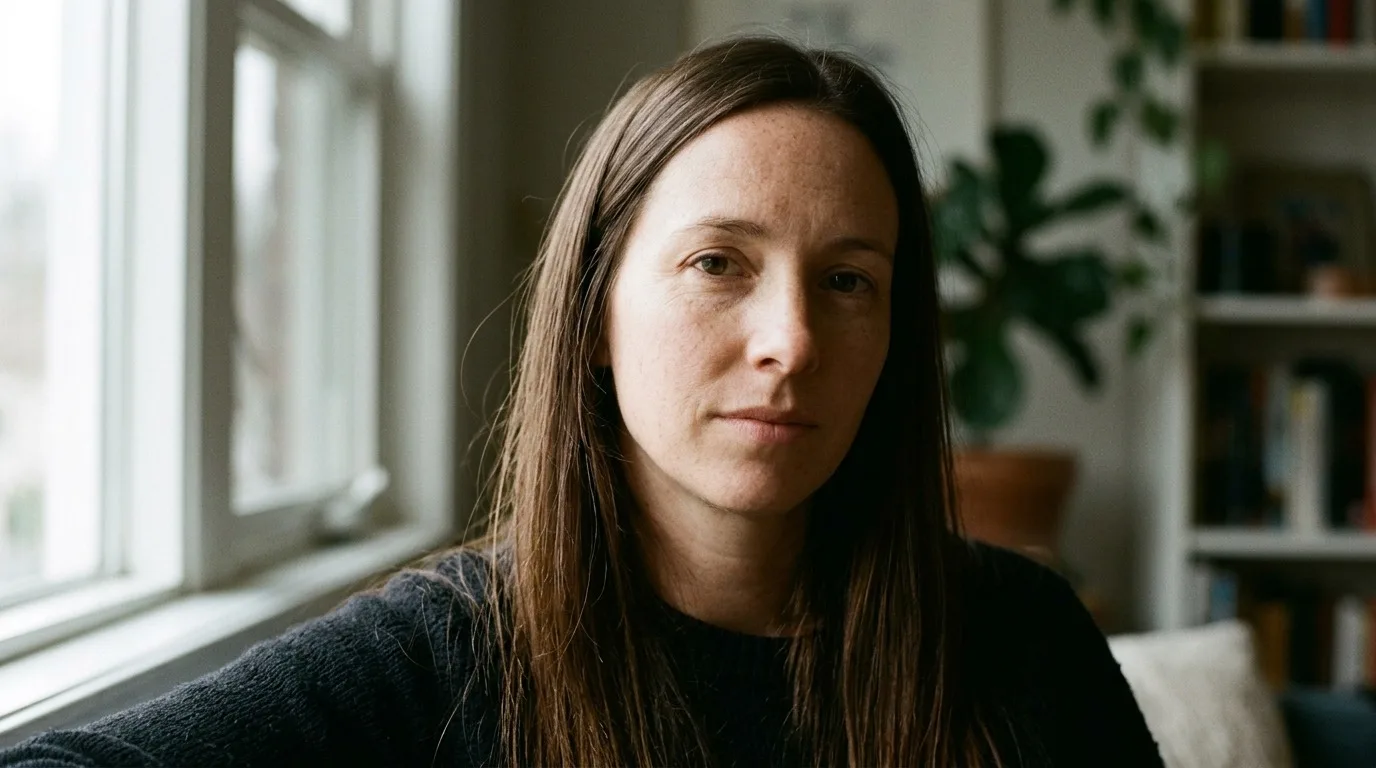
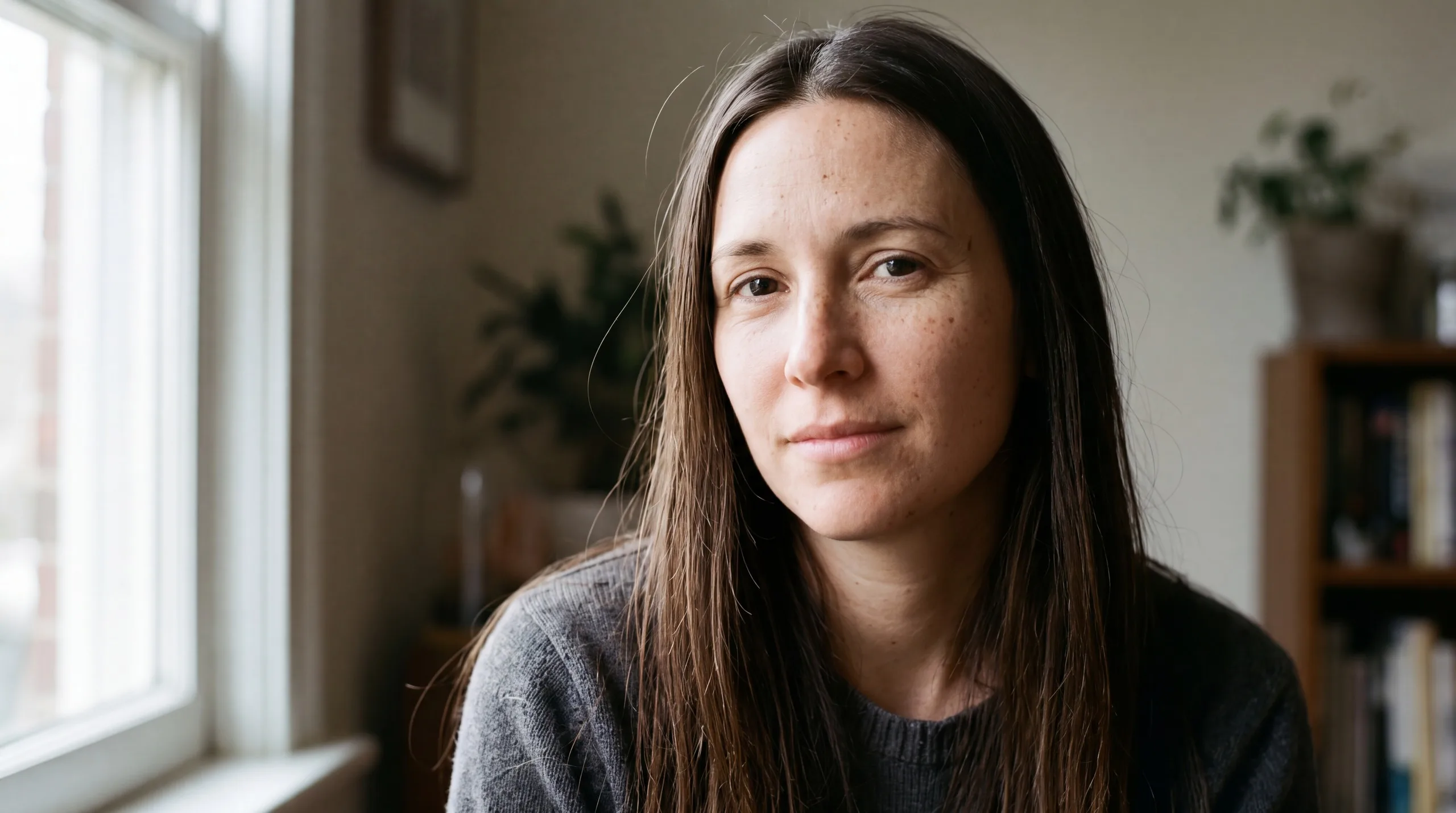
Close-up portrait photograph of a 34-year-old woman with long, straight brown hair, sitting by a window at home. An ordinary face: a few freckles, faint lines at the eyes, visible pores, no makeup. Shot on a full-frame camera with an 85 mm lens at f/2.8, from about 1.2 m, at eye level. Soft daylight comes from a window to her left, out of frame, at about 5500 K: it lights the near side of her face and falls off into shadow on the far side. The look of 35 mm colour negative film: fine grain, natural colour, low saturation. Unretouched skin.
Quality words
A photographer's spec
Tip:Say camera left or camera right. "Her left" and "the left of the picture" are opposite sides when she faces the camera. When the side matters, write camera left or camera right.
You can name the camera and the film too. The prompt below is the same spec with only two things changed: the camera and the film look.
Close-up portrait photograph of a 34-year-old woman with long, straight brown hair, sitting by a window at home. An ordinary face: a few freckles, faint lines at the eyes, visible pores, no makeup. Shot on a Nikon F3 35 mm film camera with an 85 mm lens at f/2.8, from about 1.2 m, at eye level. Soft daylight comes from a window to her left, out of frame, at about 5500 K: it lights the near side of her face and falls off into shadow on the far side. The look of Kodak Portra 400: fine grain, natural colour, low saturation. Unretouched skin.
Camera and film in plain words
Camera and film named
Mistake 3: leaving the skin and the light to the model
Some models fill a short prompt with a polished beauty-ad face: smooth skin, even light from the front, made-up eyes. We ran one short prompt on GPT Image 2.5 Flare and on Seedream 5.0 Pro, then the same prompt with three sentences added: one about skin, one about light, one about the finish. The pictures were shown side by side with the labels hidden, and on both models the version with the three sentences was picked as the more real photo.
close up portrait of a beautiful woman with long brown hair, realistic, 4k
close up portrait of a beautiful woman with long brown hair, realistic, 4k. Skin: real down to the pores, fine peach fuzz on the cheeks and jaw, a mole or two placed off-center, faint redness where small vessels show, each pore's tiny shadow falling the same way as the scene's light. Light: from the scene's own sources, off-frame to one side, catching the brow, nose and cheekbone, then falling off into shadow; nothing lights the face flat from the front, nothing fills the shadows back in. Finish: skin never glows or shines in hot patches, no retouching or beauty grading, no smoothing, no waxy or CG-perfect skin, no oversharpened edges, a fine even grain.
Short prompt
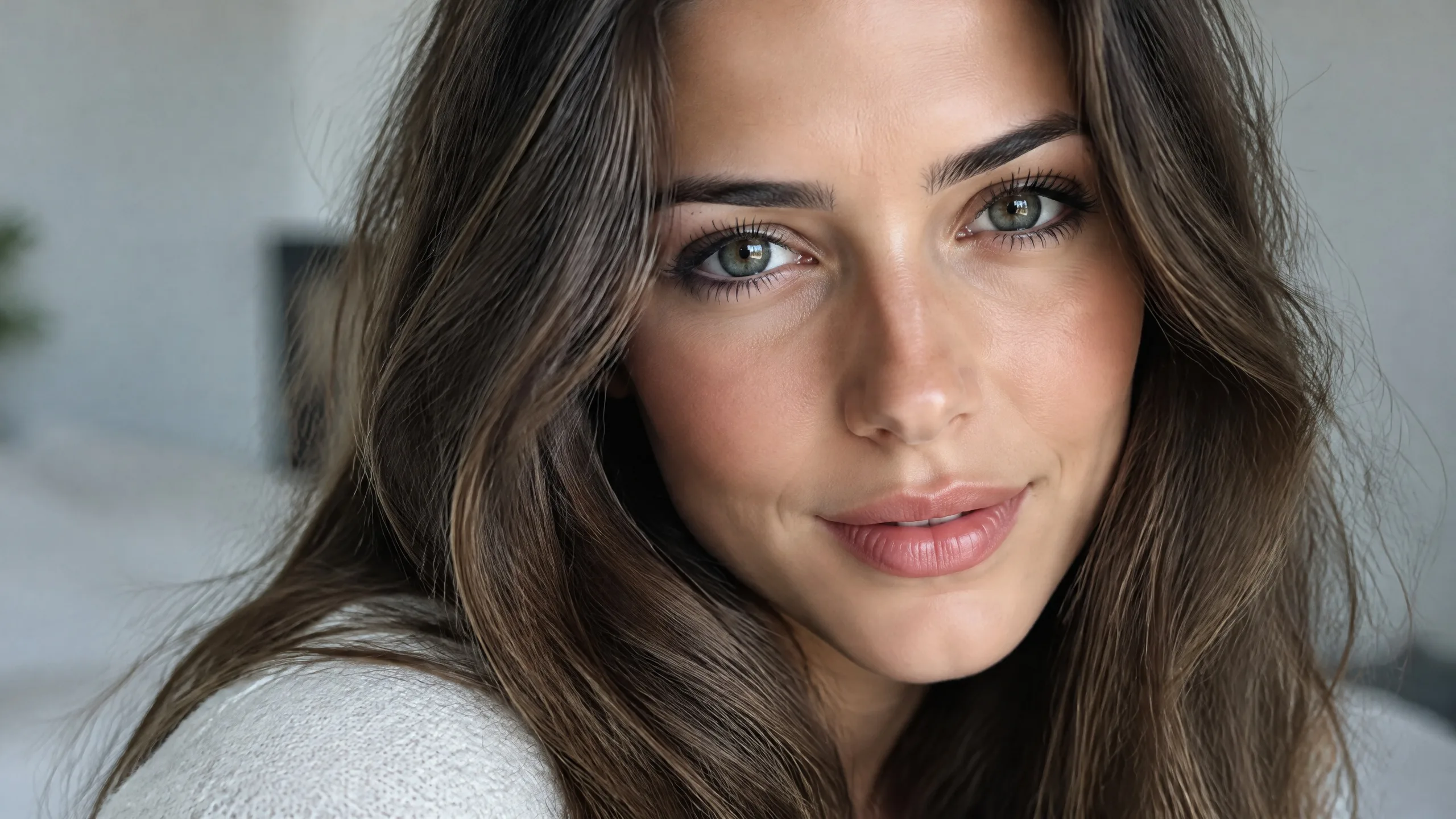
Three sentences added
Short prompt
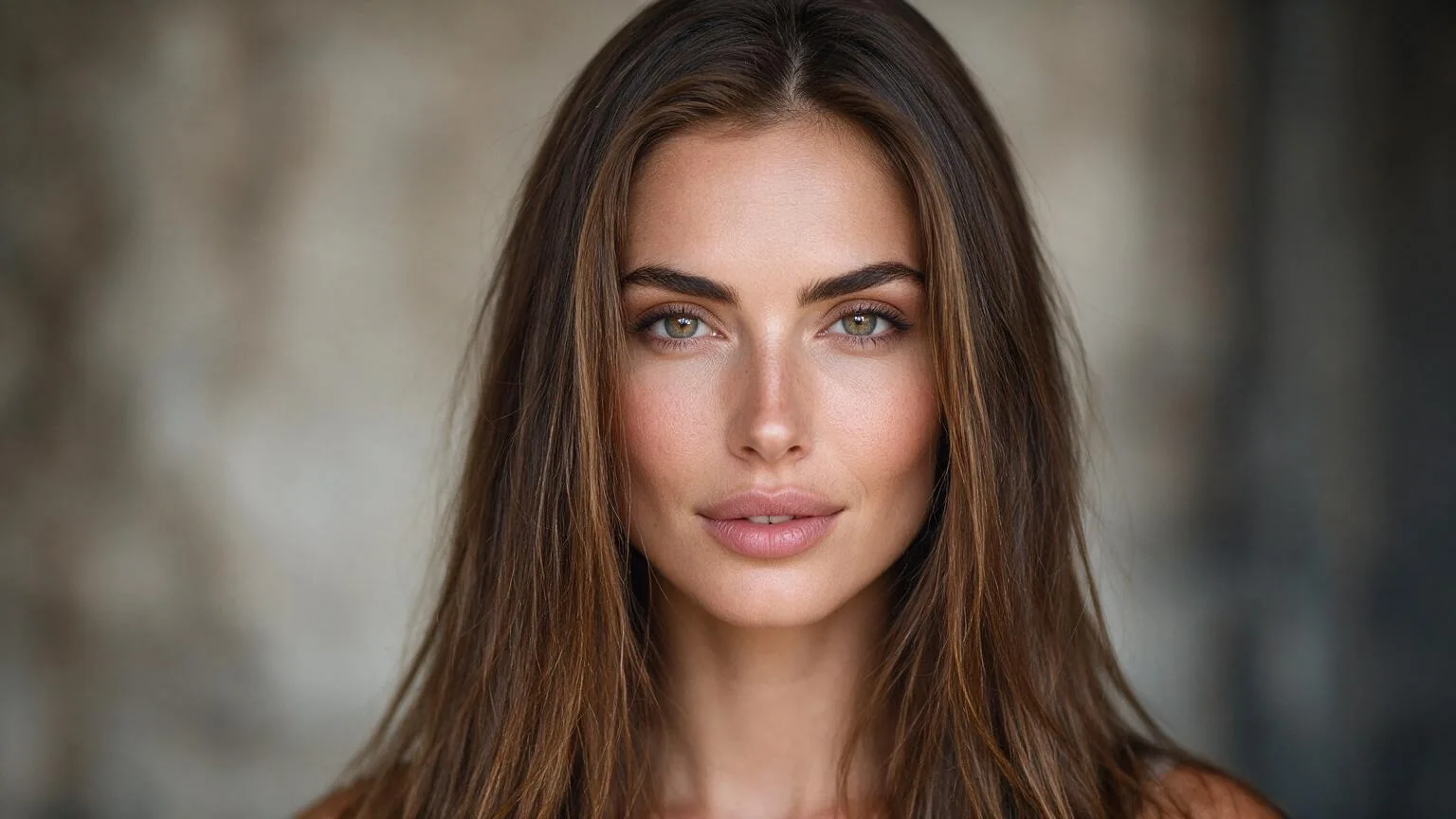
Three sentences added
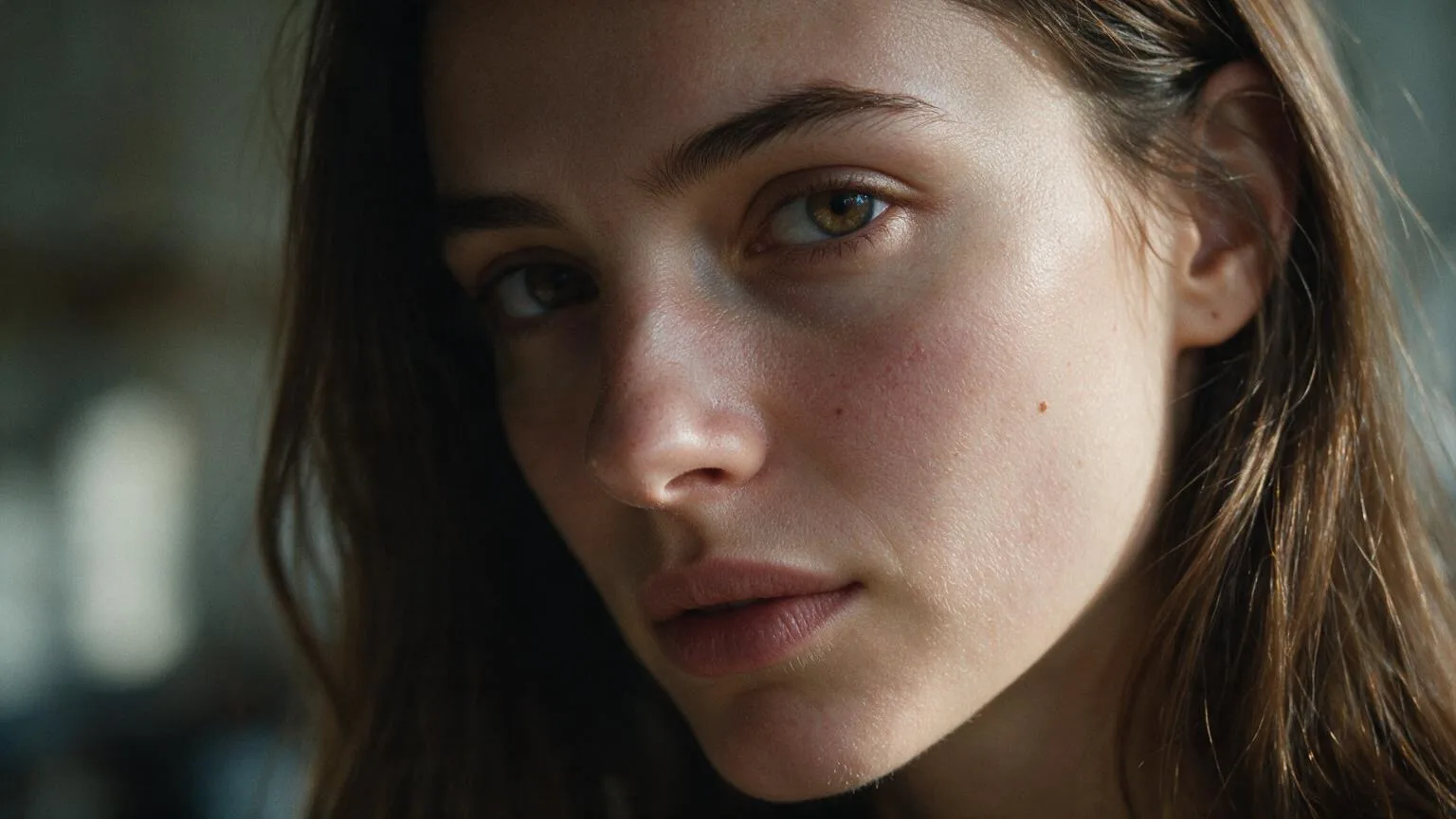
Tip:Aura adds lines like these for you. Aura is on by default when your prompt describes a person. It gives people real skin texture and natural light from the scene, with no beauty filter and no makeup added. We turned it off for every picture in this guide, so you see what the words alone do. Turn it off when you write the look yourself.
The same mistake on a product shot
Quality words do the same on products. A short product prompt also leaves the model to pick the product, and it may pick a famous one.
professional product photography of a perfume bottle, black background, hyperrealistic, 4k
Tabletop product photograph of one clear glass perfume bottle with no label, about 11 cm tall, rectangular with thick walls, a pale amber liquid filled to two thirds and a matte black cap. It stands alone on a black surface against a black background. Shot on a medium-format camera with a 120 mm macro lens at f/11, straight on at the bottle's mid-height, the whole bottle sharp. The light comes from behind the bottle on both sides, out of frame, so the glass edges glow as thin bright lines against the black; no light from the front. Neutral colour, deep blacks, no colour cast. No text, no logo.
Short prompt
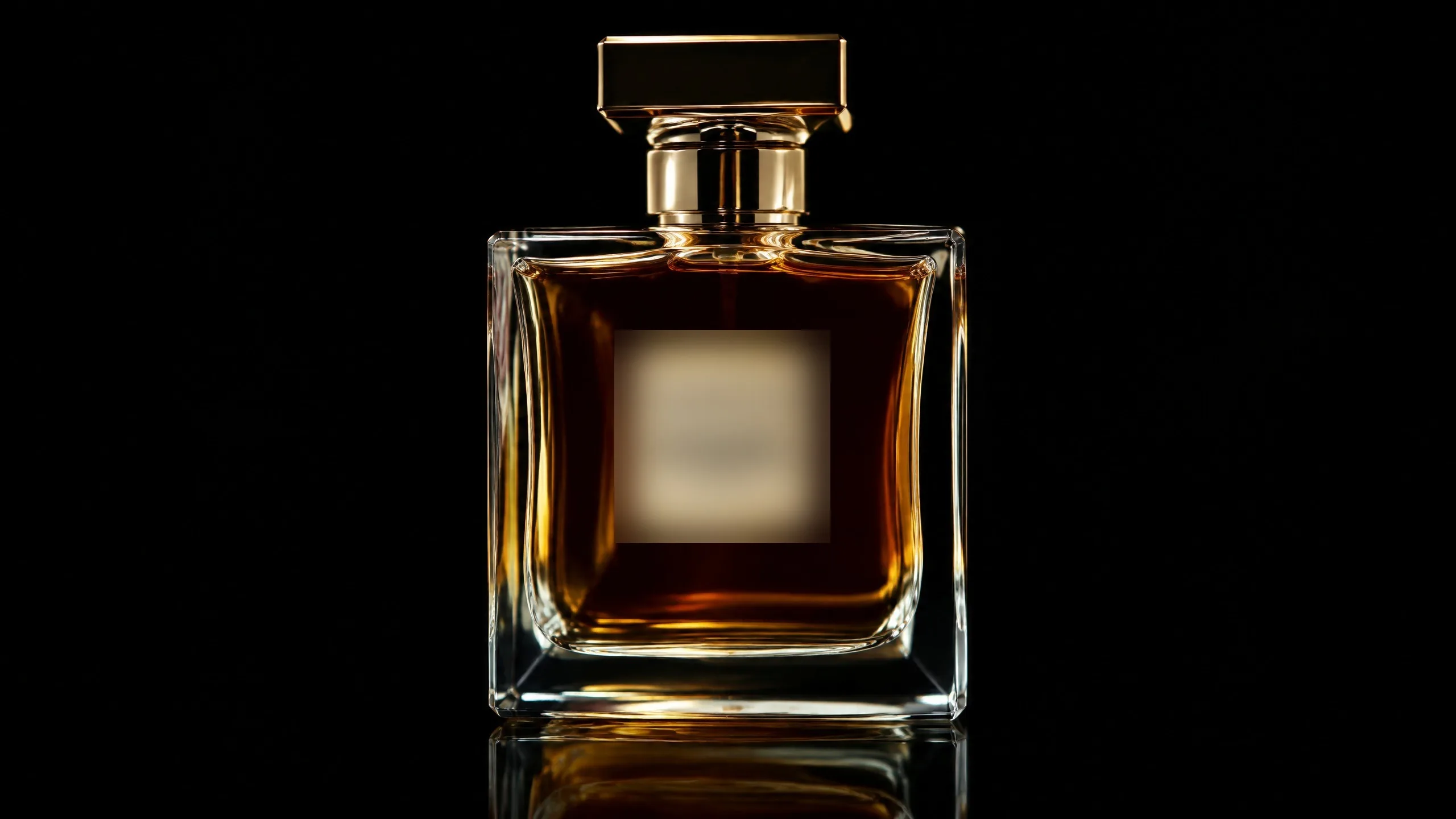
The spec
Watch for this:Say what your product looks like, and say no label. A short product prompt can come back as a real brand's product, logo included. Give your product's shape, size, material and color, and write no label or no text unless you want one.
The whole spec, at 4K
Close-up portrait photograph of a 34-year-old woman with long, straight brown hair, sitting by a window at home. An ordinary face: a few freckles, faint lines at the eyes, visible pores, no makeup. Shot on a full-frame camera with an 85 mm lens at f/2.8, from about 1.2 m, at eye level. Soft daylight comes from a window to her left, out of frame, at about 5500 K: it lights the near side of her face and falls off into shadow on the far side. The look of 35 mm colour negative film: fine grain, natural colour, low saturation. Unretouched skin.
[Kind of photo] of [who: age, role, one or two real details], [where]. [What the face or the surface really looks like: marks, texture, wear]. Shot on [camera body or format] with a [focal length] lens at [f-stop], from about [distance], at [camera height]. [The light: where it comes from, camera left or camera right, out of frame, its color temperature or the time of day, what it lights and where the shadow falls]. The look of [film stock or grade]: [grain], [color], [saturation]. [Unretouched skin, for a person.]
Then set Quality to 2K or 4K for the picture you keep. Leave 4k, 8k, hyperrealistic and masterpiece out.
What it costs
Every picture here is one run. Try a prompt at 1K, the cheapest size, and run the one you keep at 2K or 4K. The price of each size is on the Generate button before you spend anything.
Nano Banana 2.1Every plan
Per image
1K 4 credits · 2K 5 credits · 4K 9 credits
GPT Image 2.5 FlareEvery plan
Per image
Native 8 credits · 2K 21 credits · 4K 58 credits
Seedream 5.0 ProEvery plan
Per image
1K 5 credits · 2K 9 credits
Read live from the catalog when this page loads. Every price is shown before you generate. See every rate.
Checklist before you press Generate
- No 4k, 8k, hyperrealistic, masterpiece or award winning in the prompt.
- Quality set to 2K or 4K for the picture you keep.
- One camera and one lens, with a focal length.
- One light: where it comes from, that it's out of frame, and what it lights.
- Camera left or camera right when the side matters.
- One film look or grade, named once.
- Real detail where it matters: skin marks, fabric, wear.
- For a product: its shape, size, material and color, and no label unless you want one.
Questions and answers
- Does writing 4k ever do anything?
- Not to the size of the picture. In our runs the prompt with 4k came back at the same size as the prompt without it. Set the size with Quality.
- Should I name a real camera and film stock?
- You can, and it's how photographers describe a look: a camera body, a lens and a film stock such as Kodak Portra 400. In our tests a named stock nudged the color and grain a little, and naming the camera and the stock in the spec above changed little on its own. Where the light comes from changed the picture far more. What matters is that the camera, the lens, the film and the light fit together.
- Is "cinematic" a bad word?
- Only as filler. "Cinematic lighting" doesn't say where the light is. Write where it comes from and what it does instead.
- What about Aura?
- Aura is on by default when your prompt describes a person, and adds real skin texture and natural light from the scene. Every picture in this guide was made with Aura off, so you see what the words alone do. If you write the light and the skin yourself, you can turn Aura off.
- Which Quality should I pick?
- 1K to try a prompt, 2K or 4K for the picture you keep. The Generate button shows the price of each size before you render.
Write your next prompt as a spec
Open Create imagesRelated guides
Prompting
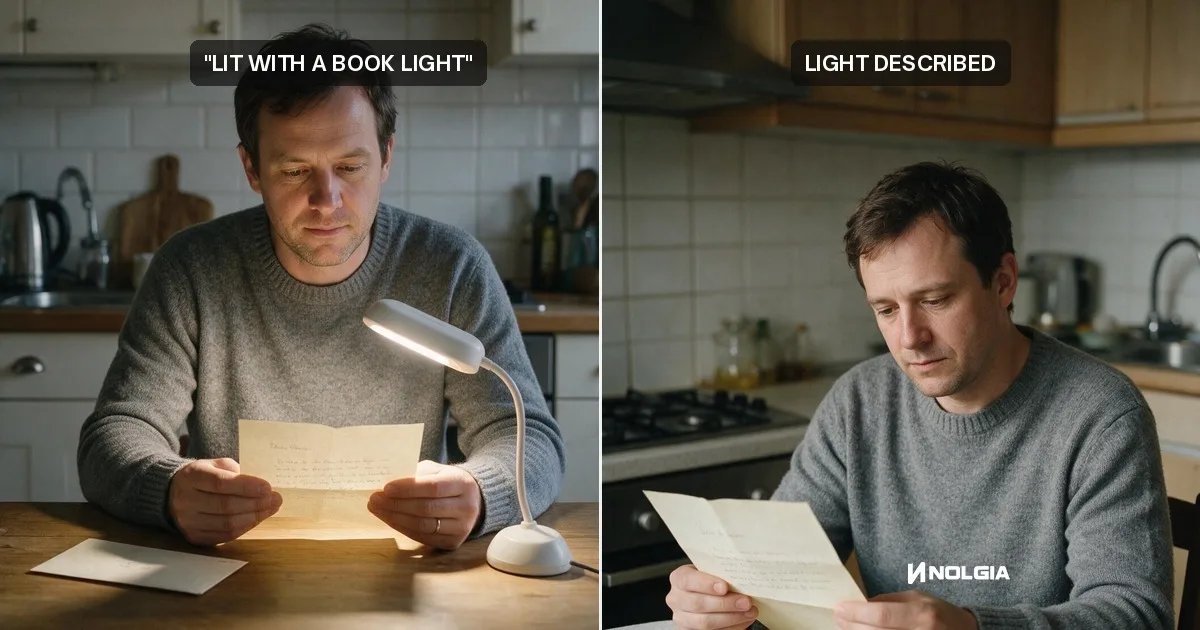
Write the light: describe what it does, not the equipment
Name a lighting tool in a prompt and the model draws it: a book light becomes a reading lamp. Write where the light comes from and what it does instead.
· 10 min read
Prompting
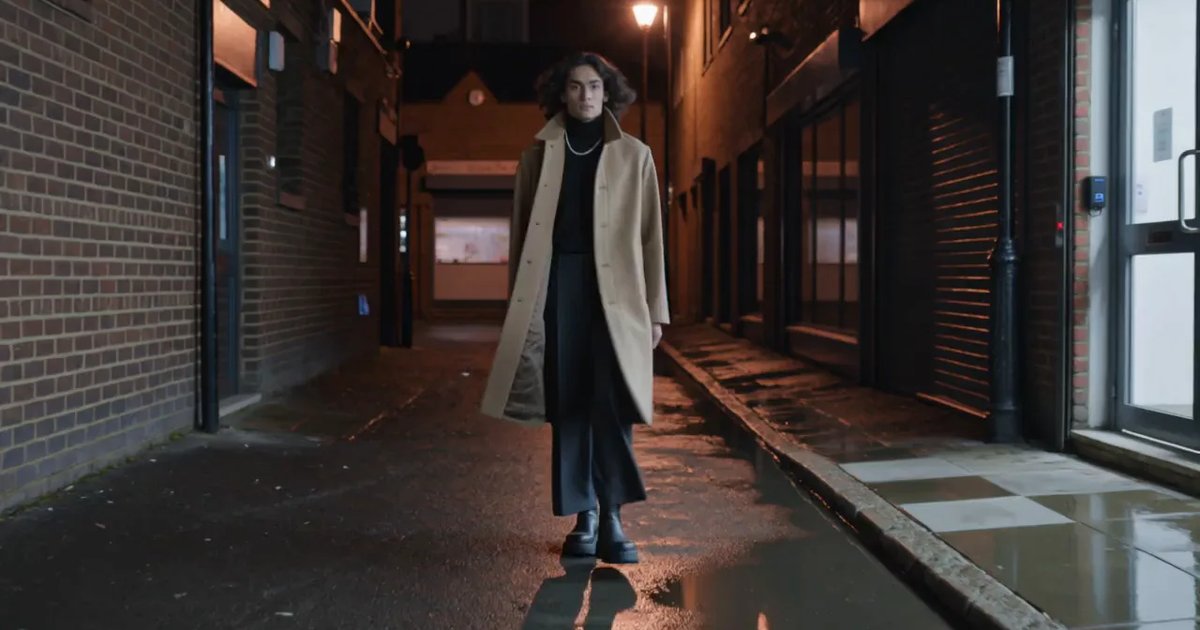
Make AI video look real: light, motion and camera
Three sentences make a clip read as filmed: a named light source, a walk with weight, a camera someone is holding. Each tested before and after on Kling v3.
· 9 min read
Models
Nano Banana 2.1 on NOLGIA: native 4K, four references, exact text and 8:1
Nano Banana 2.1 is Google's new image model, out October 6, 2026. What changed, and how to use 4K, four references, exact text and 8:1 frames on NOLGIA.
· 7 min read