

Mirogeでカメラワークを作成する
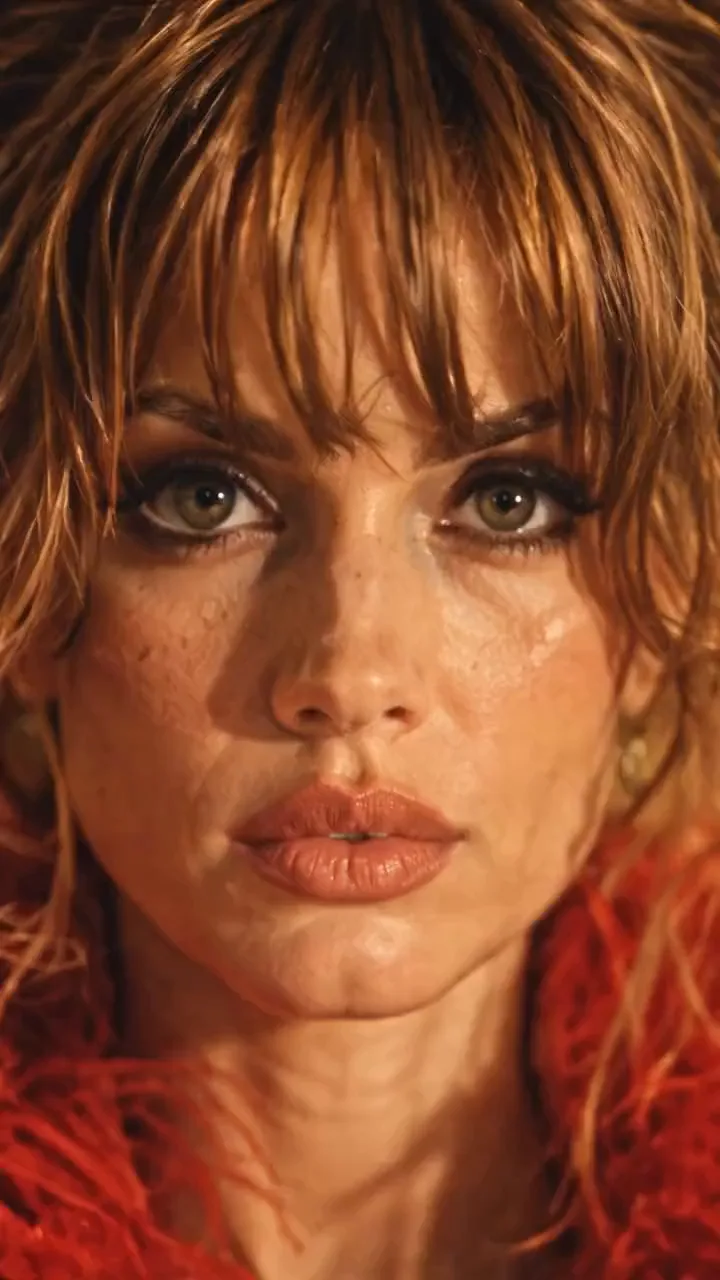
赤い羽根ジャケットを着た女性がチェーンソーを持ってレストランのテーブルの上に立っているシーンを、カメラが周回します。顔のクローズアップからテーブル越しに後退し、真上へ移動し、背後を回り、再び顔に戻ってループします。このカメラワークはスマホのクリップから取得しました。ここでは、Mirogeでの動画制作者の作成方法と、同じショットを得るための他の2つの方法を紹介します。
- 10 分で読めます
- プリセット: Miroge: recast your clip
英語から自動翻訳されています。原文を読む
このガイドでは、NOLGIAのビデオメーカーが制作した「NOLGIA miroge2」という実際のプロジェクトと、その制作過程の詳細を追います。以下のプロンプトはすべて送信時のまま引用しており、長いダッシュはハイフンで表記しています。女性、レストラン、マネキンはすべて生成されたものであり、実在の人物や場所ではありません。
アイデアは、画面に写る人物とカメラの動きを分離することです。キャラクターとロケーションは、まずあなたがコントロールできる静止画として準備します。その後、短い参照クリップでカメラのパス、速度、タイミングのみを提供します。
作成するもの
被写体が静止したままの連続ショットです。女性の顔から始まり、テーブル越しに引き、頭上まで上昇し、背後を旋回して再び顔に戻ります。これにより、終わりと始まりが繋がり、クリップがループします。
カメラワーク
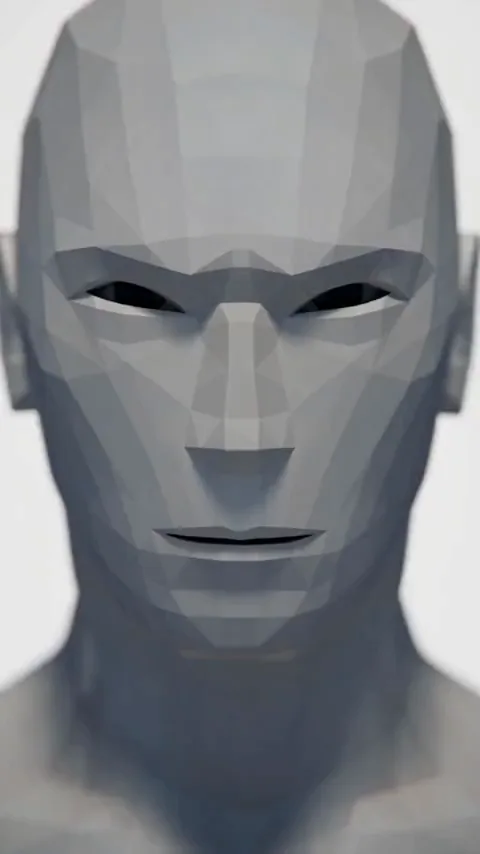
Miroge
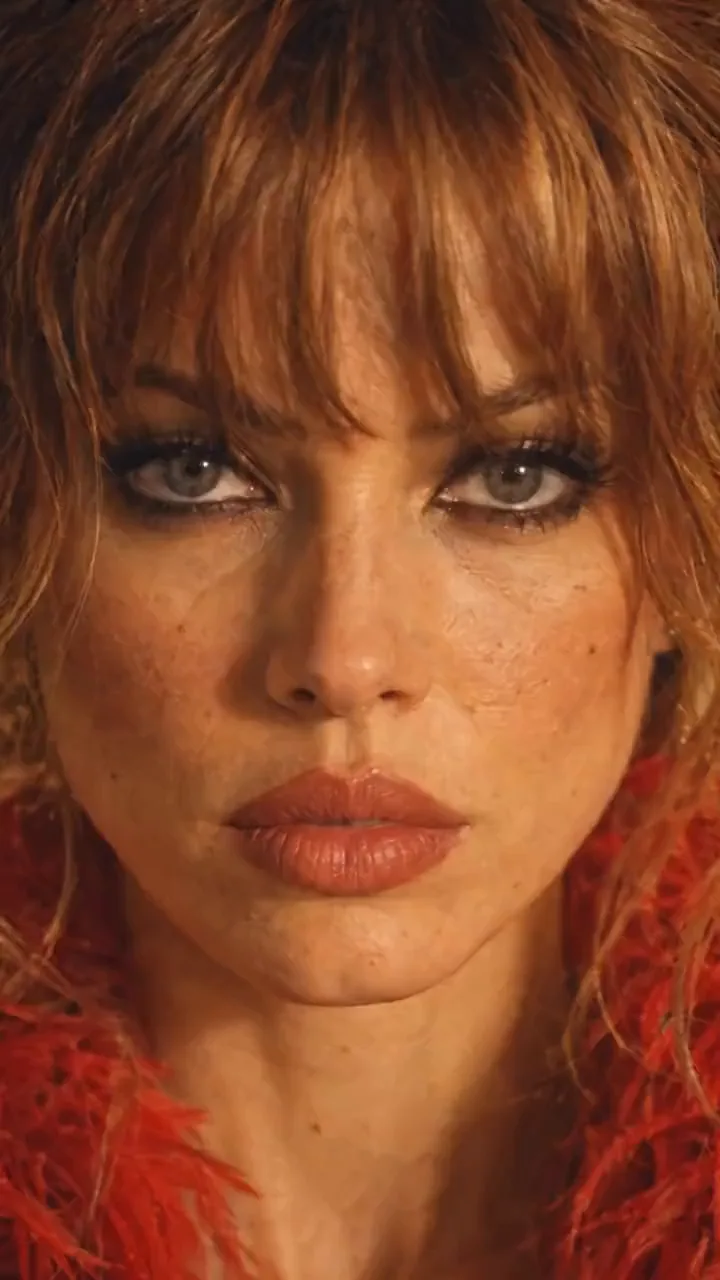
ヒント:元のクリップを表示しない理由。. このプロジェクトのモーションビデオは、実在の人物が写ったソーシャルメディアのクリップだったため、このガイドには含まれていません。ご自身のフッテージ、または使用権のあるクリップをご利用ください。Mirogeが動きを抽出し、あなたのキャストが元の人物に置き換えます。
まずキャラクターを作成する
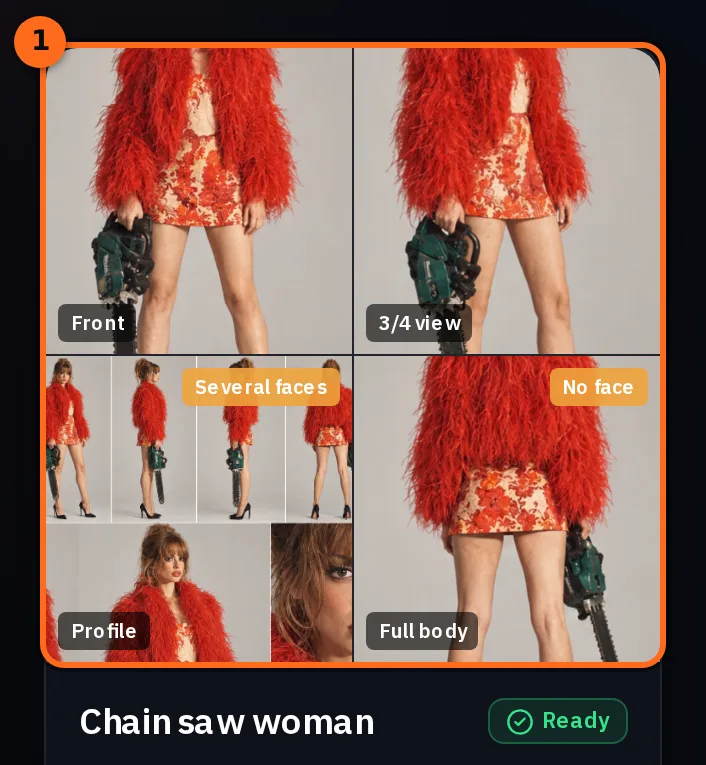
詳細なキャラクターシートから始めましょう。顔、髪、体型、衣装、小道具を複数の角度から描きます。これは彼女が誰であるかを示すマスターリファレンスであり、その後のすべてのステップはこのシートに基づきます。
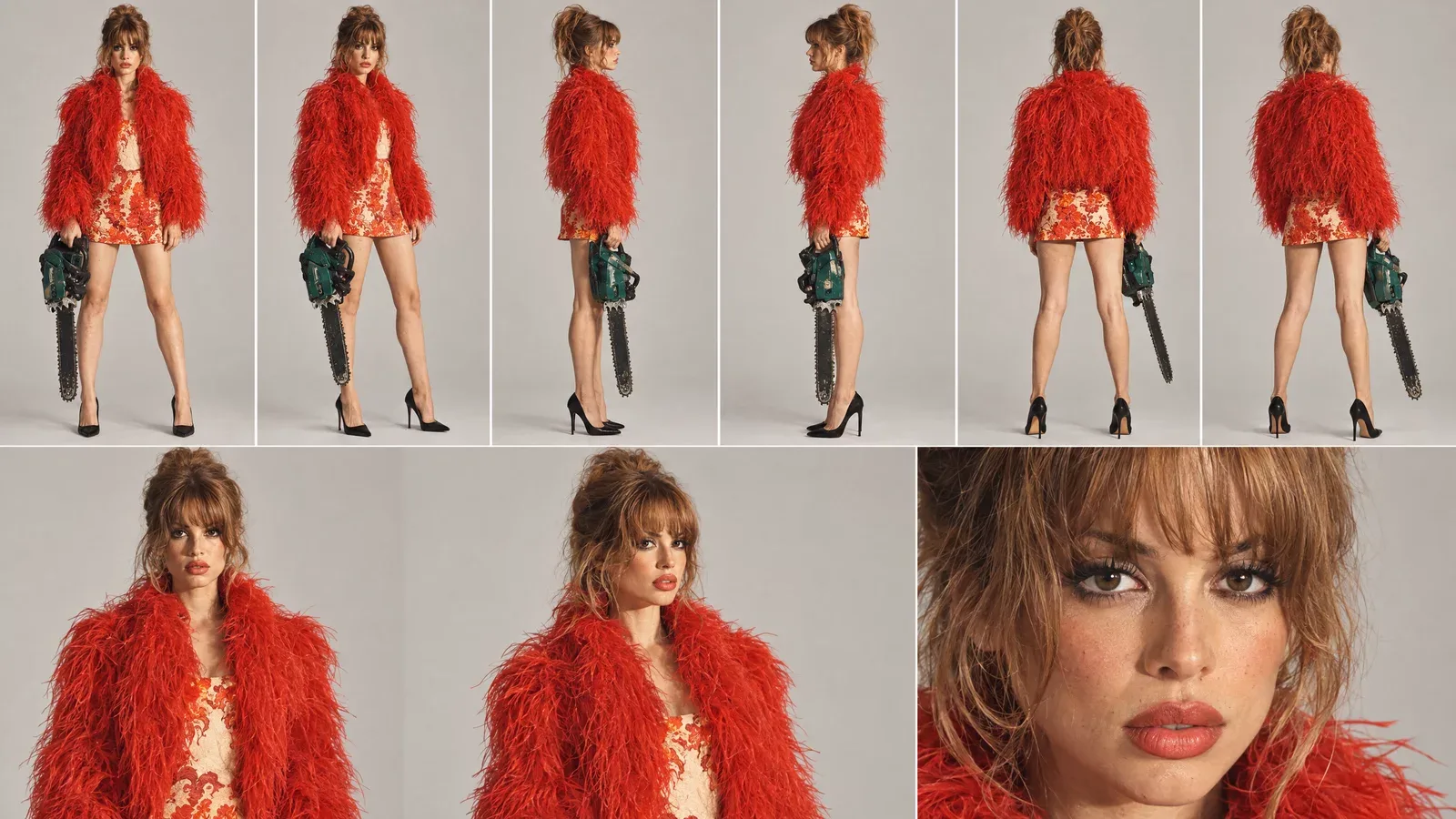
キャラクターにアップロードすると、NOLGIA内のどこでも選択できるキャラクターになります。このキャラクターにはシートと、個別のビュー(正面、斜め45度、横、背面)の写真が含まれており、それぞれが明確に区別されています。
最終的なロケーションに配置する
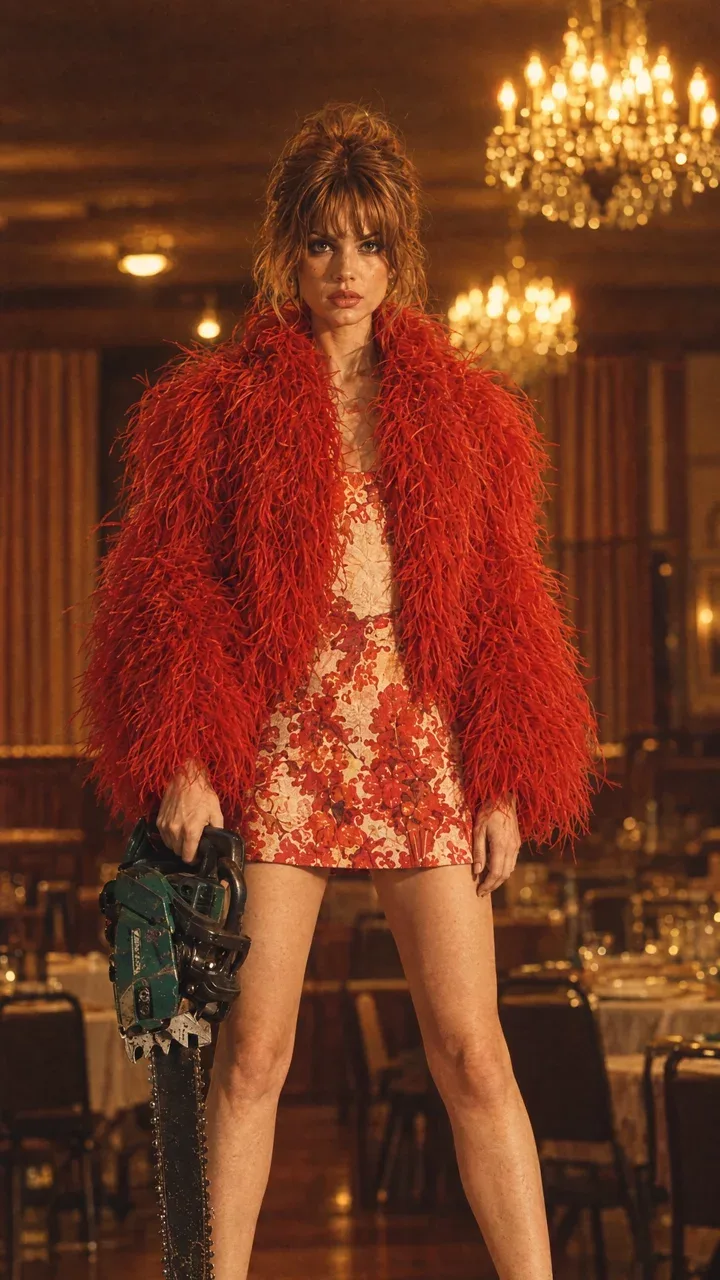
次に、撮影が行われる場所の中でキャラクターの静止画を作成します。この静止画がセット、照明、小道具、ポーズを決定します。古いレストラン、シャンデリア、彼女のヒールの下のテーブル、そして手に持ったチェーンソーです。
モーション動画を選択
モーション動画は、カメラワークを適用したいクリップです。重要なのは動きだけで、カメラのパス、高さ、距離、速度、タイミングを指します。動画内の人物と背景はどちらも置き換えられます。
- 1つの連続したテイク。 クリップ内のカットは、ショット内のカットになります。
- 最初から最後まで望む動き。 ループを作成する場合は、ここで示す顔のクローズアップのように、開始時のフレーミングで終わる動きを選択してください。
- 中央付近にいる1人の被写体。 カメラのみが動く場合、静止した被写体が最も効果的に見えます。
- 2〜30秒、最大50 MB、MP4またはMOV。 Motion videoタイルに、選択したモデルの制限事項が表示されます。
ヒント:自分で動きを撮影する. スマートフォンを持って友人の周りを円形に歩きます。顔の近くから始め、後退し、スマートフォンを高く上げ、背後に回り、再び顔に戻ります。これを10秒間行うだけで、所有できるモーション動画になります。
Mirogeの設定
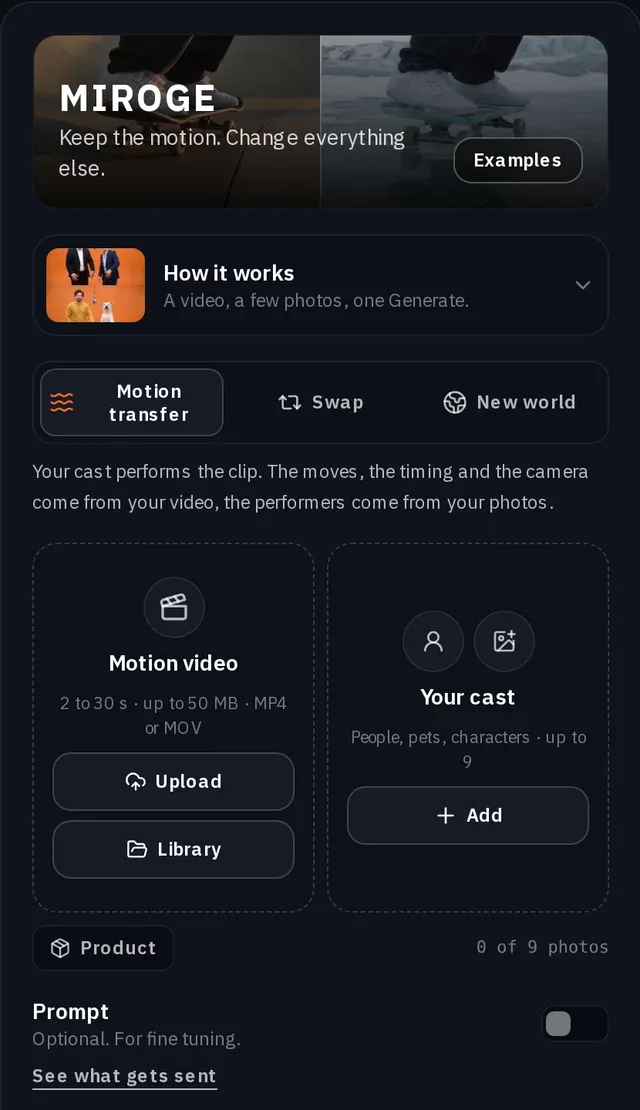
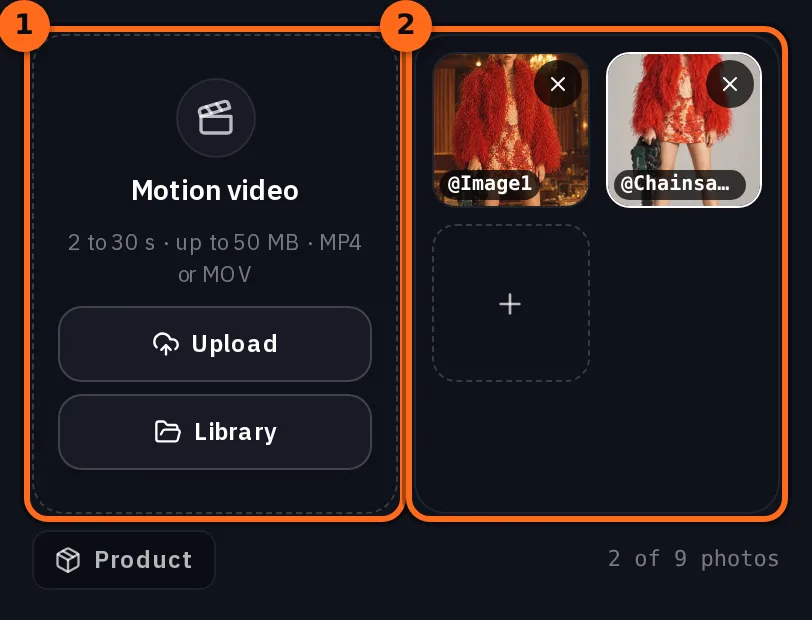
Mirogeをツールメニューから開き、モードをモーショントランスファーのままにします。モーション動画にクリップを配置し(アップロードまたはライブラリから)、あなたのキャストの下にある追加を押して、キャラクターからキャラを追加し、その場所での彼女の静止画も追加します。
| 設定 | 動画制作者が使用したもの |
|---|---|
| モード | モーショントランスファー |
| モーション動画 | 部屋にいる女性をカメラが周回する7秒間のクリップ |
| あなたのキャスト | キャラクターからのキャラと彼女の5枚の写真。内訳では、シートとレストランでの静止画がキャストとして指定されています |
| モデル | Seedance 2.5 |
| 品質 | 720p |
| 長さ | 7秒(クリップ自体の長さ) |
| プロンプト | オン(以下の行を使用) |
She should be holding chainsaw in one hand all time, she’s standing on top of the table and the background should be from the cast reference image and not from the video.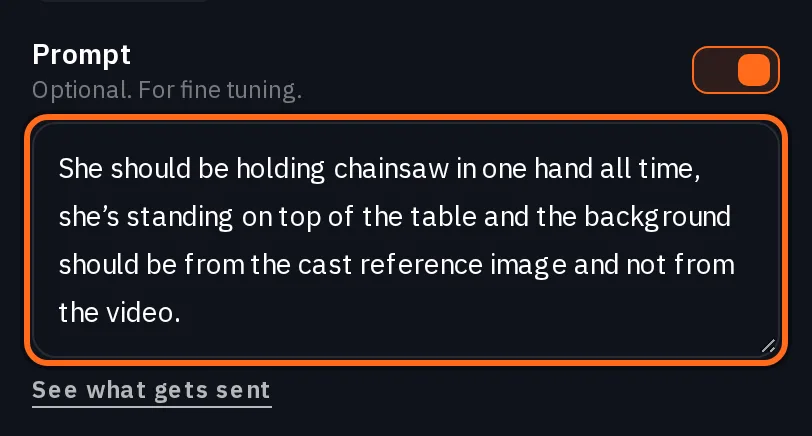
- holding chainsaw in one hand all time は、カメラが動いても小道具が消えたり現れたりしないようにします。
- standing on top of the table は、セット内での彼女の位置を固定します。
- the background should be from the cast reference image and not from the video は最も重要な文です。次のステップでその理由を説明します。
ロケーションを維持するための一文
Mirogeは、プロンプトの後に独自の指示を追加します。Motion transferでは、クリップのカメラを維持し、新しい場所を指定する言葉や、ロケーションシートのように単独で場所を示す画像がない限り、クリップのセットとライティングも維持します。レストランに立っている彼女の写真は該当しません。写真内の人物の後ろにある部屋は、新しい場所とは見なされないためです。プロンプトの下にある 送信される内容を見る を使うと、生成する前に全体を確認できます。
Replace the people in @Video1 with @Chainsawwoman. Use @Image1 for what it shows: a person, animal or character takes the place of a person in @Video1, and a place becomes its setting. Keep the motion, the choreography and the timing of @Video1 beat for beat, and keep its framing and its camera. Keep its set and its lighting unless the words above ask for a new place or a picture shows a place on its own, such as a location sheet; the background behind someone in their photo is not a new place. Each person, animal or character keeps their own look from their picture: hair or fur, clothes, colors and markings. Photorealistic. No on-screen text, no watermark, no logos.その指示は、ダンスを別の部屋で再構成する場合には適切です。しかし、カメラワークの場合は、誤った部屋が持ち込まれてしまいます。静止画は彼女のポートレートであり、その部屋自体は新しい場所として認識されないためです。背景の出所を明記し、キャスト内のロケーションに彼女の静止画を保持することで、取り込むべき背景が確保されます。
注意:この一文がないと、クリップ内の部屋も一緒に取り込まれてしまいます。. 動画制作者の初回実行では、同じモーションビデオと5枚の写真のキャストを使用し、独自のテキストプロンプトは入力しませんでした。カメラは正しく動きましたが、レストランではなく、クリップ内の部屋を基準に動いてしまいました。
生成後、ループを確認する
「生成」ボタンを押します。ボタンには押す前に価格が表示され、クリップの長さに応じて変動します。
Seedance 2.5Pro and up
Per 5s clip
480p 26 クレジット · 720p 56 クレジット · 1080p 137 クレジット
1080p renders at 16:9 and 9:16
このページを開いたときにカタログから最新の値を読み込みます。 料金はすべて生成前に表示されます。 すべての料金を見る.
- パス。 クリップ内のカメラの動きはすべて、同じ順序と速度で再現されています。
- カットなし。 ショットは連続して移動し、新しいアングルへジャンプすることはありません。
- セット。 部屋、照明、小道具は、クリップではなく、あなたの静止画から来ています。
- ループ。 最後のフレームは、最初のフレームの構図に一致します。継ぎ目を確認するために、2回連続で再生してみてください。
- キャラクター。 髪型、服装、小道具は、どの角度から見てもシート上のものと同じままです。
別の方法: Create Video でカメラワークを記述する
動画作成ツールでは、Create Video でも Seedance 2.5 を使ってショットを作成しました。同じクリップを @Video1 として添付し、キャラクター、レストランの静止画、そしてクリップがカメラのみを制御することを示すプロンプトを使用します。記述は長くなりますが、ループ、禁止するカット、変更してはならないものなど、カメラワークの各部分について明確な言葉で指定できます。
SEEDANCE 2.5 - REFERENCE VIDEO CAMERA-MOVEMENT PROMPT

Use the uploaded reference video as the EXACT CAMERA MOVEMENT AND FRAMING REFERENCE.

Replicate the camera movement from the reference video as accurately as possible - including the camera's:

- movement direction
- movement speed
- acceleration and deceleration
- camera height
- camera distance from the subject
- camera angle
- framing
- perspective changes
- camera path
- timing of each movement
- changes in shot scale
- movement rhythm
- motion blur
- natural camera physics

DO NOT invent a new camera movement.

DO NOT reinterpret the camera movement.

DO NOT simplify the movement.

DO NOT replace it with a generic cinematic orbit or zoom.

The uploaded video is the MASTER REFERENCE for how the camera should move.

However, DO NOT copy the person, location, wardrobe or visual content from the reference video.

Instead, use the provided character and scene references.

The subject must be the exact same woman from the provided character reference, standing ON TOP OF THE DINING TABLE and holding the SAME GREEN-AND-BLACK CHAINSAW.

Preserve her exact:
- face
- facial features
- hairstyle
- hair color
- body proportions
- red feather/faux-fur jacket
- red patterned mini dress
- black pointed heels
- chainsaw
- chainsaw size
- chainsaw orientation
- hand placement
- foot placement
- body position

She remains physically standing on the same dining table throughout the entire video.

Use the provided restaurant image as the environment reference.

Preserve the exact:
- restaurant architecture
- dining table
- chairs
- curtains
- chandeliers
- plates
- glassware
- furniture
- warm amber lighting
- shadows
- color palette
- vintage photographic aesthetic

The REFERENCE VIDEO controls ONLY the camera movement.

The CHARACTER REFERENCE controls the character.

The LOCATION REFERENCE controls the environment.

Do not combine or copy the visual identity of the reference video.

--------------------------------------------------

ABSOLUTELY NO CUTS:

Create ONE SINGLE CONTINUOUS SHOT from the first frame to the last frame.

ZERO cuts.

NO hard cuts.
NO jump cuts.
NO hidden cuts.
NO match cuts.
NO invisible edits.
NO shot changes.
NO teleportation.
NO sudden camera-position resets.
NO frame-to-frame composition swaps.

The camera must physically travel continuously through the space exactly as demonstrated in the uploaded reference video.

Every change in framing or angle must happen through continuous physical camera movement.

The reference video's movement should feel like the camera is actually traveling around the woman in one uninterrupted take.

--------------------------------------------------

LOOP REQUIREMENT:

The video must begin with the same framing and camera position as the beginning of the reference movement.

After reproducing the complete camera movement from the reference video, return naturally to the EXACT starting camera position and framing.

The final frame must match the opening frame.

The beginning and ending should have:

- identical camera position
- identical camera height
- identical camera distance
- identical framing
- identical perspective
- identical character scale
- identical background composition

The final frame should seamlessly connect back to the first frame.

NO fade-out.
NO fade-in.
NO black frame.
NO transition.
NO cut.

The result should feel like an infinite camera loop.

REFERENCE VIDEO MOVEMENT → COMPLETE MOVEMENT → RETURN TO STARTING FRAME → LOOP.

--------------------------------------------------

IMPORTANT:

Do not make the woman walk, turn, rotate, transform or change her pose to accommodate the camera.

The CAMERA moves around the woman.

The woman remains the same physical person in the same physical scene.

Maintain perfect character consistency throughout the entire shot.

No face morphing.
No identity drift.
No wardrobe changes.
No body-shape changes.
No chainsaw changes.
No environmental changes.
No lighting changes.

Photorealistic, physically believable camera movement, realistic parallax, natural motion blur, consistent perspective, consistent lighting and seamless continuous movement.

PRIORITY ORDER:

1. EXACT CAMERA MOVEMENT FROM THE UPLOADED REFERENCE VIDEO
2. ZERO CUTS - ONE CONTINUOUS SHOT
3. EXACT CHARACTER CONSISTENCY
4. EXACT LOCATION CONSISTENCY
5. SEAMLESS LOOP FROM FINAL FRAME BACK TO FIRST FRAME再利用する場合は、カメラに関するセクションはそのままにし、被写体に関する部分を書き換えてください。彼女が誰か、何を持っているか、どこに立っているか、そして場所について記述します。
クリップなし: 10アングルのカメラシート
動画制作者は、動きのない動画でショットを作成しました。代わりに、プロンプトで指定された順序(アングル01からアングル10まで)で左から右に並べた、レストランにいるキャラクターの10枚のカメラ位置からの画像を描きました。Seedance 2.5の「Create Video」機能を使用すると、これらのアングルをその順序で通過し、最初の位置に戻ります。
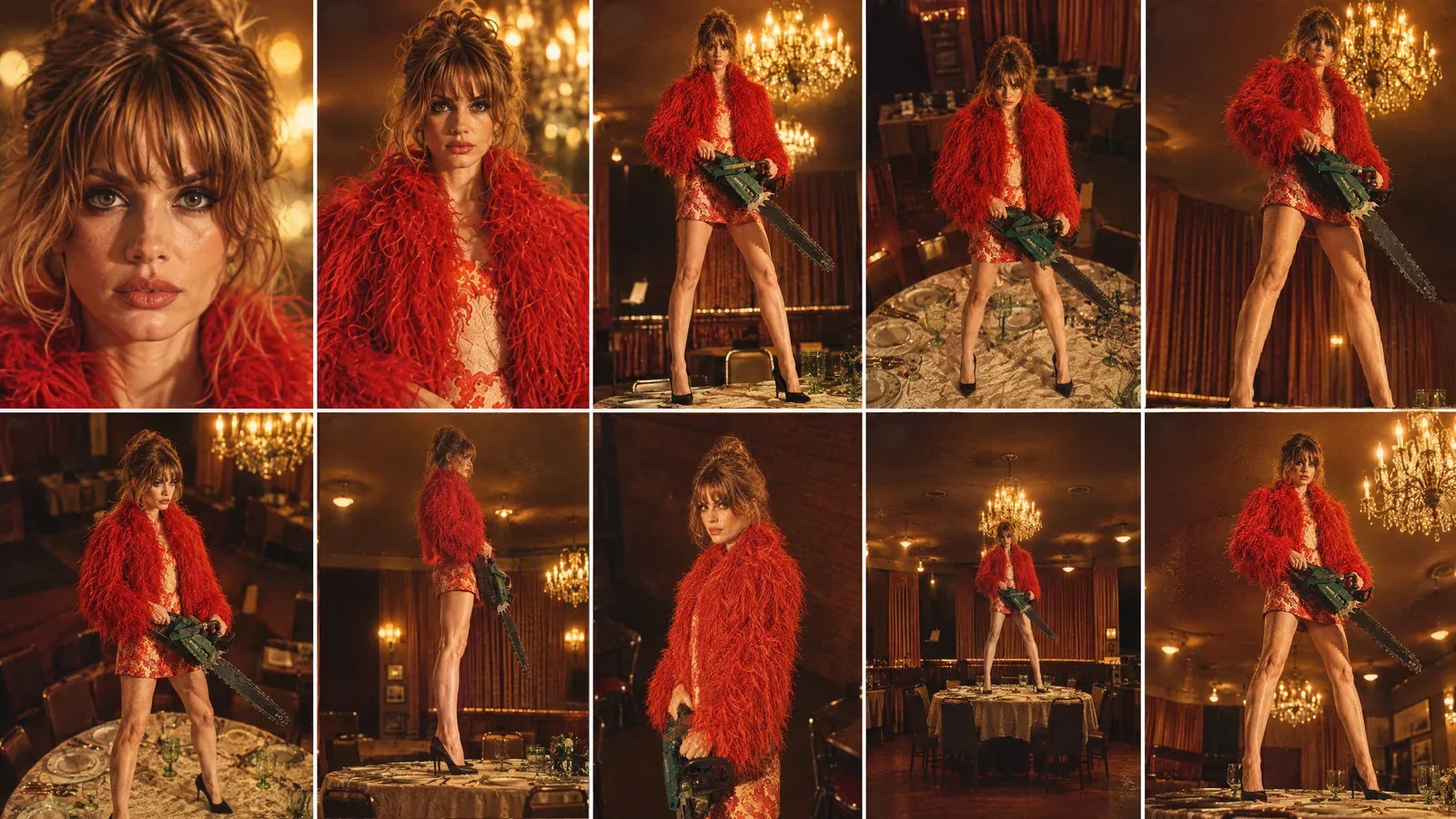
Create ONE continuous, seamless looping cinematic camera shot using the provided character-in-location reference and the provided 10-angle camera sheet.

IMPORTANT CAMERA PATH:
The video MUST begin on ANGLE 01 and MUST end on the EXACT SAME ANGLE 01.

The first frame and final frame must match as closely as technically possible:
- identical camera position
- identical camera height
- identical camera distance
- identical focal length / perspective
- identical framing
- identical character scale in frame
- identical character pose
- identical background composition
- identical lighting
- identical chainsaw position
- identical facial expression

The final frame should seamlessly connect back to the first frame so the video can loop continuously without the viewer noticing where it restarts.

CAMERA PATH:

START - ANGLE 01:
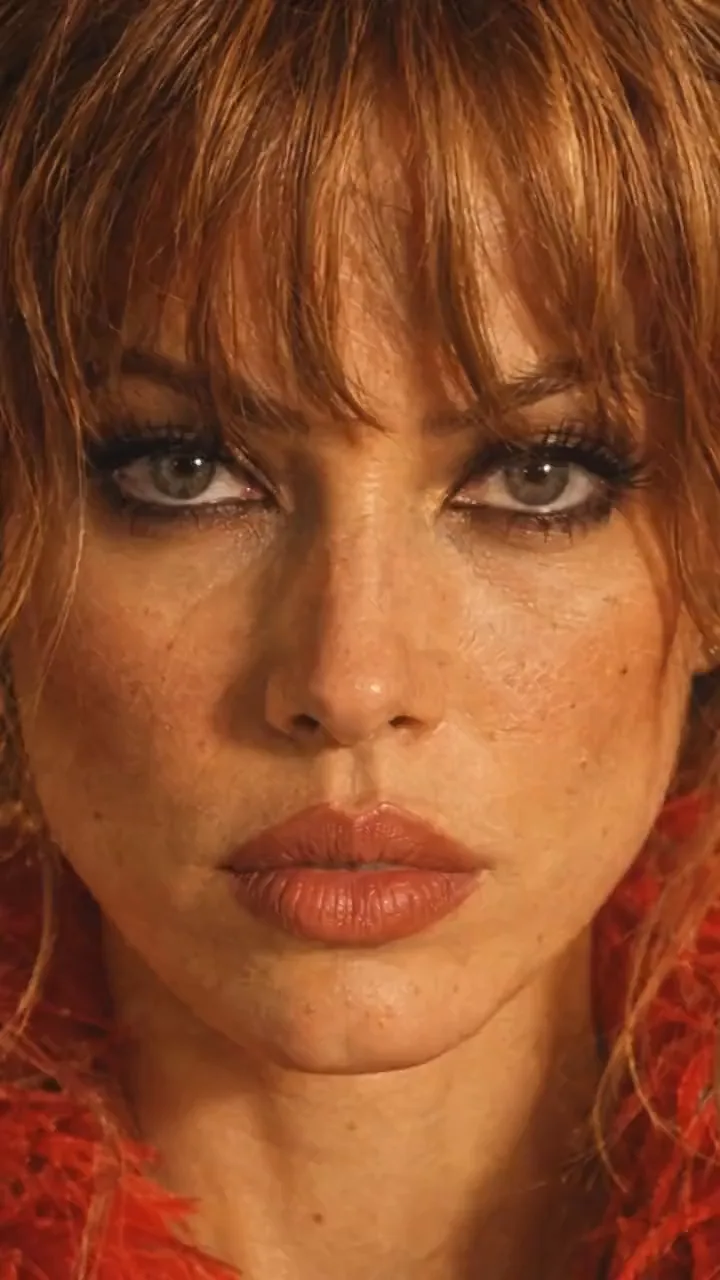
Begin with the exact extreme close-up face shot from Angle 01.
Straight-on camera, very close to the woman's face.
This is the exact starting composition.

Then move rapidly and smoothly through the camera angles in this sequence:

01 → 02 → 03 → 04 → 05 → 06 → 07 → 08 → 09 → 10 → 01

ANGLE 02:
Pull rapidly backward from the extreme close-up into the front close portrait.

ANGLE 03:
Continue the physical camera movement backward and lower the camera toward a low front medium perspective.

ANGLE 04:
Rapidly reposition the camera upward into the high front angle.

ANGLE 05:
Quickly sweep the camera toward the high 3/4 right position.

ANGLE 06:
Continue with a fast lateral camera sweep to the opposite high 3/4 left position.

ANGLE 07:
Drop the camera rapidly toward the low 3/4 position, looking upward.

ANGLE 08:
Quickly move sideways around the subject until reaching the true 90-degree side-profile camera position.

ANGLE 09:
Pull rapidly away into the distant wide front shot, revealing the entire woman, table and restaurant.

ANGLE 10:
Move quickly into the low hero 3/4 angle.

FINAL MOVEMENT - RETURN TO ANGLE 01:
After Angle 10, make a fast, controlled camera movement back toward the original Angle 01 position.

The camera must physically return to the EXACT starting position and framing.

The final frame must recreate Angle 01 precisely.

Do NOT end on a similar close-up.
Do NOT end on a different facial crop.
Do NOT end with a different focal length.
Do NOT simply zoom into the face digitally.

The camera must physically travel back to the original Angle 01 position.

CONTINUITY:

The woman is ONE stationary physical subject throughout the entire shot.

Preserve the EXACT same:
- face
- facial proportions
- hairstyle
- hair texture
- body proportions
- wardrobe
- shoes
- accessories
- chainsaw
- chainsaw orientation
- hand positions
- feet positions
- body pose
- restaurant
- table
- chairs
- curtains
- chandeliers
- plates and glassware
- lighting
- shadows
- color palette
- photographic aesthetic

The character does NOT rotate or change pose to accommodate the camera.

The camera moves around her.

Her eyes and head may naturally track the camera when appropriate, but her physical body remains locked.

CAMERA MOTION:

Make every transition feel like a REAL physical camera moving rapidly through the restaurant.

Use:
- fast acceleration
- fast camera repositioning
- natural deceleration
- realistic motion blur
- strong foreground/background parallax
- believable depth
- realistic perspective changes

Do NOT create a slow cinematic orbit.

Do NOT create a slow digital zoom.

Do NOT use cuts.

Do NOT teleport between angles.

Do NOT morph from one composition into another.

Every angle transition should feel like the camera physically traveling through the space.

LOOP REQUIREMENT:

The final 10-15 frames should progressively settle into the exact same composition as the opening frames.

The final frame must match the opening frame.

The opening and ending composition should be visually indistinguishable when the video loops.

No fade-out.
No fade-in.
No black frame.
No transition effect.
No camera reset.

The video should be capable of playing repeatedly as:

ANGLE 01 → 02 → 03 → 04 → 05 → 06 → 07 → 08 → 09 → 10 → ANGLE 01 → 02 → 03...

The viewer should perceive this as one continuous infinite camera movement.

Photorealistic cinematic continuity, realistic human proportions, consistent identity, consistent wardrobe, consistent environment, realistic camera physics, natural motion blur, strong parallax, warm vintage restaurant lighting and subtle 35mm photographic texture.問題が発生した場合
| 表示される内容 | 変更すべき点 |
|---|---|
| クリップの部屋が表示される | 背景の文を追加し、キャラクターの静止画をロケーション内のキャストに配置してください。 |
| ショットがカットまたはジャンプする | 連続した1テイクのモーション動画を選択します。Create Videoで、NO CUTSセクションを維持してください。 |
| 彼女がカメラの方を向くか、歩いて向かい合う | Create Videoのプロンプトと同様に、彼女は動かず、カメラが彼女の周りを移動するよう指定します。 |
| 小道具が現れたり消えたりする | プロンプトで小道具を指定し、彼女が最後まで持ち続けるよう指示します。 |
| 終わりと始まりが一致しない | 両方の長いプロンプトと同様に、開始地点で終わる動きを使用するか、ループを言葉で指定します。 |
チェックリスト
- Characters内のキャラクターシート。単一の視点も含まれています。
- 最終的なロケーションでの彼女の静止画1枚。手には小道具を持っています。
- 使用権のあるモーション動画:1テイク、1つの動き、理想は開始地点で終わるもの。
- MirogeのMotion transfer、Motion video内のクリップ、Your cast内のキャラクターと静止画。
- 背景は動画ではなく、キャスト写真から来ることを示すプロンプト。
- Generate後:パス、カット、セット、ループ、キャラクターを確認します。
よくある質問
- 完成したショットを作成したモデルはどれですか?
- MirogeのMotion transferでのSeedance 2.5:7秒、720p、9:16、モーション動画の長さ。
- 任意の動画をモーション動画として使用できますか?
- 使用権のあるクリップであれば、2〜30秒、最大50 MB、MP4またはMOV形式で利用できます。Mirogeはカメラの動きを取得し、Castでその中の人物を置き換えるため、スマートフォンで自分で撮影したクリップも適しています。
- なぜクリップの部屋が表示されてしまったのですか?
- Motion transferでは、プロンプトで新しい場所を指定しない限り、またはCast内の画像が単独で場所を示す場合(ロケーションシートなど)を除き、Mirogeはクリップのセットとライティングを保持します。Cast内のキャラクターがその場所にいる写真は単独では効果がありません。背景は動画ではなくCastの写真から来ることを示す一文を追加し、その写真をCastに追加してください。
- ループさせるにはどうすればよいですか?
- 動きが開始時のフレーミングで終わるモーションビデオを使用してください。例えば、この例のように顔で始まり顔で終わるようなものです。Create Videoでは、プロンプトのLOOP REQUIREMENTセクションのように、言葉でその要件を指定してください。
- 望む動きのあるクリップがない場合はどうすればよいですか?
- スマートフォンで撮影するか、クリップを省略して、番号付きのカメラシートとして動きを描き、Create Videoでカメラシートプロンプトを使用してください。
カメラの動きを自分のキャラクターにコピーしましょう。
Mirogeを開く関連ガイド
動画編集
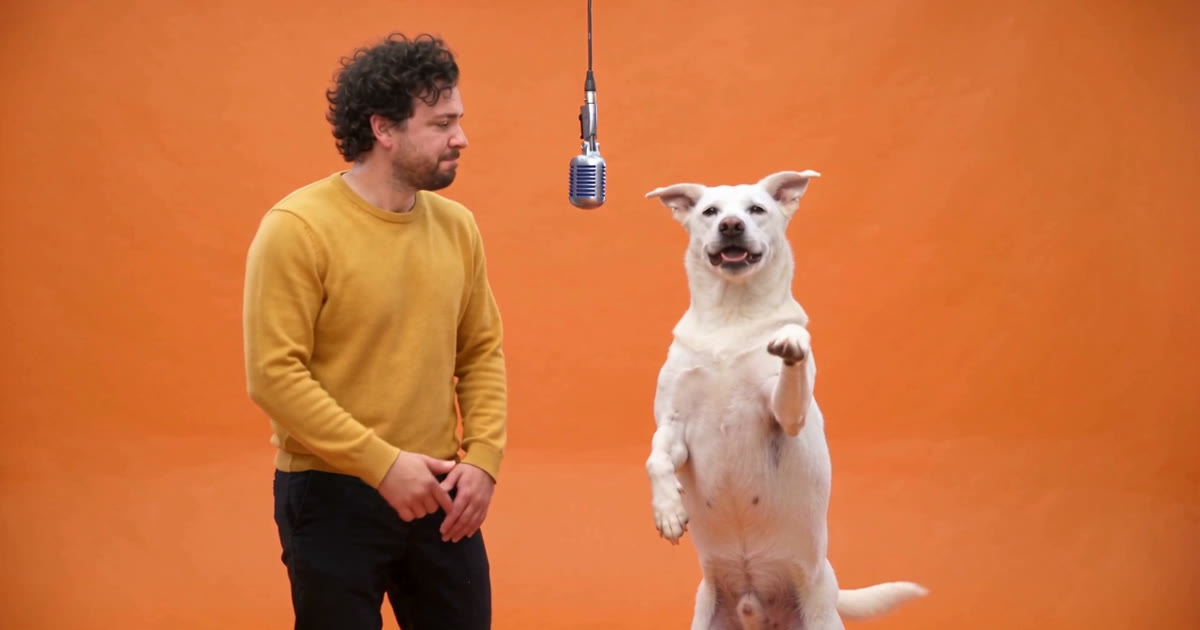
自分や愛犬をあらゆる動画に登場させる
動画を選び、人物と犬の写真を追加すると、Mirogeがそのクリップを再キャストします。動き、セット、カメラワークはそのままです。PCでもスマホでも、すべての手順を解説します。
· 10 分で読めます
プロンプト
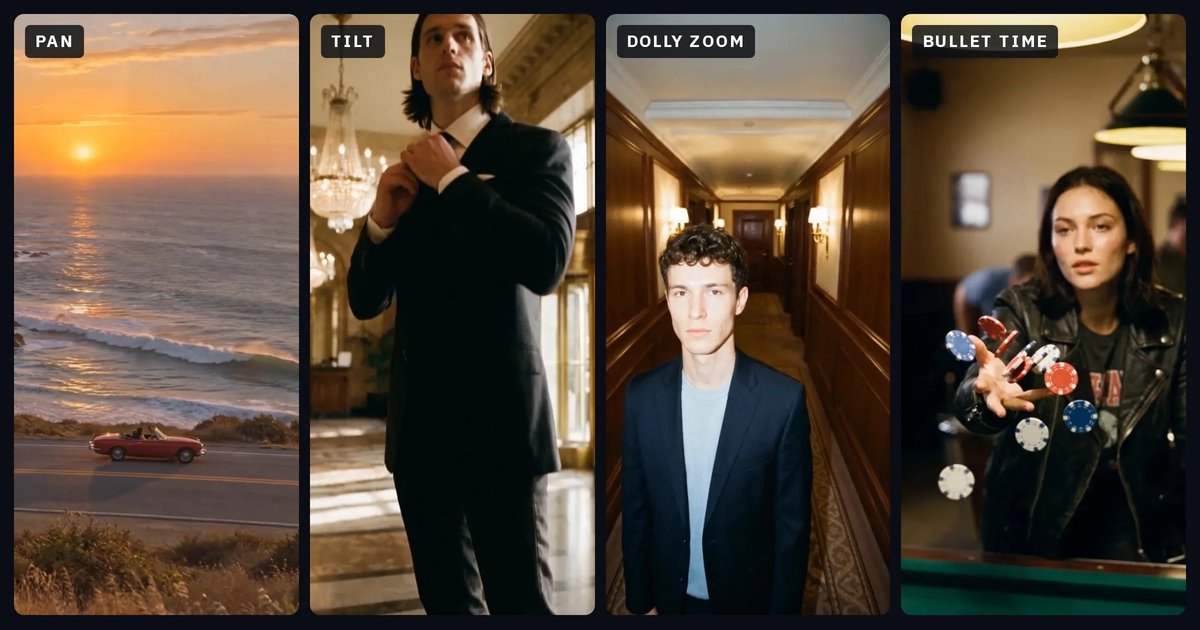
カメラワーク:それぞれの効果と、プロンプトで使うべき言葉
12種類のカメラワークを平易な言葉で解説します。カメラの動き、視聴者に与える印象、プロンプトに書くべき言葉、そして混同されやすい動きをまとめました。NOLGIAで制作したクリップ付きです。
· 26 分で読めます
映像制作
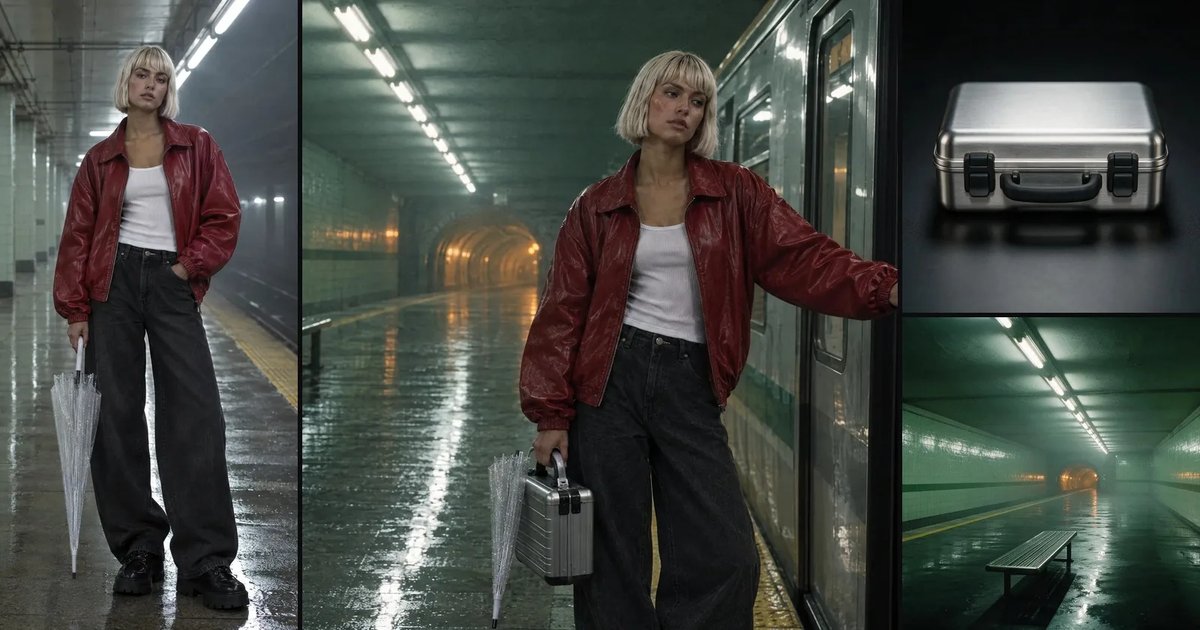
ショット間でキャラクターとロケーションの一貫性を保つ
保存されたキャラクター、保存されたロケーション、そして小道具ごとに繰り返す一文。1本の映画の5つのショットで、実際に何が維持され、何が維持されなかったのかを、オブジェクトごと、色ごとに測定しました。
· 11 分で読めます