

Miroge로 카메라 무브 만들기
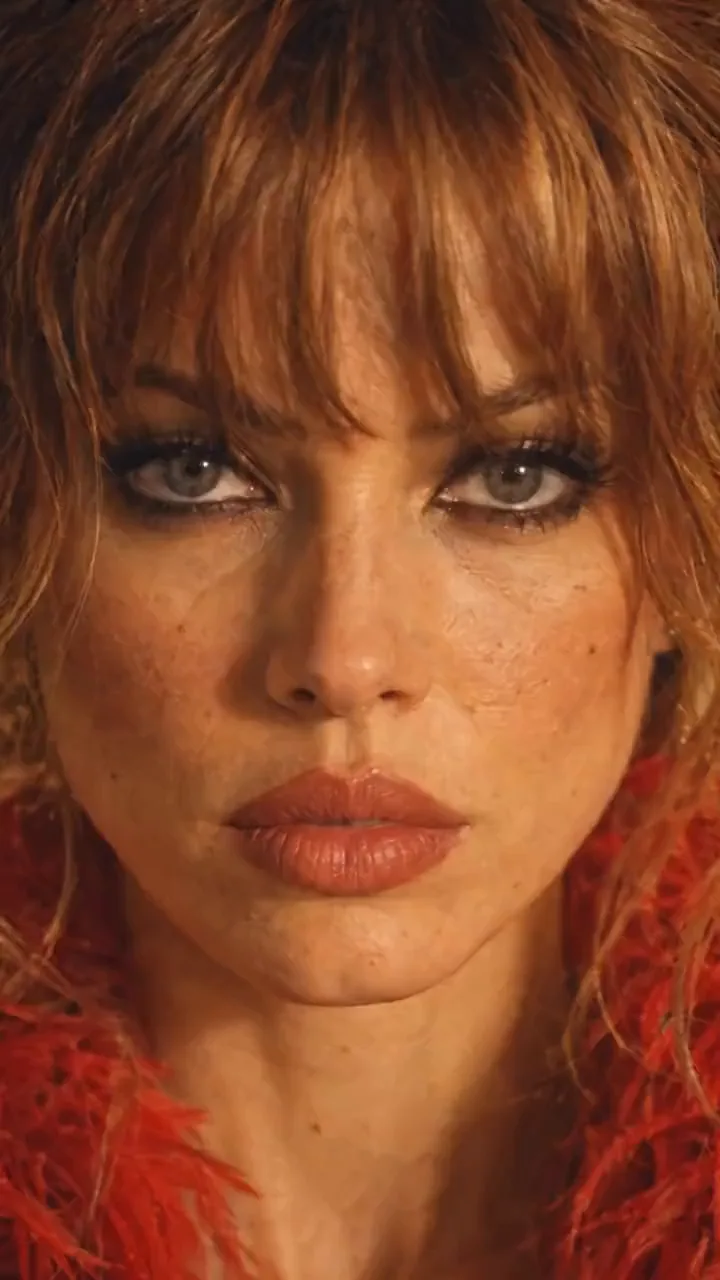
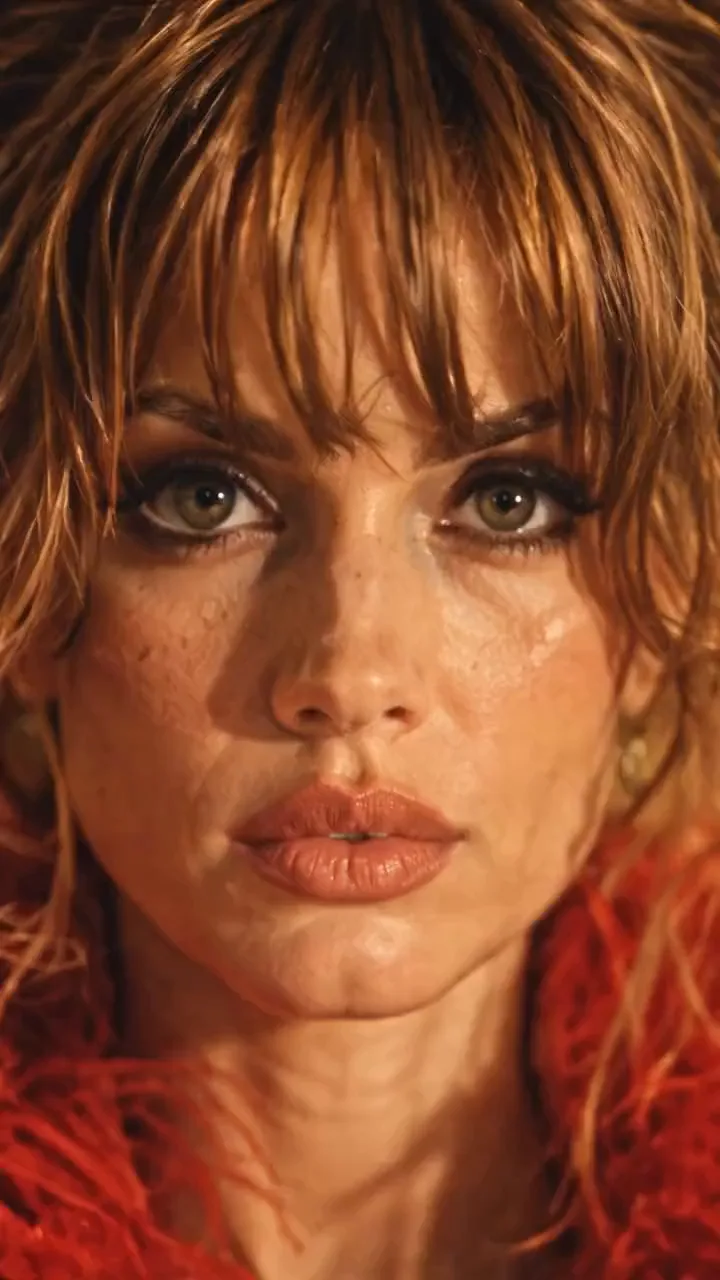
빨간 깃털 재킷을 입고 레스토랑 테이블 위에 전기톱을 든 여성을 둘러싸는 카메라: 얼굴 클로즈업, 테이블 위로 후퇴, 머리 위 상단, 뒤쪽, 다시 얼굴로 돌아와 루프를 만듭니다. 이 무브는 휴대폰 클립에서 나왔습니다. 영상 제작자가 Miroge에서 이를 수행한 방법과 동일한 샷을 얻는 두 가지 다른 방법을 소개합니다.
- 10분 분량
- 프리셋: Miroge: recast your clip
영어에서 자동 번역되었습니다. 원문 보기
이 가이드는 NOLGIA의 영상 제작자가 NOLGIA를 위해 만든 실제 프로젝트 'NOLGIA miroge2'와 그 제작 과정을 따릅니다. 아래 모든 프롬프트는 전송된 그대로 인용했으며, 긴 대시(-)는 하이픈으로 입력했습니다. 여성, 레스토랑, 마네킹은 모두 생성된 이미지이며 실제 사람이나 장소가 아닙니다.
핵심 아이디어는 화면에 등장하는 인물과 카메라의 움직임을 분리하는 것입니다. 캐릭터와 장소는 먼저 사용자가 제어할 수 있는 정지 이미지로 준비합니다. 그런 다음 짧은 참조 클립으로 카메라의 경로, 속도, 타이밍만 제공합니다.
만들고 있는 것
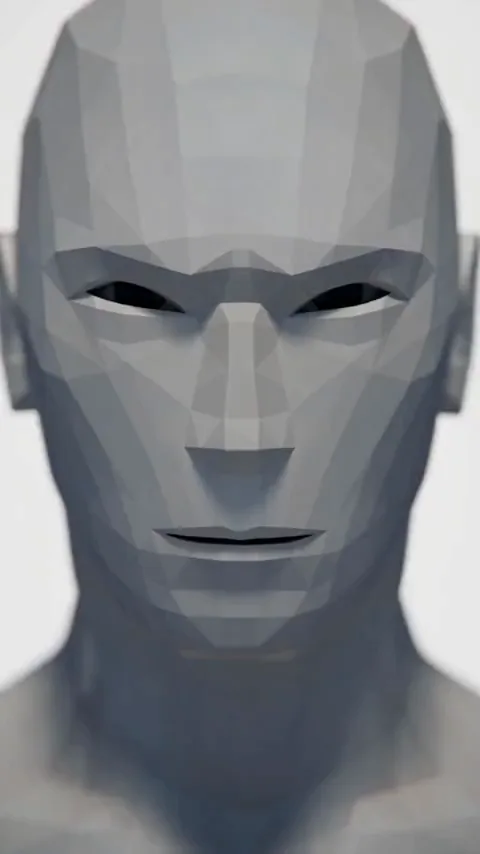
정지된 피사체를 중심으로 한 하나의 연속적인 샷입니다. 얼굴에서 시작해 테이블 위로 뒤로 당기고, 머리 위로 올라간 뒤, 뒤로 회전하여 다시 얼굴로 돌아옵니다. 이렇게 하면 끝과 시작이 만나 클립이 루프를 형성합니다.
카메라 무브
Miroge
팁:원본 클립을 표시하지 않는 이유. 이 프로젝트의 모션 영상은 실제 인물이 등장하는 소셜 미디어 클립이므로 이 가이드에서는 제외했습니다. 직접 촬영한 영상 자료나 사용 권한이 있는 클립을 사용하세요. Miroge는 카메라 무브를 가져오며, 출연진(Cast)이 원본 속 인물을 대체합니다.
캐릭터 먼저 만들기
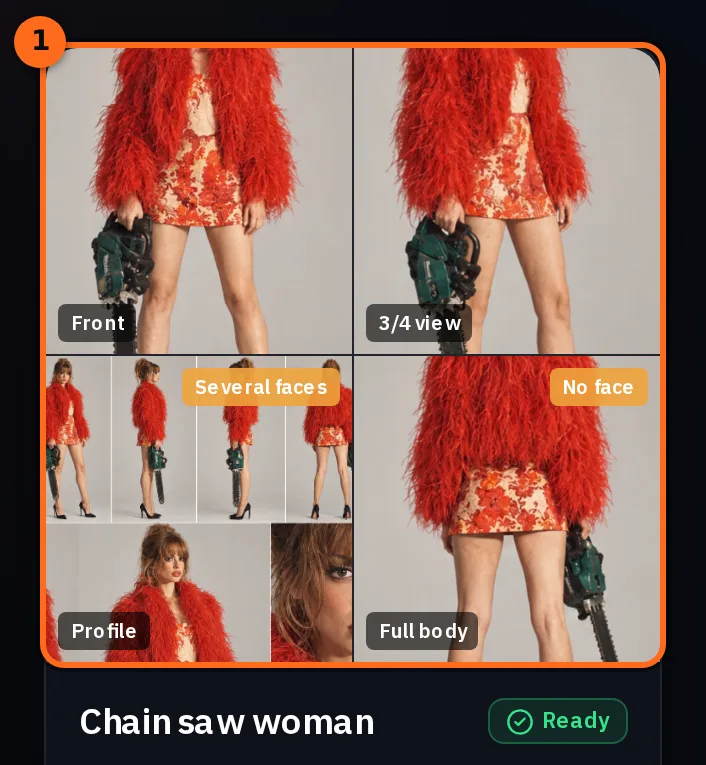
상세한 캐릭터 시트로 시작하세요. 얼굴, 헤어스타일, 체형, 의상, 소품을 여러 각도에서 보여줍니다. 이는 캐릭터의 정체성을 정의하는 마스터 레퍼런스이며, 이후 모든 단계에서 이 시트를 기준으로 삼습니다.
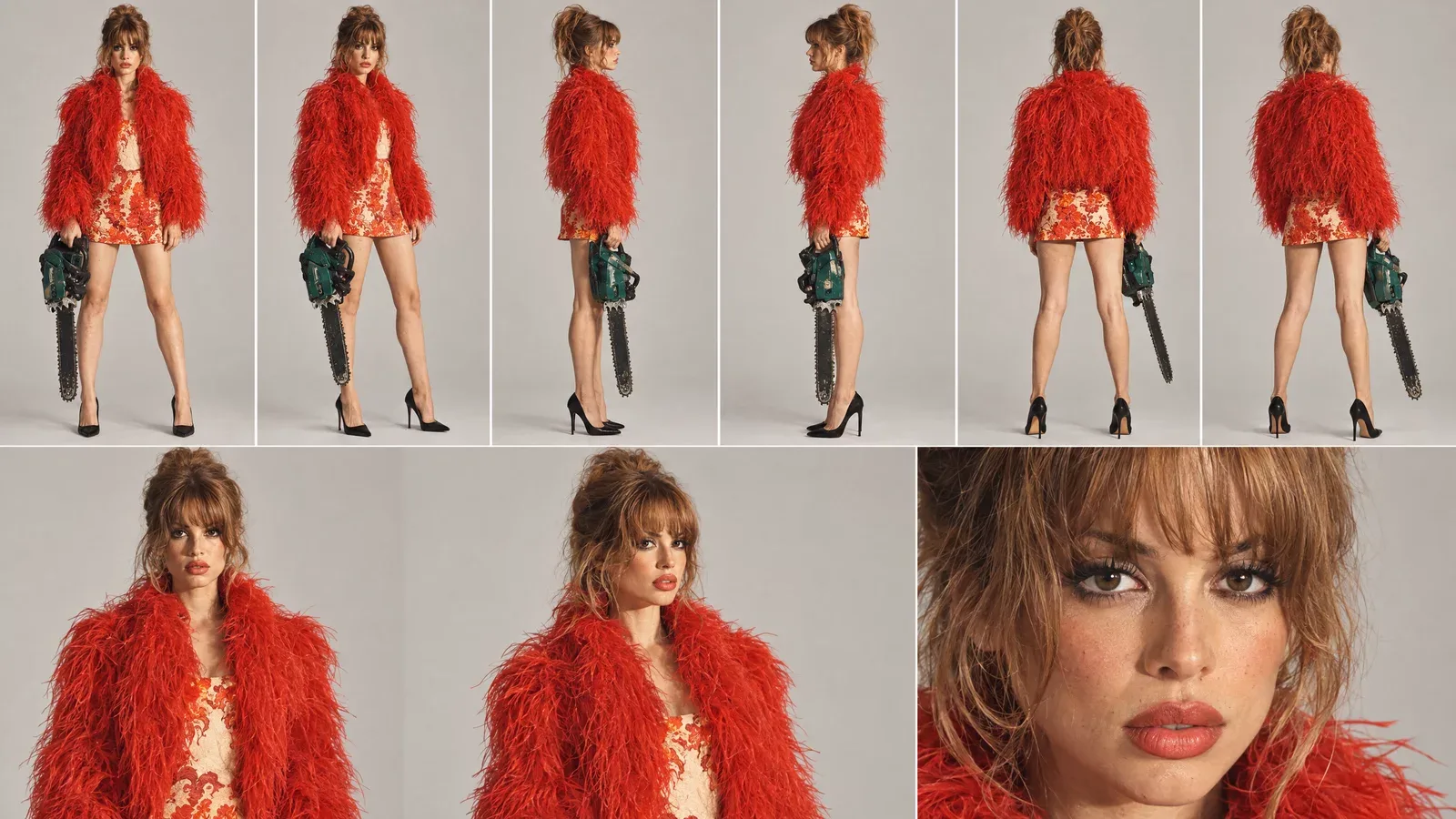
캐릭터에 업로드하면 NOLGIA 어디서나 선택할 수 있는 캐릭터가 됩니다. 이 캐릭터는 시트와 함께 정면, 3/4, 측면, 후면의 개별 뷰 사진을 포함하며, 각 사진이 명확하게 구분되어 있습니다.
최종 장소에 배치하기
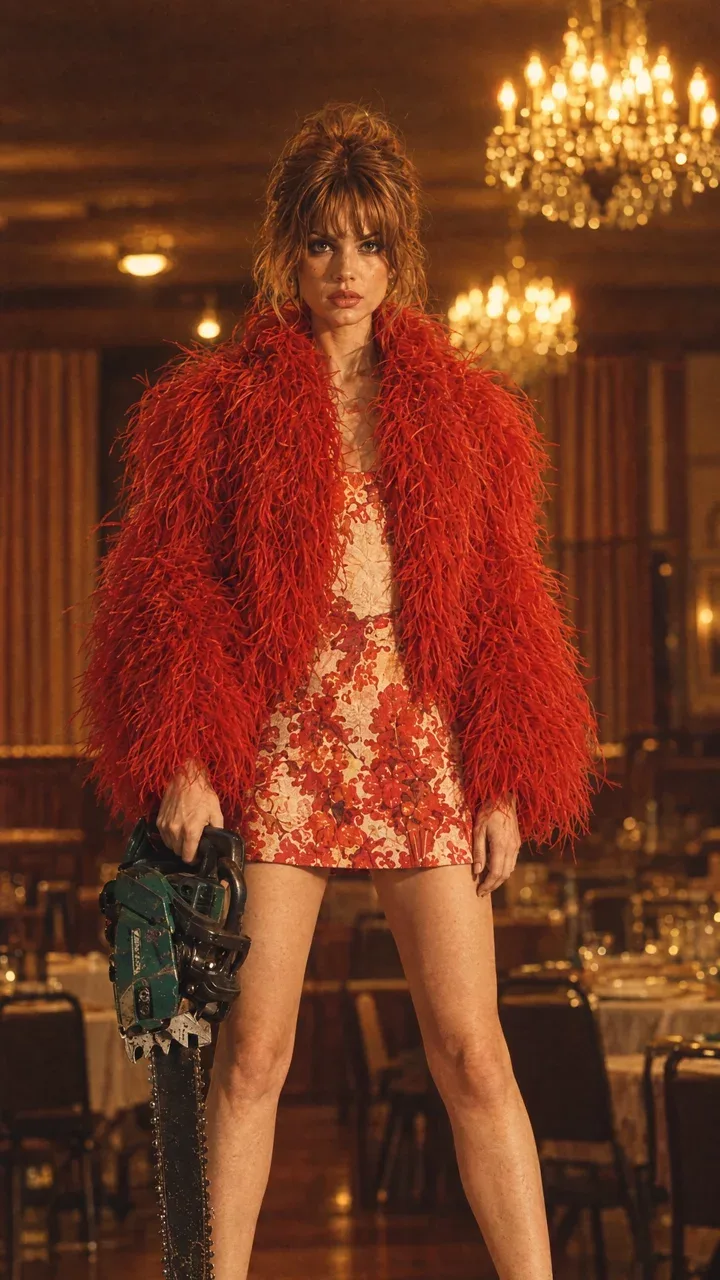
다음으로, 촬영이 이루어질 장소 안에 캐릭터가 포함된 스틸 이미지를 만드세요. 이 스틸은 세트, 조명, 소품, 포즈를 결정합니다: 오래된 레스토랑, 샹들리에, 발밑의 테이블, 손에 든 체인톱이 모두 포함됩니다.
모션 비디오 선택
모션 비디오는 원하는 카메라 움직임을 포함하는 클립입니다. 오직 움직임만 중요합니다: 카메라의 경로, 높이, 거리, 속도 및 타이밍. 클립 속 인물과 방은 모두 대체됩니다.
- 하나의 연속된 촬영. 클립 내의 컷은 최종 샷의 컷이 됩니다.
- 시작부터 끝까지 원하는 움직임. 루프를 만들려면 시작할 때의 구도로 끝나는 움직임을 선택하세요. 여기 있는 얼굴 클로즈업처럼요.
- 중앙 근처에 머무는 하나의 피사체. 카메라가 모든 움직임을 담당할 때 정적인 피사체가 가장 잘 보입니다.
- 2~30초, 최대 50MB, MP4 또는 MOV. 선택한 모델의 제한 사항은 Motion video 타일에 표시됩니다.
팁:직접 움직임을 촬영하세요. 친구를 중심으로 원형으로 걸으며 스마트폰으로 촬영하세요: 얼굴에 가까이 다가간 후, 뒤로 물러서고, 스마트폰을 높이 들고, 친구 뒤로 돌아서 다시 얼굴로 돌아오세요. 그렇게 10초만 촬영해도 소유할 수 있는 모션 비디오가 됩니다.
Miroge 설정
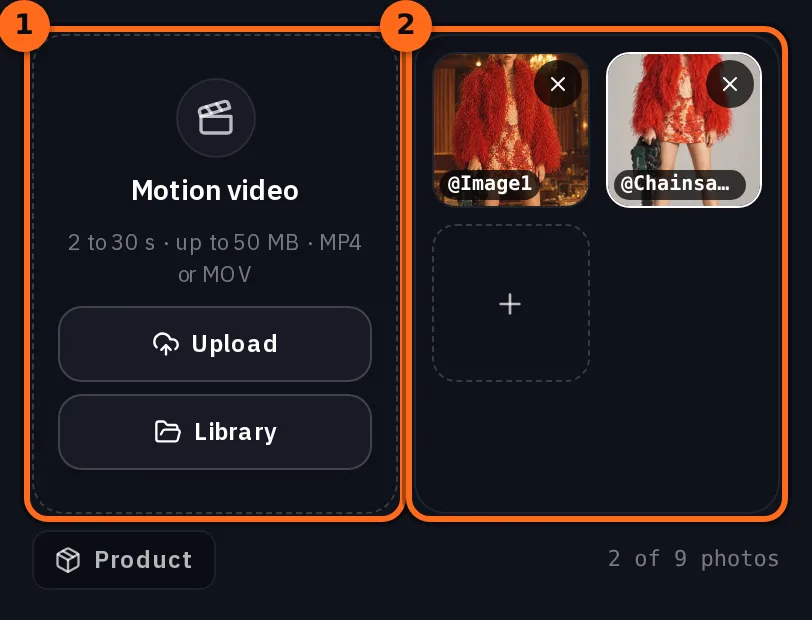
도구 메뉴에서 Miroge를 열고 모드를 모션 전이로 유지하세요. 모션 동영상에 클립을 넣은 후(업로드 또는 라이브러리), 내 출연진 아래에서 추가를 누르고 캐릭터에서 캐릭터와 장소 속 그녀의 정지 이미지를 추가하세요.
| 배경 | 비디오 제작자가 사용한 항목 |
|---|---|
| 모드 | 모션 전이 |
| 모션 동영상 | 방 안의 여성을 둘러보는 카메라의 7초 클립 |
| 내 출연진 | 캐릭터의 캐릭터와 그녀의 사진 5장; 세부 정보에는 시트와 레스토랑 속 정지 이미지가 출연진으로 명시되어 있습니다 |
| 모델 | Seedance 2.5 |
| 품질 | 720p |
| 길이 | 7초, 클립의 원래 길이 |
| 프롬프트 | 켜짐, 아래 줄과 함께 |
She should be holding chainsaw in one hand all time, she’s standing on top of the table and the background should be from the cast reference image and not from the video.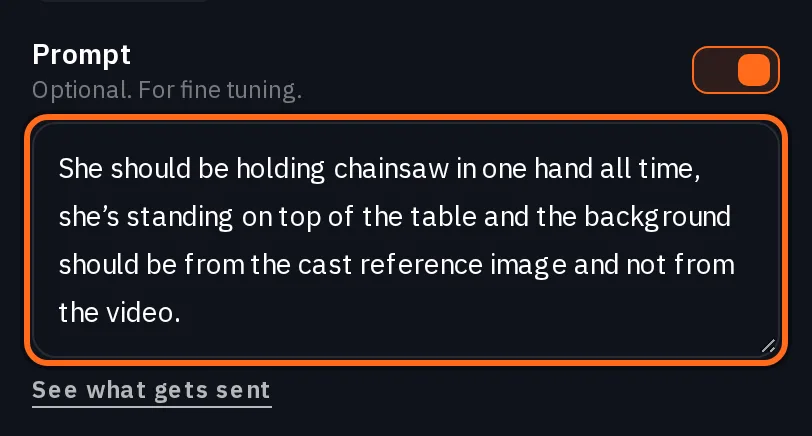
- 한 손으로 체인소를 계속 들고 있음은 카메라가 움직여도 소품이 사라지거나 나타나지 않도록 합니다.
- 테이블 위에 서 있음은 세트 내 위치를 고정합니다.
- 배경은 영상에서 가져오지 말고 캐스트 참조 이미지에서 가져와야 함이 가장 중요한 문장입니다. 다음 단계에서 그 이유를 설명합니다.
장소를 유지하는 문장
Miroge는 프롬프트 뒤에 자체 지침을 추가합니다. 모션 전이 기능에서는 클립의 카메라를 유지하며, 새 장소를 요청하는 문장이 있거나 위치 시트처럼 장소를 보여주는 이미지가 없는 한 클립의 세트와 조명도 유지합니다. 레스토랑에 서 있는 그녀의 사진은 해당되지 않습니다. 사진 속 인물 뒤의 방은 새 장소로 간주되지 않기 때문입니다. 프롬프트 아래에 있는 전송 내용 보기를 통해 생성 전에 전체 내용을 확인할 수 있습니다.
Replace the people in @Video1 with @Chainsawwoman. Use @Image1 for what it shows: a person, animal or character takes the place of a person in @Video1, and a place becomes its setting. Keep the motion, the choreography and the timing of @Video1 beat for beat, and keep its framing and its camera. Keep its set and its lighting unless the words above ask for a new place or a picture shows a place on its own, such as a location sheet; the background behind someone in their photo is not a new place. Each person, animal or character keeps their own look from their picture: hair or fur, clothes, colors and markings. Photorealistic. No on-screen text, no watermark, no logos.그 지시문은 춤을 그 자체의 공간으로 재연출하는 데는 적합합니다. 하지만 카메라 무브에는 잘못된 공간이 함께 따라오게 되는데, 정지 이미지는 그녀의 사진일 뿐이고 그 공간은 그 자체로 새로운 장소로 인정되지 않기 때문입니다. 당신의 문장이 바로 이를 요청하는 부분입니다: 배경이 어디에서 오는지 명시하고, 출연진(Cast)에 있는 그녀의 정지 이미지를 장소(Locations)에 유지하여 가져올 배경이 있도록 하세요.
주의:그 문장이 없으면 클립의 공간도 함께 따라옵니다. 비디오 생성기의 첫 번째 실행에서는 동일한 모션 비디오와 5장의 사진으로 구성된 출연진(Cast)을 사용했으며, 자체 프롬프트는 없었습니다. 카메라는 올바르게 이동했지만, 레스토랑 대신 클립의 공간을 중심으로 이동했습니다.
생성 후 루프 확인하기
생성(Generate)을 누르세요. 누르기 전에 버튼에 가격이 표시되며, 이는 클립의 길이에 따라 달라집니다.
Seedance 2.5Pro and up
Per 5s clip
480p 26 크레딧 · 720p 56 크레딧 · 1080p 137 크레딧
1080p renders at 16:9 and 9:16
이 페이지를 열 때 카탈로그에서 실시간으로 불러옵니다. 모든 가격은 생성하기 전에 표시됩니다. 모든 요금 보기.
- 경로. 클립의 모든 카메라 회전은 동일한 순서와 속도로 그대로 반영됩니다.
- 컷 없음. 샷은 이동하며, 새로운 각도로 점프하지 않습니다.
- 당신의 세트. 공간, 조명 및 소품은 클립이 아닌 당신의 정지 이미지에서 가져옵니다.
- 루프. 마지막 프레임이 첫 번째 프레임의 구도에 맞춰집니다. 이음새를 확인하려면 두 번 연속으로 재생해 보세요.
- 캐릭터. 그녀의 헤어스타일, 의상 및 소품은 모든 각도에서 시트(sheet)에 있는 그대로 유지됩니다.
다른 방법: Create Video에서 카메라 움직임 작성하기
비디오 메이커는 또한 Create Video에서 Seedance 2.5로 장면을 만들었습니다. 동일한 클립을 @Video1로 첨부하고, 캐릭터, 레스토랑 정지 이미지, 그리고 클립이 카메라만 제어하도록 지시하는 프롬프트를 사용했습니다. 작성 시간이 더 오래 걸리지만, 루프, 금지된 컷, 변경되지 않아야 할 요소 등 움직임의 모든 부분에 대해 명확한 지시문을 사용할 수 있습니다.
SEEDANCE 2.5 - REFERENCE VIDEO CAMERA-MOVEMENT PROMPT

Use the uploaded reference video as the EXACT CAMERA MOVEMENT AND FRAMING REFERENCE.

Replicate the camera movement from the reference video as accurately as possible - including the camera's:

- movement direction
- movement speed
- acceleration and deceleration
- camera height
- camera distance from the subject
- camera angle
- framing
- perspective changes
- camera path
- timing of each movement
- changes in shot scale
- movement rhythm
- motion blur
- natural camera physics

DO NOT invent a new camera movement.

DO NOT reinterpret the camera movement.

DO NOT simplify the movement.

DO NOT replace it with a generic cinematic orbit or zoom.

The uploaded video is the MASTER REFERENCE for how the camera should move.

However, DO NOT copy the person, location, wardrobe or visual content from the reference video.

Instead, use the provided character and scene references.

The subject must be the exact same woman from the provided character reference, standing ON TOP OF THE DINING TABLE and holding the SAME GREEN-AND-BLACK CHAINSAW.

Preserve her exact:
- face
- facial features
- hairstyle
- hair color
- body proportions
- red feather/faux-fur jacket
- red patterned mini dress
- black pointed heels
- chainsaw
- chainsaw size
- chainsaw orientation
- hand placement
- foot placement
- body position

She remains physically standing on the same dining table throughout the entire video.

Use the provided restaurant image as the environment reference.

Preserve the exact:
- restaurant architecture
- dining table
- chairs
- curtains
- chandeliers
- plates
- glassware
- furniture
- warm amber lighting
- shadows
- color palette
- vintage photographic aesthetic

The REFERENCE VIDEO controls ONLY the camera movement.

The CHARACTER REFERENCE controls the character.

The LOCATION REFERENCE controls the environment.

Do not combine or copy the visual identity of the reference video.

--------------------------------------------------

ABSOLUTELY NO CUTS:

Create ONE SINGLE CONTINUOUS SHOT from the first frame to the last frame.

ZERO cuts.

NO hard cuts.
NO jump cuts.
NO hidden cuts.
NO match cuts.
NO invisible edits.
NO shot changes.
NO teleportation.
NO sudden camera-position resets.
NO frame-to-frame composition swaps.

The camera must physically travel continuously through the space exactly as demonstrated in the uploaded reference video.

Every change in framing or angle must happen through continuous physical camera movement.

The reference video's movement should feel like the camera is actually traveling around the woman in one uninterrupted take.

--------------------------------------------------

LOOP REQUIREMENT:

The video must begin with the same framing and camera position as the beginning of the reference movement.

After reproducing the complete camera movement from the reference video, return naturally to the EXACT starting camera position and framing.

The final frame must match the opening frame.

The beginning and ending should have:

- identical camera position
- identical camera height
- identical camera distance
- identical framing
- identical perspective
- identical character scale
- identical background composition

The final frame should seamlessly connect back to the first frame.

NO fade-out.
NO fade-in.
NO black frame.
NO transition.
NO cut.

The result should feel like an infinite camera loop.

REFERENCE VIDEO MOVEMENT → COMPLETE MOVEMENT → RETURN TO STARTING FRAME → LOOP.

--------------------------------------------------

IMPORTANT:

Do not make the woman walk, turn, rotate, transform or change her pose to accommodate the camera.

The CAMERA moves around the woman.

The woman remains the same physical person in the same physical scene.

Maintain perfect character consistency throughout the entire shot.

No face morphing.
No identity drift.
No wardrobe changes.
No body-shape changes.
No chainsaw changes.
No environmental changes.
No lighting changes.

Photorealistic, physically believable camera movement, realistic parallax, natural motion blur, consistent perspective, consistent lighting and seamless continuous movement.

PRIORITY ORDER:

1. EXACT CAMERA MOVEMENT FROM THE UPLOADED REFERENCE VIDEO
2. ZERO CUTS - ONE CONTINUOUS SHOT
3. EXACT CHARACTER CONSISTENCY
4. EXACT LOCATION CONSISTENCY
5. SEAMLESS LOOP FROM FINAL FRAME BACK TO FIRST FRAME재사용하려면 카메라 섹션은 그대로 두고 주제에 대한 부분을 다시 작성하세요. 그녀가 누구인지, 무엇을 들고 있는지, 어디에 서 있는지, 그리고 장소에 대해 설명합니다.
클립 없음: 10각도 카메라 시트
영상 제작자는 움직임이 없는 영상으로 장면을 만들기도 했습니다. 대신 이동을 그리는 방식이었죠. 레스토랑 속 캐릭터의 이미지를 10개의 카메라 위치에서 왼쪽에서 오른쪽으로, 프롬프트에 명시된 순서대로(각도 01부터 각도 10까지) 배치했습니다. Create Video에서 Seedance 2.5를 사용하면 이 순서대로 각도들을 지나가다가 첫 번째 각도로 돌아옵니다.
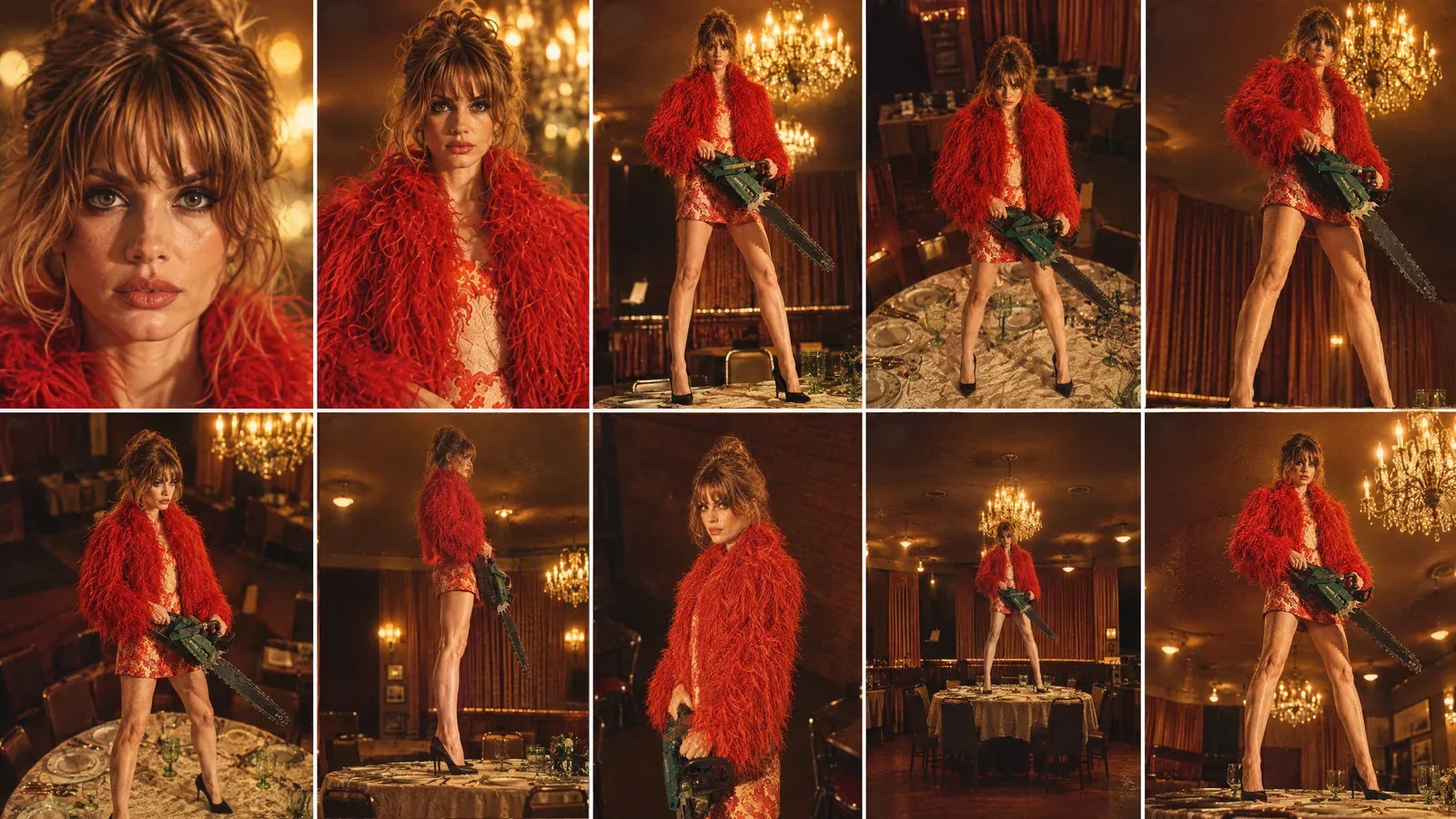
Create ONE continuous, seamless looping cinematic camera shot using the provided character-in-location reference and the provided 10-angle camera sheet.

IMPORTANT CAMERA PATH:
The video MUST begin on ANGLE 01 and MUST end on the EXACT SAME ANGLE 01.

The first frame and final frame must match as closely as technically possible:
- identical camera position
- identical camera height
- identical camera distance
- identical focal length / perspective
- identical framing
- identical character scale in frame
- identical character pose
- identical background composition
- identical lighting
- identical chainsaw position
- identical facial expression

The final frame should seamlessly connect back to the first frame so the video can loop continuously without the viewer noticing where it restarts.

CAMERA PATH:

START - ANGLE 01:
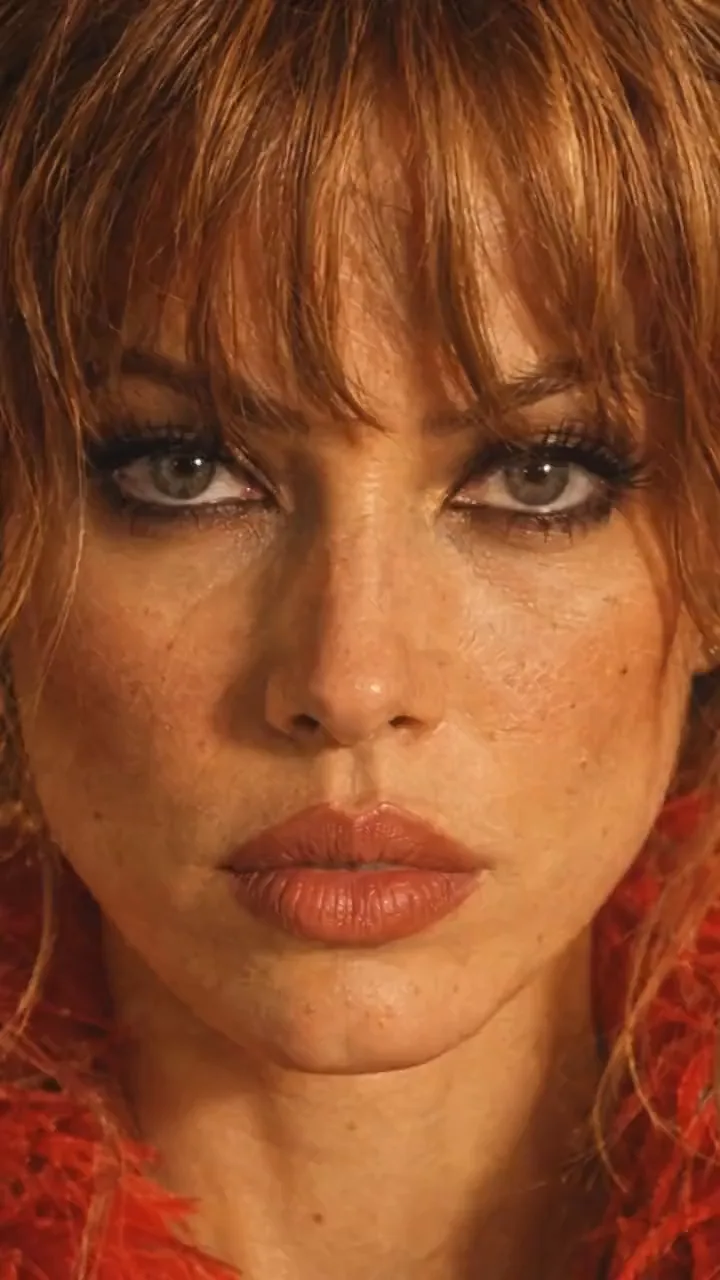
Begin with the exact extreme close-up face shot from Angle 01.
Straight-on camera, very close to the woman's face.
This is the exact starting composition.

Then move rapidly and smoothly through the camera angles in this sequence:

01 → 02 → 03 → 04 → 05 → 06 → 07 → 08 → 09 → 10 → 01

ANGLE 02:
Pull rapidly backward from the extreme close-up into the front close portrait.

ANGLE 03:
Continue the physical camera movement backward and lower the camera toward a low front medium perspective.

ANGLE 04:
Rapidly reposition the camera upward into the high front angle.

ANGLE 05:
Quickly sweep the camera toward the high 3/4 right position.

ANGLE 06:
Continue with a fast lateral camera sweep to the opposite high 3/4 left position.

ANGLE 07:
Drop the camera rapidly toward the low 3/4 position, looking upward.

ANGLE 08:
Quickly move sideways around the subject until reaching the true 90-degree side-profile camera position.

ANGLE 09:
Pull rapidly away into the distant wide front shot, revealing the entire woman, table and restaurant.

ANGLE 10:
Move quickly into the low hero 3/4 angle.

FINAL MOVEMENT - RETURN TO ANGLE 01:
After Angle 10, make a fast, controlled camera movement back toward the original Angle 01 position.

The camera must physically return to the EXACT starting position and framing.

The final frame must recreate Angle 01 precisely.

Do NOT end on a similar close-up.
Do NOT end on a different facial crop.
Do NOT end with a different focal length.
Do NOT simply zoom into the face digitally.

The camera must physically travel back to the original Angle 01 position.

CONTINUITY:

The woman is ONE stationary physical subject throughout the entire shot.

Preserve the EXACT same:
- face
- facial proportions
- hairstyle
- hair texture
- body proportions
- wardrobe
- shoes
- accessories
- chainsaw
- chainsaw orientation
- hand positions
- feet positions
- body pose
- restaurant
- table
- chairs
- curtains
- chandeliers
- plates and glassware
- lighting
- shadows
- color palette
- photographic aesthetic

The character does NOT rotate or change pose to accommodate the camera.

The camera moves around her.

Her eyes and head may naturally track the camera when appropriate, but her physical body remains locked.

CAMERA MOTION:

Make every transition feel like a REAL physical camera moving rapidly through the restaurant.

Use:
- fast acceleration
- fast camera repositioning
- natural deceleration
- realistic motion blur
- strong foreground/background parallax
- believable depth
- realistic perspective changes

Do NOT create a slow cinematic orbit.

Do NOT create a slow digital zoom.

Do NOT use cuts.

Do NOT teleport between angles.

Do NOT morph from one composition into another.

Every angle transition should feel like the camera physically traveling through the space.

LOOP REQUIREMENT:

The final 10-15 frames should progressively settle into the exact same composition as the opening frames.

The final frame must match the opening frame.

The opening and ending composition should be visually indistinguishable when the video loops.

No fade-out.
No fade-in.
No black frame.
No transition effect.
No camera reset.

The video should be capable of playing repeatedly as:

ANGLE 01 → 02 → 03 → 04 → 05 → 06 → 07 → 08 → 09 → 10 → ANGLE 01 → 02 → 03...

The viewer should perceive this as one continuous infinite camera movement.

Photorealistic cinematic continuity, realistic human proportions, consistent identity, consistent wardrobe, consistent environment, realistic camera physics, natural motion blur, strong parallax, warm vintage restaurant lighting and subtle 35mm photographic texture.잘못될 때
| 보이는 현상 | 변경할 사항 |
|---|---|
| 클립의 방이 나타남 | 배경 문장을 추가하고, 장소에 있는 캐릭터의 정지 이미지를 출연진에 넣으세요. |
| 컷이 끊기거나 점프함 | 한 번의 연속된 촬영으로 이루어진 모션 영상을 선택하세요. Create Video에서 NO CUTS 섹션을 유지합니다. |
| 그녀가 카메라를 향해 몸을 돌거나 걸어갑니다 | Create Video 프롬프트처럼, 그녀는 제자리에 서 있고 카메라가 그녀 주위를 움직인다고 명시하세요. |
| 소품이 나타났다가 사라집니다 | 프롬프트에 소품 이름을 지정하고, 그녀가 처음부터 끝까지 소품을 들고 있다고 명시하세요. |
| 끝과 시작이 맞지 않습니다 | 시작 위치로 돌아가는 움직임을 사용하거나, 두 긴 프롬프트처럼 루프를 텍스트로 요청하세요. |
체크리스트
- Characters의 캐릭터 시트, 단일 뷰도 포함.
- 최종 장소에서 소품을 들고 있는 그녀의 정지 이미지 한 장.
- 사용 권한이 있는 모션 영상: 한 번의 촬영, 한 번의 움직임, 이상적으로는 시작 위치로 끝나는 영상.
- Miroge의 Motion transfer, Motion video의 클립, Your cast의 캐릭터와 정지 이미지.
- 배경이 영상이 아니라 캐스트 사진에서 온다고 명시하는 프롬프트.
- Generate 후: 경로, 컷, 세트, 루프 및 캐릭터를 확인하세요.
자주 묻는 질문
- 완성된 샷은 어떤 모델로 만들었나요?
- Miroge의 Motion transfer에서 Seedance 2.5 사용: 7초, 720p, 9:16, 모션 영상 길이.
- 모든 영상을 모션 영상으로 사용할 수 있나요?
- 사용 권한이 있는 모든 클립(2~30초, 최대 50MB, MP4 또는 MOV)을 사용할 수 있습니다. Miroge는 카메라 움직임을 가져오고, 출연진이 클립 속 인물을 대체하므로 스마트폰으로 직접 촬영한 클립도 잘 작동합니다.
- 클립의 배경이 왜 그대로 나타났나요?
- Motion transfer에서는 프롬프트에서 새로운 장소를 요청하거나, 출연진 사진이 장소 시트처럼 자체적으로 장소를 보여주지 않는 한 Miroge는 클립의 세트와 조명을 유지합니다. 장소 속 캐릭터 사진만으로는 충분하지 않으므로, 배경은 비디오가 아닌 출연진 사진에서 가져와야 한다는 문장을 추가하고 해당 사진을 출연진에 추가하세요.
- 루프(반복)로 만들려면 어떻게 해야 하나요?
- 시작과 끝의 구도가 같은 모션 비디오를 사용하세요. 예를 들어, 이 예시는 얼굴로 시작하고 얼굴로 끝납니다. Create Video에서 프롬프트의 LOOP REQUIREMENT 섹션처럼 텍스트로 요청하세요.
- 원하는 움직임이 담긴 클립이 없으면 어떻게 하나요?
- 스마트폰으로 직접 촬영하거나, 클립 없이 번호가 매겨진 카메라 시트로 움직임을 그려 Create Video에서 카메라 시트 프롬프트를 사용하세요.
카메라 움직임을 내 캐릭터에 적용해 보세요.
Miroge 열기관련 가이드
동영상 편집
내 캐릭터와 강아지를 모든 영상에 넣기
영상을 선택하고 사람과 강아지 사진을 추가하면 Miroge가 클립을 다시 촬영합니다. 동작, 배경, 카메라는 그대로 유지됩니다. PC와 모바일에서 모든 단계를 확인하세요.
· 10분 분량
프롬프트
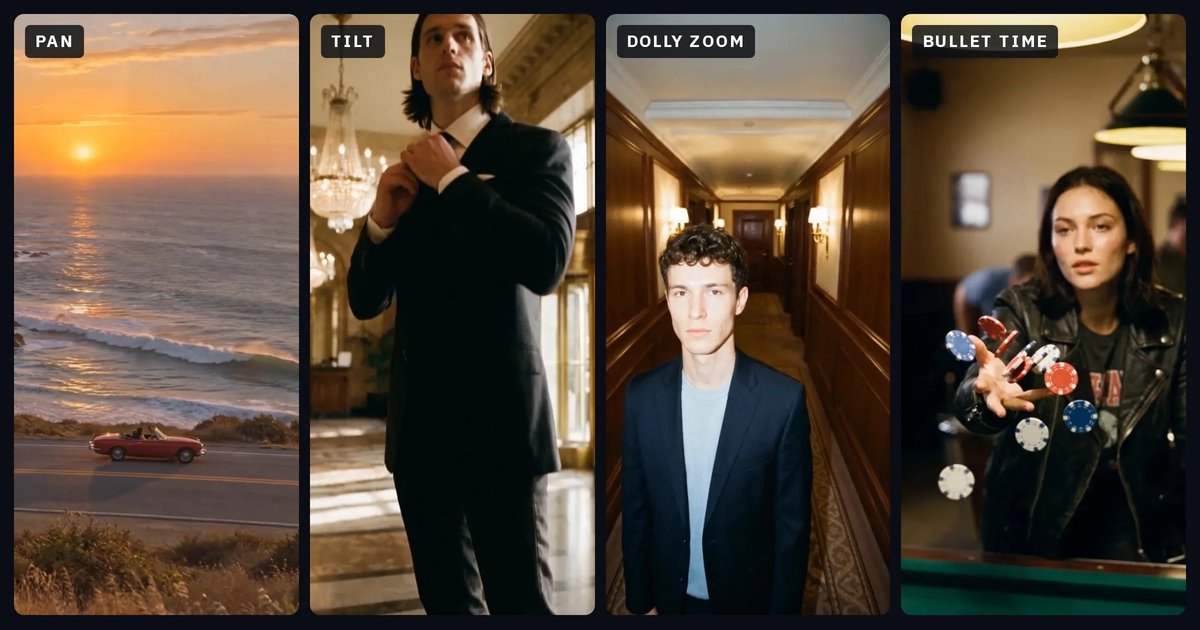
카메라 무브: 각 무브의 역할과 프롬프트에 쓸 단어
12가지 카메라 무브를 쉬운 말로 설명합니다. 카메라가 어떻게 움직이는지, 어떤 감정을 불러일으키는지, 프롬프트에 어떤 단어를 써야 하는지, 그리고 자주 혼동되는 무브는 무엇인지 알려줍니다. 각 예시는 NOLGIA로 만든 클립과 함께 제공됩니다.
· 26분 분량
영상 제작
장면 간 캐릭터와 장소의 일관성 유지하기
저장된 캐릭터, 저장된 장소, 그리고 소품마다 반복되는 한 문장: 한 편의 영화 5개 장면에서 실제로 유지된 요소들을 객체별 및 색상별로 측정하고, 유지되지 않은 두 가지 공백을 살펴봅니다.
· 11분 분량