

使用 Miroge 建立鏡頭運動
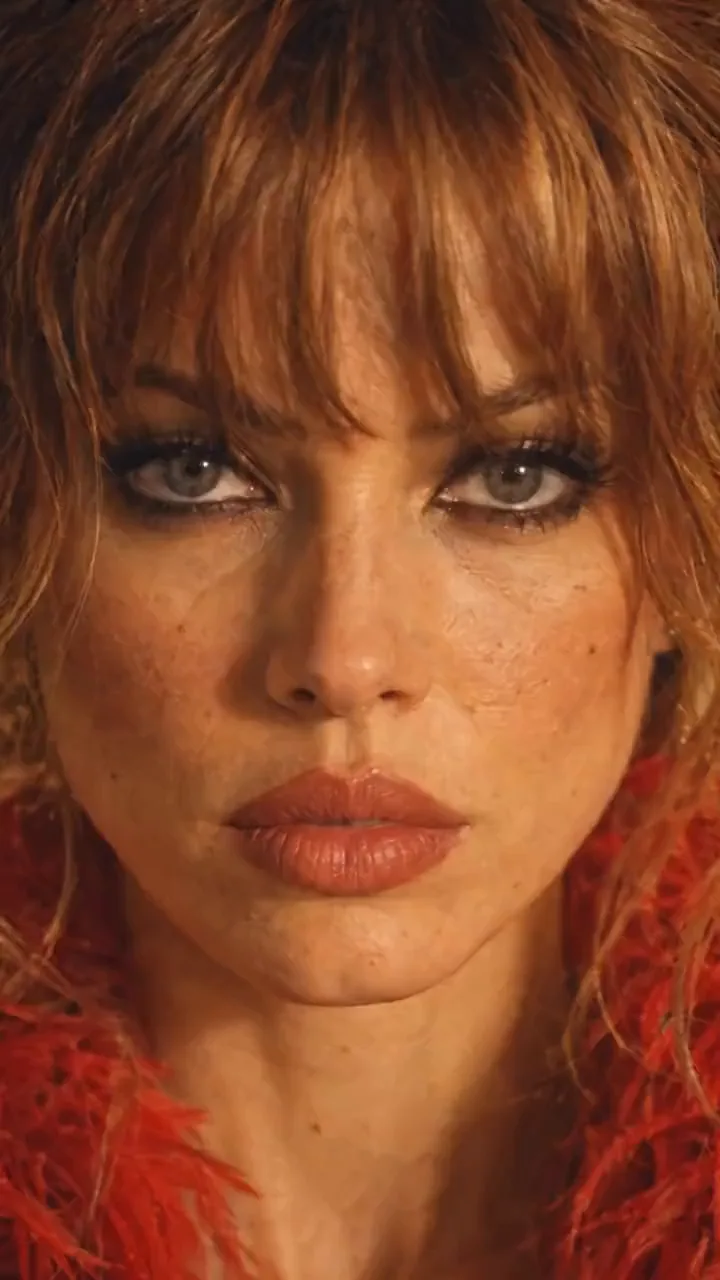
鏡頭環繞著一位身穿紅色羽毛夾克、手持電鋸站在餐廳桌上的女子:特寫她的臉,拉回桌面,升至頂視角,繞到背後,再回到她的臉,形成循環。這個運動來自手機拍攝的片段。以下是影片創作者如何在 Miroge 中完成,以及另外兩種獲得相同鏡頭的方法。
- 閱讀時間 10 分鐘
- 預設集:Miroge: recast your clip
本文由英文自動翻譯。閱讀原文
本指南追蹤一個由我們的影片創作者為 NOLGIA 製作的真實專案,名為 NOLGIA miroge2,以及他們對製作過程的解析。以下每個提示詞均照原樣引用,長破折號以連字號表示。女子、餐廳和假人皆為生成內容,並非真實人物或地點。
概念是將鏡頭中的人物與相機的移動方式分開。先準備角色和地點,作為你能控制的靜態圖像。接著,使用一段簡短的參考片段僅提供相機資訊:其路徑、速度和時機。
你要製作的內容
圍繞靜止主體的一鏡到底。鏡頭從她的臉部開始,拉開越過桌子,升至頭頂上方,繞到她身後,最後回到她的臉部,使結尾與開頭銜接,讓片段循環播放。
鏡頭移動
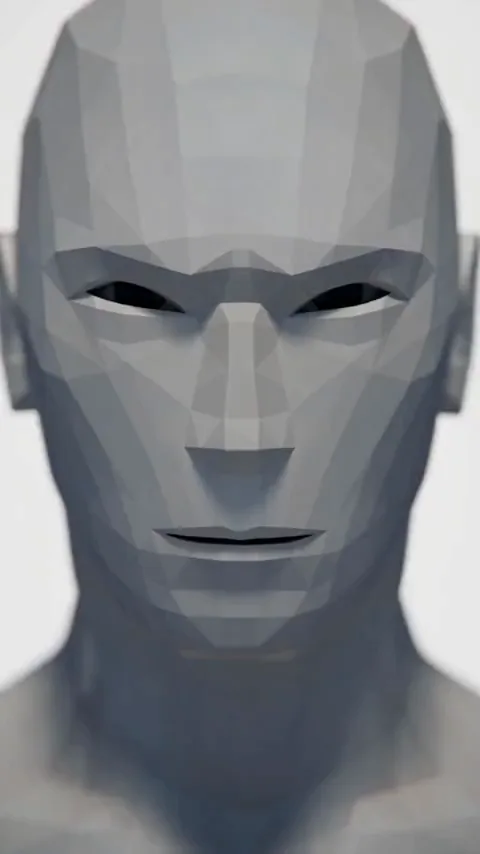
Miroge
提示:為何不顯示原始片段。. 此專案中的動作影片是一段來自社群媒體的真人片段,因此不會在此指南中顯示。請使用你自己的素材,或你擁有使用權的片段。Miroge 會擷取動作,而你的演員陣容會取代其中的人物。
先建立角色
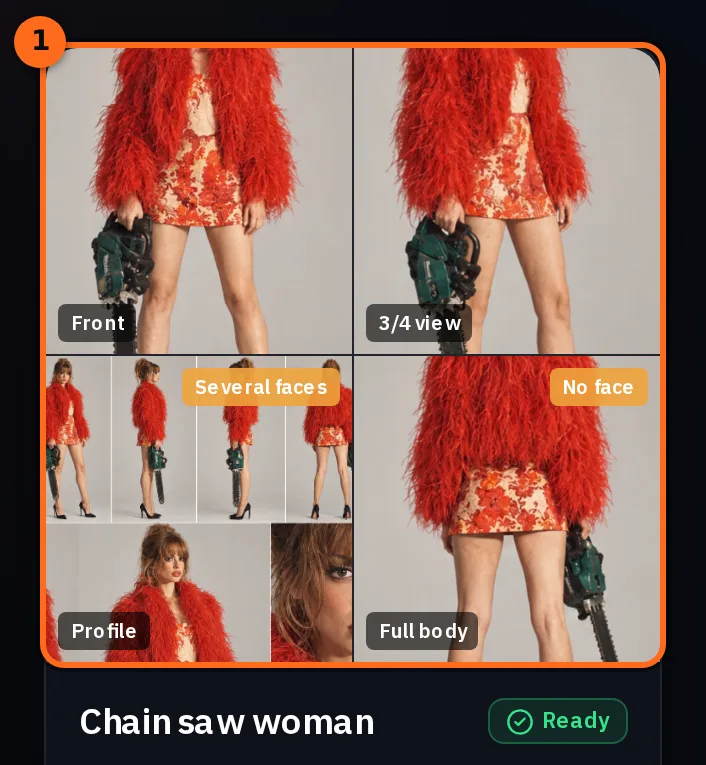
從詳細的角色設定圖開始:從多個角度展示她的臉部、頭髮、身體、服裝和道具。這是關於她是誰的主要參考,後續的每個步驟都會回溯到它。
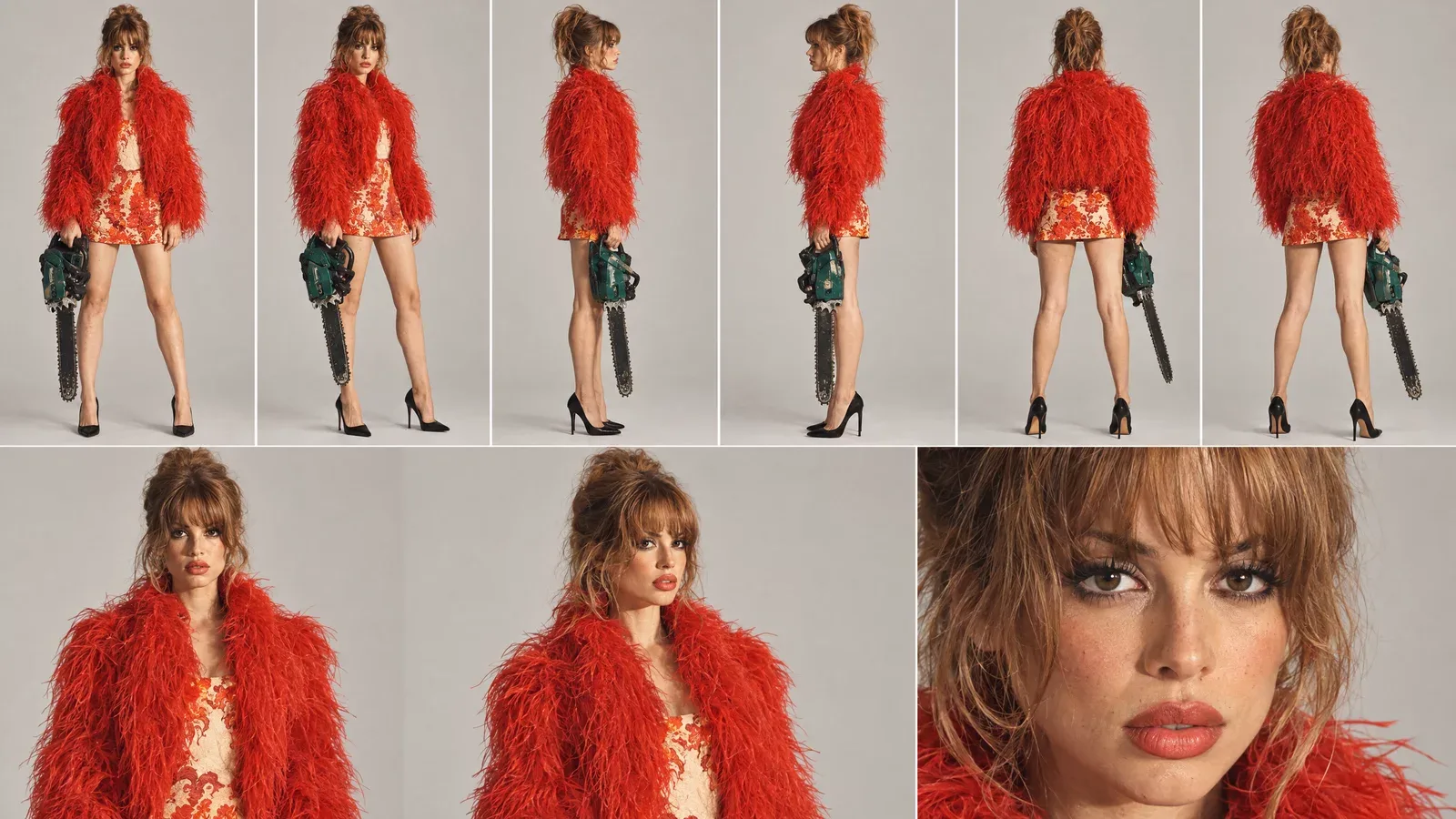
上傳至 Characters,讓她在 NOLGIA 的任何地方都能被選取為角色。她的角色包含設定圖以及單一視角的獨立照片(正面、四分之三側面、側面和背面),每張照片都清晰獨立。
將她放入最終場景
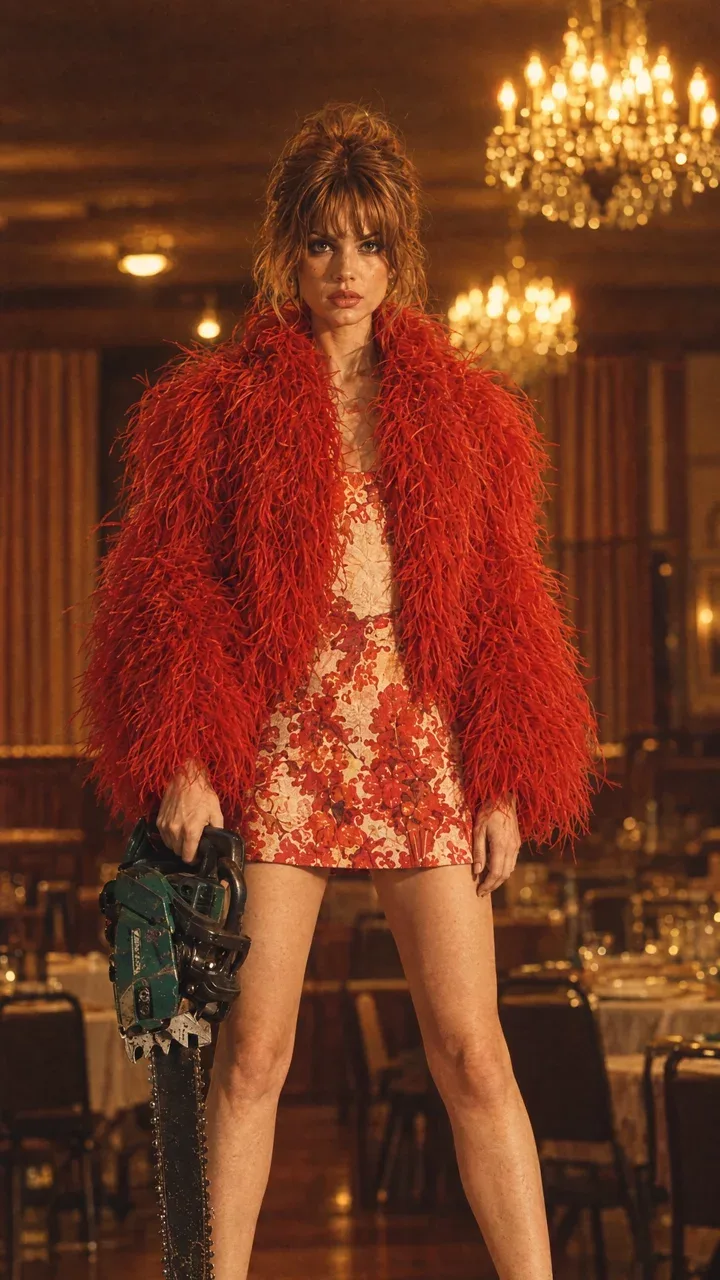
接著,製作一張角色位於鏡頭發生地點的靜態圖像。這張靜態圖像決定了佈景、燈光、道具和她的姿勢:老式餐廳、吊燈、她高跟鞋下的桌子以及她手中的電鋸。
選擇動態影片
動態影片是你希望套用其鏡頭運動的片段。只有它的運動重要:鏡頭的路徑、高度、距離、速度和時間。其中的人物和房間都會被替換。
- 一鏡到底。 片段中的剪輯點會變成你鏡頭中的剪輯點。
- 從頭到尾的完整運動。 若要製作循環,請選擇結束時回到起始構圖的運動,就像這裡的臉部特寫。
- 一個保持在中央附近的單一主體。 當鏡頭負責所有移動時,靜止的主體效果最好。
- 2 到 30 秒,最大 50 MB,MP4 或 MOV。 動態影片區塊會列出你所選模型的限制。
提示:自己拍攝運動。. 用你的手機繞著朋友走一圈:從臉部近距離開始,後退,將手機舉高,繞到他們身後,再回到臉部。這樣十秒鐘就是一段屬於你的動態影片。
設定 Miroge
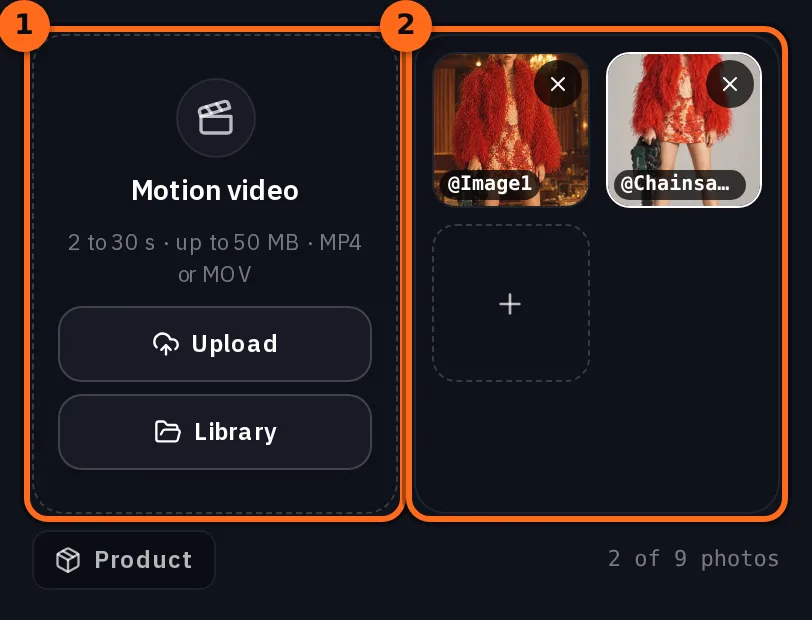
從 工具 選單開啟 Miroge,並將模式保持為 動作轉移。將片段放入 動作影片(上傳 或 媒體庫),然後在 你的演員陣容 下按 加入,從 角色 新增該角色以及她在場景中的靜態照片。
| 場景設定 | 影片製作者使用的內容 |
|---|---|
| 模式 | 動作轉移 |
| 動作影片 | 一段 7 秒的片段,鏡頭環繞房間內的一名女子 |
| 你的演員陣容 | 來自角色的角色以及她的五張照片;明細表將該圖表和她在餐廳中的靜態照片列為演員陣容 |
| 模型 | Seedance 2.5 |
| 品質 | 720p |
| 長度 | 7 秒,即片段本身的長度 |
| 提示詞 | 開啟,並使用下方的文字 |
She should be holding chainsaw in one hand all time, she’s standing on top of the table and the background should be from the cast reference image and not from the video.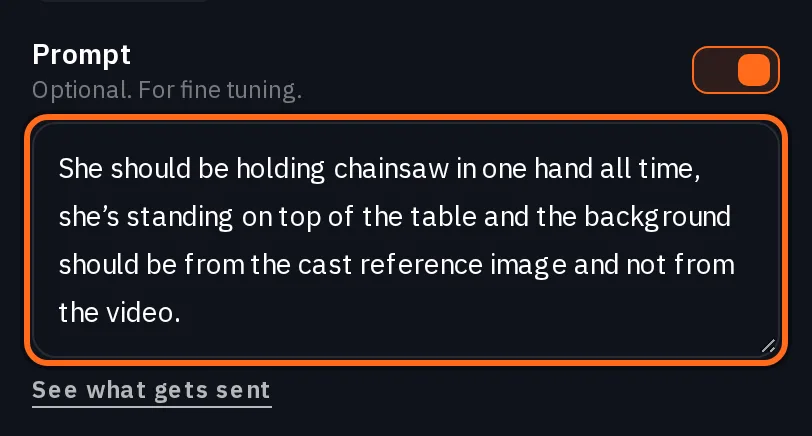
- 全程單手持電鋸 可防止道具隨著鏡頭移動而忽隱忽現。
- 站在桌子上 確定了她在場景中的位置。
- 背景應來自演員參考圖,而非影片 是最關鍵的一句。下一步將解釋原因。
保留你的地點的句子
Miroge 會在你的提示詞後加入自己的指令。在 Motion transfer 中,它會保留片段的鏡頭,並保留片段的場景和燈光,除非你的文字要求新的地點,或圖片單獨顯示了地點(例如地點表)。她站在餐廳裡的照片並不算數:某人照片中的房間並不是一個新地點。在提示詞下方的 查看送出的內容 會在你生成前顯示完整內容。
Replace the people in @Video1 with @Chainsawwoman. Use @Image1 for what it shows: a person, animal or character takes the place of a person in @Video1, and a place becomes its setting. Keep the motion, the choreography and the timing of @Video1 beat for beat, and keep its framing and its camera. Keep its set and its lighting unless the words above ask for a new place or a picture shows a place on its own, such as a location sheet; the background behind someone in their photo is not a new place. Each person, animal or character keeps their own look from their picture: hair or fur, clothes, colors and markings. Photorealistic. No on-screen text, no watermark, no logos.這個指令適合在專屬空間中重新編排舞蹈。但對於鏡頭移動來說,它會帶入錯誤的空間,因為靜態圖只是她的照片,其背景空間本身並不算是一個新的地點。你的提示詞才是關鍵:說明背景來源,並在演員陣容中保留她在該地點的靜態圖,這樣才有背景可供採用。
注意:若沒有這句話,影片中的空間也會被帶入。. 影片製作工具的首次執行使用了相同的動作影片和包含五張照片的演員陣容,且沒有自訂提示詞。它正確地移動了鏡頭,但圍繞的是影片中的空間,而不是餐廳。
生成後檢查循環
按下「生成」。按鈕上會顯示價格,且價格取決於你的影片長度。
Seedance 2.5Pro and up
Per 5s clip
480p 26 點 · 720p 56 點 · 1080p 137 點
1080p renders at 16:9 and 9:16
頁面載入時從目錄即時讀取。 所有價格都會在生成前顯示。 查看所有費率.
- 路徑。 影片中鏡頭的每一次轉向都在那裡,順序和速度都相同。
- 無剪輯。 鏡頭持續移動;不會跳轉到新的角度。
- 你的場景。 空間、光線和道具來自你的靜態圖,而不是影片。
- 循環。 最後一幀落在第一幀的構圖上。連續播放兩次以查看接縫。
- 角色。 她的頭髮、服裝和道具從各個角度來看,都與設定圖上的一致。
另一種方式:在建立影片時寫入鏡頭運動
影片製作器也能在 建立影片 中使用 Seedance 2.5 製作鏡頭:附加相同的片段作為 @Video1、角色、餐廳靜態圖,以及一個提示詞,說明該片段僅控制鏡頭。雖然寫起來較長,但它能讓你用文字描述鏡頭運動的每個部分:循環、禁止的剪接,以及不可改變的內容。
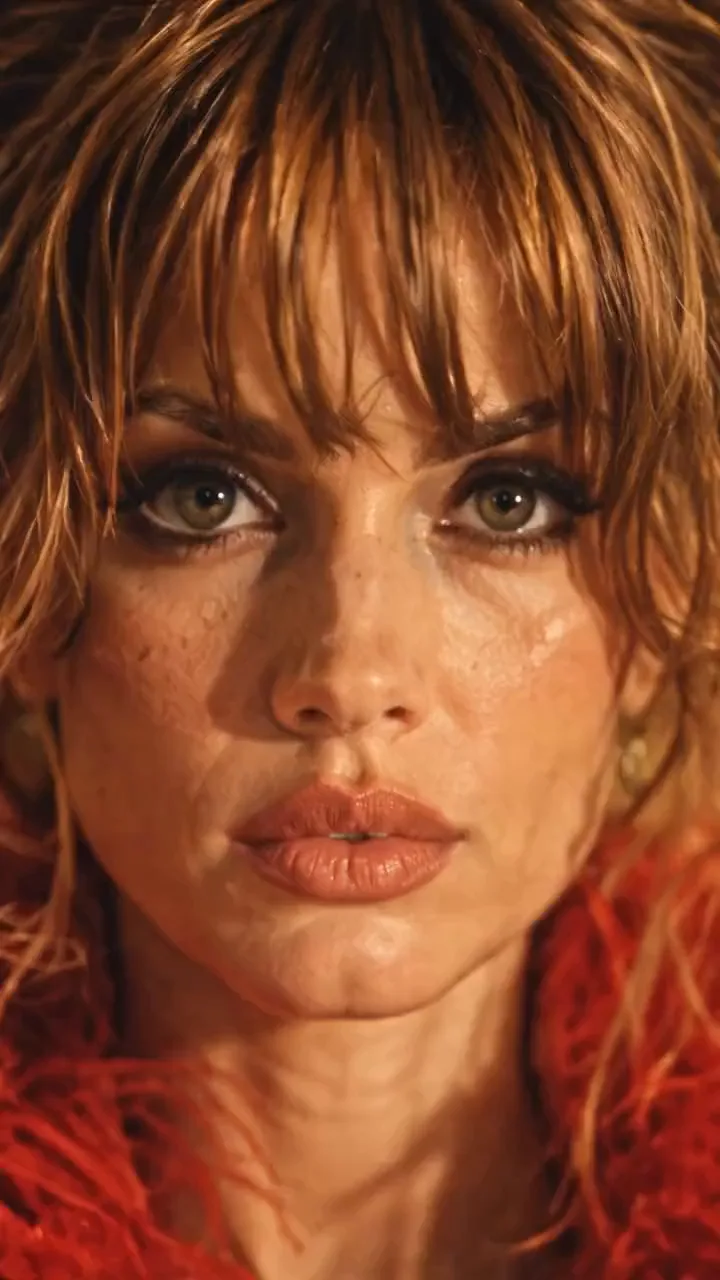
SEEDANCE 2.5 - REFERENCE VIDEO CAMERA-MOVEMENT PROMPT

Use the uploaded reference video as the EXACT CAMERA MOVEMENT AND FRAMING REFERENCE.

Replicate the camera movement from the reference video as accurately as possible - including the camera's:

- movement direction
- movement speed
- acceleration and deceleration
- camera height
- camera distance from the subject
- camera angle
- framing
- perspective changes
- camera path
- timing of each movement
- changes in shot scale
- movement rhythm
- motion blur
- natural camera physics

DO NOT invent a new camera movement.

DO NOT reinterpret the camera movement.

DO NOT simplify the movement.

DO NOT replace it with a generic cinematic orbit or zoom.

The uploaded video is the MASTER REFERENCE for how the camera should move.

However, DO NOT copy the person, location, wardrobe or visual content from the reference video.

Instead, use the provided character and scene references.

The subject must be the exact same woman from the provided character reference, standing ON TOP OF THE DINING TABLE and holding the SAME GREEN-AND-BLACK CHAINSAW.

Preserve her exact:
- face
- facial features
- hairstyle
- hair color
- body proportions
- red feather/faux-fur jacket
- red patterned mini dress
- black pointed heels
- chainsaw
- chainsaw size
- chainsaw orientation
- hand placement
- foot placement
- body position

She remains physically standing on the same dining table throughout the entire video.

Use the provided restaurant image as the environment reference.

Preserve the exact:
- restaurant architecture
- dining table
- chairs
- curtains
- chandeliers
- plates
- glassware
- furniture
- warm amber lighting
- shadows
- color palette
- vintage photographic aesthetic

The REFERENCE VIDEO controls ONLY the camera movement.

The CHARACTER REFERENCE controls the character.

The LOCATION REFERENCE controls the environment.

Do not combine or copy the visual identity of the reference video.

--------------------------------------------------

ABSOLUTELY NO CUTS:

Create ONE SINGLE CONTINUOUS SHOT from the first frame to the last frame.

ZERO cuts.

NO hard cuts.
NO jump cuts.
NO hidden cuts.
NO match cuts.
NO invisible edits.
NO shot changes.
NO teleportation.
NO sudden camera-position resets.
NO frame-to-frame composition swaps.

The camera must physically travel continuously through the space exactly as demonstrated in the uploaded reference video.

Every change in framing or angle must happen through continuous physical camera movement.

The reference video's movement should feel like the camera is actually traveling around the woman in one uninterrupted take.

--------------------------------------------------

LOOP REQUIREMENT:

The video must begin with the same framing and camera position as the beginning of the reference movement.

After reproducing the complete camera movement from the reference video, return naturally to the EXACT starting camera position and framing.

The final frame must match the opening frame.

The beginning and ending should have:

- identical camera position
- identical camera height
- identical camera distance
- identical framing
- identical perspective
- identical character scale
- identical background composition

The final frame should seamlessly connect back to the first frame.

NO fade-out.
NO fade-in.
NO black frame.
NO transition.
NO cut.

The result should feel like an infinite camera loop.

REFERENCE VIDEO MOVEMENT → COMPLETE MOVEMENT → RETURN TO STARTING FRAME → LOOP.

--------------------------------------------------

IMPORTANT:

Do not make the woman walk, turn, rotate, transform or change her pose to accommodate the camera.

The CAMERA moves around the woman.

The woman remains the same physical person in the same physical scene.

Maintain perfect character consistency throughout the entire shot.

No face morphing.
No identity drift.
No wardrobe changes.
No body-shape changes.
No chainsaw changes.
No environmental changes.
No lighting changes.

Photorealistic, physically believable camera movement, realistic parallax, natural motion blur, consistent perspective, consistent lighting and seamless continuous movement.

PRIORITY ORDER:

1. EXACT CAMERA MOVEMENT FROM THE UPLOADED REFERENCE VIDEO
2. ZERO CUTS - ONE CONTINUOUS SHOT
3. EXACT CHARACTER CONSISTENCY
4. EXACT LOCATION CONSISTENCY
5. SEAMLESS LOOP FROM FINAL FRAME BACK TO FIRST FRAME若要重複使用,請保持鏡頭部分不變,並重寫關於主體的部分:她是誰、她拿著什麼、她站在哪裡以及地點。
完全沒有片段:10 個角度的鏡頭表
影片製作器也製作了完全沒有動態的鏡頭,而是透過繪製移動來實現:將角色在餐廳中的影像從十個攝影機位置繪製出來,按照提示詞指定的順序從左到右排列,從 Angle 01 到 Angle 10。接著在 Create Video 中使用 Seedance 2.5,按該順序飛越這些角度並回到第一個角度。
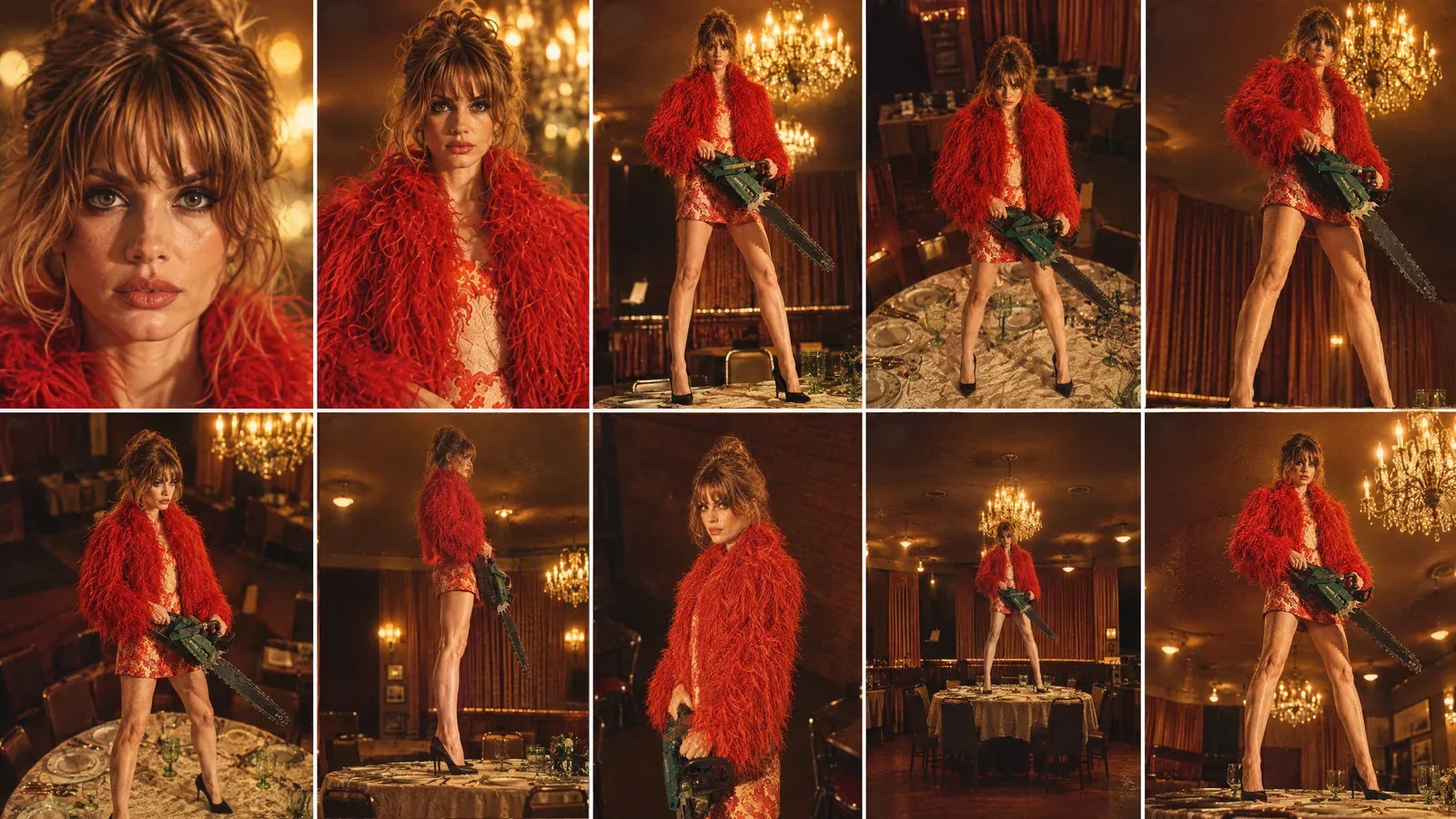
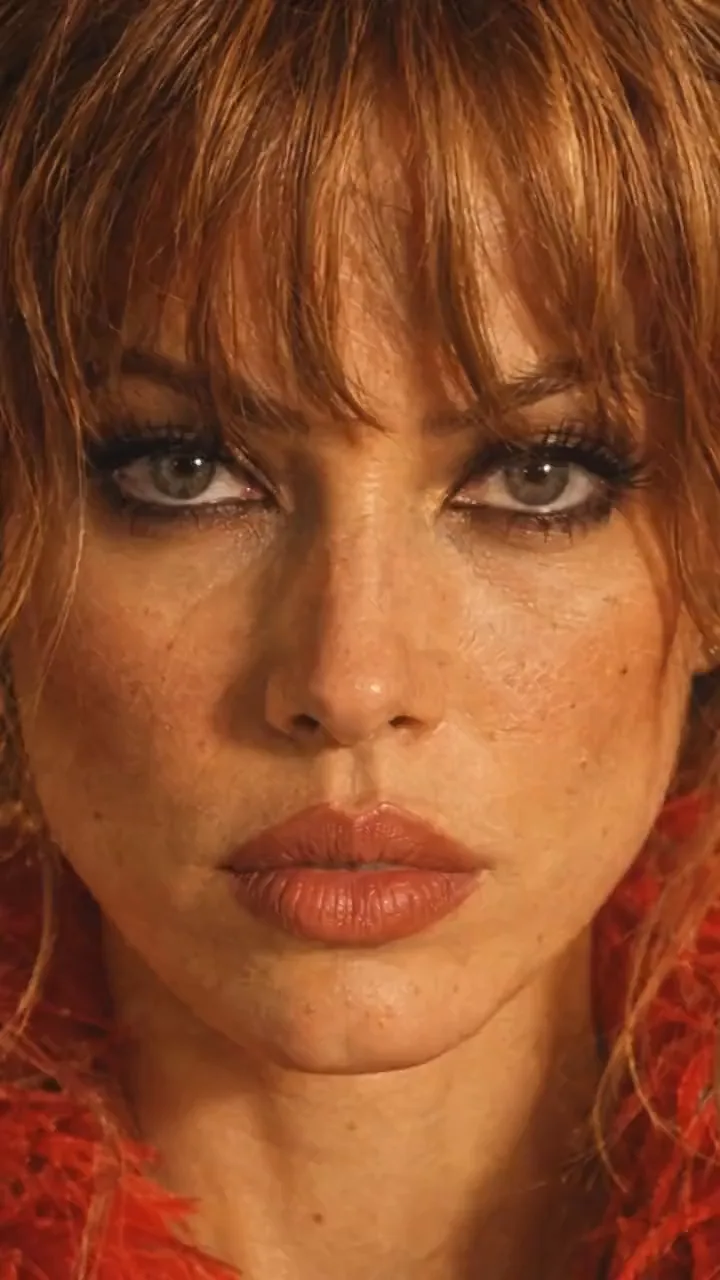
Create ONE continuous, seamless looping cinematic camera shot using the provided character-in-location reference and the provided 10-angle camera sheet.

IMPORTANT CAMERA PATH:
The video MUST begin on ANGLE 01 and MUST end on the EXACT SAME ANGLE 01.

The first frame and final frame must match as closely as technically possible:
- identical camera position
- identical camera height
- identical camera distance
- identical focal length / perspective
- identical framing
- identical character scale in frame
- identical character pose
- identical background composition
- identical lighting
- identical chainsaw position
- identical facial expression

The final frame should seamlessly connect back to the first frame so the video can loop continuously without the viewer noticing where it restarts.

CAMERA PATH:

START - ANGLE 01:
Begin with the exact extreme close-up face shot from Angle 01.
Straight-on camera, very close to the woman's face.
This is the exact starting composition.

Then move rapidly and smoothly through the camera angles in this sequence:

01 → 02 → 03 → 04 → 05 → 06 → 07 → 08 → 09 → 10 → 01

ANGLE 02:
Pull rapidly backward from the extreme close-up into the front close portrait.

ANGLE 03:
Continue the physical camera movement backward and lower the camera toward a low front medium perspective.

ANGLE 04:
Rapidly reposition the camera upward into the high front angle.

ANGLE 05:
Quickly sweep the camera toward the high 3/4 right position.

ANGLE 06:
Continue with a fast lateral camera sweep to the opposite high 3/4 left position.

ANGLE 07:
Drop the camera rapidly toward the low 3/4 position, looking upward.

ANGLE 08:
Quickly move sideways around the subject until reaching the true 90-degree side-profile camera position.

ANGLE 09:
Pull rapidly away into the distant wide front shot, revealing the entire woman, table and restaurant.

ANGLE 10:
Move quickly into the low hero 3/4 angle.

FINAL MOVEMENT - RETURN TO ANGLE 01:
After Angle 10, make a fast, controlled camera movement back toward the original Angle 01 position.

The camera must physically return to the EXACT starting position and framing.

The final frame must recreate Angle 01 precisely.

Do NOT end on a similar close-up.
Do NOT end on a different facial crop.
Do NOT end with a different focal length.
Do NOT simply zoom into the face digitally.

The camera must physically travel back to the original Angle 01 position.

CONTINUITY:

The woman is ONE stationary physical subject throughout the entire shot.

Preserve the EXACT same:
- face
- facial proportions
- hairstyle
- hair texture
- body proportions
- wardrobe
- shoes
- accessories
- chainsaw
- chainsaw orientation
- hand positions
- feet positions
- body pose
- restaurant
- table
- chairs
- curtains
- chandeliers
- plates and glassware
- lighting
- shadows
- color palette
- photographic aesthetic

The character does NOT rotate or change pose to accommodate the camera.

The camera moves around her.

Her eyes and head may naturally track the camera when appropriate, but her physical body remains locked.

CAMERA MOTION:

Make every transition feel like a REAL physical camera moving rapidly through the restaurant.

Use:
- fast acceleration
- fast camera repositioning
- natural deceleration
- realistic motion blur
- strong foreground/background parallax
- believable depth
- realistic perspective changes

Do NOT create a slow cinematic orbit.

Do NOT create a slow digital zoom.

Do NOT use cuts.

Do NOT teleport between angles.

Do NOT morph from one composition into another.

Every angle transition should feel like the camera physically traveling through the space.

LOOP REQUIREMENT:

The final 10-15 frames should progressively settle into the exact same composition as the opening frames.

The final frame must match the opening frame.

The opening and ending composition should be visually indistinguishable when the video loops.

No fade-out.
No fade-in.
No black frame.
No transition effect.
No camera reset.

The video should be capable of playing repeatedly as:

ANGLE 01 → 02 → 03 → 04 → 05 → 06 → 07 → 08 → 09 → 10 → ANGLE 01 → 02 → 03...

The viewer should perceive this as one continuous infinite camera movement.

Photorealistic cinematic continuity, realistic human proportions, consistent identity, consistent wardrobe, consistent environment, realistic camera physics, natural motion blur, strong parallax, warm vintage restaurant lighting and subtle 35mm photographic texture.出錯的時候
| 你看到的 | 需要修改的地方 |
|---|---|
| 你的片段中的房間出現了 | 加入背景句子,並將角色在該地點的靜態影像放入演員陣容中。 |
| 鏡頭出現剪切或跳躍 | 選擇一段單鏡到底的動態影片。在 Create Video 中,保留 NO CUTS 區塊。 |
| 她轉身或走動以面對鏡頭 | 說明她留在原地,而鏡頭圍繞她移動,就像 Create Video 提示詞所做的那樣。 |
| 道具進出畫面 | 在提示詞中提及該道具,並說明她全程持有它。 |
| 結尾與開頭無法銜接 | 使用結束點與起始點相同的動作,或用文字要求循環播放,就像兩個長提示詞所做的那樣。 |
檢查清單
- 在 Characters 中的人物設定圖,包含單一視角。
- 一張她在最終地點的靜態圖,手中持有道具。
- 一段你擁有使用權的動態影片:單鏡到底、單一動作,最好結束點與起始點相同。
- 在 Miroge 的 Motion transfer 中,將影片放入 Motion video,將人物與靜態圖放入 Your cast。
- 一段提示詞,說明背景來自人物設定圖,而非影片。
- Generate 之後:檢查路徑、剪輯點、場景、循環與人物。
常見問題
- 哪個模型製作了最終鏡頭?
- Miroge 的 Motion transfer 中的 Seedance 2.5:7 秒、720p、9:16,長度與動態影片相同。
- 我可以使用任何影片作為動態影片嗎?
- 任何你擁有使用權的片段,長度 2 到 30 秒,大小不超過 50 MB,格式為 MP4 或 MOV。Miroge 會捕捉鏡頭運動,並由你的演員陣容取代畫面中的人物,因此你自己用手機拍攝的片段效果也很好。
- 為什麼我片段中的房間會顯示出來?
- 在 Motion transfer 中,除非你的提示詞要求新的場景,或是演員陣容中的圖片本身顯示了地點(例如地點表),否則 Miroge 會保留片段的佈景和燈光。單純一張角色在該地點的照片並不足以作為依據,因此請加上一句說明背景來自演員陣容的照片而非影片,並將該照片加入演員陣容。
- 我該如何製作循環播放?
- 使用一個鏡頭運動結束時回到起始構圖的動態影片,例如這個從臉部開始並結束於臉部的範例。在 Create Video 中,請用文字明確要求,就像提示詞中的 LOOP REQUIREMENT 部分那樣。
- 如果我沒有想要鏡頭運動的片段該怎麼辦?
- 用手機製作一個,或者跳過片段:繪製一個編號的鏡頭表,並在 Create Video 中使用鏡頭表提示詞。
將鏡頭運動複製到你自己的角色上。
開啟 Miroge相關指南
影片剪輯
將你的角色和狗狗放入任何影片
選擇一段影片,加入一張人物照片和一張狗狗照片,Miroge 會重新演繹該片段:動作不變、場景不變、鏡頭不變。電腦與手機皆可操作,步驟詳解。
· 閱讀時間 10 分鐘
提示詞
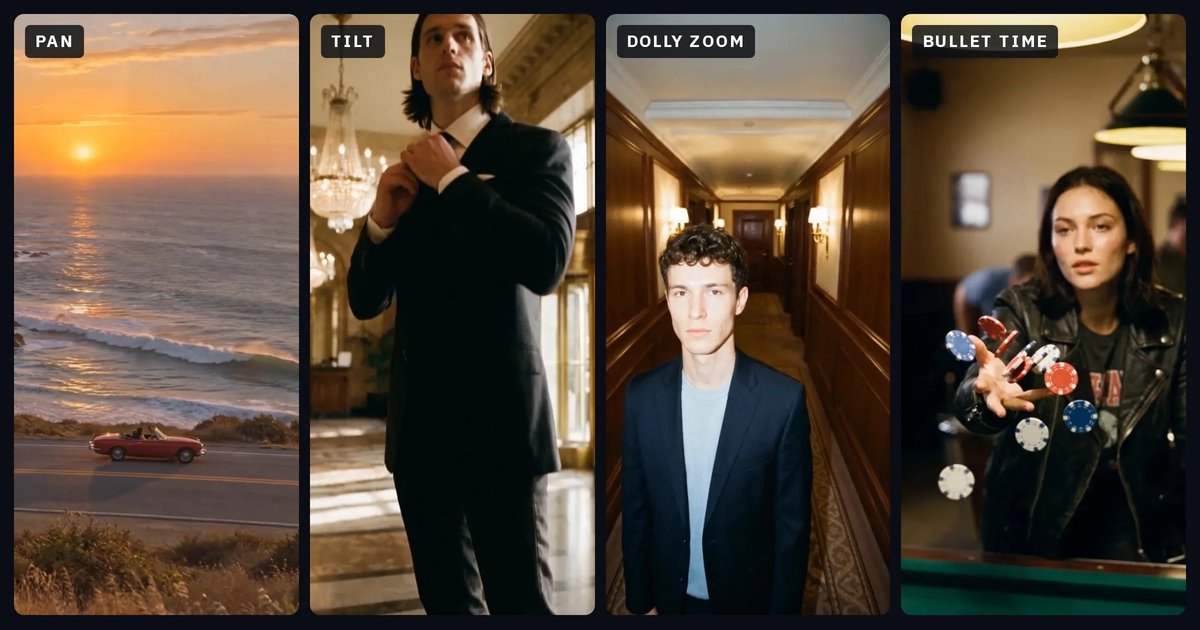
鏡頭運動:每種運動的作用與對應的提示詞
用淺顯易懂的文字介紹十二種鏡頭運動:說明鏡頭如何移動、引發什麼感受、在提示詞中該寫什麼,以及容易與之混淆的運動。每種運動都附有在 NOLGIA 製作的片段。
· 閱讀時間 26 分鐘
影像製作
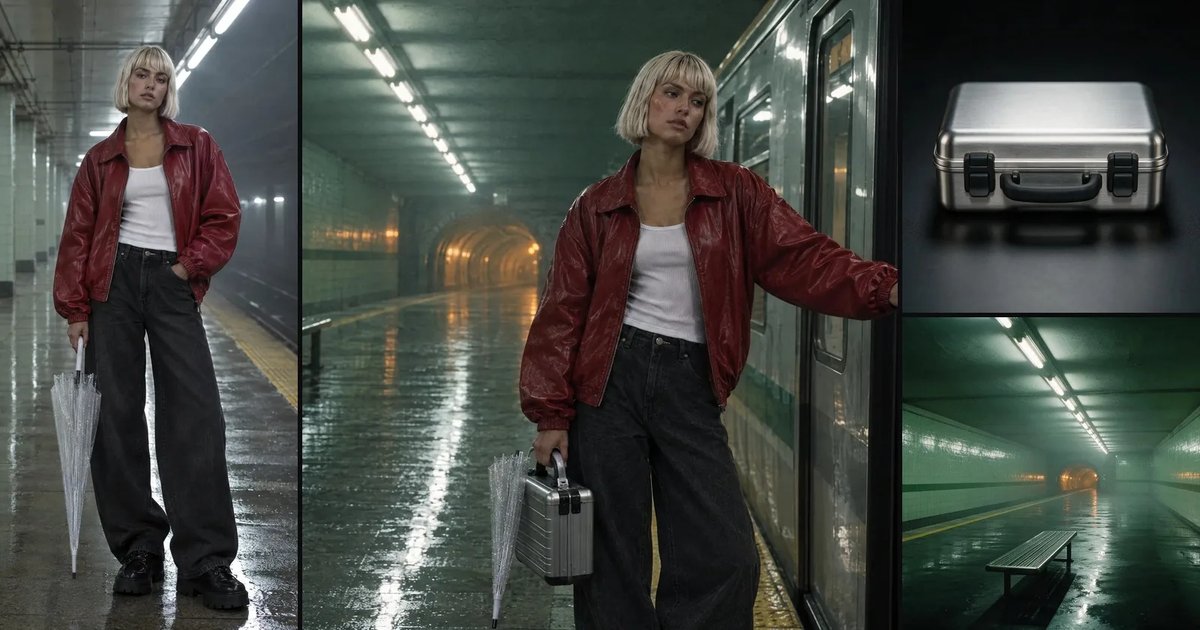
讓角色和地點在不同鏡頭間保持一致
儲存的角色、儲存的地點,以及每個道具重複使用的一句話:在一部影片的五個鏡頭中,實際保持不變的內容(依物件與顏色逐一測量),以及兩個未能保持一致的缺口。
· 閱讀時間 11 分鐘