

Seven video prompt mistakes, and the fix for each
Most bad clips come from a prompt that left something open, and the model closed the gap on its own. Here are the seven gaps we see most, each rendered before and after on Kling v3, so you can see what one sentence buys. And one thing we learnt on the way: a seed does not give you the same clip twice.
- 11 min read
A video prompt goes wrong in seven repeatable ways: a vague subject, a mood word instead of a light source, a camera adjective instead of a move, motion with no path, hands with no contact point, an emotion with no visible action, and too many beats for one clip. The fix for each is one sentence that names the thing you left open.
Every pair on this page was rendered on Kling v3 at 720p and 5 seconds. The only change inside each pair is the words we show. The finished clip at the end is the same scene with all seven fixes.
Before you start: what a seed does, and does not do
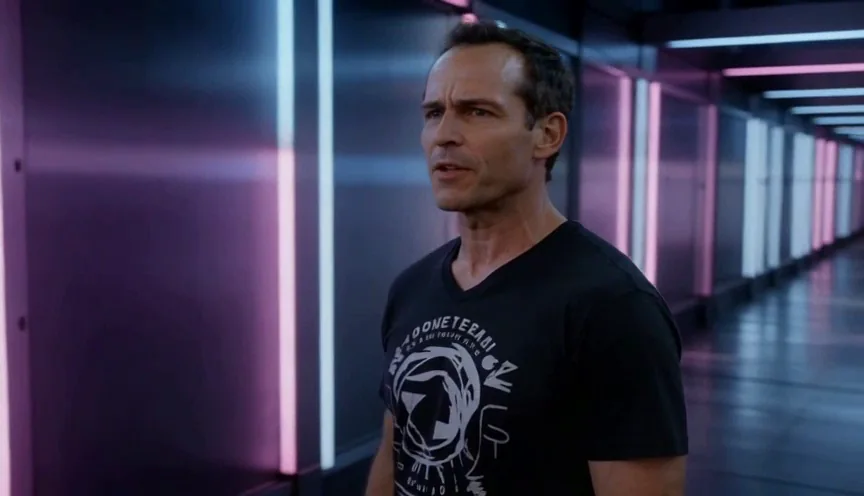
To compare two prompts you want everything else held still: the same model, length and size, and ideally the same seed. Kling v3 takes no seed at all. So we checked what a seed buys on a model that takes one: the same lazy prompt, sent twice with the same seed on Seedance 1.5 Pro. In the video composer the Seed field sits under Advanced settings and only appears on models whose provider takes one.
Same prompt, same seed, run 1
Run 2
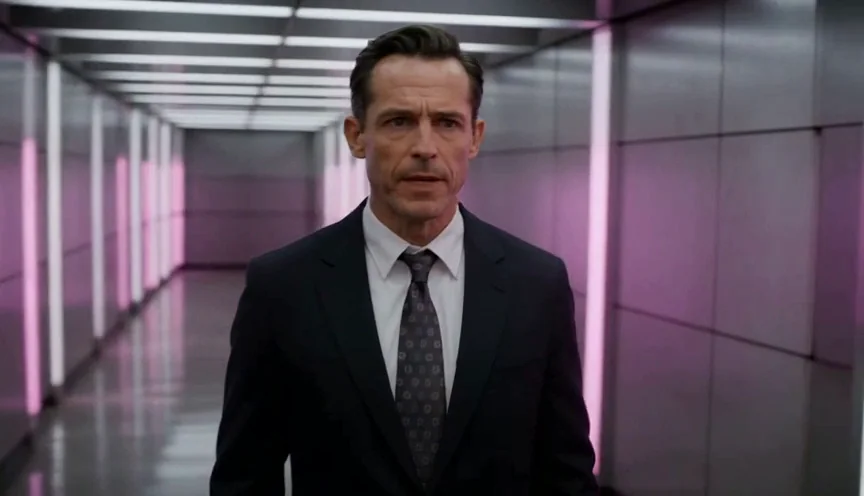
Watch for this:So judge a pair on the fix, not on the rest of the frame. With no seed on Kling v3, and a seed that does not hold the scene on Seedance 1.5 Pro, every pair below is two rolls of the dice with one sentence changed. The question for each is only whether the thing the sentence asked for arrived. It did, in six of seven; the camera move arrived in part.
Tip:Which models take a seed. Kling refuses one before anything is charged: the price quote says the provider has no seed field. Seedance, Veo and Wan accept the field, and only a few models publish that their provider honours it. If reproducing a clip matters, test it with two runs before you rely on it.
The seven mistakes at a glance
| Mistake | Why it happens | The fix |
|---|---|---|
| A generic subject that changes every run | "A man" leaves age, hair and wardrobe open | Age, build, hair, each garment with a material and a colour |
| Flat light from nowhere | "Moody" names a feeling, not a lamp | One source, its direction and colour, then a rim or fill |
| A camera that wanders or does nothing | "Dynamic camera" has no start, end or speed | A physical move: a lateral truck on a dolly, the framing level, no cuts |
| Action that floats or never happens | "Energetic" is not a path | A start, an end and a time |
| Hands that melt or hold nothing | A hand with no job has to guess | What each hand does, even when that is nothing |
| A blank face | "Emotional" does not tell a face what to do | A visible action: a chin lifted, eyes held on the lens |
| Cuts that land nowhere | Six beats in five seconds | One subject, one action, one move per clip |
A man stands in a neon corridor. Cinematic, moody, dramatic lighting, dynamic camera, energetic, emotional, 4k, hyperrealistic, best quality.
Mistake 1: a subject the model has to invent
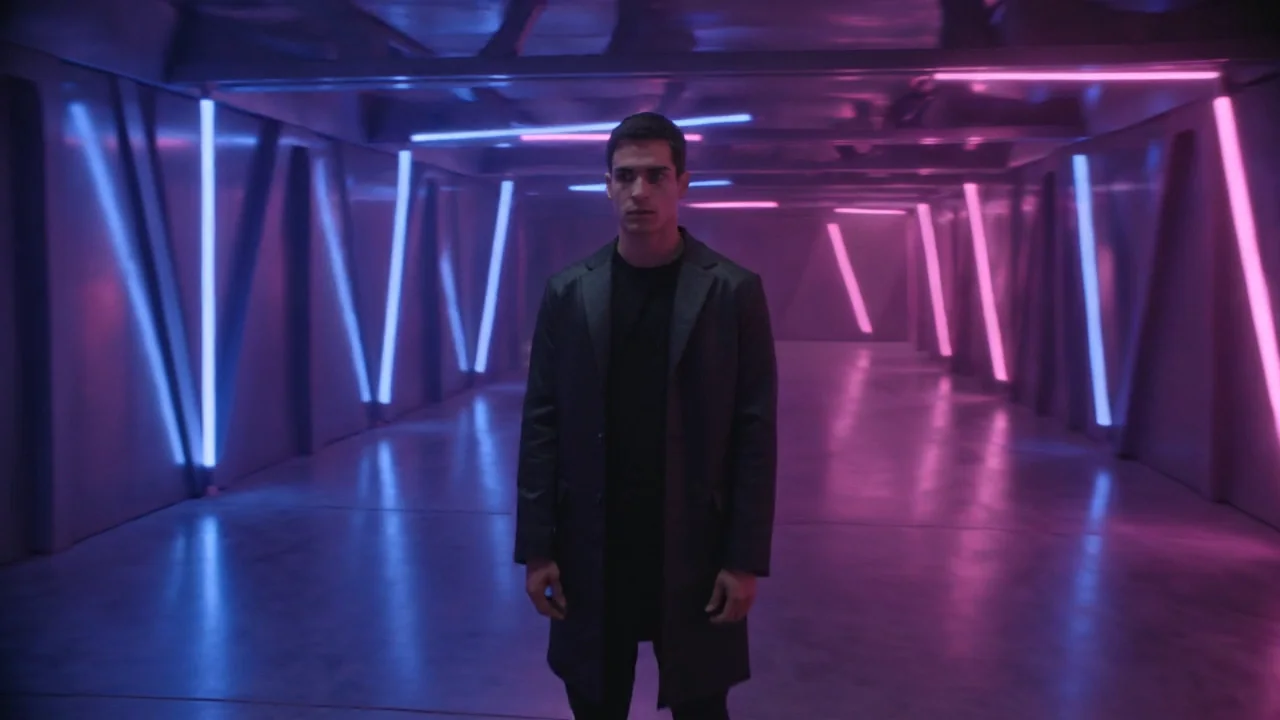
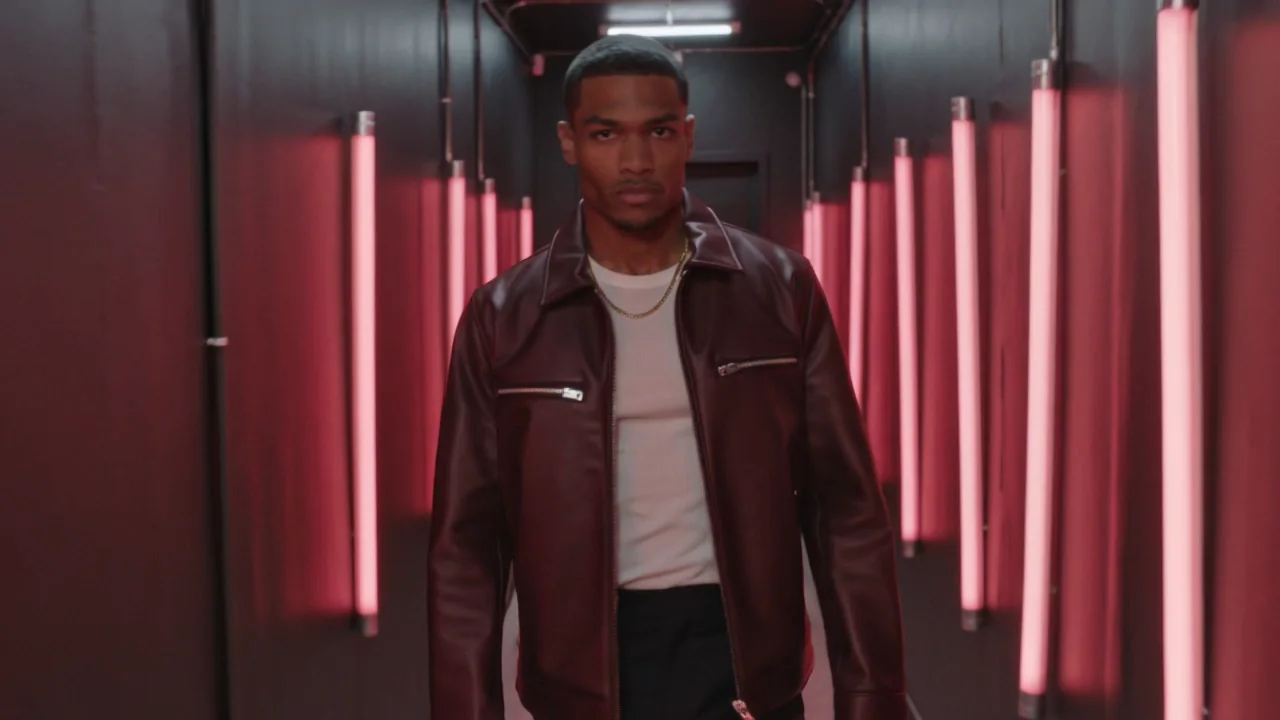
"A man stands in a neon corridor" is a category, not a person, so the model picks one for you and a different one next time. Describe the performer the way a wardrobe department would.
A man stands in a neon corridor.
A man of 27, athletic, close-cropped black hair, dark brown skin, a boxy oxblood leather jacket zipped to the chest over a white ribbed top, black tailored trousers, a thin gold chain over the top, stands in a narrow corridor of vertical red neon tubes on both walls.
Vague subject
Subject named
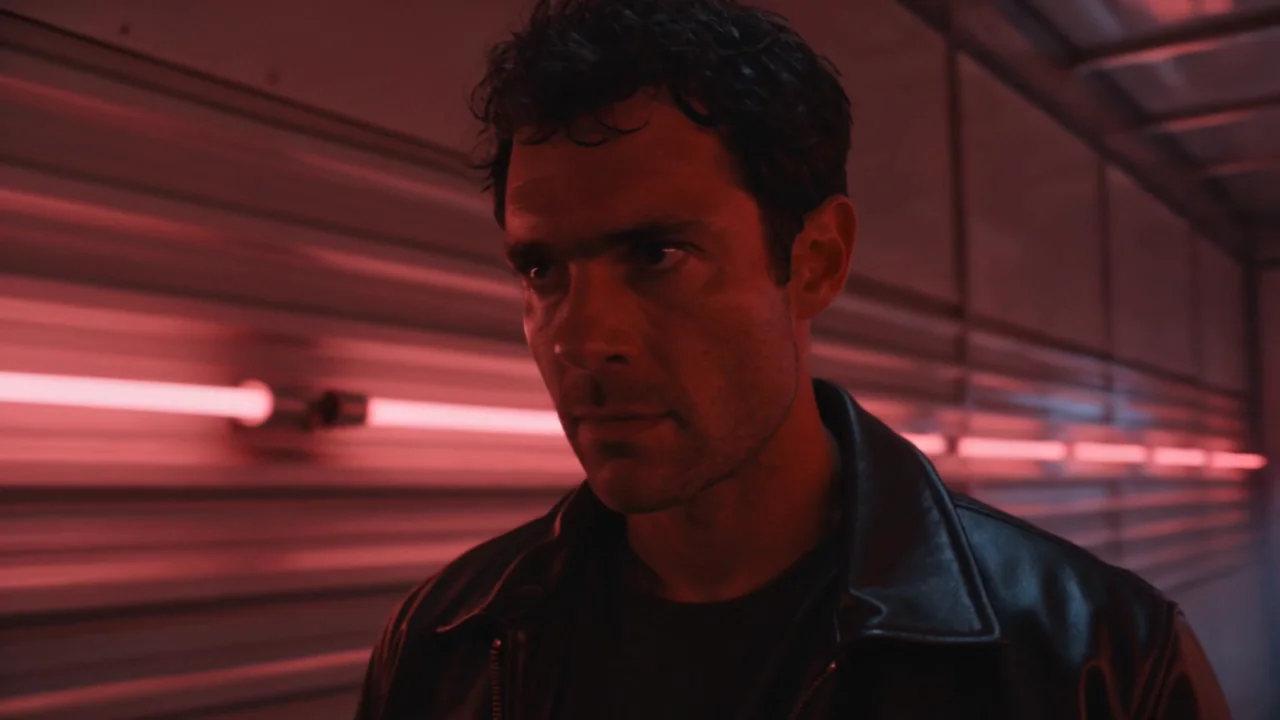
Mistake 2: a mood where a lamp should be
Real light has a source, a direction and a colour. Name one source, say where it is, and say what is in the air if you want beams.
Cinematic, moody, dramatic lighting.
The red neon tubes are the only light, raking both sides of his face, a faint cool spill from the far end of the corridor, light haze.
Mood words
One named source
Mistake 3: a camera adjective
Write the move as a physical event with a direction and a speed. Or skip the words: the composer's camera move row adds the move you pick to your prompt as its own sentence, at the strength you choose.
Dynamic camera.
A slow lateral truck to the right on a smooth dolly, the framing level, medium shot, no zoom, no cuts.
Camera adjective
Camera move named
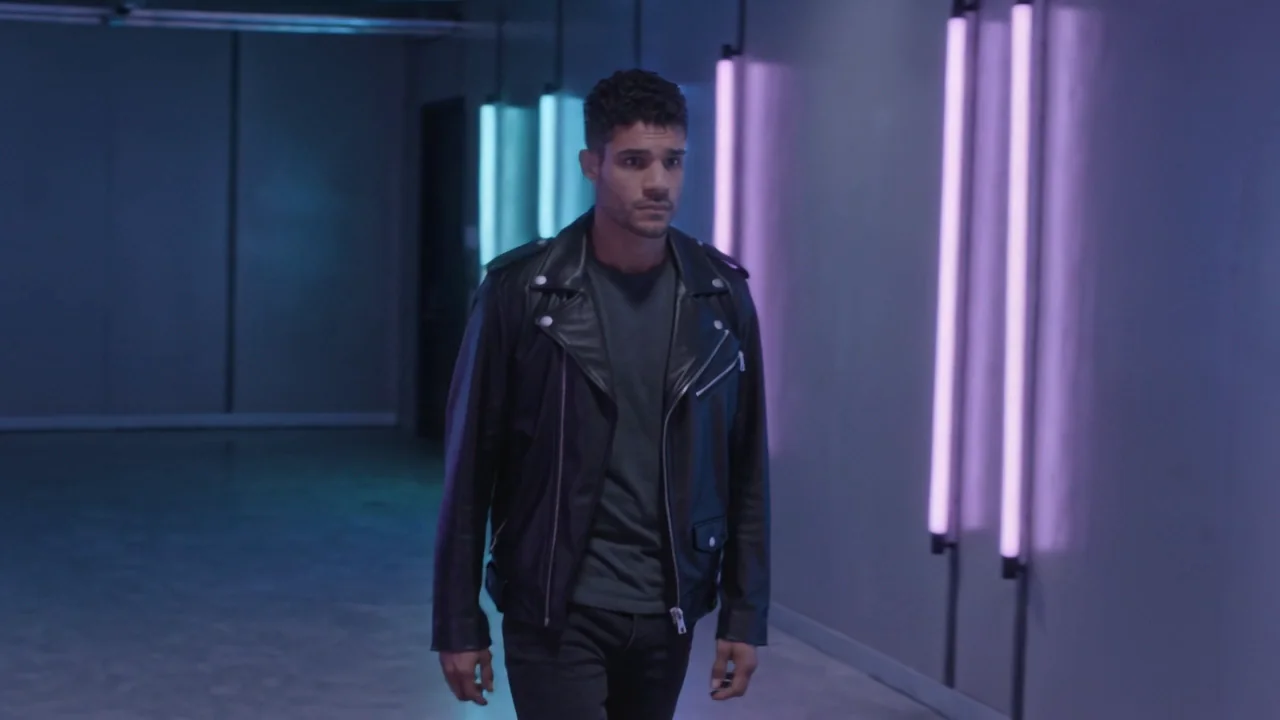
Watch for this:A named move is a request, not a guarantee. This line got part of its move. The same truck, inside the finished prompt at the end of this page, arrived whole. Name the move, then check it.
Mistake 4: motion with no path
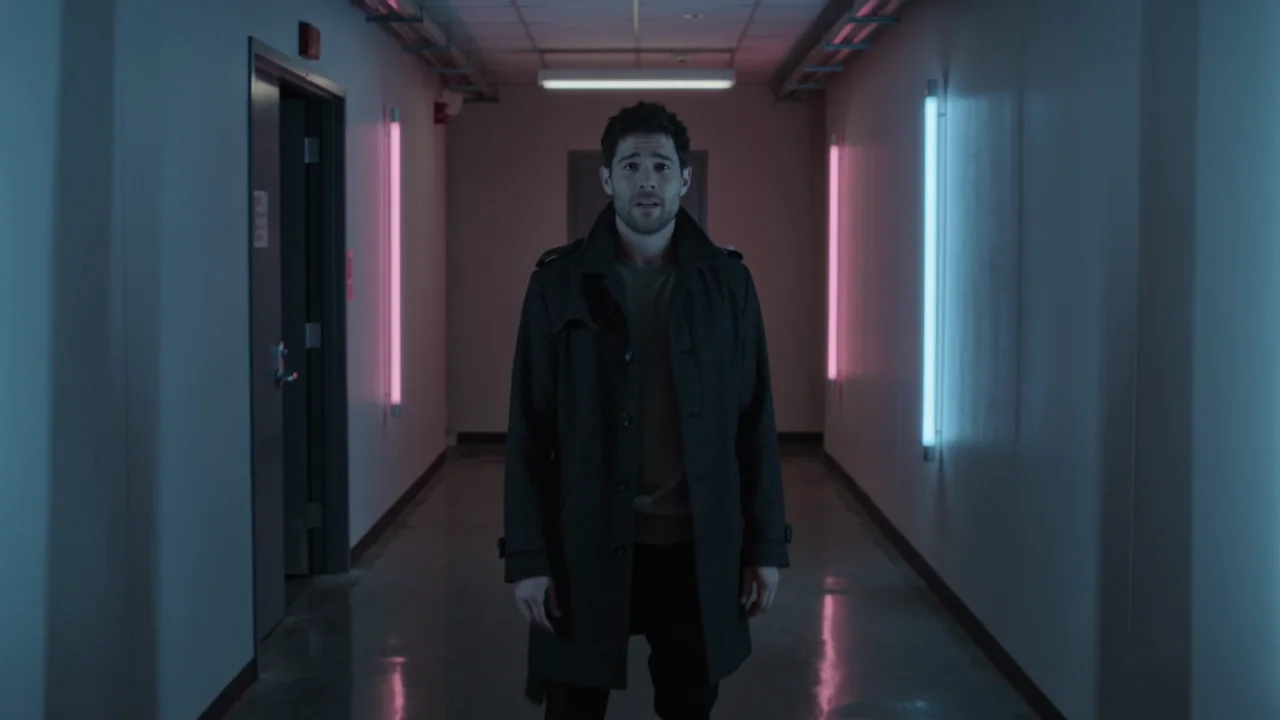
"Energetic" is a volume knob with no direction. A move needs a start, an end and a time, written as one line of stage direction.
Energetic.
He starts looking down, then raises his head and turns a quarter turn toward camera over the first two seconds, plants his feet and holds the look.
An adjective
A start, an end, a time
Mistake 5: hands that were never given a job
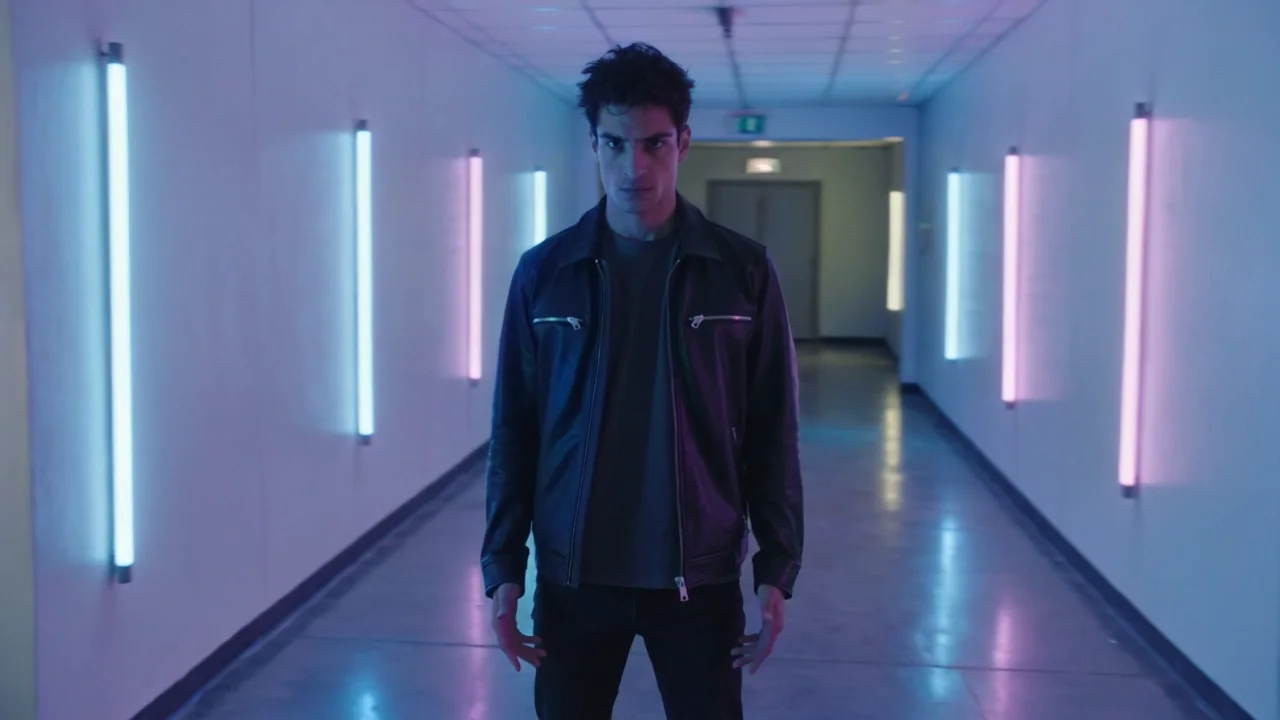
Extra fingers and fused hands come from a hand with nothing to do. Say what each hand touches, or say that it hangs at his side. The idle hand gets a line too. For reference images, model choice, length and resolution, see Hands, faces and warping.
(no line about hands)
Both hands hang open at his sides, fingers relaxed and separate; he does not touch the walls.
Hands unmentioned
Hands given a job
Mistake 6: a feeling with no visible action
"Emotional" does not tell a face what to do, so most runs settle on a pleasant blank. Replace the feeling with something a camera can see.
Emotional.
At the end he tilts his chin up slightly and holds the lens with his eyes.
A mood word
A visible action
Mistake 7: six beats in five seconds
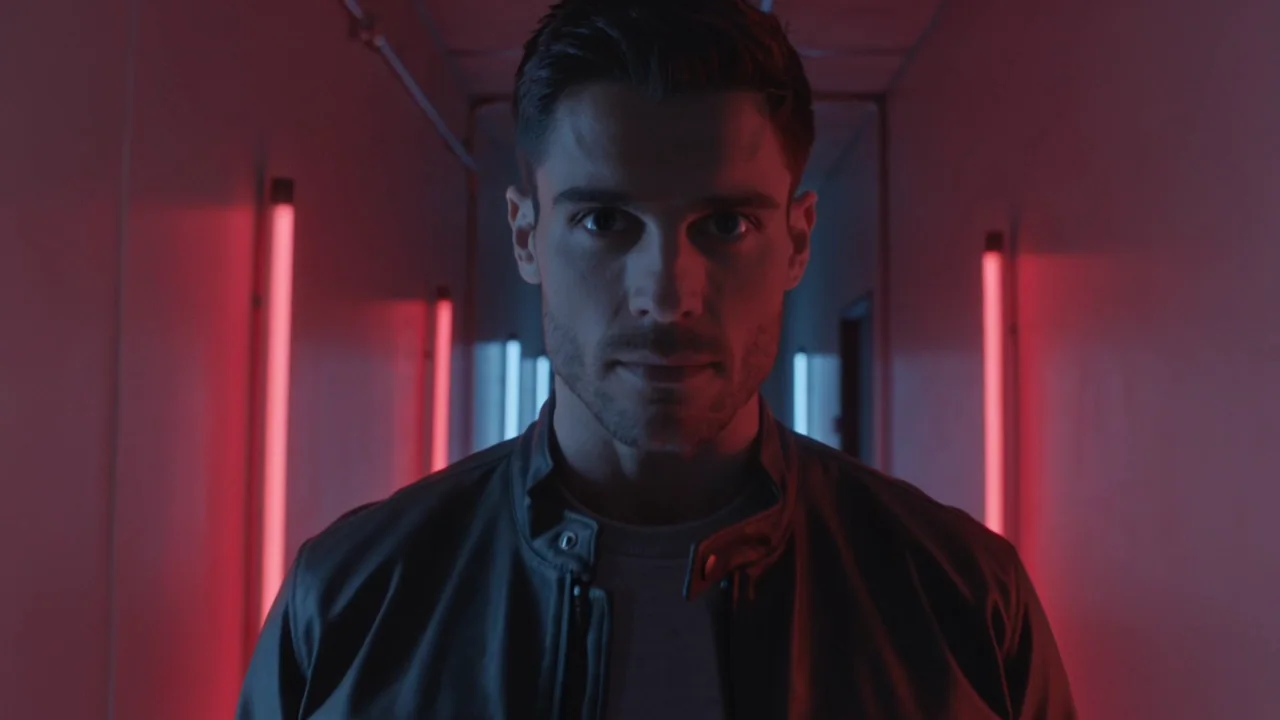
A shot list that cuts from a wide to a face to the boots asks a five second clip to be a whole video. The model obliges and cuts six times; nothing finishes. Give each clip one job and make a second clip for the second job. Seedance 2.5 renders up to 30 seconds and takes one direction per shot in the composer's multi-shot mode when you need more.
Wide shot of the corridor, then close up of his face, then his boots, then the tubes flickering, then a shot from behind him, then back to his face.
One continuous take, real-time, no cuts.
Six beats
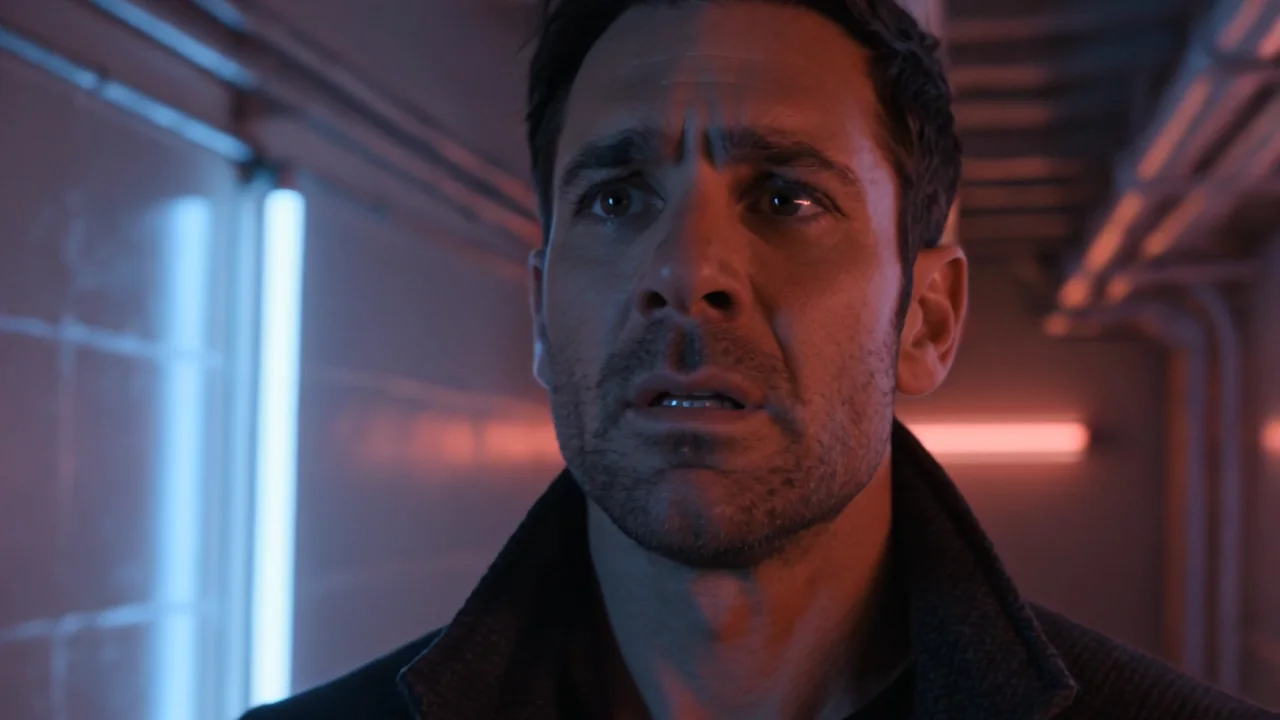
One job
All seven fixes together
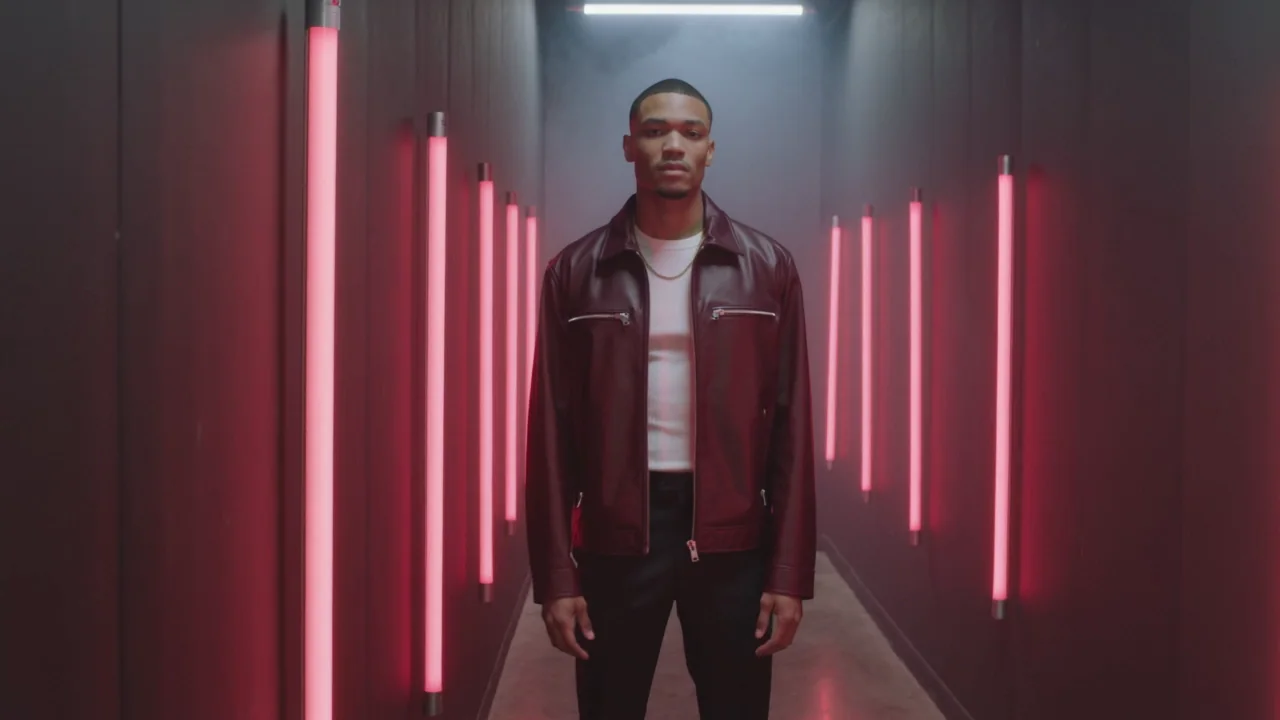
Music video performance, one continuous take, real-time. SUBJECT: a man of 27, athletic, close-cropped black hair, dark brown skin, a boxy oxblood leather jacket zipped to the chest over a white ribbed top, black tailored trousers, a thin gold chain over the top. He stands in a narrow corridor of vertical red neon tubes on both walls. ACTION: he starts looking down, then raises his head and turns a quarter turn toward camera over the first two seconds, plants his feet and holds the look; at the end he tilts his chin up slightly. HANDS: both hands hang open at his sides, fingers relaxed and separate; he does not touch the walls. CAMERA: a slow lateral truck to the right on a smooth dolly, the framing level, medium shot, no zoom, no cuts. LIGHTING: the red neon tubes are the only light, raking both sides of his face, a faint cool spill from the far end of the corridor, light haze. LOOK: anamorphic lens, horizontal flare on the tubes, fine grain, deep blacks. No text, no logos, no signage.
Tip:Every line arrived together. The lateral truck that came back as a push-in on an earlier model arrived here as written, with the head turn, the hands and the light. A camera word is still a request: check it, and run again if it matters.
Three ways to run this
- Fastest: open the video composer, pick Kling v3 (Kling 3.0 in the model menu), paste the full prompt, keep 5 seconds, and press Generate. The price is on the button.
- Hands-off: tell the NOLGIA Agent the scene in plain words and ask for a named light, a named camera move and a job for each hand. It writes the prompt, renders and shows you the take.
- Most control: the API takes the same fields plus a price quote before you submit, so you can run the vague and the fixed prompt against each other and keep both job records.
| Job | Use | Why |
|---|---|---|
| Test one fix against another | Video composer, one line changed per run | Same model, same length, same size; judge the one thing you asked for |
| A camera move without words | The camera move row | Appended to your prompt as its own sentence, at the strength you choose |
| A rough idea into a full prompt | Enhance prompt, or the agent | Both write the named light, move and hand lines; read them before you generate |
What it costs
A five second clip is the cheapest way to test a prompt change on Kling v3; on Seedance 2.5, 480p is. Render the version you keep once. The price is on the Generate button before you spend anything, and a render that fails is refunded.
Kling v3Pro and up
Per 5s clip (audio on by default)
720p 35 credits · 1080p 47 credits · 4K 117 credits
Seedance 2.5Pro and up
Per 5s clip
480p 26 credits · 720p 56 credits · 1080p 137 credits
1080p renders at 16:9 and 9:16
Read live from the catalog when this page loads. Every price is shown before you generate. See every rate.
Where you still regenerate
- The move came back different. Run again; a new run is a new roll, whatever the seed says.
- A garment or prop did not appear as written. Check wardrobe and props before you build on the clip.
- Two people or two beats. Split the job.
- Text on screen. Say no text, no logos, no signage every time; the printed T-shirt in the seed test above is what a vague prompt can invent. If lettering still appears, run again or swap it out with Miroge.
Checklist before you press Generate
- Subject: age, build, hair, each garment with a material and a colour.
- Light: one named source with a direction and a colour, then a rim or fill.
- Camera: a move with a direction and a speed, or a chip from the camera move row.
- Motion: what starts where, ends where, and when.
- Hands: what each one does, including nothing.
- Face: a visible action, not a feeling.
- One job per clip.
Questions and answers
- Do I need a seed at all?
- Only if the model reproduces with one, and you should test that with two runs first. Kling v3 takes none. On Seedance 1.5 Pro our two runs with the same words and seed came back as different people in different corridors.
- Which video models take a seed?
- Seedance, Veo and Wan accept the field. Kling refuses it before anything is charged. Accepting a seed and reproducing a clip are two different things; only a few models publish that their provider honours it.
- Why did the whole scene change when I only changed the light?
- Because each run is a new roll. Judge a pair on whether the thing you asked for arrived, not on whether the rest stayed still.
- Do I have to write prompts this long?
- No. Write the lines that fix your problem. A vague prompt with one named light is already better than a vague prompt.
- Can I give one clip several shots?
- Kling v3 cut between shots when the list asked, six times in five seconds here, and Seedance cuts too. Give a shot list only to a clip long enough to hold it, and direct each shot in multi-shot mode.
- Do the fixes work on other models?
- The habits do. How much each model responds differs; Make AI video look real runs the same kind of fixes on Kling v3 and Seedance 2.5.
Fix one thing in your next prompt
Open the video composerRelated guides
Prompting
Make AI video look real: light, motion and camera
Three sentences make a clip read as filmed: a named light source, a walk with weight, a camera someone is holding. Each tested before and after on Kling v3.
· 8 min read
Prompting
A prompt library: the exact prompts behind eight NOLGIA examples
Eight prompts copied from real NOLGIA renders, a film scene, a game trailer, a product film, a logo sting and more, each with the result and what makes it work.
· 8 min read
Video editing
A clip came out wrong: fix it or make it again
Most wrong clips do not need a new render. Swap the one thing that is off, move the scene, clean up the picture or extend it, and make it again only when the shot itself is wrong.
· 5 min read