Plugin-Workflows

Workflows, die in deinen Apps laufen.

Jeder besteht aus schriftlichen Schritten, die dein Agent über das NOLGIA-Plugin in deinem eigenen Projekt befolgt. Mit deinem eigenen Agenten wie Claude oder Cursor ist die Arbeit in der App kostenlos. Mit dem NOLGIA Agent kostet jede Runde ab 10 Credits.

Blender

Blender 4.2 oder neuer mit dem NOLGIA-Plugin

Plugin für Blender holen
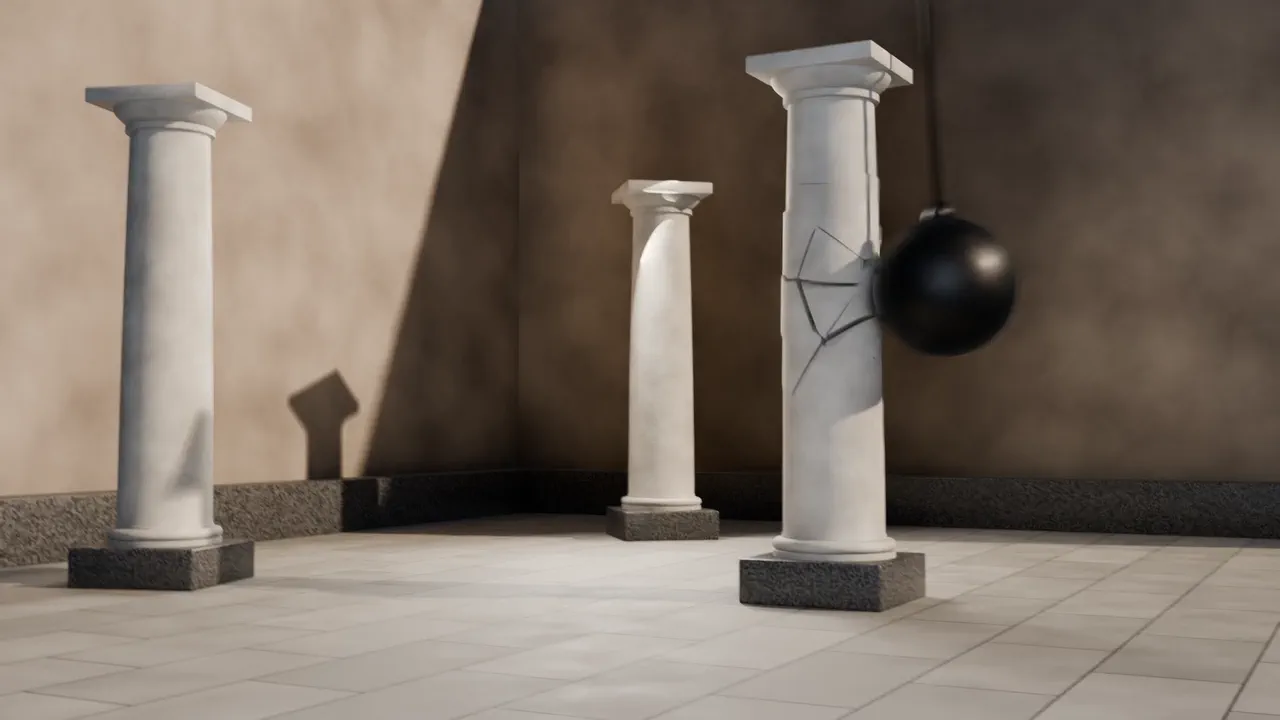
Example output from Destruction in Blender

Destruction in Blender

Plugin-WorkflowBlender

Break an object in your Blender scene apart: fractured pieces, falling debris and dust, and a camera that catches the moment.

Ideal für Crashes, collapses and drop tests, made in your own Blender scene.

Geschätzte Zeit
15 to 30 min
Wo es läuft
Runs in Blender on your computer
Example output from Exploded view in Blender

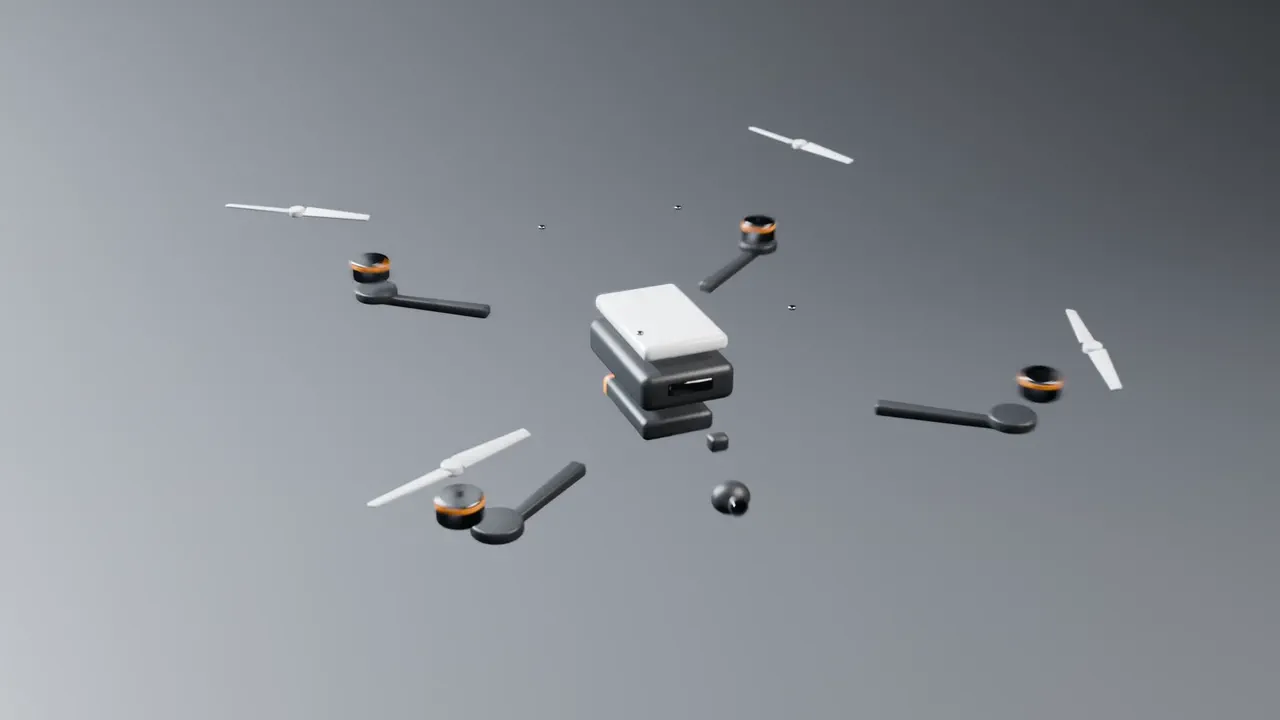
Exploded view in Blender

Plugin-WorkflowBlender

Pull a product in your Blender scene apart so every part shows, then animate it coming back together.

Ideal für Product launches, how it works videos and technical explainers.

Geschätzte Zeit
10 to 20 min
Wo es läuft
Runs in Blender on your computer
Example output from Build a scene in Blender

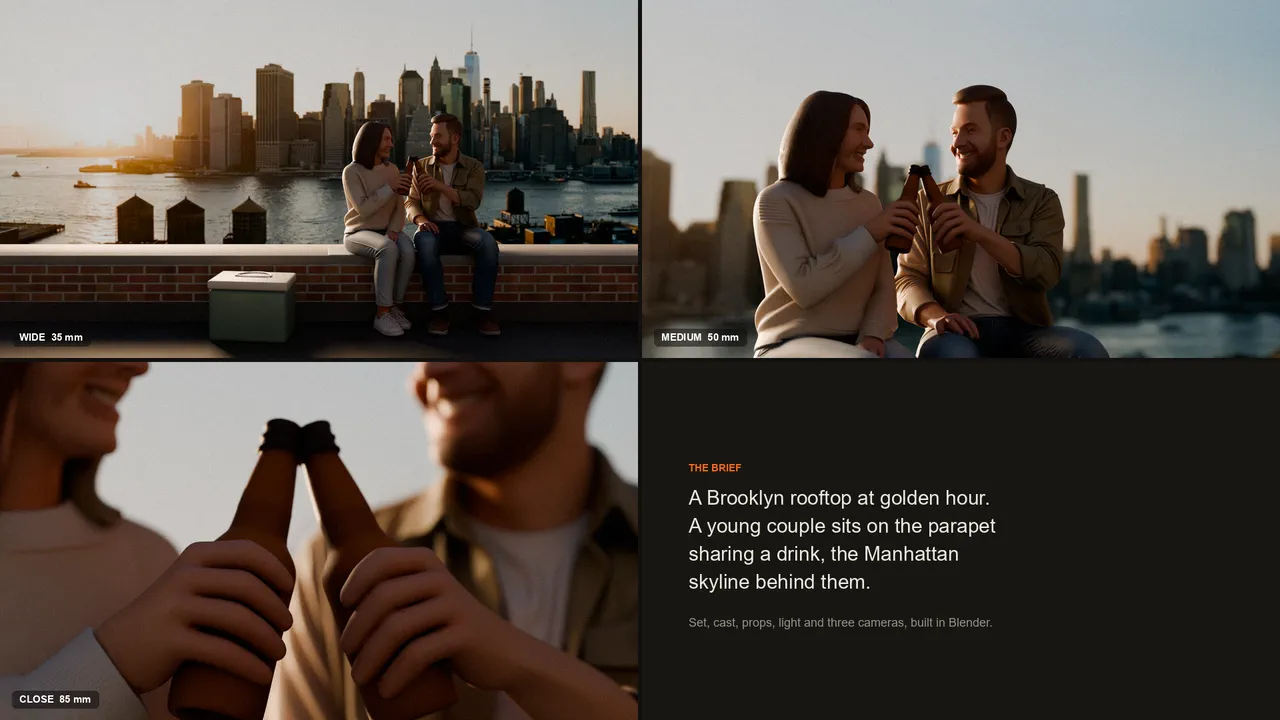
Build a scene in Blender

Plugin-WorkflowBlender

Describe a shot and get it laid out in Blender: the set, the people and props, their poses, the light, and three cameras to choose from.

Ideal für Storyboards and blocking out a shot before you animate or render.

Geschätzte Zeit
20 to 40 min
Wo es läuft
Runs in Blender on your computer
Example output from Cartoon look in Blender

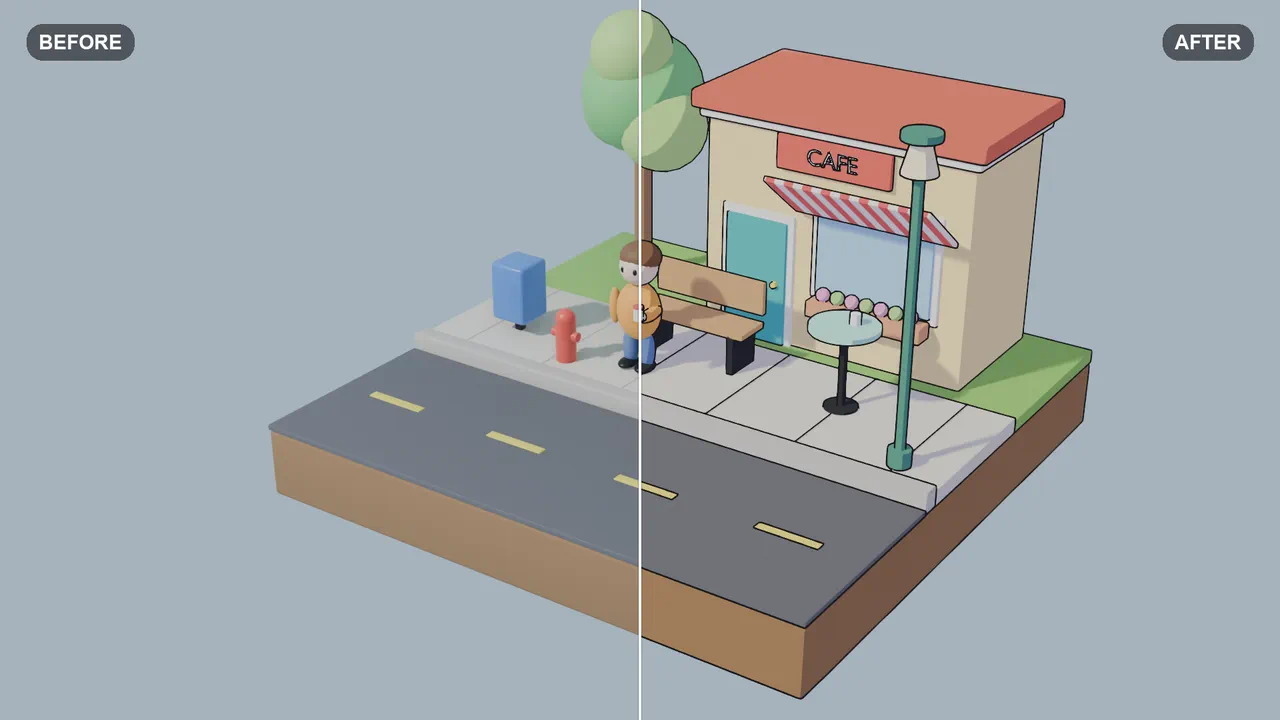
Cartoon look in Blender

Plugin-WorkflowBlender

Give your Blender scene a cartoon look: flat color in two or three bands, clean outlines, and your original colors kept.

Ideal für Cartoon shorts, stylized ads and a hand drawn feel for 3D scenes.

Geschätzte Zeit
10 to 20 min
Wo es läuft
Runs in Blender on your computer
After Effects

After Effects 25.0 oder neuer mit dem NOLGIA-Plugin

Plugin für After Effects holen
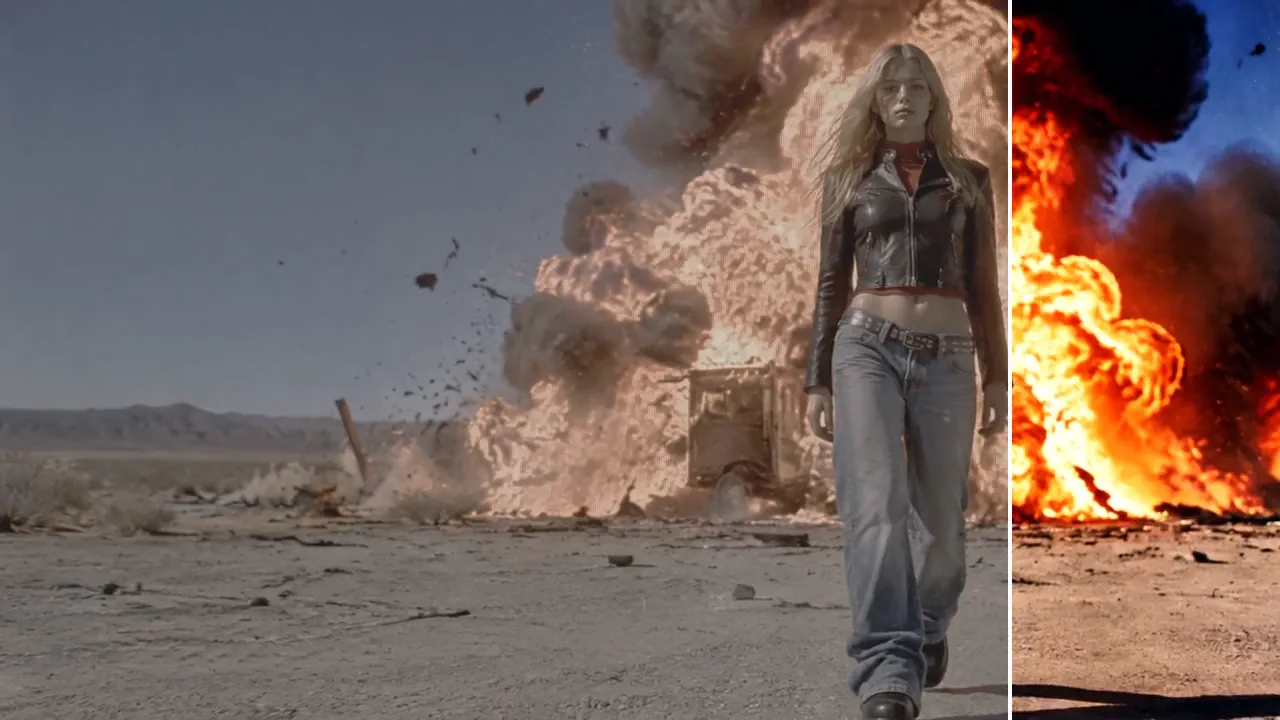
Example output from Composite a shot in After Effects

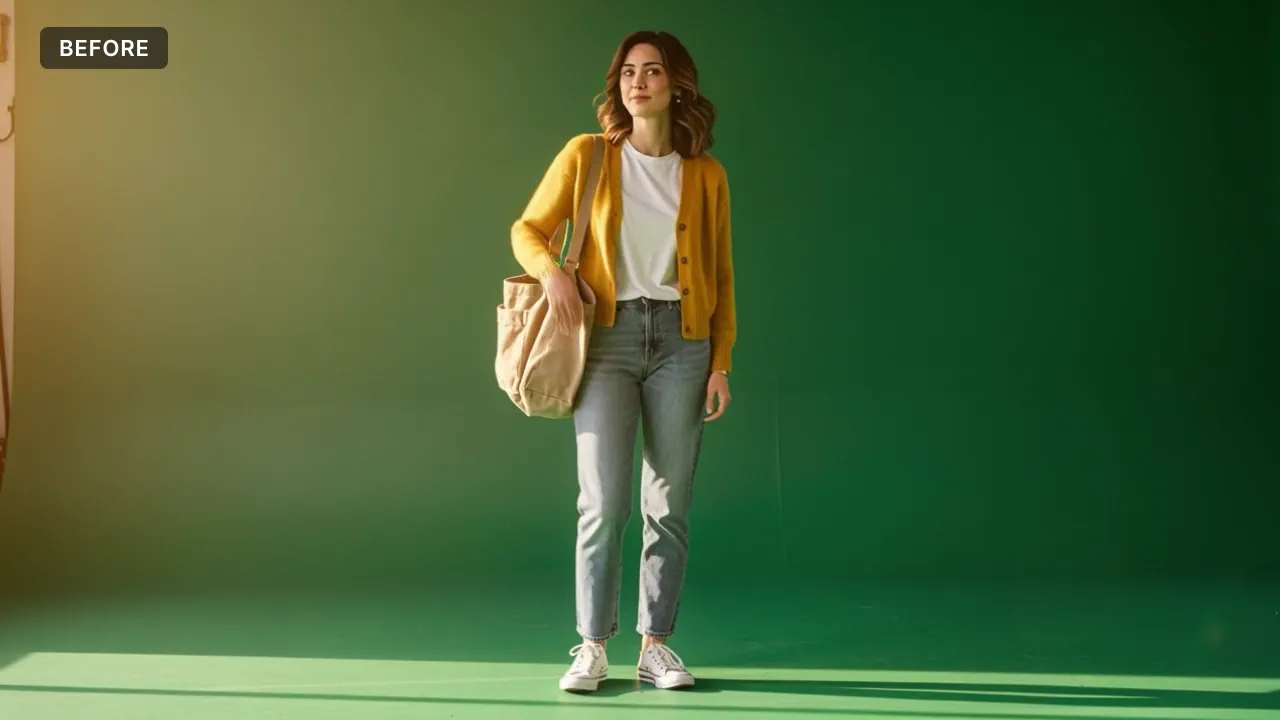
Composite a shot in After Effects

Plugin-WorkflowAfter Effects

Put your elements into your background plate in After Effects: clean keys, matched light and color, haze, focus, motion blur and grain, all live in a new comp.

Ideal für Green screen shots, set extensions and adding elements to live action footage.

Geschätzte Zeit
20 to 40 min
Wo es läuft
Runs in After Effects on your computer
Example output from Remove unwanted objects in After Effects

Remove unwanted objects in After Effects

Plugin-WorkflowAfter EffectsBeta

Take unwanted objects out of a shot in After Effects: signs, logos, stands or crew, patched with the plate's own texture and grain and moving with the camera.

Ideal für Removing signs, logos, rigs and crew from a shot without a reshoot.

Geschätzte Zeit
15 to 30 min
Wo es läuft
Runs in After Effects on your computer

Premiere Pro

Premiere Pro 25.0 oder neuer mit dem NOLGIA-Plugin

Plugin für Premiere Pro holen
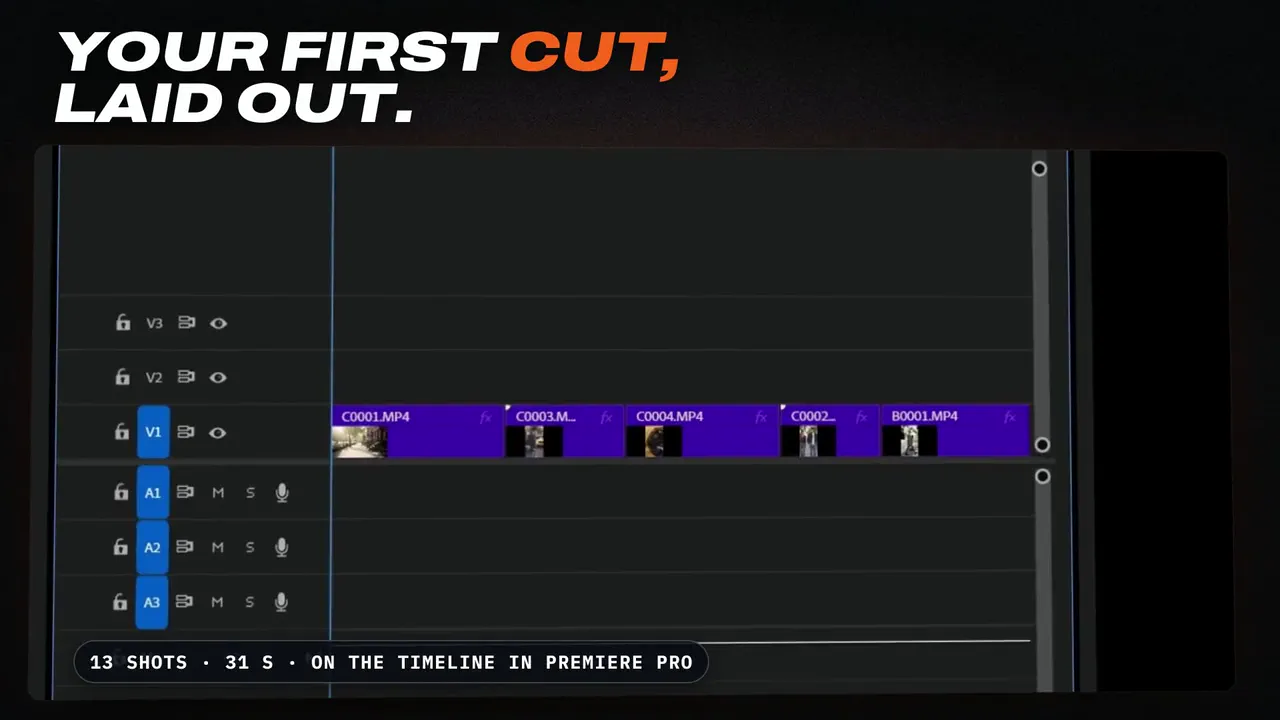
Example output from Cut a behind-the-scenes edit in Premiere Pro

Cut a behind-the-scenes edit in Premiere Pro

Plugin-WorkflowPremiere ProBeta

Turn a day of camera clips into a 30 to 60 second behind-the-scenes edit in Premiere Pro, built around what people say: whole lines from the clips' transcripts, the strongest seconds of the other clips between them, on a new sequence, plus a 9:16 copy made with Premiere's Auto Reframe.

Ideal für A first cut of a shoot day that you finish yourself, ready for socials the same day.

Geschätzte Zeit
10 to 25 min
Wo es läuft
Runs in Premiere Pro on your computer
Example output from Offload and verify your cards (DIT)

Offload and verify your cards (DIT)

Plugin-WorkflowPremiere ProBeta

NOLGIA does your DIT: copies your camera cards to your drives, checks every copy against the card, names the files and writes the DIT report. Then the footage comes into Premiere Pro, ready to sort by day with the Organize workflow.

Ideal für The end of every shoot day: cards to two drives, every copy proven, before anyone reformats a card.

Geschätzte Zeit
About as long as copying the cards, plus a few minutes
Wo es läuft
Runs in Premiere Pro on your computer
Example output from Organize a Premiere Pro project

Organize a Premiere Pro project

Plugin-WorkflowPremiere ProBeta

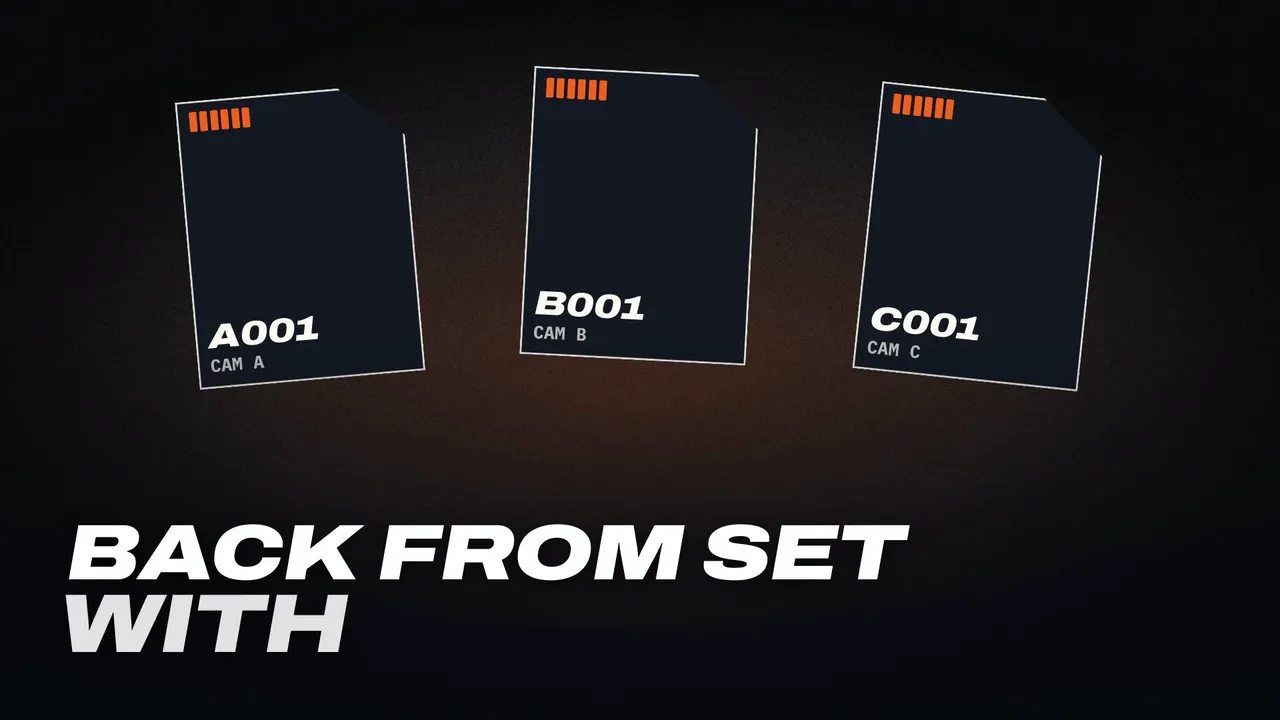
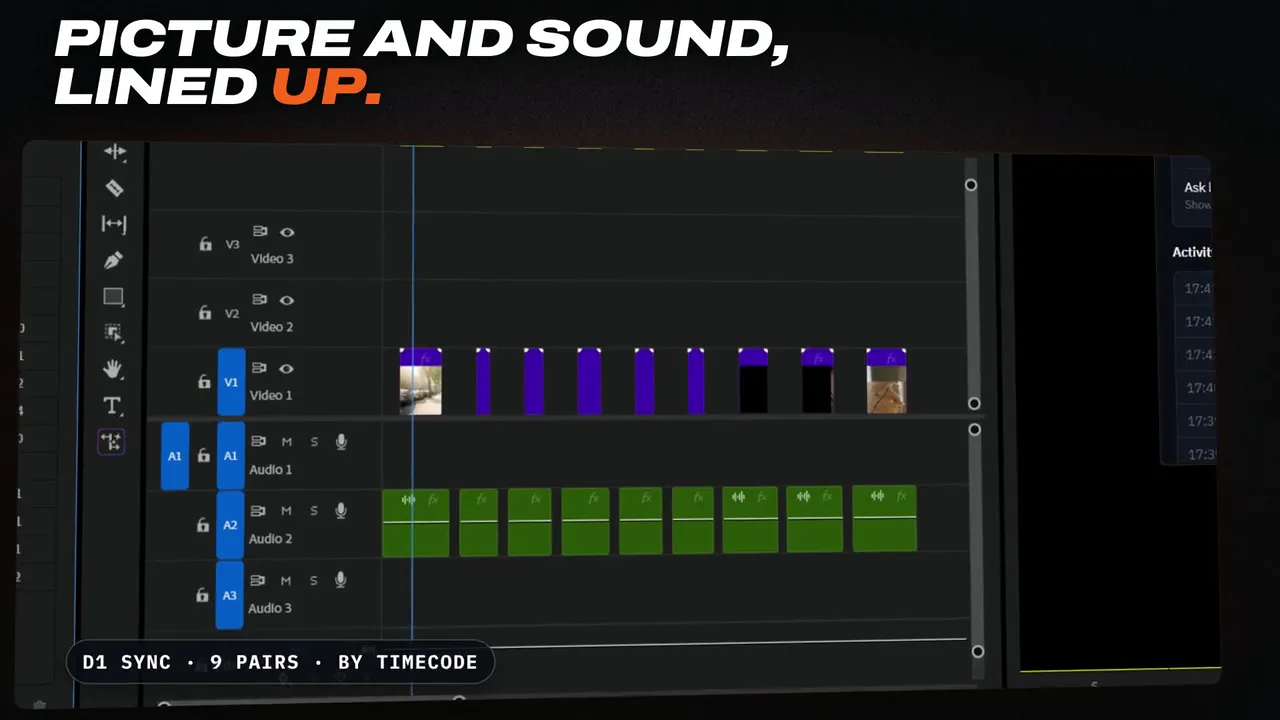
Sort the loose media in your Premiere Pro project into bins by shooting day and type, line up picture and sound by timecode, and make clearly named sequences.

Ideal für Starting an edit on a shoot with many cards, several days and a separate sound recorder.

Geschätzte Zeit
10 to 30 min
Wo es läuft
Runs in Premiere Pro on your computer

Illustrator

Illustrator 29.0 oder neuer mit dem NOLGIA-Plugin

Plugin für Illustrator holen
Example output from Vectorize an image in Illustrator

Vectorize an image in Illustrator

Plugin-WorkflowIllustrator

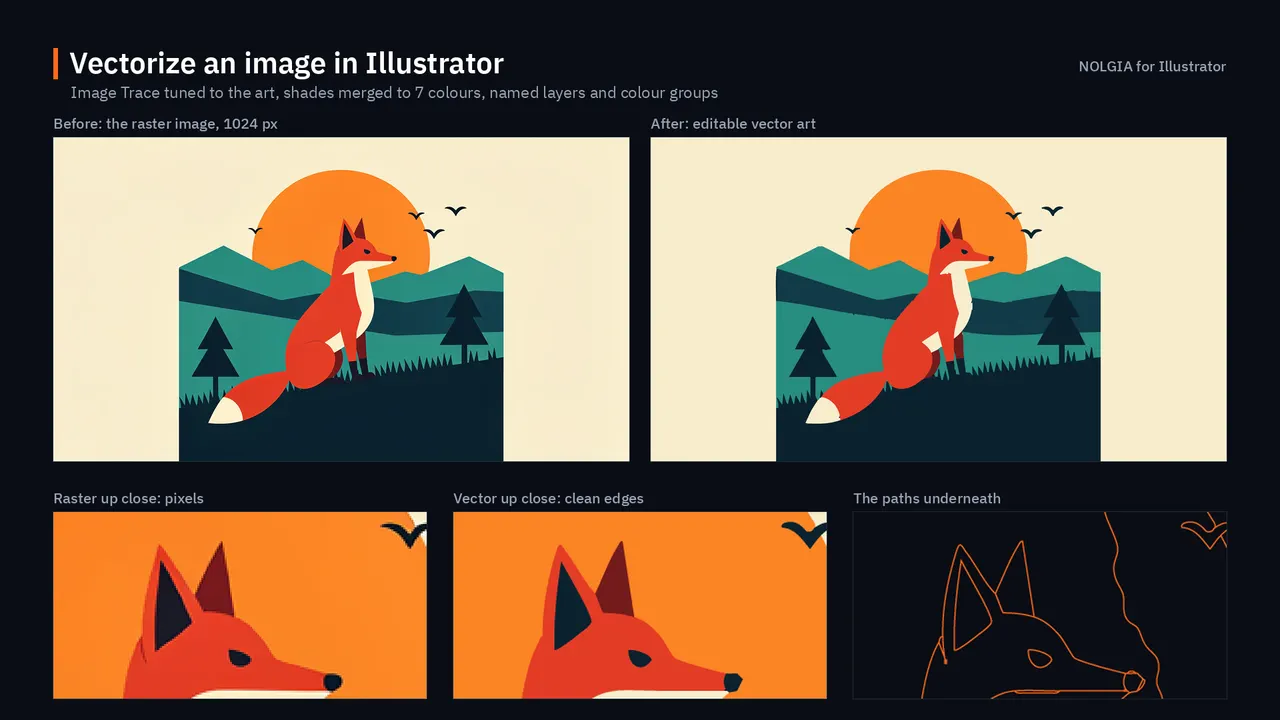
Turn a raster logo, illustration or poster into clean vector art in Illustrator, organized into named layers and groups, with the palette saved as swatches.

Ideal für Logos, flat illustrations and posters that need to print or scale to any size.

Geschätzte Zeit
10 to 20 min
Wo es läuft
Runs in Illustrator on your computer

Photoshop

Photoshop 25.0 oder neuer mit dem NOLGIA-Plugin

Plugin für Photoshop holen
Example output from Grade and clean up a set of photos in Photoshop

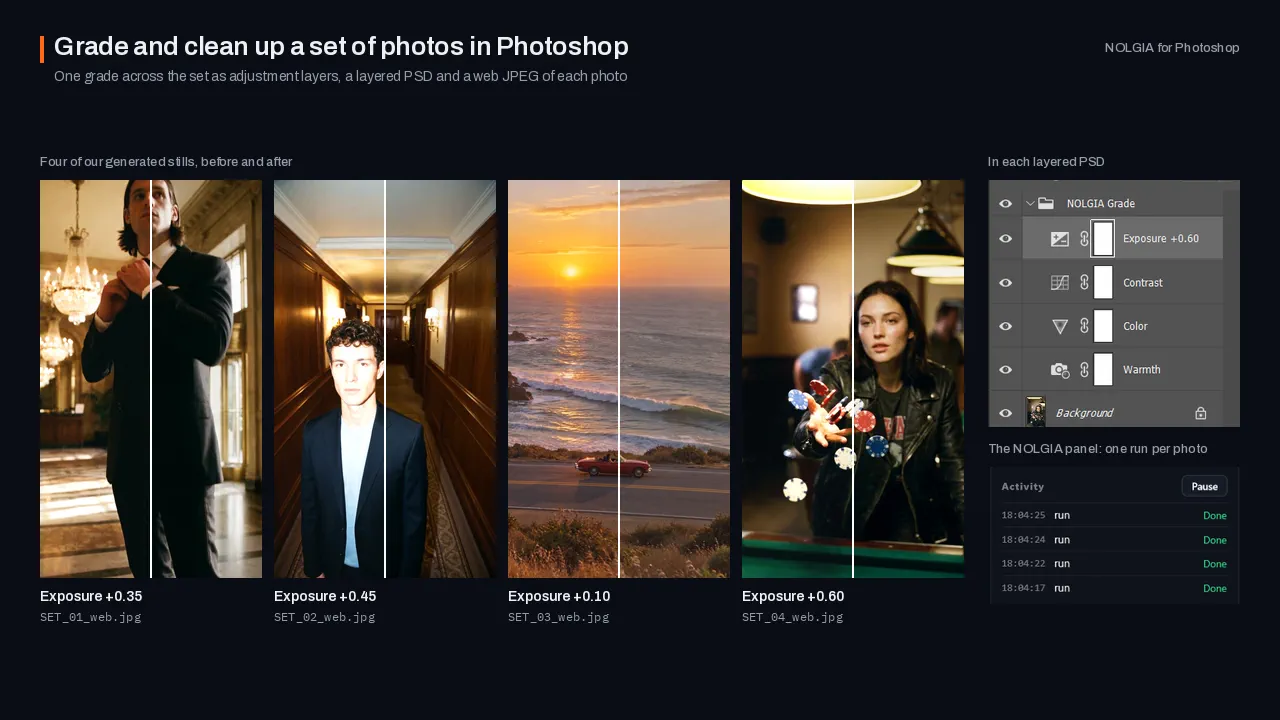
Finish a set of selected shoot photos in Photoshop: one consistent grade as adjustment layers, small distractions you pick removed on masked layers of their own, a layered PSD of each and web JPEGs.

Ideal für Delivering a set of selects that reads as one shoot, with every change still editable.

Geschätzte Zeit
15 to 40 min
Wo es läuft
Runs in Photoshop on your computer
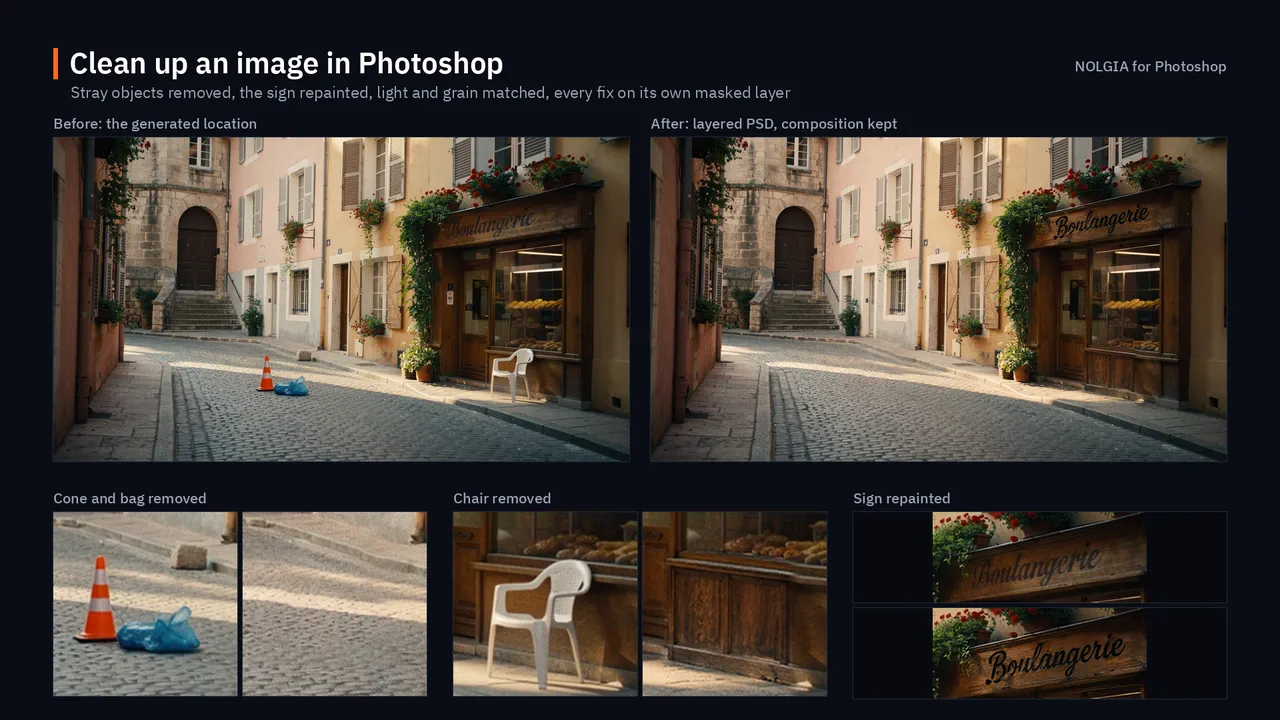
Example output from Clean up an image in Photoshop

Clean up an image in Photoshop

Plugin-WorkflowPhotoshopBeta

Clean up a generated location image in Photoshop: remove what does not belong, repair smeared signs and warped textures, and match the light, with every fix on its own layer.

Ideal für Generated location stills and backgrounds that need to hold up on a big screen.

Geschätzte Zeit
15 to 30 min
Wo es läuft
Runs in Photoshop on your computer

DaVinci Resolve Studio

DaVinci Resolve Studio 21.1 oder neuer mit dem NOLGIA-Plugin

Plugin für DaVinci Resolve Studio holen
Example output from Offload and verify your cards (DIT)

Offload and verify your cards (DIT)

Plugin-WorkflowDaVinci Resolve StudioBeta

NOLGIA does your DIT: copies your camera cards to your drives, checks every copy against the card, names the files and writes the DIT report. Then the footage comes into DaVinci Resolve, in a bin per shooting day.

Ideal für The end of every shoot day: cards to two drives, every copy proven, before anyone reformats a card.

Geschätzte Zeit
About as long as copying the cards, plus a few minutes
Wo es läuft
Runs in DaVinci Resolve Studio on your computer
Example output from Grade a timeline in DaVinci Resolve

Grade a timeline in DaVinci Resolve

Plugin-WorkflowDaVinci Resolve StudioBeta

Grade the timeline open in DaVinci Resolve with a NOLGIA film stock: stocks suggested for your footage, applied on a node of their own, with before and after stills from the same frame.

Ideal für Giving a cut the look of a real film stock in minutes, without touching the grade you already have.

Geschätzte Zeit
5 to 15 min
Wo es läuft
Runs in DaVinci Resolve Studio on your computer
Example output from Assemble a cut in DaVinci Resolve

Assemble a cut in DaVinci Resolve

Plugin-WorkflowDaVinci Resolve StudioBeta

Turn a NOLGIA project into a first cut in DaVinci Resolve: its clips in a bin, in order, on a new timeline at their frame size and frame rate, with your music underneath.

Ideal für Getting the clips you made with NOLGIA into Resolve as an editable timeline, ready to cut.

Geschätzte Zeit
5 to 15 min
Wo es läuft
Runs in DaVinci Resolve Studio on your computer